
1. Konec produktuview
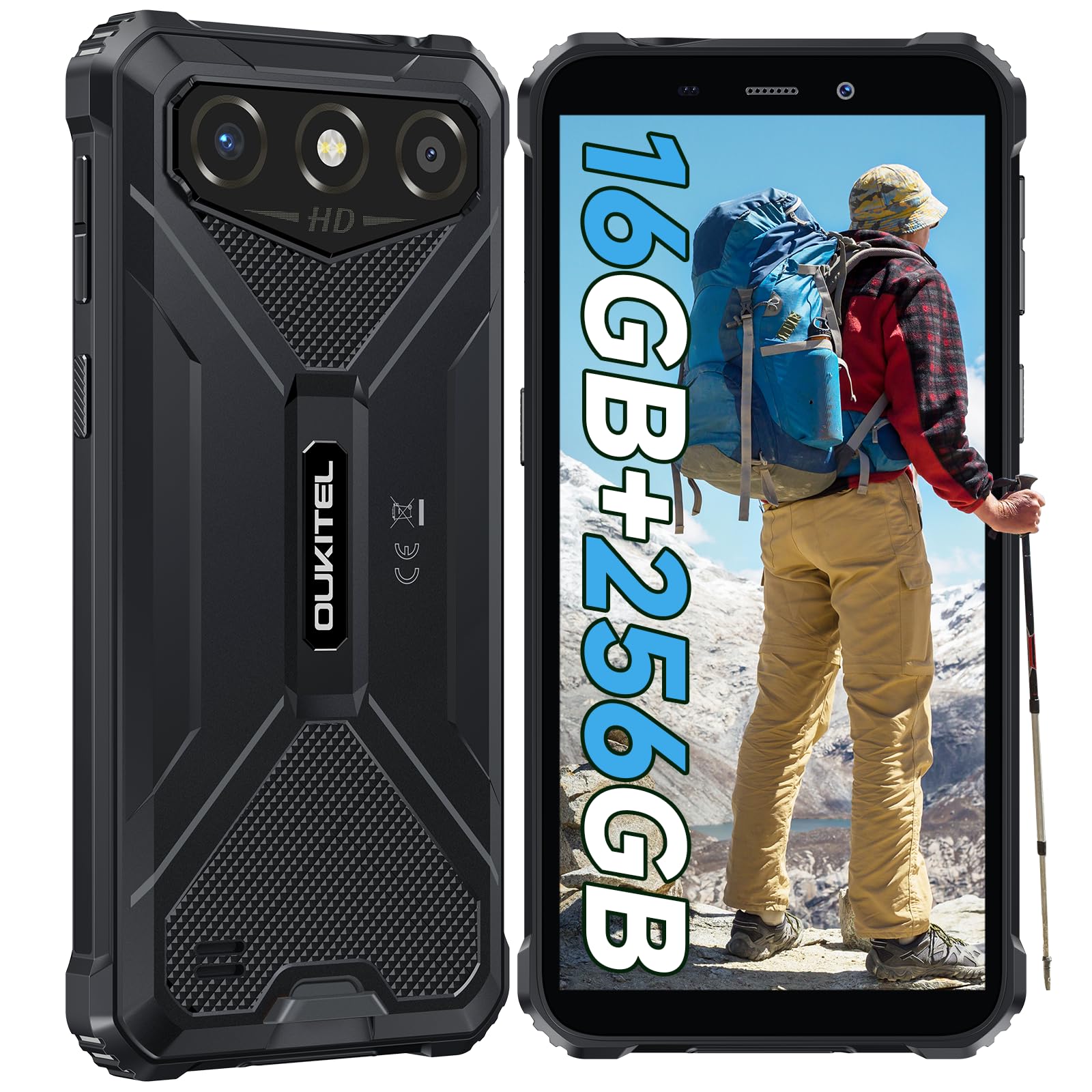
The OUKITEL G3 is a rugged smartphone designed for durability and performance in challenging environments. It features a 6.0-inch HD display, a 6300mAh battery, 16GB RAM (expandable), 256GB ROM (expandable to 1TB), and a 13MP main camera. The device is certified with IP68, IP69K, and MIL-STD-810H ratings, ensuring resistance to water, dust, and drops. It operates on Android 14 and supports 4G Dual SIM, GPS, Face ID, and OTG functionality.
2. Obsah balení
Ověřte, zda jsou v balení přítomny všechny položky:
- 1x OUKITEL G3 Smartphone
- 1x Nabíječka
- 1x kabel typu C
- 1x SIM Card Ejector Pin
- 1x Uživatelská příručka

3. Počáteční nastavení
3.1. Vložení SIM karet a TF karty
- Vyhledejte držák SIM karty na boku zařízení.
- Use the provided SIM ejector pin to open the tray.
- Carefully place your Nano SIM cards (up to two) and/or a TF card (for memory expansion up to 1TB) into the designated slots.
- Ujistěte se, že jsou karty správně orientovány, jak je vyznačeno na zásobníku.
- Jemně zatlačte zásobník zpět do telefonu, dokud nezacvakne na místo.

3.2. Nabíjení baterie
Before first use, fully charge the device. Connect the Type-C cable to the phone's charging port and the other end to the provided charger. Plug the charger into a power outlet. The battery indicator on the screen will show charging status. The OUKITEL G3 features a 6300mAh battery for extended use.
3.3. Zapnutí/vypnutí
- Zapnutí: Stiskněte a podržte tlačítko napájení, dokud se nezobrazí logo OUKITEL.
- Vypnutí: Stiskněte a podržte tlačítko Napájení a poté z možností na obrazovce vyberte možnost „Vypnout“.
- Restartování: Stiskněte a podržte tlačítko Napájení a poté z možností vyberte „Restartovat“.
4. Návod k obsluze
4.1. Zobrazení a navigace
The OUKITEL G3 features a 6.0-inch HD display with 450 nits brightness and Corning Glass 5 protection. Navigate the Android 14 interface using touch gestures: tap, swipe, pinch-to-zoom. Access quick settings by swiping down from the top of the screen.

4.2. Funkce fotoaparátu
The device is equipped with a 13MP rear camera and a 5MP front camera. Open the Camera app to capture photos and videos. Features include:
- Standardní režim fotografování: Pro každodenní fotografování.
- AI Beauty Mode: Enhances facial features in portraits.
- Underwater Camera Mode: Allows capturing photos and videos while submerged up to 1.5m for 30 minutes. Ensure all ports are securely sealed before underwater use.
- Panoramatický režim: Pro širokoúhlé snímky krajiny.

4.3. Battery Management and OTG
The 6300mAh battery provides extended usage. To optimize battery life, manage screen brightness, close unused applications, and enable power-saving modes when needed. The device supports OTG (On-The-Go) reverse charging, allowing you to use your OUKITEL G3 to charge other compatible devices via a Type-C OTG cable (sold separately).

4.4. Custom Key and Security Features
- Vlastní klíč: A programmable button on the side of the device for quick access to specific applications or functions. Configure its actions (single click, double click, long press) in the phone settings.
- ID obličeje: Use facial recognition for secure unlocking of your device. Set up Face ID in the Security settings.
- GPS navigace: The OUKITEL G3 supports GPS, GLONASS, Beidou, and Galileo navigation systems for accurate positioning.

5. Údržba a trvanlivost
The OUKITEL G3 is built to withstand harsh conditions, certified with IP68, IP69K, and MIL-STD-810H standards.
- Vodotěsnost IP68: Protected against continuous immersion in water up to 1.5 meters for 30 minutes. Ensure all port covers are tightly sealed before exposure to water.
- IP69K Dust Resistance: Fully protected against dust ingress and high-pressure, high-temperature water jets.
- MIL-STD-810H Drop Resistance: Designed to withstand drops from up to 1.5 meters. The aluminum frame and rubberized corners provide enhanced shock absorption.
K čištění zařízení použijte měkký, damp cloth. Avoid harsh chemicals or abrasive materials. Regularly check port covers for proper sealing to maintain water and dust resistance.

6. Řešení problémů
Pokud narazíte na problémy s vaším OUKITEL G3, podívejte se na následující běžná řešení:
| Problém | Možné řešení |
|---|---|
| Zařízení se nezapne | Ujistěte se, že je baterie nabitá. Připojte nabíječku a před opětovným zapnutím počkejte několik minut. |
| Slabý signál sítě | Check if SIM cards are correctly inserted. Move to an area with better network coverage. Contact your service provider if the issue persists. |
| Aplikace padá nebo zamrzá | Close background applications. Clear the cache of the problematic app. Restart the device. Ensure sufficient storage space is available. |
| Baterie se rychle vybíjí | Snižte jas obrazovky. Vypněte nepoužívané funkce, jako je Wi-Fi, Bluetooth, GPS. Zavřete aplikace náročné na energii. Zkontrolujte v nastavení spotřebu baterie a zjistěte příčiny. |
| Dotykový displej nereaguje | Restartujte zařízení. Pokud problém přetrvává, proveďte obnovení továrního nastavení (nejprve zálohujte data). |
7. Technické specifikace
| Funkce | Detail |
|---|---|
| Značka | OUKITEL |
| Model | G3 |
| Operační systém | Android 14 |
| BERAN | 4GB (expandable to 16GB virtual RAM) |
| Interní úložiště (ROM) | 256 GB |
| Rozšiřitelné úložiště | Až 1 TB (TF karta) |
| Velikost displeje | 6.0 palců |
| Rozlišení displeje | HD (450 nits brightness, Corning Glass 5) |
| Obnovovací frekvence | 60 Hz |
| Zadní kamera | 13 megapixelů |
| Přední kamera | 5 megapixelů |
| Kapacita baterie | 6300 XNUMX mAh |
| Nabíjecí port | USB Type-C |
| Hodnocení trvanlivosti | IP68, IP69K, MIL-STD-810H |
| Podpora SIM karet | Dual 4G Nano SIM |
| Navigace | GPS, GLONASS, Beidou, Galileo |
| Biometrické zabezpečení | ID obličeje |
| Audio Jack | 3.5 mm |
Podrobné informace o energetické účinnosti naleznete v databázi EU EPREL: https://eprel.ec.europa.eu/qr/2400970

8. Záruka a podpora
OUKITEL provides the following support for the G3 smartphone:
- Zásady vrácení: 30-day no-reason return.
- Záruka: TWO-YEAR warranty.
- Technická podpora: Dlouhodobá technická pomoc.
- Služby zákazníkům: 24hodinový online zákaznický servis.
For any inquiries or support, please contact OUKITEL official customer service.