
1. Důležité bezpečnostní pokyny
Please read all instructions carefully before using the Defy DBF300 Bladeless Fan. Retain this manual for future reference.
- Vždy se ujistěte, že je ventilátor umístěn na stabilním a rovném povrchu, aby se zabránilo jeho převrácení.
- Neprovozujte ventilátor s poškozeným kabelem nebo zástrčkou. Pokud je kabel poškozen, musí být vyměněn výrobcem, jeho servisním zástupcem nebo podobně kvalifikovanou osobou, aby se předešlo nebezpečí.
- Keep hands, fingers, hair, and loose clothing away from the fan's air inlet and outlet openings.
- Neponořujte ventilátor, kabel ani zástrčku do vody ani jiných kapalin.
- Odpojte ventilátor ze zásuvky, pokud jej nepoužíváte, před čištěním nebo před jeho přemístěním.
- Tento spotřebič není určen pro použití osobami (včetně dětí) se sníženými fyzickými, smyslovými nebo duševními schopnostmi nebo nedostatečnými zkušenostmi a znalostmi, pokud na ně nedohlíží osoba odpovědná za jejich bezpečnost nebo jim nebyla poskytnuta instrukce ohledně používání spotřebiče.
- Děti by měly být pod dozorem, aby bylo zajištěno, že si se spotřebičem nebudou hrát.
- Do not use the fan outdoors or in wet conditions.
- Do not block air openings or operate near curtains or other objects that could block airflow.
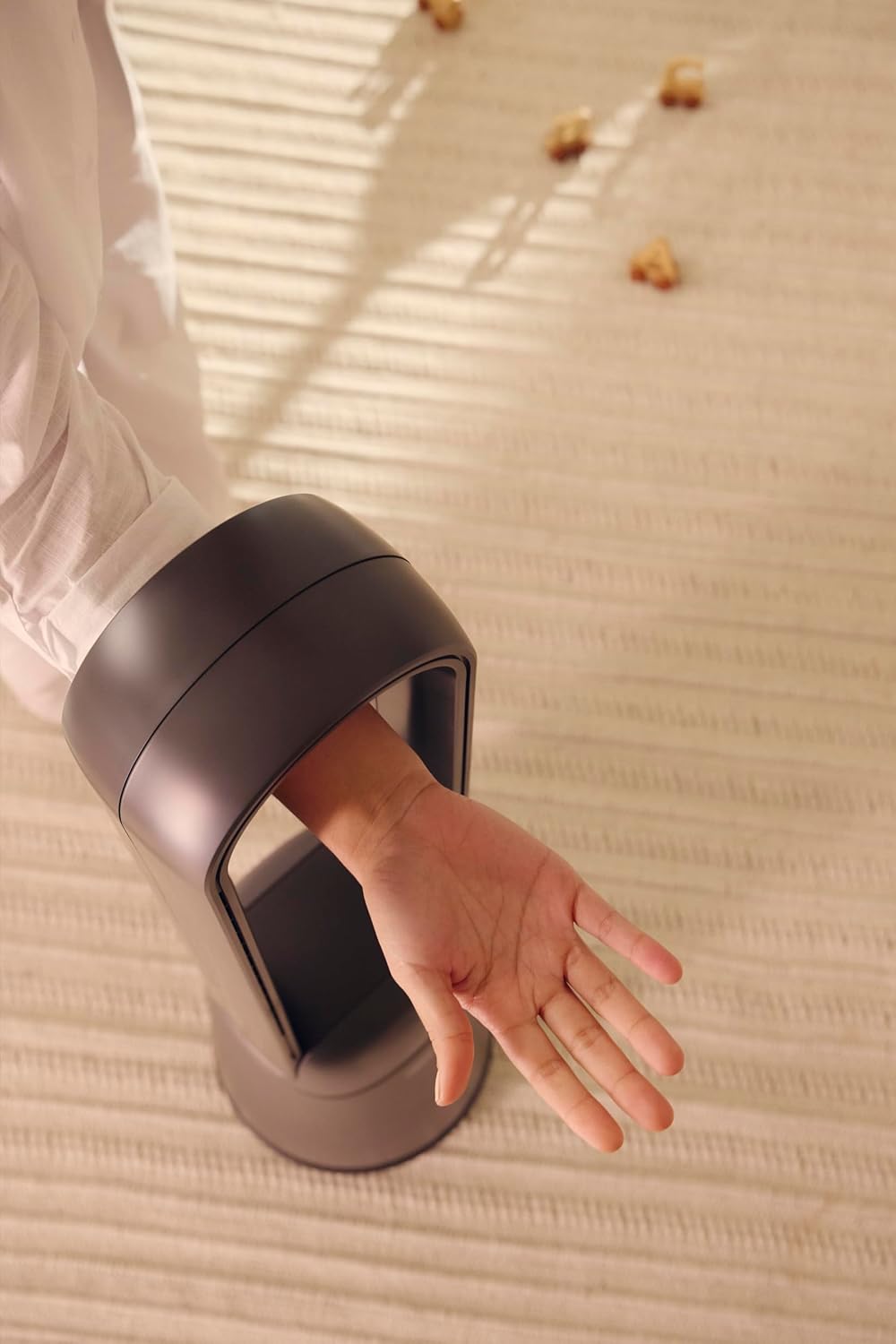
Figure 1: The bladeless design ensures safety, allowing a hand to pass through the air loop without obstruction.
2. Konec produktuview
The Defy DBF300 is a bladeless fan designed for efficient and quiet air circulation. It features multiple speed settings, various wind modes, and convenient remote control operation.

Obrázek 2: Přední strana view of the Defy DBF300 Bladeless Fan.
Klíčové vlastnosti:
- Bladeless design for enhanced safety and easy cleaning.
- Up to 20 wind speed settings for precise airflow control.
- Multiple wind modes: Strong, Natural, Sleep, and Smart adaptive wind.
- Oscillation function with 4 modes for wide area coverage.
- Wireless remote control for convenient operation.
- Integrated touch-sensitive control panel on the unit.
- Timer function for automatic shut-off, adjustable up to 8 hours.
- Whisper-quiet operation.
3. Nastavení
3.1 Vybalení
- Opatrně vyjměte ventilátor z obalu.
- Check for any signs of damage during transit. If damaged, do not operate and contact customer support.
- Ensure all components are present: the main fan unit and the remote control.
3.2 Umístění
- Place the fan on a firm, level, and stable surface.
- Ensure there is adequate space around the fan for optimal airflow, avoiding obstructions like walls, furniture, or curtains.
- Do not place the fan in direct sunlight or near heat sources.
- Keep the fan away from areas where it might be exposed to water or high humidity.
3.3 Připojení napájení
- Before plugging in, ensure the power supply voltage odpovídá štítku s výkonem na ventilátoru.
- Insert the power plug firmly into a suitable electrical outlet.
4. Návod k obsluze
The Defy DBF300 Bladeless Fan can be operated using the touch control panel on the unit or the provided remote control.
4.1 Ovládací panel Overview

Figure 3: The fan's touch control panel and digital display.
- Tlačítko napájení (①): Turns the fan On or Off.
- Speed Adjustment (②): Increases or decreases wind speed.
- Mode Selection (③): Cycles through Strong, Natural, Sleep, and Smart adaptive wind modes.
- Oscillation (④): Activates or deactivates the oscillation function.
- Timer (⑤): Sets the auto shut-off timer.
- Digitální displej: Shows current speed, mode, or timer setting.
4.2 Dálkové ovládání

Figure 4: The remote control for the Defy DBF300 Bladeless Fan.
The remote control duplicates all functions available on the fan's control panel. Ensure the remote has working batteries (typically 2x AAA, not included) and is pointed towards the fan's receiver for optimal operation.
- Tlačítko napájení: Turns the fan On or Off.
- Tlačítka rychlosti +/-: Adjusts the wind speed (1-20).
- Tlačítko režimu: Cycles through Strong, Natural, Sleep, and Smart modes.
- Oscilační tlačítko: Toggles oscillation On/Off.
- Tlačítko časovače: Sets the auto shut-off timer (1-8 hours).
4.3 Obecná obsluha
- Zapnutí/vypnutí: Press the Power button on the control panel or remote. The digital display will illuminate.
- Nastavení rychlosti větru: Use the Speed adjustment buttons on the control panel or the +/- buttons on the remote. The display will show the current speed level (1-20).
- Selecting Wind Mode: Press the Mode button to cycle through the available modes:
- Silný režim: Provides a consistent, powerful airflow.
- Přirozený režim: Simulates natural breezes by varying wind speed.
- Režim spánku: Operates at a lower, quieter speed, gradually decreasinpostupem času pro pohodlný spánek.
- Smart Adaptive Wind: Adjusts airflow based on ambient conditions (if sensor equipped, otherwise maintains a gentle flow).
- Activating Oscillation: Press the Oscillation button. The fan will begin to rotate horizontally. Press again to stop oscillation. There are 4 oscillation modes, which can be cycled through by repeatedly pressing the oscillation button.
- Nastavení časovače: Press the Timer button. Each press will increase the timer setting by 1 hour, up to a maximum of 8 hours. The fan will automatically turn off after the set time. To cancel the timer, cycle through until '00' or 'OFF' is displayed, or turn the fan off.
5. Údržba
Regular cleaning and proper storage will ensure the longevity and optimal performance of your Defy DBF300 Bladeless Fan.
5.1 Čištění
- Vždy odpojte ventilátor ze zásuvky ze zásuvky před čištěním.
- Vnější povrchy ventilátoru otřete měkkým hadříkemamp tkanina. Nepoužívejte abrazivní čisticí prostředky nebo rozpouštědla.
- For the air inlet and outlet, use a soft brush or a vacuum cleaner with a brush attachment to remove dust and debris. The bladeless design makes these areas easily accessible for cleaning.
- Ensure no water or liquid enters the internal components of the fan.
- Před opětovným zapojením a spuštěním nechte ventilátor zcela vyschnout.
5.2 Skladování
- If storing the fan for an extended period, clean it thoroughly as per the instructions above.
- Ventilátor skladujte v originálním obalu nebo jej zakryjte, abyste jej chránili před prachem.
- Keep the fan in a cool, dry place, away from direct sunlight and extreme temperatures.
6. Řešení problémů
Než kontaktujete zákaznickou podporu, přečtěte si prosím následujícího průvodce řešením běžných problémů.
| Problém | Možná příčina | Řešení |
|---|---|---|
| Ventilátor se nezapne. | Žádné napájení. Napájecí kabel není správně zapojený. | Ujistěte se, že je ventilátor zapojen do aktivní elektrické zásuvky. Zkontrolujte připojení napájecího kabelu. |
| Slabé nebo žádné proudění vzduchu. | Zablokovaný vstup/výstup vzduchu. Otáčky ventilátoru nastaveny příliš nízko. | Zkontrolujte překážky a odstraňte je. Zvyšte nastavení otáček ventilátoru. |
| Dálkové ovládání nefunguje. | Baterie jsou vybité nebo nesprávně vložené. Překážka mezi dálkovým ovladačem a ventilátorem. | Replace batteries (2x AAA). Ensure correct polarity. Remove any objects blocking the signal path. Point remote directly at the fan. |
| Ventilátor vydává neobvyklý zvuk. | Ventilátor není na rovném povrchu. Vnitřní ucpání nebo poškození. | Umístěte ventilátor na stabilní, rovný povrch. Pokud hluk přetrvává, přestaňte přístroj používat a kontaktujte zákaznickou podporu. |
7. Specifikace
| Model | DBF300 |
| Značka | Defy |
| Barva | Kovově šedá |
| Výkon / Wattage | 36 wattů |
| Rozměry produktu (D x Š x V) | 28 D x 25 W x 97 V centimetrů |
| Hmotnost položky | 6.7 kg |
| Speciální funkce | Bladeless, Oscillation, Remote Control, Timer |
| Zdroj napájení | Elektrický kabel |
8. Záruka a podpora
For detailed warranty information, please refer to the warranty card included with your product or visit the official Defy webUschovejte si doklad o koupi pro případné reklamace.
If you encounter any issues not covered in this manual or require further assistance, please contact Defy customer support. Contact details can typically be found on the Defy webwebu nebo obalu vašeho produktu.
You can visit the Defy Store for more information: Defy Store on Amazon.