
1. Úvod
This manual provides essential information for the safe and efficient operation of your JIKEFUN CZ26 RC Drone. Please read this manual thoroughly before operating the drone to ensure proper usage and to prevent damage or injury. The CZ26 is a compact quadcopter equipped with an HD camera, optical flow positioning, and various flight modes designed for both indoor and outdoor use.

Figure 1.1: JIKEFUN CZ26 RC Drone with its remote control and packaging.
2. Bezpečnostní pokyny
- Provozujte dron v otevřeném prostoru, mimo dosah lidí, zvířat a překážek.
- Dodržujte bezpečnou vzdálenost od elektrického vedení, budov a vodních ploch.
- Nepracujte za silného větru nebo nepříznivých povětrnostních podmínek.
- Ensure all propellers are securely attached and undamaged before flight.
- Chraňte prsty a vlasy před rotujícími vrtulemi.
- U uživatelů mladších 14 let se doporučuje dohled dospělé osoby.
- Nepokoušejte se dron ani jeho součásti upravovat.
3. Obsah balení
Ověřte, zda jsou v balení přítomny všechny položky:
- CZ26 RC Drone (x1)
- Dálkové ovládání (x1)
- Náhradní čepele (x4)
- Baterie (1x)
- USB kabel (x1)
- Šroubovák (x1)
- Instructions (x2)
4. Identifikace součásti
4.1 Součásti dronu

Obrázek 4.1: Nahoře view of the CZ26 drone highlighting its LED lights and central body.
- HD kamera: Located at the front of the drone, capable of capturing photos and videos.
- Vrtule: Four propellers with protective guards for safe flight.
- LED světla: Integrovaná světla pro lepší viditelnost a estetický vzhled.
- Přihrádka na baterie: Located on the underside of the drone for battery insertion.
- Vypínač: Located on the top surface of the drone for powering on/off.
4.2 Součásti dálkového ovládání

Figure 4.2: Detailed layout of the remote control functions.
- Levý joystick (plyn/stáčení): Řídí nadmořskou výšku a rotaci.
- Pravý joystick (náklon/klopení): Ovládá pohyb vpřed/vzad a vlevo/vpravo.
- One-Click Takeoff/Landing Button: Zahájí automatický vzlet nebo přistání.
- Přepínač rychlosti: Adjusts flight speed (low, medium, high).
- Photo/Video Buttons: Pořizuje snímky nebo spouští/zastavuje nahrávání videa.
- Tlačítko 360° otáčení: Executes a stunt roll.
- Headless Mode/Return Button: Activates headless mode or initiates return-to-home.
- Adjustable Camera Control: Lever to adjust the camera angle.
- Držák telefonu: Mount for a smartphone to view foo v reálném časetage.
5. Nastavení
5.1 Nabíjení a instalace baterie
- Charge the drone battery using the provided USB cable. The battery features a USB-C charging port.
- Vložte plně nabitou baterii do přihrádky na baterii dronu, dokud nezacvakne na místo.
- Install 3 AAA batteries (not included) into the remote control's battery compartment.
5.2 Dálkové ovládání a nastavení aplikace
- Attach the phone holder to the remote control.
- Download the dedicated control app to your smartphone.
- Place your smartphone securely in the phone holder.
- Power on the drone by pressing and holding its power button.
- Power on the remote control by sliding the power switch.
- Připojte svůj chytrý telefon k Wi-Fi síti dronu.
- Open the app to establish a connection with the drone for real-time image transmission.

Figure 5.1: Drone and remote control setup for app-controlled flight and real-time image viewIng.
6. Provoz
6.1 Základní ovládací prvky letu
- Zapnutí: Press and hold the power button on the drone until LED lights illuminate. Turn on the remote control.
- Párování: Ensure the drone and remote control are paired. If not, follow the instructions in the manual to pair them.
- Vzlet jedním kliknutím: Press the one-click takeoff button on the remote control. The drone will automatically ascend and hover.
- Ovládání nadmořské výšky: Use the left joystick to increase or decrease altitude.
- Směrové ovládání: Use the right joystick to move the drone forward, backward, left, or right.
- Přistání jedním kliknutím: Press the one-click landing button. The drone will automatically descend and land.
Video 6.1: Demonstration of the CZ26 RC Quadcopter's basic flight functions, including one-click takeoff and landing.
6.2 Obsluha kamery
- Nastavitelná kamera: Use the dedicated lever on the remote control to adjust the camera's angle (up to 90°).
- Fotografování: Press the photo button on the remote control to take a still image.
- Nahrávání videa: Press the video button to start recording. Press again to stop.
- Real-Time Transmission: View live camera feed on your smartphone via the app.
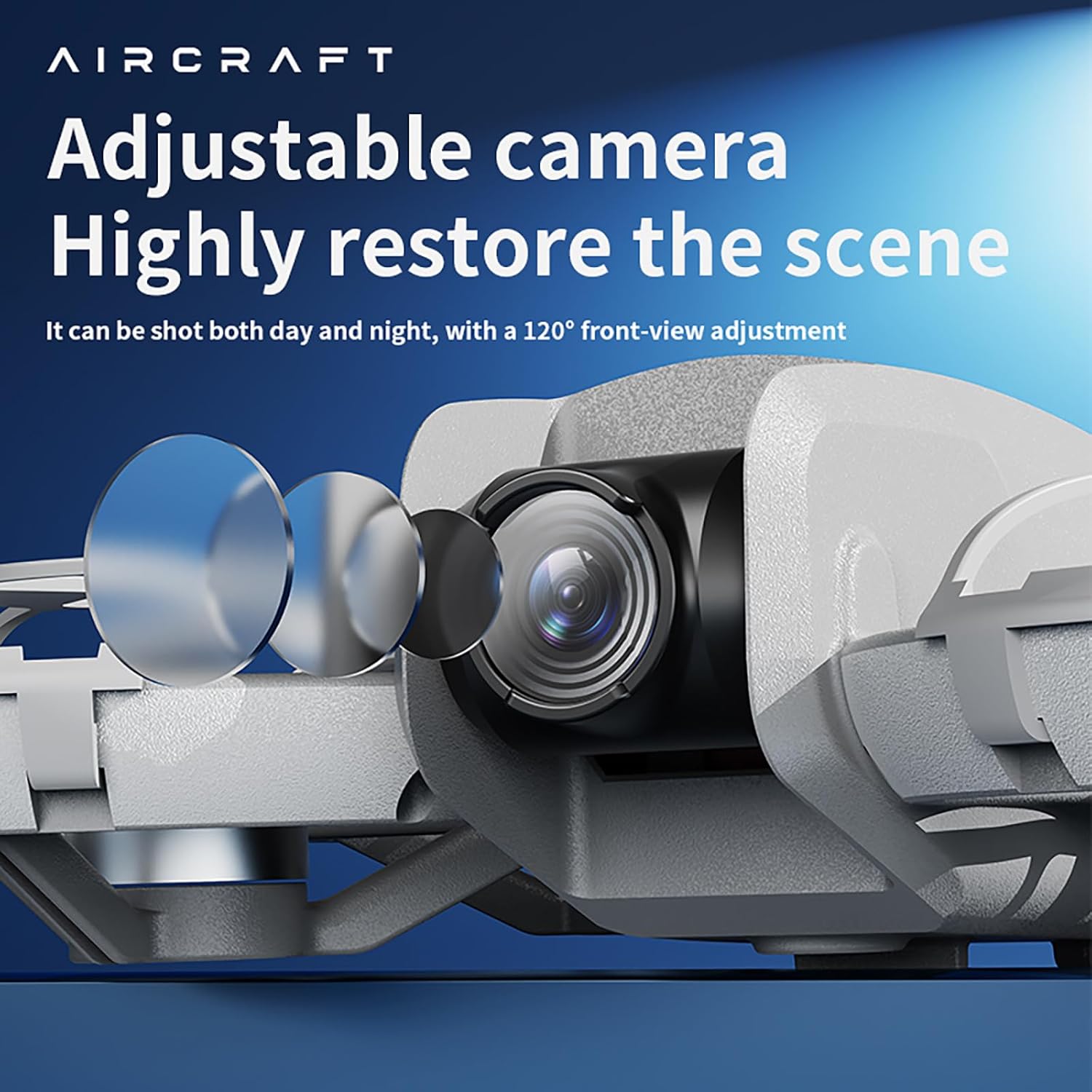
Figure 6.2: The drone features an adjustable camera for varied perspectives.
6.3 Pokročilé funkce
- Polohování optického toku: Provides stable hovering and precise positioning, suitable for both indoor and outdoor environments.
- Role 360°: Provádějte působivé vzdušné kousky jediným stisknutím tlačítka.
- Vyhýbání se překážkám: The drone is equipped with sensors to detect and avoid obstacles, enhancing flight safety.
- Trajektorie letu: Draw a flight path on your smartphone screen, and the drone will follow it automatically.
- Přepínání rychlostí více rychlostí: Select between different speed modes (low, medium, high) for varied flight experiences.
Video 6.3: Konecview of the drone's advanced features including optical flow positioning, 360° roll, and high-speed flight capabilities.
7. Údržba
- Čištění: Use a soft, dry cloth to clean the drone and remote control. Avoid water or harsh chemicals.
- Výměna vrtule: If a propeller is damaged, use the provided screwdriver to replace it with a spare blade. Ensure the new blade is securely fastened.
- Péče o baterie: Baterie skladujte na chladném a suchém místě. Nepřebíjejte ani nevybíjejte.
- Skladování: When not in use, store the drone and its accessories in the provided carrying case to protect them from dust and damage.
8. Řešení problémů
- Dron se nezapíná: Ujistěte se, že je baterie plně nabitá a správně nainstalovaná.
- Dálkové ovládání se nepřipojuje: Check if the remote control batteries are installed correctly and have sufficient charge. Ensure the drone and remote are powered on and within range.
- Nestabilní let: Calibrate the drone before flight. Check for damaged propellers and replace if necessary. Ensure optical flow sensors are clean.
- No image on app: Verify that your smartphone is connected to the drone's Wi-Fi network and the app is open.
- Krátká doba letu: Ensure batteries are fully charged. Flight time can vary based on usage and environmental conditions.
9. Specifikace

Figure 9.1: Dimensions of the CZ26 RC Drone.
| Funkce | Specifikace |
|---|---|
| Název modelu | 26 Kč |
| Rozlišení záznamu videa | 4K UHD |
| Řídicí kanály | 2 KANÁLŮ |
| Doba letu | 5~10 minut |
| Vzdálená vzdálenost | 80-100 metry |
| Doba nabíjení | Asi 60 minut |
| Hmotnost dronu | About 123g (4.3 ounces) |
| Rozměry produktu | 6.69 cm D x 5.91 cm Š x 1.57 cm V |
| Materiál | Plast |
| Technologie připojení | Wi-Fi |
| Složení článků baterie | Lithium Polymer |
| Baterie ovladače | 3*AAA (nejsou součástí balení) |
| Úroveň dovedností operátora | Začátečník, středně pokročilý |
10. Záruka a podpora
For warranty information, technical support, or service inquiries, please refer to the contact details provided with your purchase or visit the official JIKEFUN webUschovejte si doklad o koupi pro případné reklamace.