
1. Úvod
The TOOQ TQR-3012B is a versatile smart card reader designed for secure access to various digital services. It supports a wide range of card types, including electronic ID cards (DNI 4.0, Cartão de Cidadão), SIM cards, SD cards, and TF cards. Its compact design and USB-A interface make it a convenient tool for both personal and professional use, ensuring secure transactions and data access.
2. Konec produktuview
The TOOQ TQR-3012B is a compact, black-colored device featuring a USB-A connector for easy connection to your computer. It integrates multiple slots to accommodate various card formats, along with an indicator light to show operational status.

Obrázek 1: The TOOQ TQR-3012B Smart Card Reader, measuring approximately 83mm in length and 32mm in width, is shown connected to a laptop via its USB-A port. This image highlights the device's compact and portable design.
3. Klíčové vlastnosti
- Univerzální kompatibilita: Supports ISO7816 Class A, B, and C (5V/3V/1.8V) smart cards, including DNI 4.0 and Cartão de Cidadão (Portuguese identity document).
- Multi-Card Support: Reads SIM, SD, and TF (MicroSD) cards.
- Rozhraní USB-A: Standard USB 2.0 connection for broad compatibility.
- Plug & Play: No driver installation required for most compatible operating systems.
- Široká podpora operačních systémů: Compatible with Windows XP/Vista/7/8/10/11 (32 and 64-bit) and Mac OS X.
- Ověřená spolehlivost: Meets CE, FCC, VCCI, CCID, EMV2 2000 Level 1, and Microsoft WHQL standards.
- Přenosný design: Compact size with a key ring hole for easy carrying.
4. Pokyny k nastavení
The TOOQ TQR-3012B is designed for ease of use with its plug-and-play functionality. No manual driver installation is typically required for supported operating systems.
- Připojení čtečky: Insert the USB-A connector of the card reader into an available USB port on your computer.
- Automatická detekce: Your operating system will automatically detect the device and install any necessary generic drivers. This process usually takes a few moments.
- Připraven k použití: Once the device is successfully detected and configured by your system, it is ready for operation.
5. Návod k obsluze
Follow these steps to correctly insert and use various card types with your TOOQ TQR-3012B Smart Card Reader.
5.1. Inserting Smart Cards (DNI, Cartão de Cidadão)
- Locate the dedicated smart card slot on the reader.
- Insert your smart card with the metallic chip facing upwards and towards the reader, ensuring it slides smoothly into the slot.
- Push the card until it is fully seated and secure within the reader.
- Access the card's data through your relevant application or system software.

Obrázek 2: The TOOQ TQR-3012B Smart Card Reader is shown with a Spanish electronic ID card (DNI 4.0) fully inserted into its smart card slot. A purple indicator light is visible, signifying active operation or data transfer.
5.2. Vkládání SIM karet
- Identify the SIM card slot on the device.
- Carefully insert the SIM card into the slot until it is fully engaged.
5.3. Inserting SD/TF (MicroSD) Cards
- Locate the appropriate slot for SD or TF (MicroSD) cards.
- Insert the memory card into the designated slot until it is fully seated.
- The card will appear as a removable drive on your computer, allowing you to access its contents.
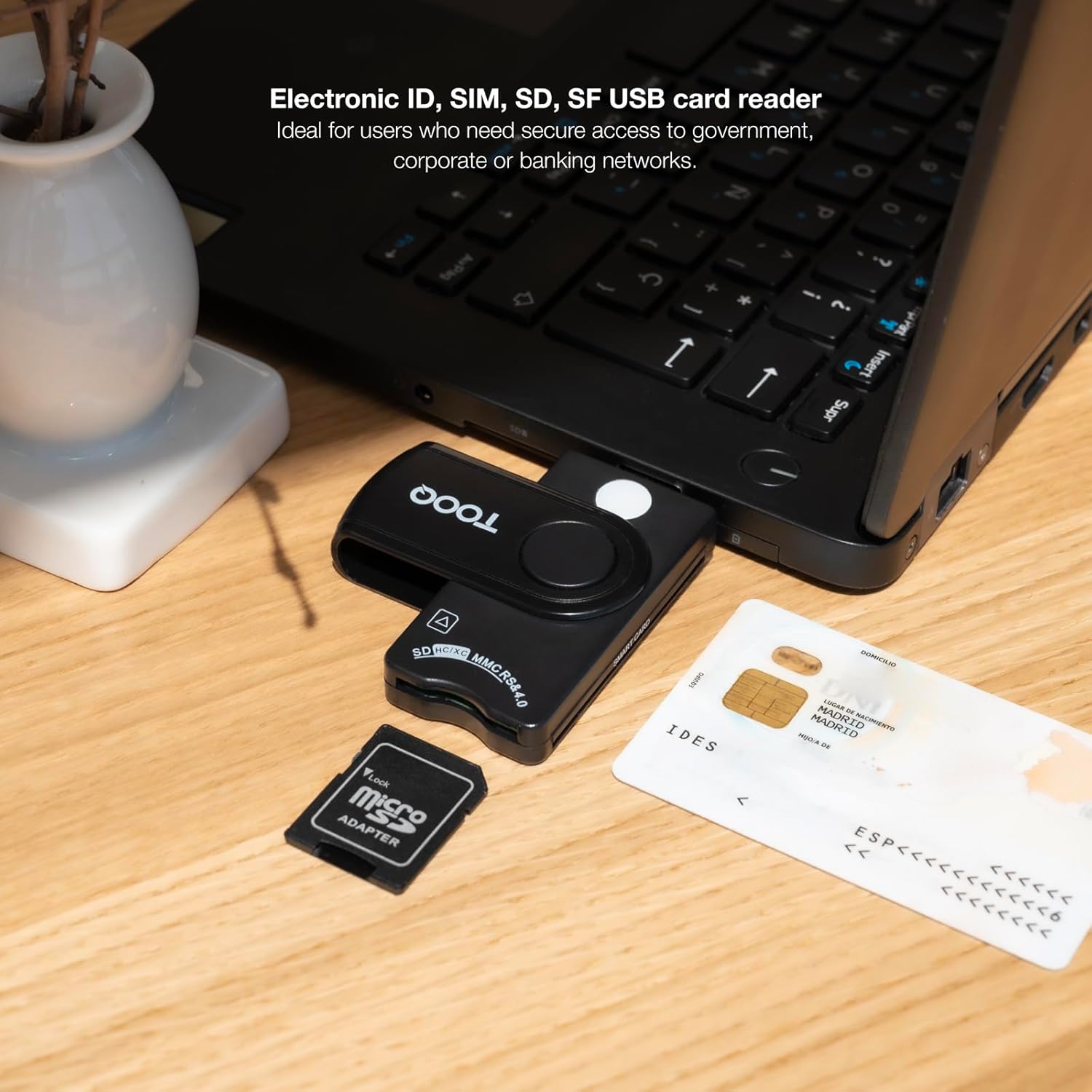
Obrázek 3: This image illustrates the TOOQ TQR-3012B Smart Card Reader connected to a laptop. An electronic ID card is positioned near the smart card slot, and a microSD card with an adapter is shown, indicating compatibility with various card types.

Obrázek 4: This image displays the TOOQ TQR-3012B Smart Card Reader connected to a laptop, with an SD card and a microSD card adapter placed nearby, demonstrating its capability to read various memory card formats.
6. Kompatibilita
The TOOQ TQR-3012B Smart Card Reader offers extensive compatibility:
- Podporované typy karet: ISO7816 Class A, B, C (5V/3V/1.8V) smart cards, SIM cards, SD cards, and TF (MicroSD) cards.
- Kompatibilita operačního systému: Windows XP, Windows Vista, Windows 7, Windows 8, Windows 10, Windows 11 (all 32-bit and 64-bit versions), and Mac OS X.
- Průmyslové standardy: Compliant with ISO-7816, EMV2 2000 Level 1, CE, FCC, VCCI, CCID, and Microsoft WHQL.
7. Údržba
To ensure the longevity and optimal performance of your TOOQ TQR-3012B Smart Card Reader, follow these simple maintenance guidelines:
- Čištění: Keep the exterior of the card reader clean and free from dust. Use a soft, dry, lint-free cloth to gently wipe the surface. Avoid using liquid cleaners, solvents, or abrasive materials, as these can damage the device.
- Sloty na karty: Periodically check the card slots for any debris, dust, or foreign objects that could obstruct card insertion or damage card contacts. Do not use sharp objects to clean the slots.
- Skladování: When not in use, store the card reader in a clean, dry environment away from extreme temperatures and direct sunlight. The compact design with a key ring hole allows for convenient and safe storage.
8. Řešení problémů
If you encounter issues with your TOOQ TQR-3012B Smart Card Reader, refer to the following troubleshooting tips:
8.1. Zařízení nebylo rozpoznáno
- USB připojení: Ensure the USB-A connector is fully and securely inserted into a working USB port on your computer.
- Zkuste jiný port: Connect the reader to a different USB port on your computer. If possible, try a USB port directly on the motherboard (for desktops) or a different computer to rule out port-specific issues.
- Operační systém: Verify that your operating system is compatible with the reader (Windows XP/Vista/7/8/10/11, Mac OS X).
- Restartujte počítač: Sometimes, a simple computer restart can resolve detection issues.
8.2. Card Not Reading
- Správné vložení: Ensure the card is inserted correctly and fully seated in the appropriate slot. For smart cards, the chip should face upwards.
- Card Condition: Check if the card is damaged, bent, or dirty. Clean the card's metallic contacts with a soft, dry cloth if necessary.
- Typ karty: Confirm that the card type is supported by the reader (ISO7816 smart cards, SIM, SD, TF).
- Aplikační software: For smart cards, ensure you are using the correct application software (e.g., DNIe software for Spanish ID cards) and that it is properly configured.
8.3. Pomalý výkon
- Šířka pásma USB: If other high-bandwidth USB devices are connected to the same USB hub or port, they might affect the reader's performance. Try disconnecting other devices.
- Systémové zdroje: Check for any background processes or applications that might be consuming significant system resources, which could impact the reader's speed.
9. Specifikace
| Rozhraní | USB 2.0 (USB-A connector) |
| Rozměry (D x Š x V) | 85 x 33 x 15 mm |
| Čistá hmotnost | 0.01 kg |
| Barva | Černý |
| Kompatibilita karet | ISO7816 Class A, B, C (5V/3V/1.8V) Smart Cards, SIM, SD, TF (MicroSD) |
| Podpora operačního systému | Windows XP/Vista/7/8/10/11 (32/64-bit), Mac OS X |
| Certifikace | CE, FCC, VCCI, CCID, EMV2 2000 Level 1, Microsoft WHQL |