
Zavedení
Thank you for choosing the SGIN S15 N5100 15.6-inch Laptop. This manual provides essential information for setting up, operating, maintaining, and troubleshooting your new device. Please read it carefully to ensure optimal performance and longevity of your laptop.
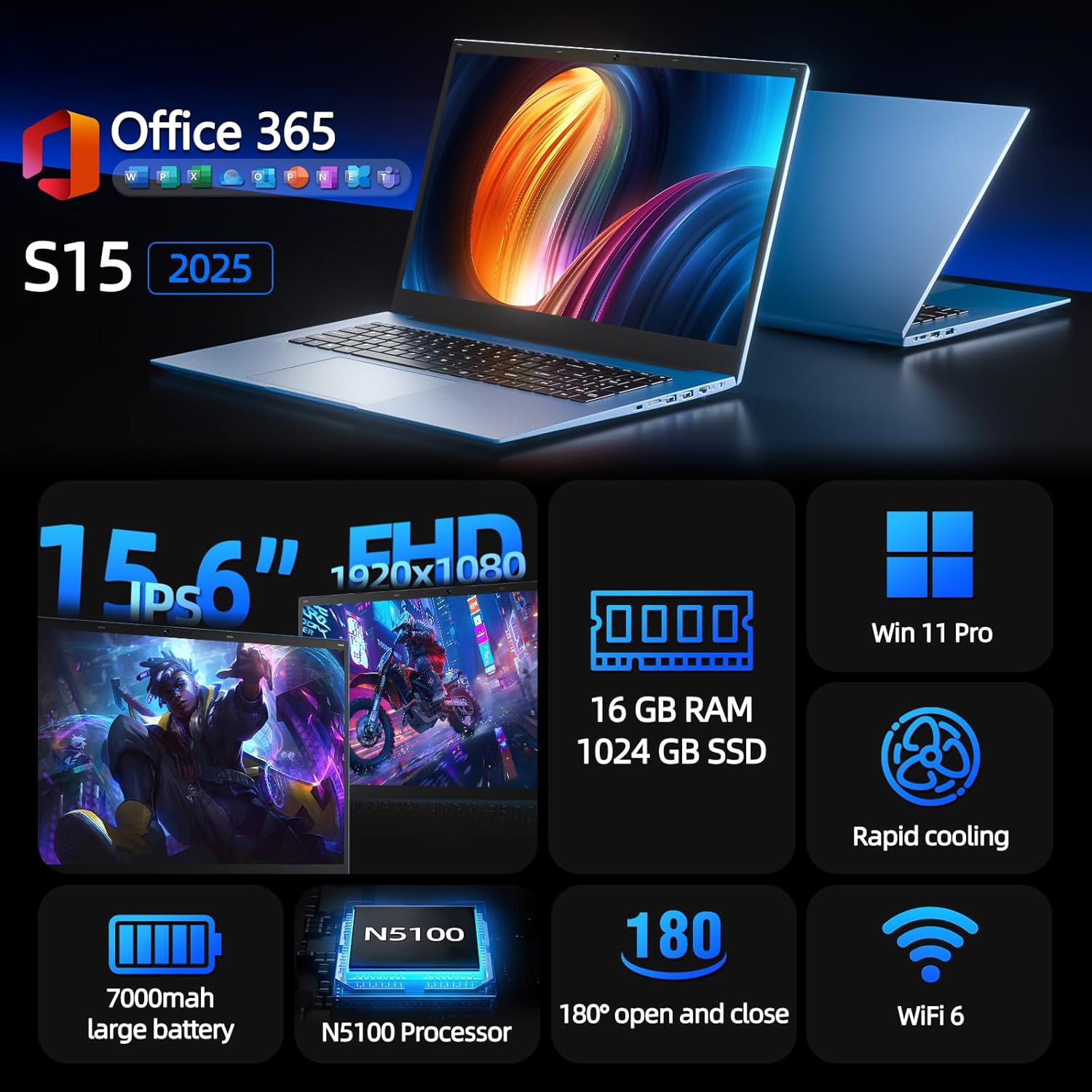
Figure 1: SGIN S15 N5100 Laptop Overview
1. Nastavení
1.1 Vybalení a úvodní kontrola
Opatrně vyjměte všechny součásti z obalu. Zkontrolujte, zda jsou všechny položky uvedené v části „Co je v krabici“ přítomny a nepoškozené. Pokud některé položky chybí nebo jsou poškozeny, ihned kontaktujte zákaznickou podporu.
- SGIN S15 N5100 Laptop
- Napájecí adaptér/nabíječka
- Uživatelská příručka (tento dokument)
Video 1: Rozbalení a iniciály nahořeview of the SGIN S15 Laptop.
1.2 Připojení napájecího adaptéru
Connect the power adapter to the DC-in port on the side of the laptop. Plug the other end into a power outlet. The battery indicator light will illuminate, indicating that the laptop is charging.

Figure 2: Laptop ports, including the DC-in port for charging.
1.3 První zapnutí a nastavení systému Windows
Press the power button to turn on the laptop. Follow the on-screen instructions to complete the Windows 11 Pro setup. This includes selecting your region, language, connecting to a Wi-Fi network, and creating a user account. The laptop comes pre-installed with a 1-year Office 365 subscription, which can be activated during or after the initial setup.
2. Návod k obsluze
2.1 Funkce displeje
The SGIN S15 features a 15.6-inch Full HD IPS (1920x1080) Anti-Glare Display. The 180° viewing angle allows for flexible screen positioning, ideal for sharing content or adjusting to your preferred working posture.

Figure 3: High-resolution IPS display with 180° hinge.
2.2 Úložiště a výkon
Equipped with 16GB DDR4 RAM and a 1024GB SSD, the laptop offers fast boot-up times and smooth multitasking. The Intel Celeron N5100 processor (4 cores, 4 threads, up to 2.8GHz) provides efficient performance for daily tasks, business applications, and student work.

Figure 4: Internal storage and memory configuration.

Figure 5: Celeron N5100 processor details.
2.3 Konektivita
The laptop supports WiFi 6 for strong wireless signals and fast connections, and Bluetooth 5.2 for connecting peripherals. It includes various ports for external devices:
- HDMI port
- Port typu C
- 3.5mm TRRS audio jack
- Memory card slot (TF card up to 1TB)
- USB 3.2 ports (2 ports)

Figure 6: WiFi 6 connectivity for enhanced network performance.
3. Údržba
3.1 Péče o baterii
The laptop is equipped with a 7000mAh battery, providing up to 8 hours of continuous use. To prolong battery life:
- Vyhněte se častému úplnému vybíjení baterie.
- Nevystavujte notebook extrémním teplotám.
- Pokud notebook delší dobu nepoužíváte, skladujte jej částečně nabitý (kolem 50 %).

Figure 7: Laptop battery for extended use.
3.2 Čištění notebooku
K čištění obrazovky a vnějšího povrchu použijte měkký hadřík, který nepouští vlákna. V případě odolných šmouh lehceampOtřete hadřík vodou nebo čisticím prostředkem na obrazovku. Nepoužívejte agresivní chemikálie ani abrazivní materiály. Před čištěním se ujistěte, že je notebook vypnutý a odpojený od zásuvky.
3.3 Chladicí systém
The laptop features dual cooling fans for efficient heat dissipation. Ensure that the vents are not obstructed to maintain optimal airflow and prevent overheating. Avoid using the laptop on soft surfaces like beds or couches that can block the vents.
4. Řešení problémů
4.1 Problémy s napájením
- Notebook se nezapne: Ujistěte se, že je napájecí adaptér bezpečně připojen a zásuvka je funkční. Zkontrolujte, zda je baterie dostatečně nabitá.
- Baterie se nenabíjí: Verify the power adapter is correctly plugged into both the laptop and the wall outlet. Try a different outlet if available.
4.2 Problémy se zobrazením
- Obrazovka je prázdná: Connect an external monitor via HDMI to check if the issue is with the laptop's display or graphics output. Ensure the laptop is powered on and not in sleep mode.
- Blikající obrazovka: Update your display drivers. Adjust the screen refresh rate in Windows display settings.
4.3 Problémy s připojením
- Nelze se připojit k Wi-Fi: Ujistěte se, že je v nastavení systému Windows povolena Wi-Fi. Restartujte router a notebook. Zkontrolujte, zda jsou k dispozici aktualizované ovladače Wi-Fi.
- Zařízení Bluetooth se nespáruje: Ujistěte se, že je Bluetooth povoleno na notebooku i zařízení. Během párování umístěte zařízení blízko sebe.
4.4 Problémy s výkonem
- Notebook je pomalý: Close unnecessary applications. Check Task Manager for high CPU/RAM usage. Ensure sufficient free space on the SSD. Run a disk cleanup.
- Přehřívání: Ensure cooling vents are clear. Use the laptop on a hard, flat surface. Consider reducing heavy workload if persistent.
5. Specifikace
| Funkce | Detail |
|---|---|
| Název modelu | S15 |
| Číslo modelu položky | N5100 |
| Velikost displeje | 15.6 palce |
| Rozlišení obrazovky | 1920 x 1080 pixels (FHD IPS Anti-Glare) |
| Procesor | Intel Celeron N5100 (4 Cores, 4 Threads, up to 2.8GHz) |
| BERAN | 16 GB DDR4 |
| Skladování | 1024 GB SSD (Expandable with TF card up to 1TB) |
| Operační systém | Windows 11 Pro |
| Baterie | 7000mAh (up to 8 hours) |
| Bezdrátové připojení | WiFi 6, Bluetooth 5.2 |
| Porty | HDMI, Type-C, 3.5mm TRRS Jack, Memory Card Slot, 2x USB 3.2 |
| Rozměry (DxŠxV) | 14.56 x 9.4 x 0.86 palce |
| Hmotnost položky | 4.4 libry |
6. Záruka a podpora
6.1 Záruka na produkt
Your SGIN S15 N5100 laptop comes with a 1-year repair service warranty from the date of purchase. This warranty covers manufacturing defects and hardware malfunctions under normal use. Please retain your proof of purchase for warranty claims.
6.2 Zásady vrácení
A 30denní zásada vrácení is offered for this product. Please refer to your retailer's specific return guidelines for detailed information.
6.3 Zákaznická podpora
For any technical assistance, troubleshooting, or warranty inquiries, please contact SGIN customer support. We offer 24/7 customer instant help aby vaše obavy byly neprodleně vyřešeny.
Kontaktní informace (např. website, email, phone number) would typically be provided here by the manufacturer.