
1. Konec produktuview
The SUNITEC BC920C Bluetooth Car Hands-Free Kit is designed to provide clear, hands-free communication and audio streaming in your vehicle. It features automatic power on/off, CVC8.0 noise cancellation technology for crystal-clear calls and high-volume music, and supports connection with two phones simultaneously. This device is compatible with cars, SUVs, trucks, vans, minivans, pickups, and buses, especially older vehicles without built-in hands-free phone capabilities.
Klíčové vlastnosti:
- Clear Hands-Free Calling with CVC8.0 Noise Cancellation
- Automatické zapnutí / vypnutí
- Dual Phone Connection Support
- High-Quality Stereo Speaker for Calls and Music
- Voice Assistant Support (Siri/Google Assistant)
2. Bezpečnostní informace
Please read and understand all safety information before using this product. Failure to follow these instructions may result in injury or damage.
- Avoid using the device in a manner that distracts you from driving. Always prioritize road safety.
- Keep the device away from heat sources, direct sunlight, and extreme temperatures.
- Nevystavujte zařízení vodě ani nadměrné vlhkosti.
- Baterie zlikvidujte zodpovědně v souladu s místními předpisy.
- Nepokoušejte se zařízení sami rozebírat, opravovat ani upravovat. Požádejte o pomoc kvalifikovaný servisní personál.
3. Obsah balení
Ověřte, zda jsou v balení přítomny všechny položky:
- SUNITEC BC920C Bluetooth Car Hands-Free Kit
- Nabíjecí kabel USB-C
- Adaptér pro nabíječku do auta
- Uživatelská příručka

4. Nastavení a instalace
Follow these steps to set up your BC920C device:
- Nabijte zařízení: Before first use, fully charge the BC920C using the provided USB-C cable and car charger adapter or a computer USB port. The charging indicator light will show the charging status.
- Montáž: Clip the device onto your car's sun visor using the integrated clip. Ensure it is securely attached and does not obstruct your view.
- Zapnutí: The device features automatic power on. Once paired and connected, it will automatically power on and reconnect to your phone when you open the car door or start the engine.
- Spárování s vaším telefonem:
- Turn on the BC920C. It will automatically enter pairing mode (indicated by a flashing LED).
- Na smartphonu přejděte do nastavení Bluetooth a povolte Bluetooth.
- Hledat available devices and select "BC920C" from the list.
- Po připojení přestane LED indikátor blikat a zůstane svítit trvale.
- Duální připojení: The BC920C supports connecting two phones simultaneously. After pairing the first phone, repeat the pairing process for the second phone. The device will manage calls from both phones.


5. Návod k obsluze
Learn how to use your BC920C for calls, music, and voice commands.
5.1 Uskutečňování a přijímání hovorů
- Přijetí hovoru: When a call comes in, press the green phone button once to answer.
- Ukončení hovoru: Press the green phone button once during a call to end it.
- Odmítnutí hovoru: Press and hold the green phone button for 2 seconds to reject an incoming call.
- Opakované vytáčení: Double-press the green phone button to redial the last number.
5.2 Volume Control and Music Playback
- Nastavení hlasitosti: Use the '+' and '-' buttons on the device to increase or decrease the volume during calls or music playback.
- Streamování hudby: Once connected, audio from your smartphone, including music and GPS navigation instructions, will stream through the BC920C's speaker.

5.3 Hlasový asistent (Siri/Google Assistant)
Activate your phone's voice assistant for hands-free control:
- Press the dedicated voice command button (often marked with a microphone icon) to activate Siri or Google Assistant on your connected smartphone.
- You can then use voice commands for navigation, making calls, sending messages, and more.
6. Nabíjení zařízení
The BC920C is powered by a rechargeable Lithium-ion battery. To charge:
- Připojte dodaný kabel USB-C k nabíjecímu portu na zařízení.
- Plug the other end of the USB-C cable into the car charger adapter or a standard USB port (e.g., on a computer).
- Kontrolka nabíjení se během nabíjení rozsvítí a po úplném nabití zhasne.
- Plné nabití obvykle trvá přibližně 2 hodiny.
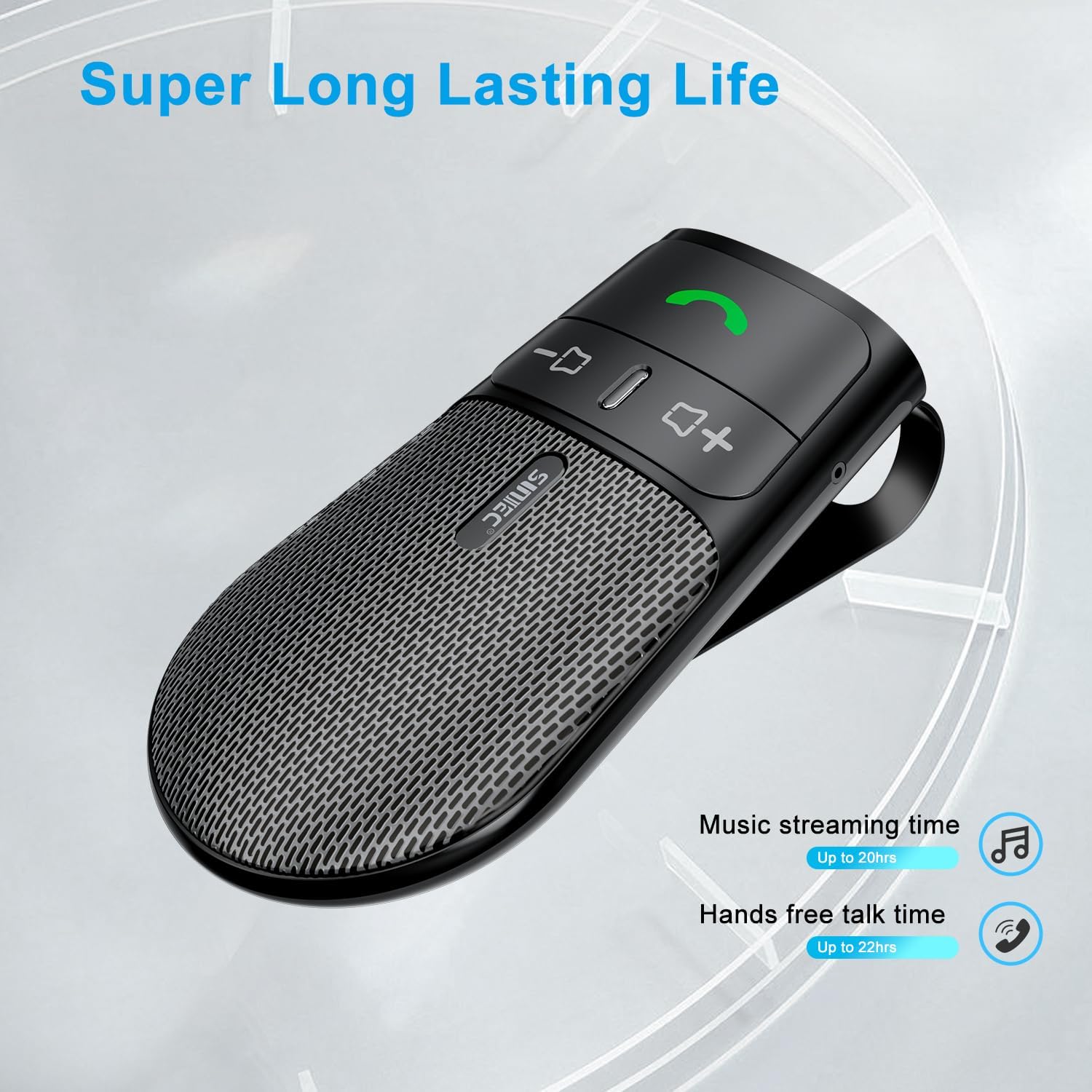
The device offers a long-lasting battery life, with up to 20 hours of music streaming time and up to 22 hours of hands-free talk time.
7. Specifikace
| Značka | SUNITEC |
| Model | BC920C |
| Technologie připojení | Bluetooth |
| Hardwarové rozhraní | USB-C |
| Kompatibilní zařízení | Car stereo, Smartphones |
| Speciální funkce | Automatic Power On/Off, Noise Cancellation (CVC8.0), Hands-Free Calling |
| Režim zvukového výstupu | Stereo |
| Zdroj napájení | Napájení z baterie (lithium-iontová) |
| Hmotnost položky | 95 gramů |
| Rozměry produktu | 15 x 11.6 x 5 cm |
8. Řešení problémů
If you encounter issues with your SUNITEC BC920C, try the following solutions:
- Zařízení se nezapíná: Ujistěte se, že je zařízení plně nabité. Připojte jej ke zdroji napájení a zkontrolujte indikátor nabíjení.
- Nelze spárovat s telefonem: Make sure Bluetooth is enabled on your phone and the BC920C is in pairing mode (flashing LED). Try restarting both the device and your phone.
- Poor audio quality/echo: Ensure the device is positioned correctly on the sun visor and not obstructed. Adjust the volume on both the device and your phone. Move closer to the device if possible.
- Automatic connection not working: Verify that the device was successfully paired previously. Check your phone's Bluetooth settings to ensure it's set to automatically connect to known devices.
- Voice commands not responding: Ensure your phone's voice assistant (Siri/Google Assistant) is enabled and configured correctly. Make sure the device is connected and the voice command button is pressed correctly.
9. Údržba
To ensure the longevity and optimal performance of your BC920C:
- Clean the device regularly with a soft, dry cloth. Do not use harsh chemicals or abrasive cleaners.
- Pokud zařízení nepoužíváte, skladujte jej na chladném a suchém místě.
- Zabraňte pádu zařízení nebo jeho vystavení silným nárazům.
10. Záruka a podpora
SUNITEC products are warranted to be free from defects in materials or workmanship for 12-24 months from the date of purchase. Please retain your proof of purchase for warranty claims.
For technical support or warranty inquiries, please contact SUNITEC customer service. Contact information can typically be found on the product packaging or the official SUNITEC webmísto.
Sold by: Sunitec