
1. Úvod
This manual provides comprehensive instructions for the safe and efficient use of your FLEXISPOT BigX-OS4 Ergonomic Office Chair. Please read this manual thoroughly before assembly and operation, and retain it for future reference. The FLEXISPOT BigX-OS4 is designed for enhanced comfort and support, featuring a robust construction suitable for users up to 600 lbs.

Figure 1: FLEXISPOT BigX-OS4 Ergonomic Office Chair. This image displays the overall design of the black leather office chair, highlighting its padded backrest, seat, and armrests, along with the sturdy five-star base and blade rubber wheels.
2. Důležité bezpečnostní informace
WARNING: Do not exceed the maximum weight limit of 600 lbs. Prolonged sitting may cause discomfort. Always use the chair as intended and follow assembly instructions carefully.
- Před použitím se ujistěte, že jsou všechny součásti bezpečně upevněny.
- Nestůjte na židli.
- Nepokládejte těžké předměty na opěradlo nebo loketní opěrky židle.
- Během montáže a nastavování držte děti a domácí zvířata v dostatečné vzdálenosti od židle.
- Používejte na rovném povrchu, aby se zabránilo převrácení.
3. Nastavení
The FLEXISPOT BigX-OS4 chair is designed for minimal assembly. No complex assembly is required. Simply unbox the chair and ensure all parts are present and undamaged. The chair is ready for immediate use after unboxing.
4. Návod k obsluze
4.1. Adjusting Lumbar Support
The chair features adjustable dynamic lumbar support. Locate the knob on the side of the chair (as shown in Figure 2). Rotate the knob to adjust the lumbar support to fit the natural curve of your spine, providing targeted relief and promoting proper posture.

Figure 2: Lumbar Support Adjustment. This image illustrates the adjustable lumbar support mechanism, showing how it can be rotated to customize the back support.
4.2. Nastavení výšky
To adjust the chair's height, locate the lever beneath the seat on the right side. Pull the lever upwards while seated to lower the chair, or stand up and pull the lever to raise it. Release the lever at your desired height.
4.3. Reclining and Tilt Function
The chair offers a tilt range of 90 to 130 degrees. To recline, pull the lever located on the left side of the seat outwards. Lean back to your desired angle and push the lever inwards to lock the position. To adjust the stiffness of the tilt, rotate the knob located underneath the seat. Turning it left makes it easier to recline, while turning it right increases resistance.

Figure 3: Chair Reclining Function. This image shows the chair in a reclined position, demonstrating its adjustable tilt feature for various comfort levels.
4.4. Nastavení loketní opěrky
The armrests are 2D flip-up adjustable. To raise or lower the armrests, press the button located on the side of each armrest and move them to your preferred height. This feature allows for easy entry and exit, and can accommodate various desk heights.
4.5. General Comfort Features
The BigX-OS4 features an extra-wide seat (24" x 20.1") and a thickened elastic seat cushion with high-resilience spring components for superior comfort during extended periods of sitting. The high back design provides comprehensive support for your entire back.

Figure 4: Comfortable Seating Design. This image highlights the wide seat and double-padded soft leather, emphasizing the chair's comfortable design for prolonged use.
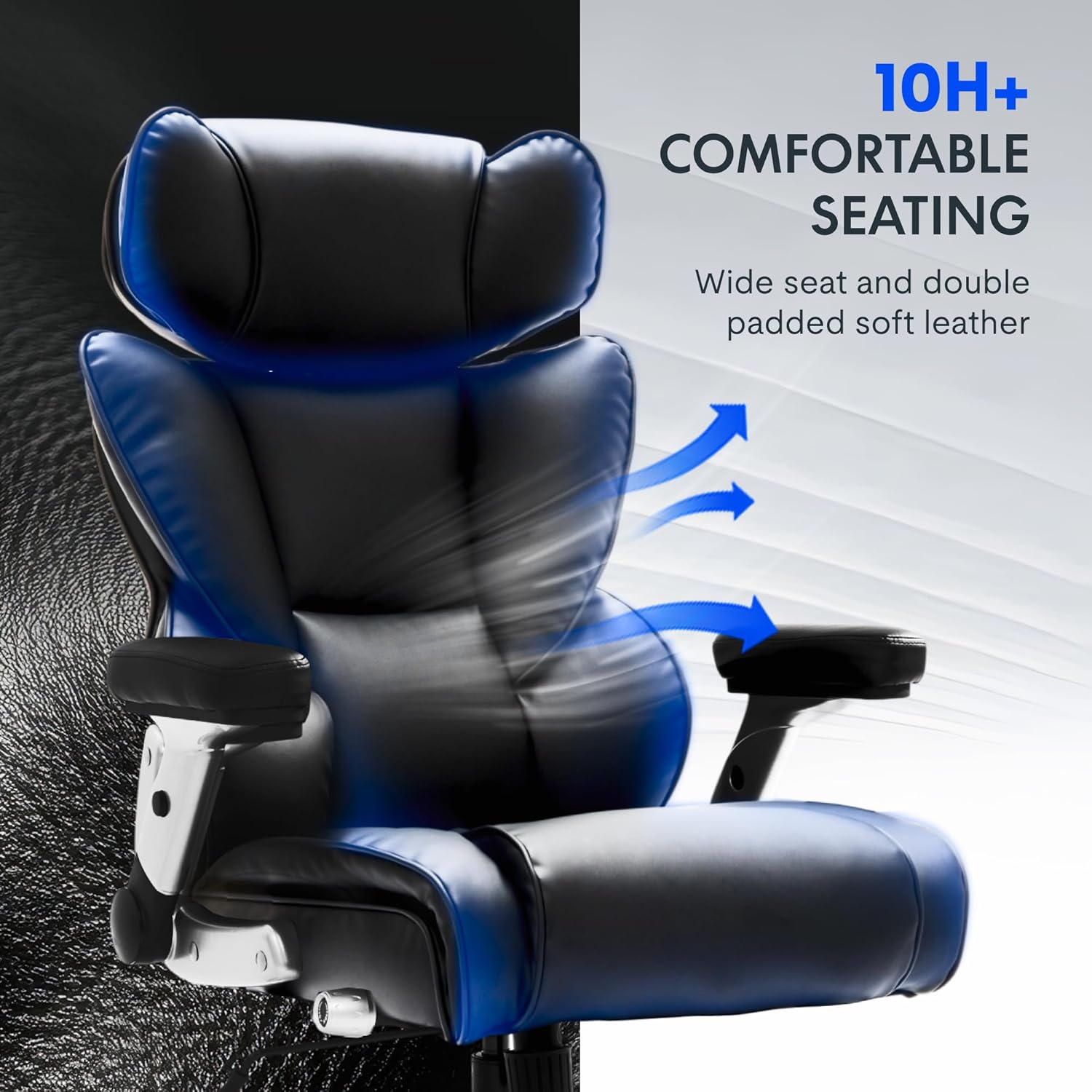
Figure 5: Thickened Elastic Seat Cushion. A cutaway view of the seat cushion reveals premium foam wrapped around high-resilience spring components, designed to reduce pressure points.
Video 1: Strength Meets Comfort For Bigger Builds & Bigger Days. This video demonstrates the chair's robust construction and comfort features, including its heavy-duty base and ergonomic design.
Video 2: FlexiSpot BigX-OS OverSized Comfort For Big and Tall. This video showcases the oversized design and comfort aspects of the FlexiSpot BigX-OS chair, emphasizing its suitability for larger individuals.
5. Údržba
5.1. Čištění
- Pro běžné čištění otřete kožené povrchy měkkým,amp tkanina.
- Nepoužívejte agresivní chemikálie, abrazivní čisticí prostředky nebo rozpouštědla, protože by mohly poškodit materiál.
- For stubborn stains, use a mild leather cleaner specifically designed for polyurethane or faux leather. Test on an inconspicuous area first.
5.2. Casters (Wheels)
The chair is equipped with heavy-duty blade rubber wheels designed for smooth and quiet movement. Periodically check the wheels for accumulated hair or debris and clean them to ensure optimal performance.
6. Řešení problémů
- Chair Sinks or Does Not Hold Height: This may indicate an issue with the pneumatic lift cylinder. Ensure the height adjustment lever is fully engaged. If the problem persists, contact customer support.
- Židle se zdá být nestabilní: Verify that all screws and bolts are tightened. Ensure the chair is on a flat, even surface. Avoid leaning excessively to one side, especially if you are near the weight limit.
- Difficulty Reclining or Adjusting Tilt: Check the tilt tension knob underneath the seat. Adjust it to a looser setting (turn left) if it feels too stiff. Ensure the recline lock lever is disengaged.
- Vrzavé zvuky: Apply a small amount of silicone-based lubricant to moving parts, such as the wheel axles or tilt mechanism.
7. Specifikace
| Funkce | Detail |
|---|---|
| Značka | FLEXISPOT |
| Název modelu | Office Chair (BigX-OS4) |
| Barva | Black-leather |
| Rozměry produktu (D x Š x V) | 20.1"H x 26.4"Š x 48"V |
| Hloubka sedu | 20.1 palců |
| Hmotnost položky | 55 libry |
| Hmotnostní kapacita | 600 liber |
| Materiál | Leather, Foam |
| Styl zad | Comfortable Back |
| Speciální funkce | Adjustable Height/Armrest/Lumbar Support, Comfy Leather Cushion |
| Počet poloh vleže | 2 (90–130 stupňů) |
| UPC | 840460491341 |
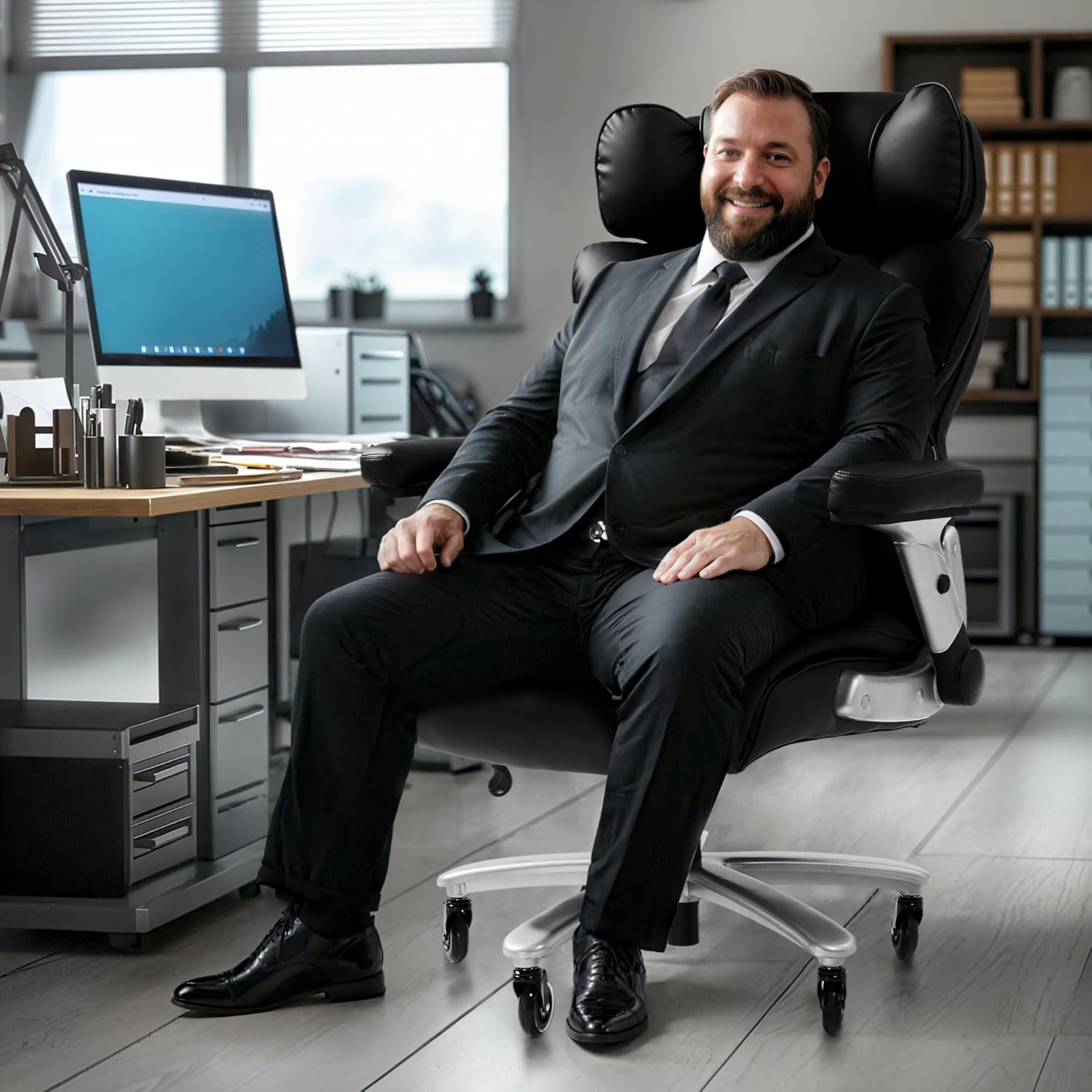
Figure 6: Product Dimensions Diagram. This diagram provides detailed measurements of the chair's width, depth, and adjustable height range.

Figure 7: Heavy Duty Capacity Illustration. This image visually represents the chair's 600 lbs weight capacity, emphasizing its robust construction.
8. Záruka a podpora
FLEXISPOT offers various protection plans for your product. For detailed information regarding warranty coverage and to purchase extended protection plans, please refer to the product's purchase page or contact FLEXISPOT customer support directly.
For any questions, technical assistance, or support needs, please visit the official FLEXISPOT webnebo kontaktujte jejich oddělení zákaznických služeb. Kontaktní informace obvykle naleznete na webových stránkách výrobce webwebu nebo v dokumentaci k nákupu.