
1. Úvod
This manual provides essential instructions for the safe and effective operation of your ARENTI B2 Baby Monitor & Screen2. Please read this manual thoroughly before use and retain it for future reference.
2. Bezpečnostní informace
- Keep the device and its cables out of reach of children to prevent strangulation hazards.
- Do not place the camera or monitor near water or heat sources.
- Používejte pouze dodané napájecí adaptéry.
- Ensure proper ventilation for both the camera and monitor.
- This product is intended for monitoring purposes only and should not replace proper adult supervision.
3. Konec produktuview
The ARENTI B2 Baby Monitor & Screen2 offers comprehensive monitoring capabilities with advanced features designed for ease of use and security.
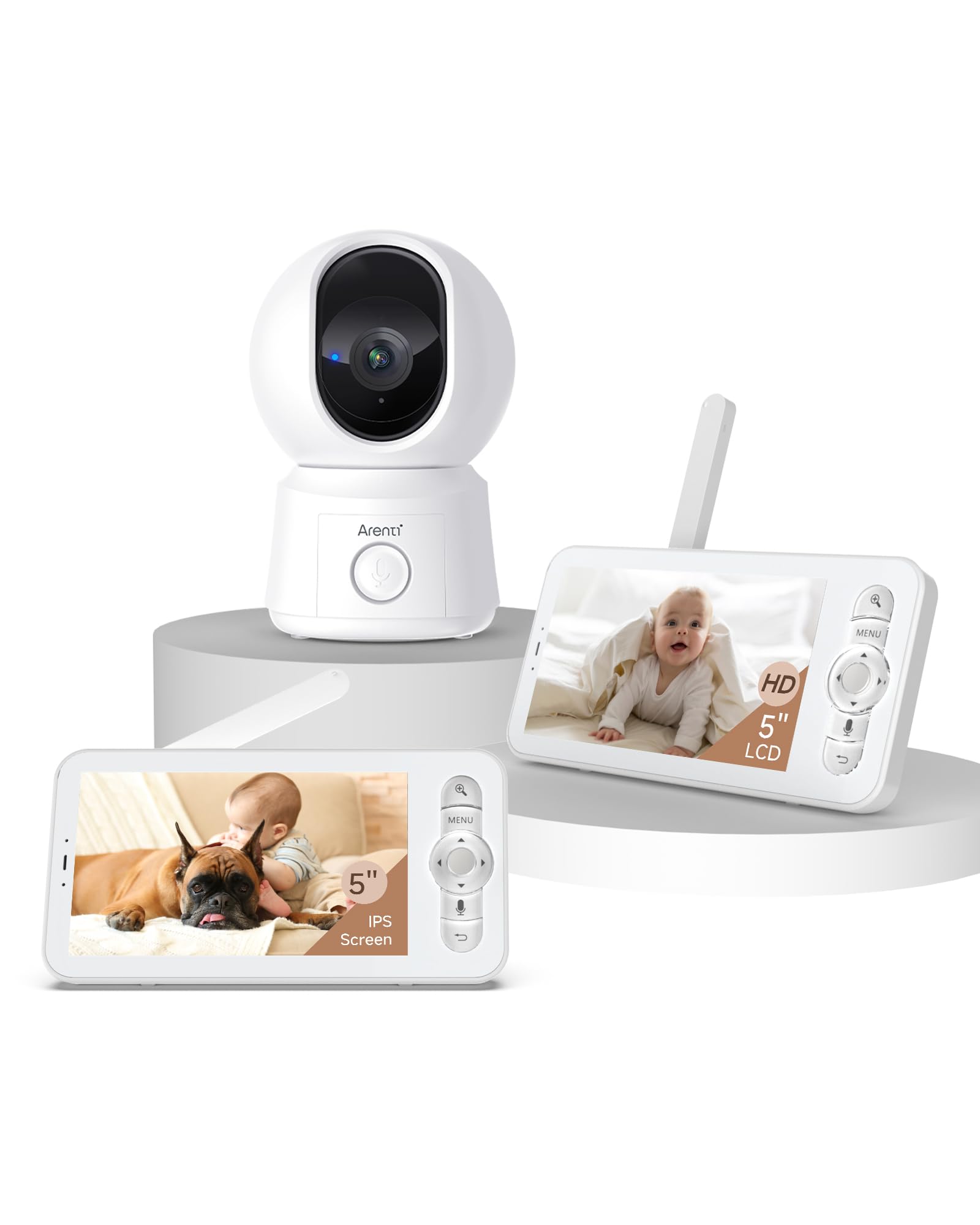
Image: The ARENTI B2 Baby Monitor camera and screen, illustrating features like temperature sensing, lullabies, and white noise for enhanced care.
Klíčové vlastnosti:
- Dvojí použití: Operate with the LCD screen independently or remotely via a smartphone app.
- 360° View: Camera offers 100° lens with 355° horizontal and 60° vertical rotation.
- Inteligentní detekce: Motion, crying, and specific area detection with adjustable sensitivity, plus a temperature sensor.
- Vysoké rozlišení: 5-inch 720p LCD screen with 4x magnification and 2K resolution via the app.
- Vylepšené noční vidění: Jasná viditelnost za zhoršených světelných podmínek.
- Obousměrný zvuk: Vestavěný mikrofon a reproduktor pro komunikaci.
- Friendly Features: Lullabies, VOX mode, nursing reminders, and One-Touch Calls.
- Zabezpečené úložiště: Supports micro SD cards (up to 128 GB for screen, 256 GB for camera) and cloud storage with end-to-end encryption.
4. Pokyny k nastavení
4.1 Initial Setup (LCD Screen Only)
- Unpack the baby monitor camera and the LCD screen.
- Connect the power adapters to both the camera and the LCD screen, then plug them into a power outlet.
- The camera and screen are pre-paired for immediate use. The screen will automatically display the camera feed.
- Umístěte kameru tak, abyste zajistili jasný view požadované oblasti.
4.2 App Setup (for Remote Control)
- Stáhněte si aplikaci ARENTI z obchodu s aplikacemi ve vašem chytrém telefonu.
- Vytvořte si účet nebo se přihlaste, pokud jej již máte.
- Follow the in-app instructions to add your B2 baby camera. Ensure your smartphone and the baby camera are connected to the same 2.4GHz Wi-Fi network during the initial setup. 5GHz networks are not supported for camera connection.
- Once connected, you can remotely control the camera and view the feed from your smartphone.
5. Návod k obsluze
5.1 Using the LCD Screen
- Zapnutí/vypnutí: Press and hold the power button on the monitor.
- Ovládání hlasitosti: Use the dedicated buttons to adjust the audio volume.
- Otáčení/náklon kamery: Use the directional buttons on the monitor to remotely rotate the camera (355° horizontal, 60° vertical).
- Lupa: Utilize the zoom function for a closer look (up to 4x magnification).
- Režim VOX: Activate VOX (Voice Operated eXchange) mode to conserve battery. The screen will activate when sound is detected.
- Ukolébavky: Access the menu to play soothing lullabies.
- Připomínky pro ošetřovatelství: Nastavte si připomenutí krmení nebo jiných pečovatelských činností.
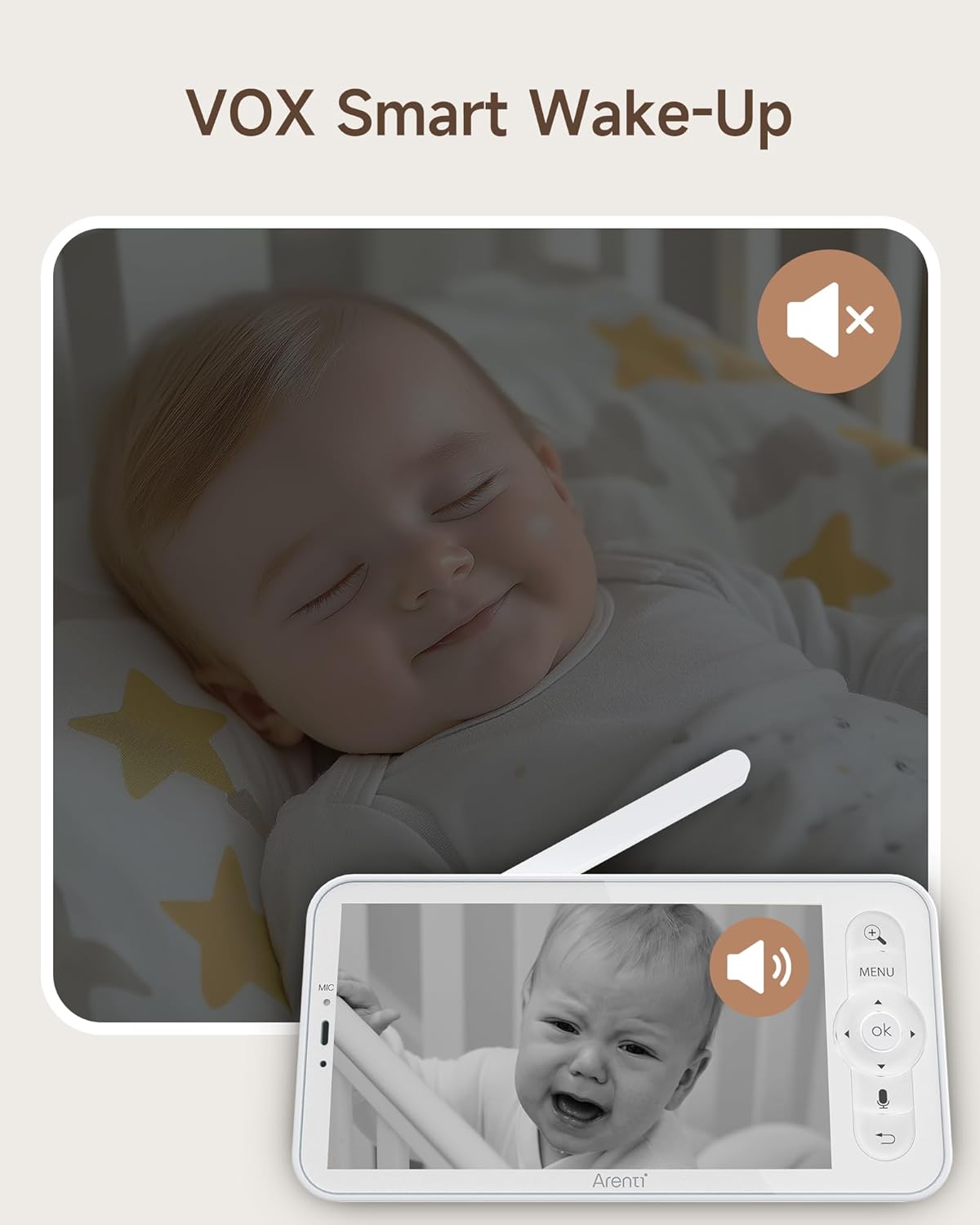
Image: The monitor screen demonstrating VOX Smart Wake-Up, showing the screen activating when a baby's cry is detected.
5.2 Používání aplikace pro chytré telefony
- Žít View: Access the live camera feed in 2K resolution.
- Obousměrný zvuk: Use the microphone and speaker icons in the app to communicate with your baby or pets.
- Remote Pan/Tilt: Control the camera's movement directly from the app interface.
- Smart Detection Alerts: Receive instant notifications on your phone for motion, crying, or temperature changes.
- Volání jedním dotykem: Initiate a call from the monitor to your smartphone with a single touch.
- Záznam události: Access free 6-second event recordings (7-day loop) in the app.
- Skladování: Manage video footage stored on micro SD cards or cloud storage.
- Sdílení: Share access to the monitor with family or friends and revoke access as needed.

Image: A smartphone displaying an incoming call from the baby monitor, illustrating the One-Touch Call feature.
5.3 Security and Data Protection
ARENTI prioritizes your privacy and security. Data is securely stored on Amazon's AWS, utilizing end-to-end encryption (E2EE) to ensure that only you can access your footage s unikátním dešifrovacím klíčem.

Image: The monitor screen showing 'Safety Protection' features, including Wi-Fi network channel control and access logs for enhanced security.
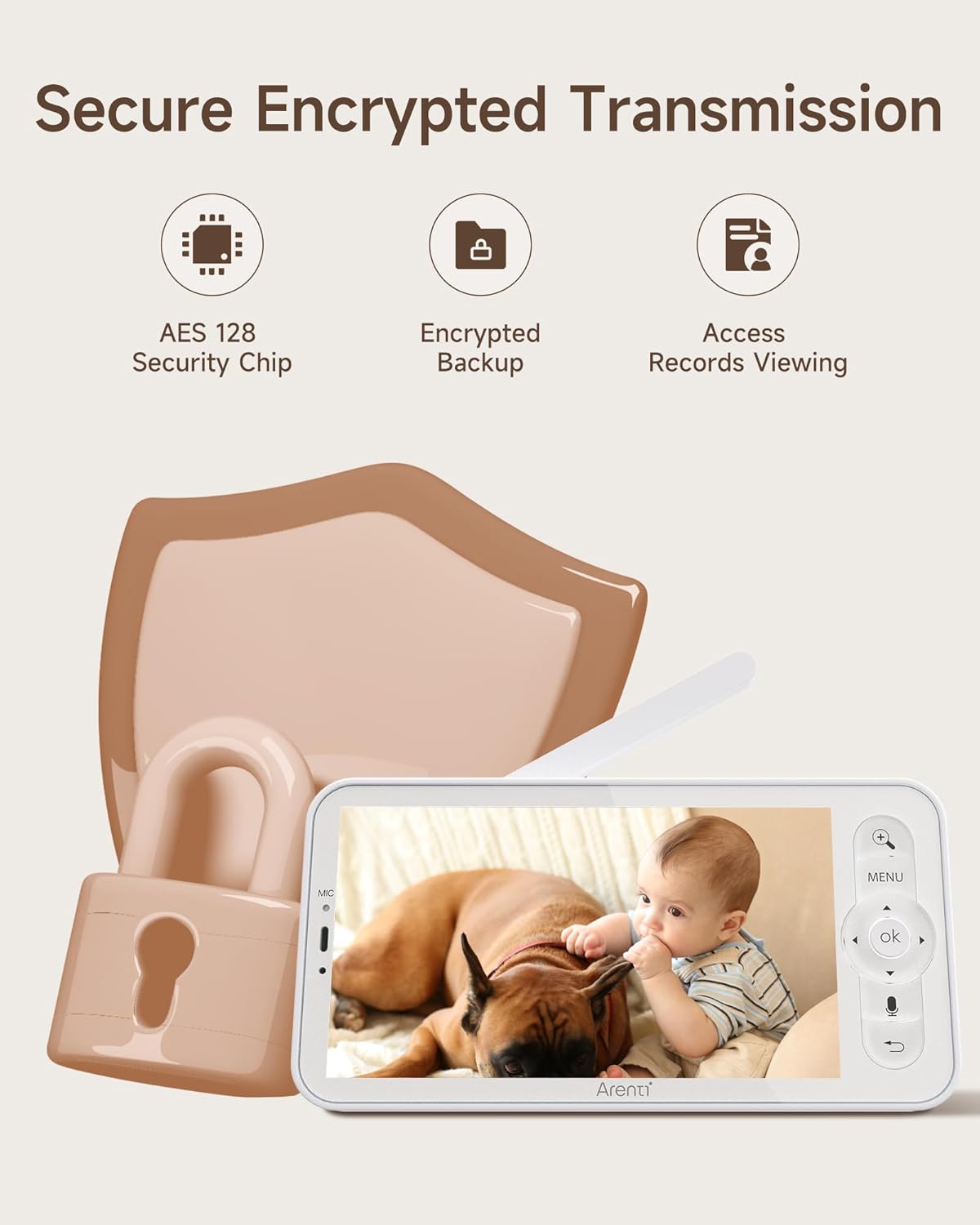
Image: An illustration highlighting secure encrypted transmission, featuring an AES 128 Security Chip, encrypted backup, and access records viewIng.
6. Údržba
- Čištění: K čištění objektivu fotoaparátu a obrazovky monitoru používejte měkký, suchý hadřík. Nepoužívejte tekuté čisticí prostředky ani aerosoly.
- Skladování: Pokud zařízení delší dobu nepoužíváte, skladujte jej na chladném a suchém místě mimo dosah přímého slunečního záření.
- Péče o baterie: For optimal battery life, avoid extreme temperatures and fully discharge and recharge the monitor's battery periodically.
7. Řešení problémů
- Žádný obraz na obrazovce: Ujistěte se, že jsou kamera i monitor zapnuté a v dosahu. Zkontrolujte připojení napájení.
- Špatný signál: Move the camera and monitor closer to each other. Avoid placing them near large metal objects or other electronic devices that may cause interference.
- Problémy s připojením aplikace: Verify your camera is connected to a 2.4GHz Wi-Fi network. Restart your router, camera, and smartphone. Ensure the app is updated to the latest version.
- Problémy se zvukem: Check the volume settings on both the monitor and the app. Ensure there are no obstructions blocking the microphone or speaker.
- Noční vidění nefunguje: Ensure the camera's infrared sensors are not obstructed and that the room is sufficiently dark for night vision to activate.
8. Specifikace
| Funkce | Specifikace |
|---|---|
| Model | B2 |
| Značka | ARENTI |
| ASIN | B0FJRTKBS8 |
| Velikost obrazovky LCD | 5 palců |
| Rozlišení LCD | 720p HD |
| App Resolution | 2K |
| Úhel objektivu fotoaparátu | 100° |
| Camera Rotation (Horizontal) | 355° |
| Camera Rotation (Vertical) | 60° |
| Přiblížení | 4x zvětšení |
| Bezdrátové Dosah | Up to 1000ft (max) |
| Wi-Fi kompatibilita | 2.4GHz only (for app connection) |
| Micro SD Card Support (Screen) | Až 128 GB |
| Micro SD Card Support (Camera) | Až 256 GB |
| Možnosti úložiště | Micro SD Card, Cloud Storage (AWS) |
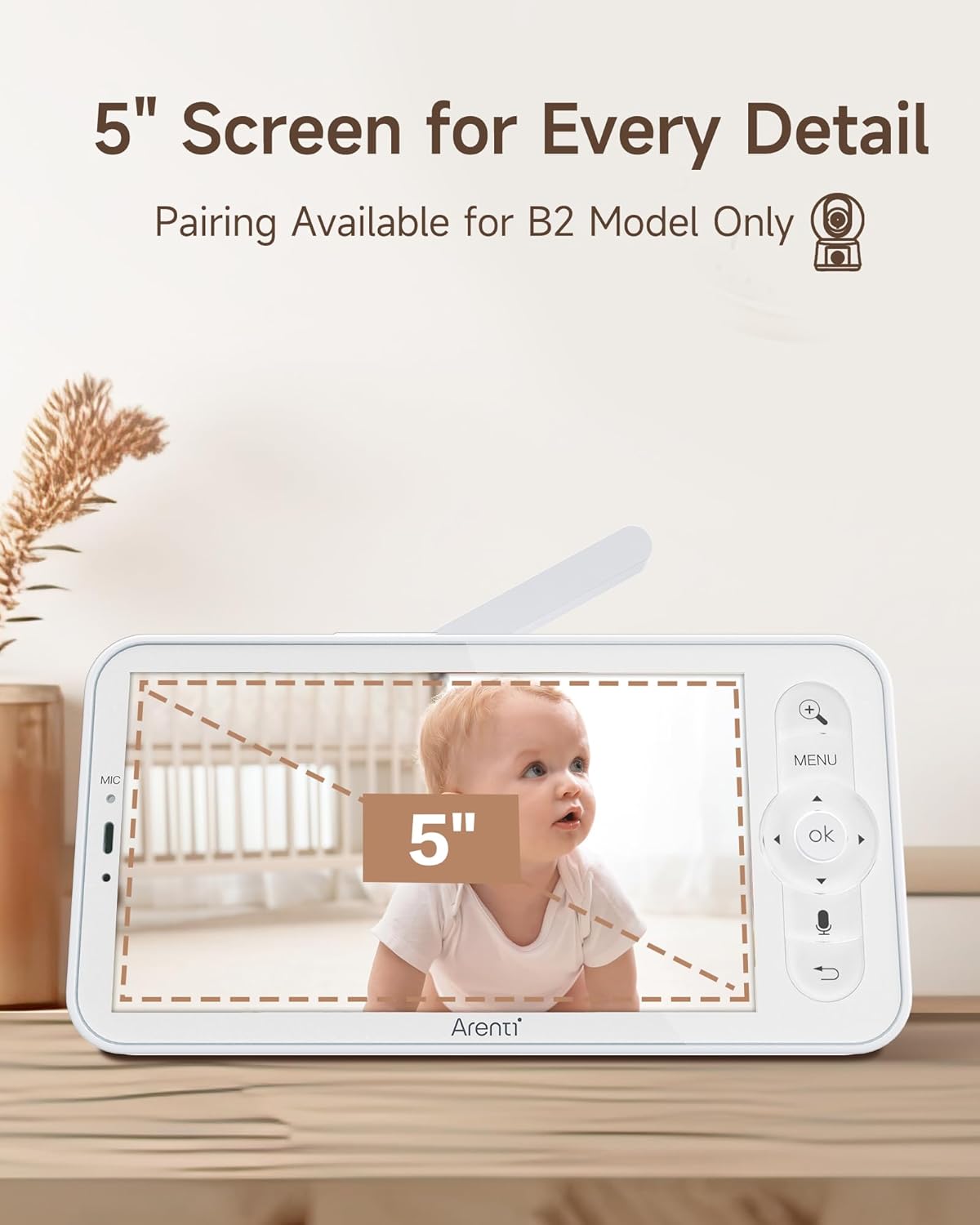
Image: The 5-inch LCD screen of the ARENTI B2 Baby Monitor, highlighting its size for detailed viewIng.
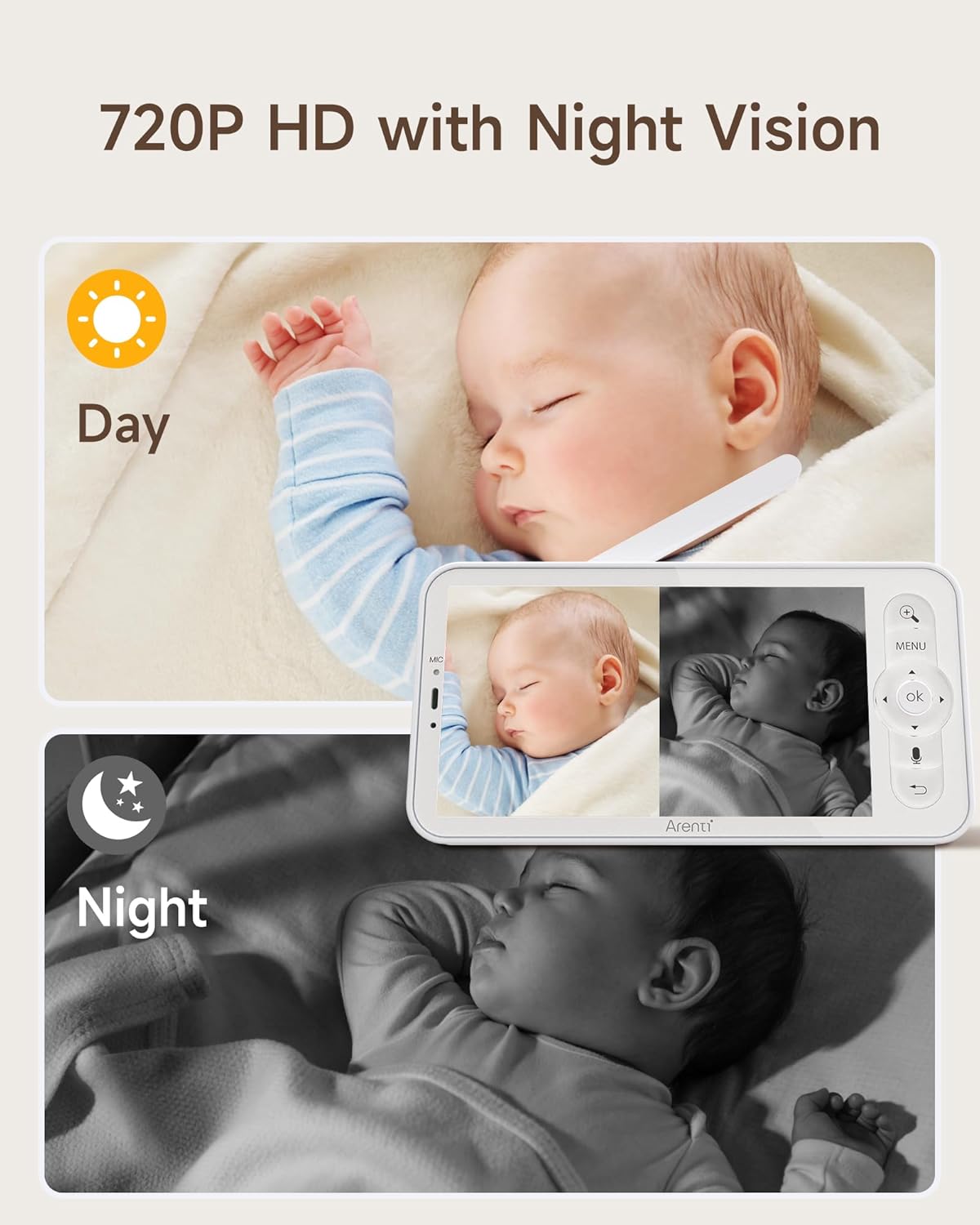
Image: The monitor displaying both day (720P HD) and night vision views of a baby, demonstrating clear visibility in all lighting conditions.
9. Zákaznická podpora
For technical assistance or further inquiries, please refer to the ARENTI official website or contact their customer support directly. Contact information can typically be found on the product packaging or the manufacturer's webmísto.