
VicoSafe CG9
VicoHome CG9 Outdoor Wireless Security Camera User Manual
Model: CG9 | Brand: VicoSafe
Zavedení
Thank you for choosing the VicoHome CG9 Outdoor Wireless Security Camera. This manual provides detailed instructions on how to set up, operate, and maintain your camera to ensure optimal performance and security for your home or property. The VicoHome CG9 is designed for outdoor use, offering 2K HD video, two-way audio, color night vision, and a long-lasting battery for reliable surveillance.
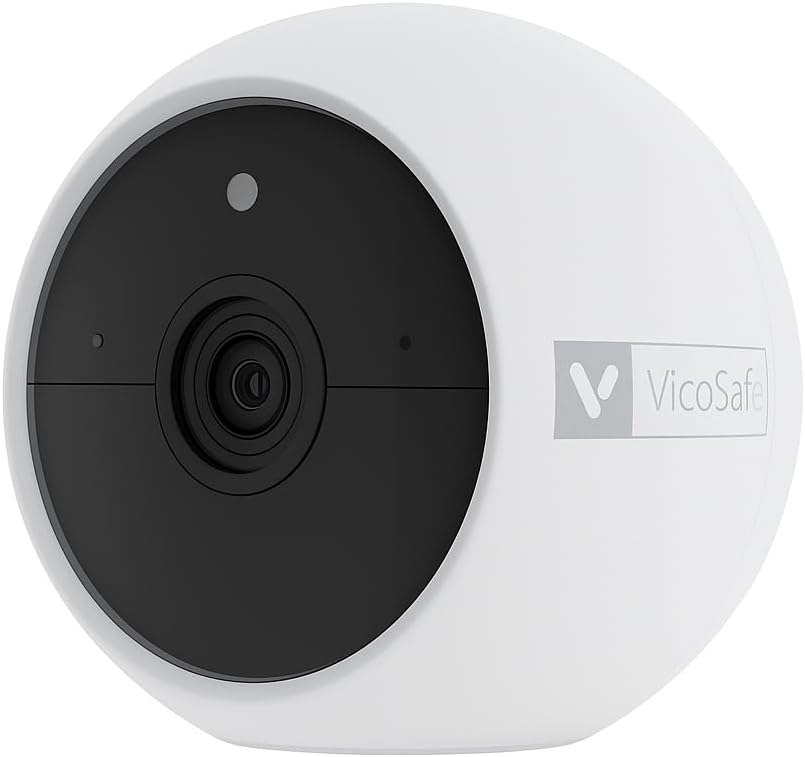
Přední strana view of the VicoHome CG9 outdoor wireless security camera, showcasinjeho kompaktní design a objektiv.
Co je v krabici
Zkontrolujte prosím obsah balení, abyste se ujistili, že jsou přítomny všechny položky:
- 1 × VicoHome CG9 Outdoor Wireless Security Camera
- 1 × Mounting Kit & Screws
- 1 × Nabíjecí kabel
- 1 × Quick Start Guide (This manual serves as a comprehensive guide)
Specifikace
| Funkce | Popis |
|---|---|
| Název modelu | CG9 Outdoor Wireless Camera |
| Rozlišení záznamu videa | 2K (2304×1296p) |
| Pole View | 127° širokoúhlý |
| Zdroj napájení | Battery Powered (5200mAh or 6700mAh removable battery) |
| Konektivita | 2.4 GHz Wi-Fi |
| Noční vidění | IR + Color LED Mode (up to ~23ft) |
| Zvuk | 2-pásmový zvuk |
| Detekce pohybu | PIR (People, Vehicles, Packages) |
| Odolnost vůči povětrnostním vlivům | Stupeň krytí IP65 |
| Kompatibilní zařízení | Smartphone (VicoHome App), Amazon Alexa, Google Assistant |
| Typ montáže | Nástěnný držák (magnetický) |
| Rozměry produktu | 3.35 x 3.35 x 2.8 palce |
| Hmotnost položky | 1.3 libry |
Ilustrační výstavaasing the VicoHome CG9 camera's IP65 weatherproof rating, indicating its resistance to rain, sun, and snow, suitable for outdoor use in various climates.
Nastavení
Follow these steps to set up your VicoHome CG9 camera:
- Nabijte kameru: Before initial use, fully charge the camera's battery using the provided charging cable. A full charge ensures optimal performance and battery life.
- Download the VicoHome App: Hledat "VicoHome" in your smartphone's app store (iOS or Android) and download the official application.
- Vytvořit účet: Open the VicoHome app and follow the on-screen instructions to create a new user account or log in if you already have one.
- Přidat zařízení: In the app, tap the "+" icon to add a new device. Select your camera model (CG9) and follow the pairing instructions. Ensure your phone is connected to a 2.4GHz Wi-Fi network.
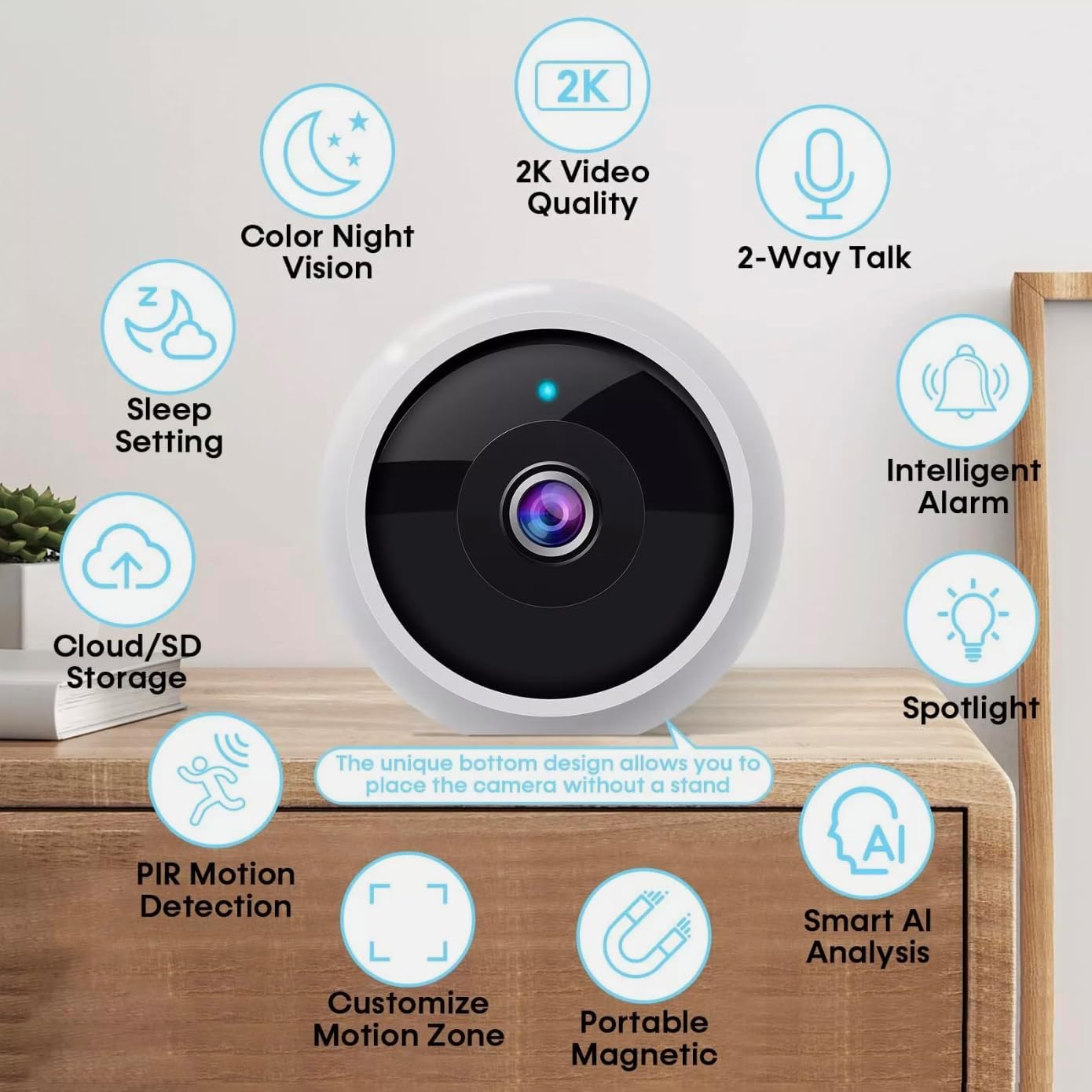
- Montáž kamery: Choose a suitable outdoor location for your camera. The CG9 features a magnetic base for easy installation. Use the included mounting kit and screws to secure the camera to a wall or other surface. Ensure the camera has a clear view oblasti, kterou chcete monitorovat.

This image demonstrates the versatile magnetic installation options for the VicoHome CG9 camera, showing it mounted on both an iron surface and a wall using the included small iron block and 3M stickers, highlighting its 100% wireless setup.
Obsluha fotoaparátu
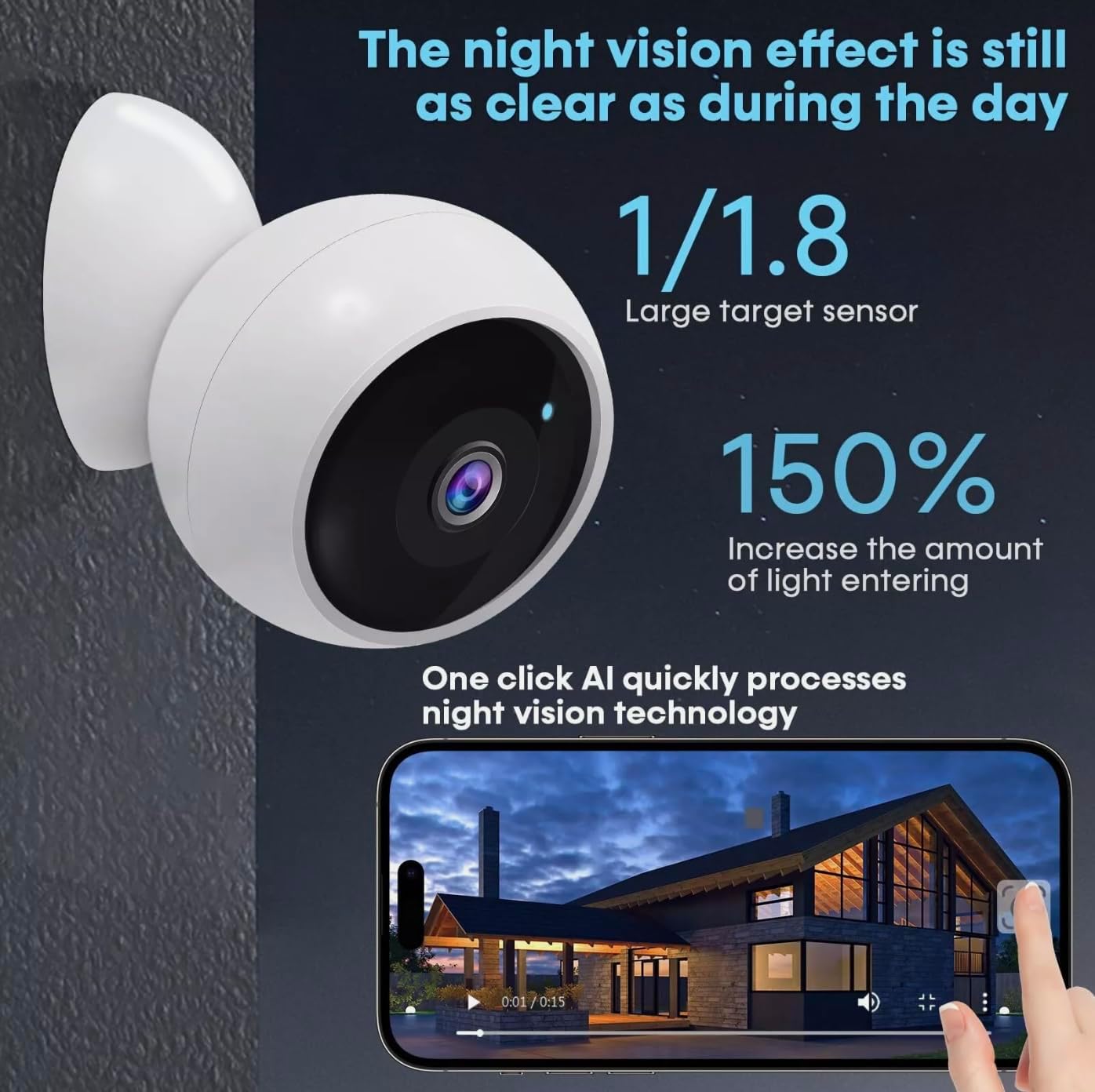
The VicoHome CG9 camera offers a range of features accessible through the VicoHome app:
An infographic highlighting key features of the VicoHome CG9 camera, such as 2K video quality, two-way audio, color night vision, sleep setting, cloud/SD storage, PIR motion detection, customizable motion zones, portable magnetic mounting, intelligent alarm, spotlight, and smart AI analysis.
Žít View
Open the VicoHome app and select your camera from the device list to access the live video feed. You can view foo v reálném časetage in 2K HD resolution.

This image shows the VicoHome CG9 camera alongside a smartphone displaying its live video feed, illustrating real-time monitoring capabilities and the camera's compact design.
Obousměrný zvuk
Klepněte na ikonu mikrofonu v živém vysílání view interface to enable two-way communication. You can speak through the camera to visitors or deter unwanted activity, and hear responses through your phone's speaker.

An illustration demonstrating the two-way audio feature, showing a user communicating with a delivery person via the VicoHome app on a smartphone, with multiple users viewing současně.
Detekce pohybu a výstrahy
The camera features smart PIR (Passive Infrared) motion detection, capable of distinguishing between people, vehicles, and packages. When motion is detected, you will receive instant notifications on your smartphone. You can customize detection zones and sensitivity settings within the app to minimize false alarms.
Noční vidění
The CG9 offers dual night vision modes: infrared (IR) for discrete black-and-white viewing and a bright LED color mode for vivid nighttime footage. The camera automatically switches to night vision in low-light conditions, providing clear visibility up to approximately 23 feet.
An image illustrating the camera's advanced night vision, emphasizing its clarity in low-light conditions, with a large target sensor and increased light entry for enhanced nighttime footage.
Recording & Storage
The camera supports both cloud storage (subscription required) and local storage via an SD card (not included). Recorded events triggered by motion detection are stored for review. You can access and manage recordings through the VicoHome app.
Integrace chytré domácnosti
The VicoHome CG9 camera is compatible with Amazon Alexa and Google Assistant, allowing for voice control and integration into your smart home ecosystem.
Údržba
- Nabíjení baterie: The camera's battery life can last for months on a single charge. When the battery level is low, you will receive a notification via the VicoHome app. Recharge the camera using the provided USB charging cable.
- Čištění: Periodically clean the camera lens and body with a soft, dry cloth to remove dust and smudges. Do not use harsh chemicals or abrasive materials.
- Aktualizace firmwaru: Ensure your camera's firmware is always up to date through the VicoHome app. Firmware updates often include performance improvements and new features.
Odstraňování problémů
- Fotoaparát offline:
- Zkontrolujte připojení k Wi-Fi a ujistěte se, že je kamera v dosahu routeru.
- Zkontrolujte stav baterie fotoaparátu.
- Restart the camera by pressing and holding the power button, then turning it back on.
- Cannot Pair Camera:
- Ujistěte se, že je váš smartphone připojen k síti Wi-Fi s frekvencí 2.4 GHz (5 GHz není podporováno).
- Reset the camera to factory settings (refer to the Quick Start Guide for specific instructions).
- Ujistěte se, že heslo k Wi-Fi zadané v aplikaci je správné.
- Špatná kvalita videa:
- Check your Wi-Fi signal strength at the camera's location. A weak signal can affect video quality.
- Očistěte objektiv fotoaparátu, abyste odstranili veškeré nečistoty nebo šmouhy.
- Upozornění na falešný pohyb:
- Adjust the motion detection sensitivity settings in the VicoHome app.
- Define specific motion detection zones to exclude areas with frequent irrelevant movement (e.g., busy roads).
Záruka a podpora
Your VicoHome CG9 camera comes with a standard manufacturer's warranty. Please refer to the warranty card included in your package or visit the official VicoSafe webpodrobné záruční podmínky naleznete na webu.
For technical support, troubleshooting assistance, or any product-related inquiries, please contact VicoSafe customer service through the following channels:
- VicoHome App: Access the 'Help' or 'Support' section within the app.
- VicoSafe Official Webmísto: Návštěva www.vicosafecam.com pro časté dotazy, zdroje podpory a kontaktní informace.
Ask a question about this manual
Ask about setup, troubleshooting, compatibility, parts, safety, or missing instructions. Manuals+ will review the question and use this page’s manual context to help answer it.