
VicoSafe BC1
VicoHome BC1 Wireless Outdoor Security Camera User Manual
Model: BC1 | Brand: VicoSafe
Zavedení
Thank you for choosing the VicoHome BC1 Wireless Outdoor Security Camera. This manual provides essential information for the safe and effective use of your device. Please read it thoroughly before installation and operation, and retain it for future reference.
The VicoHome BC1 is a battery-powered, wire-free outdoor security camera designed for easy installation and long-lasting performance. It features 3MP (2304×1296) video, color night vision, smart motion detection, two-way audio, and an IP65 weatherproof rating, making it ideal for monitoring your home's exterior.
Bezpečnostní informace
- Ensure the camera is installed in a location where it is protected from direct impact and extreme temperatures outside its operating range.
- Use only the provided charging cable and a compatible power adapter (5V/1A or 5V/2A recommended) to charge the camera.
- Do not disassemble, modify, or attempt to repair the camera. This will void the warranty and may cause damage or injury.
- Uchovávejte fotoaparát a jeho příslušenství mimo dosah dětí.
- Neumisťujte kameru do blízkosti silných magnetických polí nebo zdrojů rušení.
- Dispose of the battery according to local regulations. Do not incinerate or expose to high temperatures.
Co je v krabici
Před zahájením instalace ověřte, zda jsou přítomny všechny komponenty.
- 1 x VicoHome BC1 Wireless Outdoor Security Camera
- 1 x Mounting Kit (includes screws and wall anchors)
- 1 x nabíjecí kabel
- 1 x Quick Start Guide (this manual serves as the detailed guide)
Konec produktuview
Familiarize yourself with the various parts of your VicoHome BC1 camera.
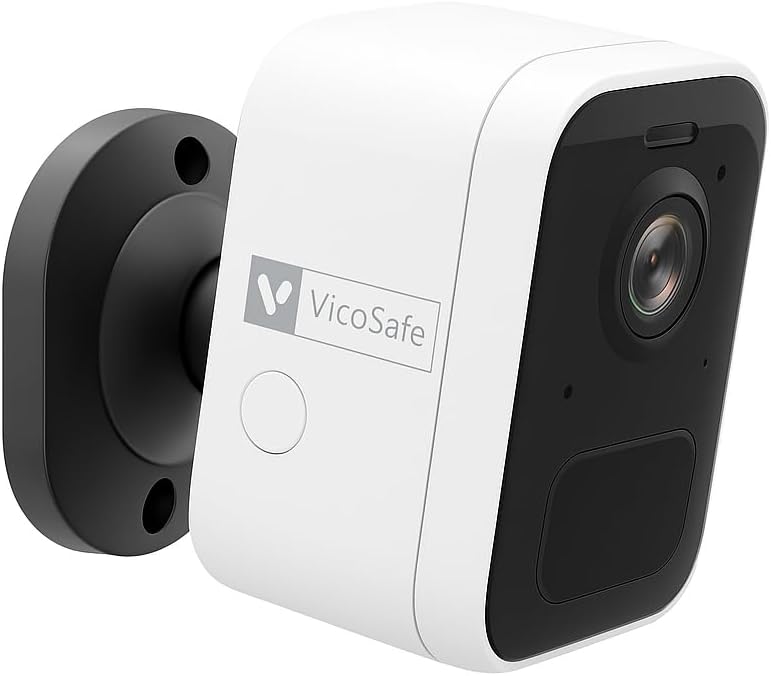


- Objektiv fotoaparátu: Zachytí video footage.
- PIR Motion Sensor: Detects heat signatures for motion detection.
- Stavová LED: Indicates camera status (e.g., charging, connected, motion detected).
- Mikrofon: Pro audio vstup a obousměrnou komunikaci.
- Reproduktor: Pro audio výstup a obousměrnou komunikaci.
- Nabíjecí port: USB port for charging the internal battery.
- Resetovací tlačítko: Slouží k resetování fotoaparátu do továrního nastavení.
- Montážní závit: For attaching to the included wall mount.
Nastavení
1. Nabíjení fotoaparátu
Before initial use, fully charge the camera. Connect the provided charging cable to the camera's charging port and a 5V/1A or 5V/2A USB power adapter (not included). The status LED will indicate charging status and turn solid when fully charged. A full charge can provide up to 6 months of battery life depending on usage.
2. Downloading the VicoHome App
Hledat "VicoHome" in the Apple App Store (for iOS devices) or Google Play Store (for Android devices) and download the official app. Create an account or log in if you already have one.
3. Pairing with Wi-Fi
- Open the VicoHome app and tap the "+" icon to add a new device.
- Select "Battery Camera" or the specific model "BC1" if prompted.
- Follow the on-screen instructions to power on the camera. The camera will enter pairing mode, indicated by a flashing blue LED.
- Connect your smartphone to a 2.4GHz Wi-Fi network. The VicoHome BC1 only supports 2.4GHz Wi-Fi.
- The app will display a QR code. Hold the camera lens approximately 15-20 cm (6-8 inches) in front of your phone screen until you hear a prompt sound from the camera, indicating successful scanning.
- Once connected, the camera's status LED will turn solid blue, and you can name your camera within the app.
4. Montáž kamery
Choose a suitable outdoor location for mounting. Consider areas with good Wi-Fi signal strength and a clear view of the area you wish to monitor. The camera is IP65 weatherproof, suitable for outdoor use.
- Označení pozic pro vrtání: Use the mounting bracket as a template to mark the positions for drilling holes on the wall.
- Vrtací otvory: Drill holes at the marked positions. For masonry or concrete, insert the provided wall anchors.
- Připevněte držák: Připevněte montážní držák ke zdi pomocí dodaných šroubů.
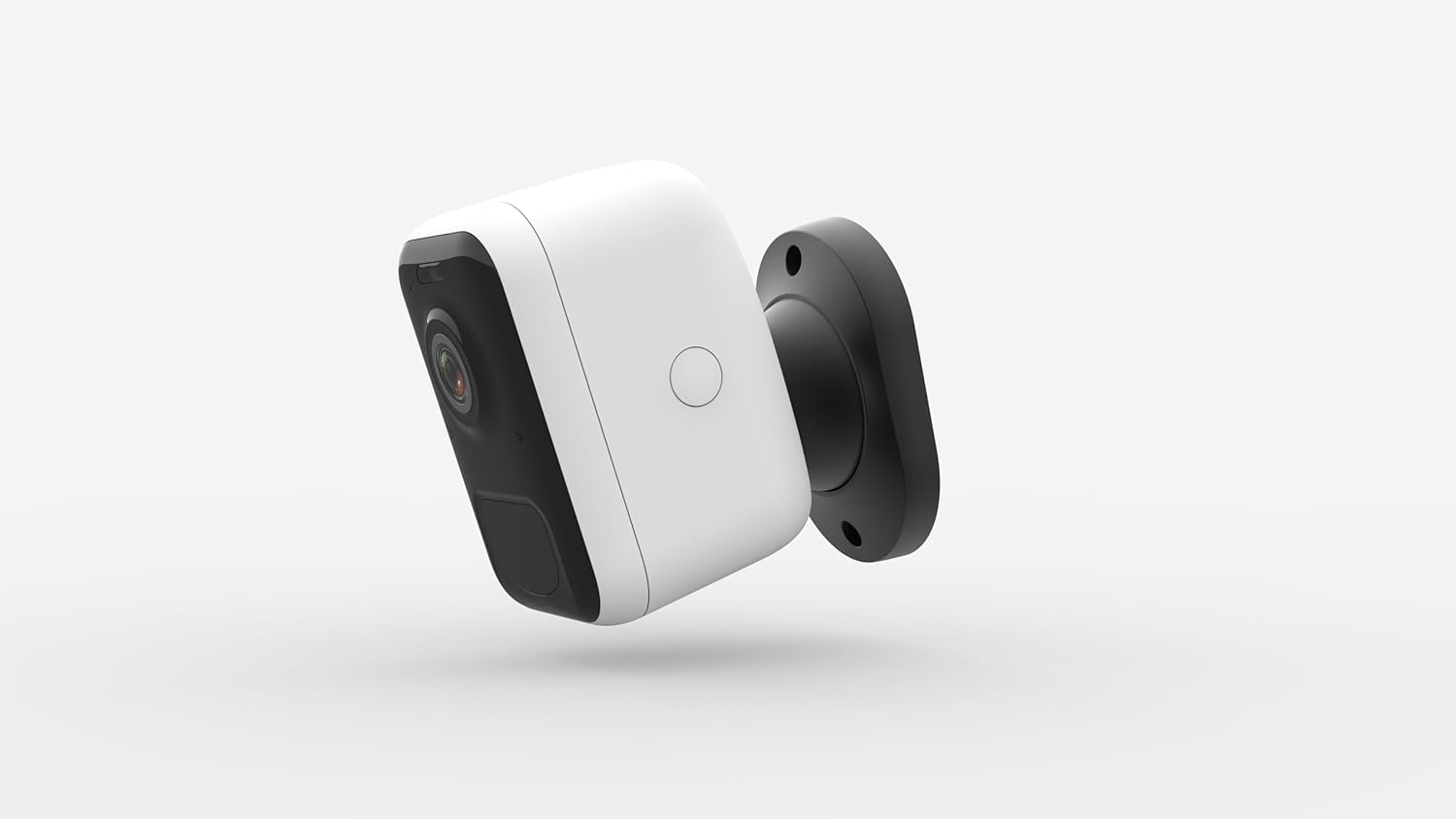
- Připojit kameru: Screw the camera onto the mounting bracket. Adjust the camera angle to cover your desired viewoblast.
Obsluha fotoaparátu
Žít View
From the VicoHome app's home screen, tap on your camera's name to access the live view. You can see real-time footage, take screenshots, record manually, and access other features.
Obousměrný zvuk
Zatímco v přímém přenosu view, klepněte na ikonu mikrofonu a mluvte přes reproduktor fotoaparátu. Klepnutím na ikonu reproduktoru poslouchejte zvuk z mikrofonu fotoaparátu.
Nastavení detekce pohybu
The VicoHome BC1 uses a PIR (Passive Infrared) sensor for smart motion detection, reducing false alarms. In the app's camera settings:
- Citlivost detekce: Adjust the sensitivity level to optimize detection for your environment.
- Zóny aktivity: Definujte specifické oblasti v záběru kamery view where you want motion detection to be active.
- Alert Schedule: Set specific times or days when you want to receive motion alerts.
- Detekce člověka: Enable this feature to filter out non-human movements (e.g., pets, vehicles) and only receive alerts for people.
Noční vidění
The camera automatically switches to infrared night vision in low-light conditions. It also features a built-in spotlight that can be activated for color night vision, providing clearer images in the dark.
Nahrávání a přehrávání
Motion-triggered events are recorded and stored. You can access these recordings via the VicoHome app. The camera supports both cloud storage (subscription may be required) and local storage via a microSD card (not included, up to 128GB).
- Historie událostí: Browse recorded events by date and time.
- Stáhnout: Download important video clips to your phone.
Integrace chytré domácnosti
The VicoHome BC1 can be integrated with Amazon Alexa and Google Assistant for voice control and smart home automation. Refer to the VicoHome app's integration section for detailed instructions on linking your camera to these platforms.
Údržba
- Péče o baterie: To maximize battery life, avoid exposing the camera to extreme temperatures for prolonged periods. Recharge the camera when the battery level is low. Consider a VicoHome solar panel (sold separately) for continuous charging.
- Čištění: Jemně otřete objektiv a tělo fotoaparátu měkkým hadříkemamp tkanina. Nepoužívejte agresivní chemikálie nebo abrazivní čisticí prostředky.
- Aktualizace firmwaru: Regularly check the VicoHome app for firmware updates. Updates often include performance improvements and new features.
- Izolace proti povětrnostním vlivům: While IP65 rated, ensure the charging port cover is securely closed when not charging to maintain water resistance.
Odstraňování problémů
| Problém | Možné řešení |
|---|---|
| Fotoaparát se nezapne. | Ensure the camera is fully charged. Connect it to a power source and wait a few minutes. |
| Nelze se připojit k Wi-Fi. |
|
| Časté falešné pohybové výstrahy. |
|
| Špatná kvalita videa. |
|
| Obousměrný zvuk nefunguje. |
|
Specifikace
| Funkce | Detail |
|---|---|
| Název modelu | BC1 Outdoor Camera Wireless |
| Rozlišení záznamu videa | 3MP (2304×1296) / 2K HD |
| Technologie připojení | Bezdrátové připojení (Wi-Fi 2.4 GHz) |
| Zdroj napájení | Battery Powered (5200mAh or 6700mAh rechargeable battery) |
| Životnost baterie | Up to 6 months (180 days) per charge |
| Vnitřní/venkovní použití | Venkovní |
| Odolnost vůči povětrnostním vlivům | Stupeň krytí IP65 |
| Rozsah nočního vidění | Up to 23 feet (7 meters) with infrared, Color Night Vision with spotlight |
| Viewúhel | 125 stupňů |
| Speciální funkce | 2-Way Audio, Smart Motion Sensor (PIR), Night Vision, Weather Proof, Amazon Alexa & Google Assistant Compatible |
| Možnosti úložiště | Cloud Storage, Local Storage (MicroSD card up to 128GB, not included) |
| Rozměry (D x Š x V) | 3.15 x 1.57 x 4.33 palce |
| Hmotnost položky | 2.2 libry |
Záruka a podpora
VicoSafe products typically come with a limited warranty. Please refer to the warranty card included with your product or visit the official VicoSafe webpodrobné záruční podmínky naleznete na webu.
For technical support, troubleshooting assistance, or any inquiries regarding your VicoHome BC1 camera, please contact VicoSafe customer support through their official website or the contact information provided in the VicoHome app.
Online zdroje: For the latest FAQs, video tutorials, and support articles, visit the VicoSafe support page.
Ask a question about this manual
Ask about setup, troubleshooting, compatibility, parts, safety, or missing instructions. Manuals+ will review the question and use this page’s manual context to help answer it.