
MUBVIEW Zvonek J7
MUBVIEW Uživatelská příručka k bezdrátovému videozvonku Bell J7 2K s zvonkem
Model: Bell J7
1. Úvod
This manual provides detailed instructions for the installation, operation, and maintenance of your MUBVIEW Bell J7 2K Wireless Video Doorbell Camera with Chime. Please read this manual thoroughly before using the product to ensure proper function and safety. This device is designed to enhance your home security with advanced features like 2K video, motion detection, and two-way audio.
2. Co je v krabici
Před zahájením instalace ověřte, zda jsou všechny komponenty přítomny:
- Camera Doorbell x1
- Chime x1
- Uživatelská příručka x1
- Nabíjecí kabel x1
- Baterie x3
- Other Accessories (screws, anchors, screwdriver)

Image: Contents of the MUBVIEW Bell J7 package, including the doorbell, chime, and installation tools.
3. Konec produktuview
Familiarize yourself with the main parts of your video doorbell and chime:
Kamera zvonku
- 2K Camera Lens: Nahrává video ve vysokém rozlišení.
- PIR Motion Sensor: Detekuje lidský pohyb.
- Mikrofon: Pro obousměrnou audio komunikaci.
- Reproduktor: Pro obousměrnou audio komunikaci a sirénu.
- Tlačítko zvonku: Aktivuje zvonkohru a odesílá oznámení.
- Micro USB-C Port: Pro nabíjení interní baterie.
- Resetovací tlačítko: Pro resetování zařízení.
- Slot pro kartu Micro SD: For local video storage (up to 128GB, card not included).
- Anti-Theft Button: Triggers an alarm if the doorbell is removed from its mount.
Bezdrátový zvonek
- Reproduktor: Vydává zvuk zvonku.
- Ovládání hlasitosti: Upravuje hlasitost zvonkohry.
- Volič tónů: Changes chime melody.
- Zdroj napájení: Bateriové napájení pro flexibilní umístění.

Obrázek: Přední strana view of the MUBVIEW Bell J7 doorbell and chime.
4. Nastavení
Follow these steps to set up your MUBVIEW Bell J7 doorbell camera:
4.1 Nabíjení zvonku
- Before first use, fully charge the doorbell camera using the provided USB charging cable.
- The charging port is located on the side of the doorbell, protected by a rubber flap.
- A full charge can last up to 180 days, depending on usage.
4.2 Instalace aplikace a připojení k Wi-Fi
- Stáhněte si CloudEdge or MUBVIEW app from your smartphone's app store (Apple App Store or Google Play Store).
- Zaregistrujte si účet nebo se přihlaste, pokud jej již máte.
- Ujistěte se, že je váš chytrý telefon připojen k Síť Wi-Fi 2.4 GHz. The doorbell is not compatible with 5GHz Wi-Fi.
- In the app, select "Add Device" and choose "Smart Video Doorbell".
- Follow the on-screen prompts to connect the doorbell to your Wi-Fi network. This typically involves scanning a QR code displayed on your phone with the doorbell camera.
- Po připojení můžete zařízení pojmenovat a dokončit nastavení.
4.3 Montáž zvonku
The doorbell can be mounted using screws or strong adhesive tape (not included for all mounting types).
- Attach the mounting bracket to your desired location on the wall or door frame. Ensure it is at an appropriate height for optimal viewIng.
- Secure the bracket using the provided screws and anchors.
- Slide the doorbell camera into the mounting bracket until it clicks securely into place.
- For added security, a small screw can be inserted from the bottom of the bracket into the doorbell to prevent easy removal.

Image: Installation of the MUBVIEW Bell J7 doorbell camera onto its mounting bracket.
5. Návod k obsluze
5.1 Živě View a obousměrný zvuk
- Otevřete MUBVIEW app to access the live video feed from your doorbell camera.
- Use the microphone icon in the app to enable two-way audio and speak with visitors at your door.
- The voice changer feature can be activated for added privacy and security.

Image: Demonstrating two-way audio and voice message functionality via the app.
5.2 Detekce pohybu a upozornění
- The doorbell features advanced PIR motion and human detection to minimize false alarms.
- When motion is detected, you will receive instant push notifications on your smartphone.
- Adjust motion detection sensitivity and set custom motion zones within the app to suit your environment.

Image: Smartphone notification for human detection from the doorbell camera.
5.3 Noční vidění
- The doorbell camera automatically switches to IR night vision in low-light conditions.
- Enhanced night vision provides clear images up to 33 feet.
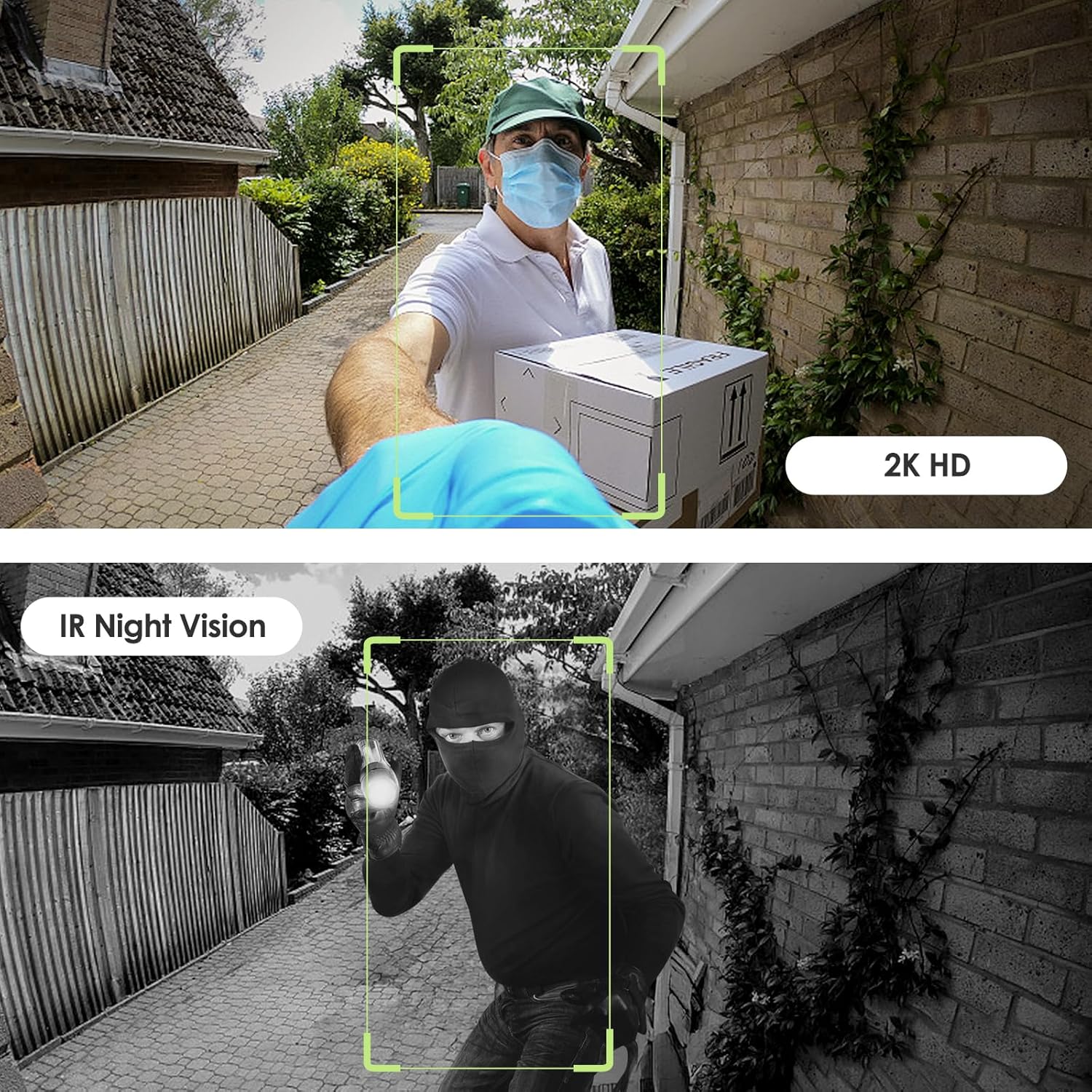
Image: Day and night vision capabilities of the MUBVIEW Bell J7 doorbell.
5.4 Video úložiště
- Micro SD karta: Insert a micro SD card (up to 128GB, not included) into the designated slot for local storage of recorded footage.
- Cloudové úložiště: Enjoy 7-day free cloud loop storage. Optional premium cloud storage plans are available for extended storage and features.

Image: Multiple storage options: local Micro SD card and cloud service.
6. Vlastnosti
- Rozlišení 2K Full HD: Poskytuje jasné a detailní video.
- Širokoúhlý objektiv 145°: Offers a broad view u vašich dveří.
- Napájení z baterie: Ensures easy, wire-free installation.
- 2.4 GHz Wi-Fi připojení: Stable and reliable wireless connection.
- Odolnost proti povětrnostním vlivům IP65: Built to withstand various outdoor conditions (rain, heat, hail, sun, dust).
- Alarm proti krádeži: Siren sounds if the doorbell is tampered s.
- Měnič hlasu: Enhances privacy during two-way audio.
- Pre-Recorded Voice Messages: Respond quickly with custom messages.
- Rodinné sdílení: Supports up to 15 online users and 20 user accounts.
- Kompatibilita: Spolupracuje s Alexou a Google Assistant.

Obrázek: Overview of MUBVIEW Bell J7 features.
7. Údržba
7.1 Nabíjení baterie
The doorbell is powered by rechargeable batteries. Monitor the battery level through the app and recharge as needed. The battery life can extend up to 180 days on a single charge, depending on activity and settings.
7.2 Čištění
Otřete objektiv kamery a vnější část zvonku měkkým hadříkem.amp hadříkem odstraňte prach a nečistoty. Nepoužívejte agresivní chemikálie ani abrazivní materiály, které by mohly zařízení poškodit.
7.3 Odolnost vůči povětrnostním vlivům
MUBVIEW Bell J7 is IP65 weather-resistant, designed to endure various outdoor conditions. However, extreme weather conditions may still impact performance or battery life.

Image: IP65 Weather Resistance of the MUBVIEW Bell J7 doorbell.
8. Řešení problémů
| Problém | Možné řešení |
|---|---|
| Zvonek se nepřipojuje k Wi-Fi | Ensure your Wi-Fi is 2.4GHz. Move the doorbell closer to your router during setup. Reset the doorbell and try again. |
| Časté falešné poplachy z pohybu | Adjust the motion detection sensitivity in the app. Set custom motion zones to exclude busy areas or moving foliage. |
| Špatná kvalita videa | Check your Wi-Fi signal strength in the app. Ensure the camera lens is clean and free from obstructions. |
| Krátká výdrž baterie | Snižte citlivost detekce pohybu nebo frekvenci živého view přístup. Ujistěte se, že je zvonek plně nabitý. |
| Anti-theft alarm not working | Ensure the anti-theft feature is enabled in the app settings. Check if the doorbell is properly seated in its mounting bracket, activating the tamper tlačítko. |
9. Specifikace
- Název modelu: Zvonek J7
- Rozlišení záznamu videa: 2K
- Technologie připojení: Bezdrátové připojení (2.4 GHz Wi-Fi)
- Zdroj napájení: Napájení z baterií (3 A baterie jsou součástí balení)
- Vnitřní/venkovní použití: Venkovní
- Úroveň odolnosti proti vodě: IP65 Vodotěsný
- Speciální vlastnosti: 2-Way Audio, Built-In Light, HD Resolution, Image Sensor, Motion Sensor, Voice Changer, Anti-Theft Alarm
- Kompatibilní zařízení: Smartphone (via CloudEdge/MUBVIEW aplikace)
- Rozměry produktu: 1.37 x 5.27 x 2.2 palce
- Hmotnost položky: 15.4 unce
10. Záruka a podpora
MUBVIEW is committed to providing quality products and customer satisfaction. For any inquiries or support needs, please refer to the following:
- Služby zákazníkům: Available via Call Service (9AM-5PM EST) and Online Email.
- Vrácení: 30-day Amazon return policy applies.
- Plány ochrany: K dispozici je volitelné dvouleté a tříleté ochranné plány.
For detailed contact information, please visit the official MUBVIEW webwebu nebo se podívejte na kontaktní údaje uvedené na obalu produktu.

Obrázek: MUBVIEW Customer Service details.
Ask a question about this manual
Ask about setup, troubleshooting, compatibility, parts, safety, or missing instructions. Manuals+ will review the question and use this page’s manual context to help answer it.