
Zavedení
Thank you for choosing the GMBACK Wireless Pro Controller. This manual provides detailed instructions for setting up, operating, and maintaining your controller to ensure optimal performance and an enhanced gaming experience. Please read this manual thoroughly before use.
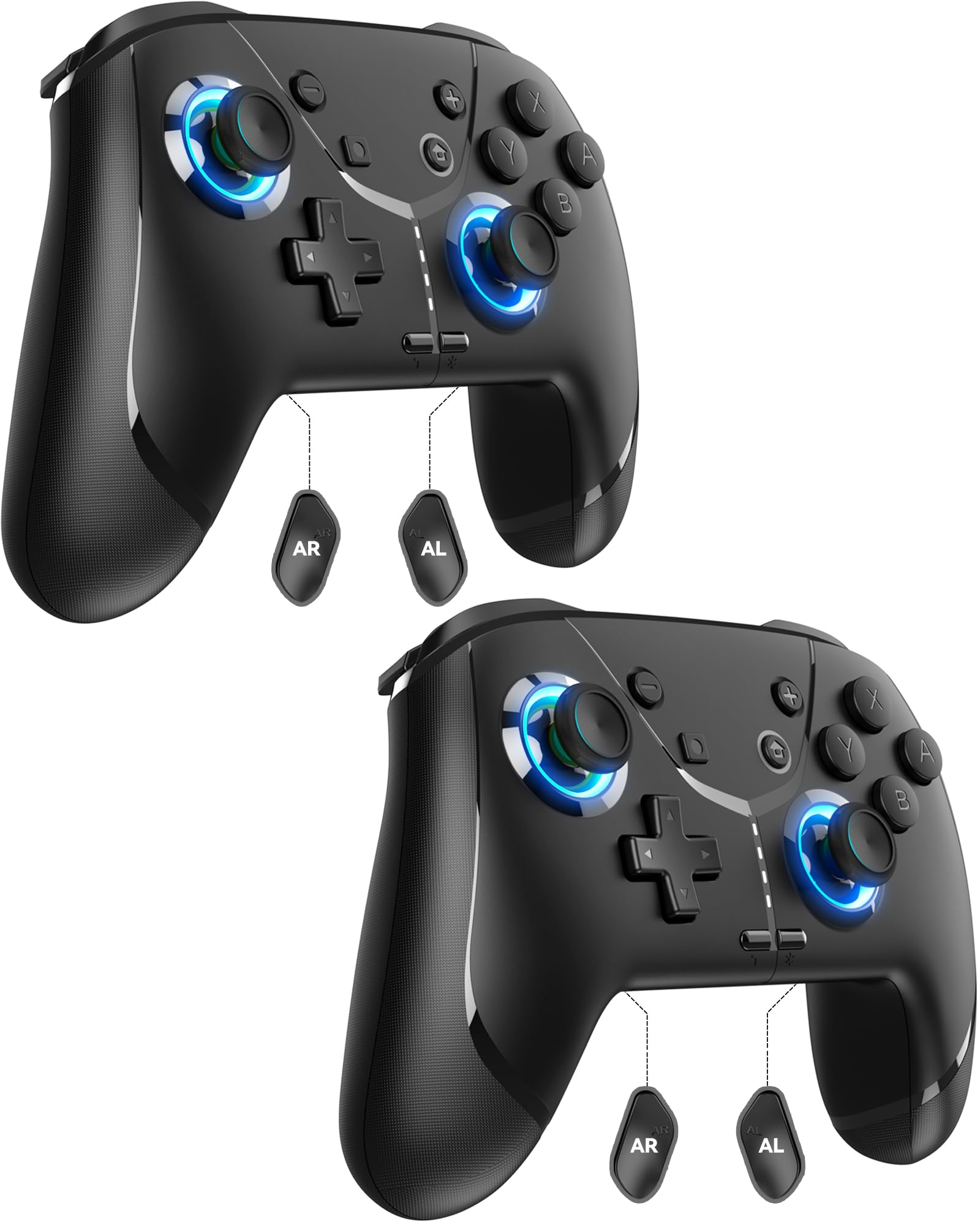
Image: GMBACK Wireless Pro Controller, front view.
Obsah balení
- 2 x GMBACK Wireless Pro Controllers
- 2 x USB-C nabíjecí kabel
- 1 x Uživatelská příručka
Začínáme
1. Párování s konzolí Nintendo Switch
- Ujistěte se, že je vaše konzole Nintendo Switch zapnutá a aktualizovaná na nejnovější systémový software.
- V nabídce HOME vyberte 'Controllers', pak 'Change Grip/Order'.
- On the GMBACK controller, press and hold the Tlačítko synchronizace (located on the top edge near the USB-C port) for 3-5 seconds until the LED indicators begin to flash rapidly.
- The controller will automatically pair with the Switch. Once paired, the player LED(s) on the bottom of the controller will light up solid.

Image: GMBACK Wireless Pro Controller connected to a Nintendo Switch console.
2. Připojení k počítači (kabelové)
- Connect the GMBACK controller to your PC using the provided USB-C cable.
- The controller will be recognized as a standard gamepad. Drivers may install automatically.
- For optimal compatibility, ensure your PC's operating system is up to date.
3. Nabíjení regulátoru
- Connect the controller to a USB power source (e.g., Switch dock, PC, USB wall adapter) using the provided USB-C cable.
- The LED indicators will show charging status. A full charge typically takes 2-3 hours.
- The controller features an 800mAh battery, providing approximately 15-20 hours of playtime on a full charge.

Image: Visual representation of the 800mAh battery, 15-20 hours playtime, and 2-3 hours charging time.
Klíčové vlastnosti a funkce
1. Loop Macro Function
The controller supports a loop macro function, allowing you to record and replay a sequence of up to 30 seconds of button presses and joystick movements. This includes joysticks, triggers, D-pad, ABXY, and +/- buttons.
- Nahrát: Refer to the detailed instructions in the included user manual for specific recording steps.
- To Start/Stop Loop: Podržte Tlačítko Turbo a Makro tlačítko simultaneously. The controller will automatically replay your recorded actions in a continuous loop.

Obrázek: Zadní view of the controller highlighting the AR and AL programmable buttons and the text 'Loop Macro Function'.
2. 6-Axis Gyro Sensor
The integrated 6-axis gyro sensor provides precise motion detection, allowing for intuitive control in compatible games that utilize motion sensing. This enhances immersion and gameplay accuracy.

Image: Controller being used for a racing game, illustrating the 6-Axis Gyro Sensor feature.
3. Customizable Turbo Function
The controller offers three adjustable turbo speeds for rapid-fire actions. This feature can be set to either auto-fire or manual-fire mode.
- To Adjust Turbo Speed: Refer to the included user manual for specific button combinations to cycle through the three turbo speeds.
- To Activate/Deactivate Turbo: Stiskněte tlačítko Tlačítko Turbo along with the desired action button.

Image: Controller displaying the 'Auto & Manual Turbo' feature with a gaming background.
4. Dual Vibration Adjustment
Experience immersive feedback with four levels of dual vibration intensity: None, Weak, Medium, and Strong. Adjust the vibration to your preference for different games.
- To Adjust Vibration: Consult the user manual for the specific button combination to cycle through vibration levels.

Image: Controller illustrating the four levels of dual vibration: None, Weak, Medium, Strong.
5. RGB osvětlení
The controller features dynamic RGB lighting around the joysticks, enhancing the visual appeal during gameplay. The lighting can be adjusted or turned off.
- To Adjust RGB Lighting: Refer to the user manual for instructions on changing lighting modes or turning off the lights.

Image: Controller showcasing its RGB lighting feature around the joysticks.
6. Remappable ABXY Buttons
The ABXY buttons can be remapped to switch between Nintendo Switch and Xbox layouts, providing flexibility for different gaming preferences without needing to physically remove any buttons.
- To Remap ABXY: Follow the instructions in the user manual for the specific button sequence to switch layouts.

Image: Controller illustrating the ABXY button function switching between Nintendo Switch and Xbox layouts.
7. Screenshot and Home Wake-up
- The controller includes a dedicated Tlačítko obrazovky for capturing in-game moments.
- The Tlačítko Domů can be used to wake up your Nintendo Switch console from sleep mode.
Údržba
- Čištění: K čištění ovladače používejte měkký, suchý hadřík. Nepoužívejte agresivní chemikálie ani abrazivní materiály.
- Skladování: Regulátor skladujte na chladném a suchém místě mimo dosah přímého slunečního záření a extrémních teplot.
- Péče o baterie: Pro prodloužení životnosti baterie se vyvarujte častého úplného vybíjení ovladače. Pravidelně jej nabíjejte, i když jej nepoužíváte neustále.
Odstraňování problémů
- Ovladač se nepřipojuje:
- Ujistěte se, že je ovladač nabitý.
- Verify the Switch is in 'Change Grip/Order' mode.
- Try restarting both the Switch and the controller.
- Ujistěte se, že žádná jiná bezdrátová zařízení nezpůsobují rušení.
- Tlačítka nereagují:
- Check if the controller is properly paired.
- Test button functionality in Switch system settings.
- Ensure the controller's firmware is up to date (if applicable, check GMBACK support webstránky).
- Problémy s nabíjením:
- Use the provided USB-C cable.
- Zkuste jiný zdroj napájení USB.
- Ensure the charging port on the controller is clean and free of debris.
Specifikace
| Funkce | Detail |
|---|---|
| Model | HD6900 |
| Kompatibilita | Nintendo Switch 2, Switch, Switch Lite, Switch OLED, Windows PC (wired) |
| Kapacita baterie | 800 XNUMX mAh |
| Prázdno | 15-20 hodin |
| Doba nabíjení | 2-3 hodin |
| Konektivita | Bezdrátové (Bluetooth), Kabelové (USB-C) |
| Speciální funkce | Loop Macro, 6-Axis Gyro Sensor, Dual Vibration (4 levels), Adjustable Turbo (3 speeds), RGB Lighting, Remappable ABXY, Screenshot, Home Wake-up |
| Hmotnost položky | 8.5 unce |
| Rozměry balení | 6.54 x 5.31 x 5.28 palce |
Oficiální video produktu
Video: Konecview of the GMBACK Wireless Switch Controller, demonstrating its features and compatibility with Nintendo Switch, Switch Lite, and Switch OLED consoles.
Záruka a podpora
GMBACK products come with a standard manufacturer's warranty. For detailed warranty information, technical support, or any inquiries regarding your controller, please refer to the contact information provided on the product packaging or visit the official GMBACK webmísto.

Image: Icon representing customer support.