
1. Úvod
This manual provides detailed instructions for the installation, operation, and maintenance of your PCCOOLER RT500 TC BK CPU Air Cooler. Please read this manual thoroughly before installation and use to ensure proper function and longevity of the product.
The PCCOOLER RT500 TC BK is a high-performance CPU air cooler designed for efficient heat dissipation. It features 5x6mm heat pipes, a 120mm ARGB fan with a hydraulic bearing, and a design optimized for wide CPU compatibility.
2. Obsah balení
Před zahájením instalace ověřte, zda jsou přítomny všechny komponenty.
- CPU Cooler (Heatsink and 120mm ARGB Fan)
- Intel Backplate
- Držák AMD
- Bracket Intel
- Universal Bolts for Intel & AMD
- Klipy pro fanoušky
- Termální pasta

Image: Included mounting hardware and accessories for the PCCOOLER RT500 TC BK CPU Air Cooler, showing Intel backplate, AMD and Intel brackets, universal bolts, fan clips, and thermal paste.
3. Nastavení a instalace
This section outlines the general steps for installing the CPU air cooler. Specific steps may vary slightly depending on your motherboard and CPU socket type. Refer to your motherboard manual for additional guidance.
3.1 Prepare the CPU and Motherboard
- Ujistěte se, že je váš systém vypnutý a odpojený od zdroje napájení.
- Remove any existing CPU cooler and clean off old thermal paste from the CPU surface using an appropriate cleaner.
- For Intel platforms, install the provided backplate onto the motherboard from the rear. For AMD platforms, use the existing motherboard backplate if available, or the provided AMD backplate if necessary.
3.2 Instalace montážních konzol
- Attach the appropriate Intel or AMD mounting brackets to the cooler's base using the universal bolts. Ensure they are securely fastened.
- Apply a small amount of thermal paste (included) to the center of the CPU's integrated heat spreader (IHS). Spread it evenly into a thin layer.

Obrázek: Detail view of the heatpipe composite base, demonstrating its direct contact with both Intel and AMD CPUs for efficient heat transfer.
3.3 Montáž chladiče
- Carefully place the heatsink assembly onto the CPU, aligning the mounting screws with the holes on the backplate/standoffs.
- Tighten the screws in a diagonal pattern (e.g., top-left, bottom-right, top-right, bottom-left) until snug. Do not overtighten.
- Attach the 120mm ARGB fan to the heatsink using the provided fan clips. Ensure the fan is oriented to blow air through the heatsink towards the rear or top of your PC case.

Image: The PCCOOLER RT500 TC BK CPU Air Cooler mounted on a motherboard, showcasing its compact design and heatpipe configuration.
3.4 Connect Fan Cables
- Připojte 4pinový kabel PWM ventilátoru ke konektoru CPU_FAN na základní desce.
- If your fan has ARGB lighting, connect the ARGB cable to a compatible 3-pin 5V ARGB header on your motherboard. Refer to your motherboard manual for ARGB header locations.
4. Návod k obsluze
Once installed, the PCCOOLER RT500 TC BK operates automatically to cool your CPU. The 120mm ARGB fan's speed is controlled by the motherboard's PWM signal, adjusting based on CPU temperature to maintain optimal cooling and noise levels.
- Rychlost ventilátoru: The fan operates within a speed range of 500-2200 RPM (±10%), dynamically adjusting to CPU load.
- Proud vzduchu: The 7-blade pressure-boosting design delivers up to 73.32 CFM of airflow for effective heat dissipation.
- Hladina hluku: The hydraulic bearing fan is designed for quiet operation, with a maximum noise level of 34.9 dBA.
- ARGB osvětlení: If connected to an ARGB header, the fan's lighting can be customized via your motherboard's software or a dedicated ARGB controller (not included).
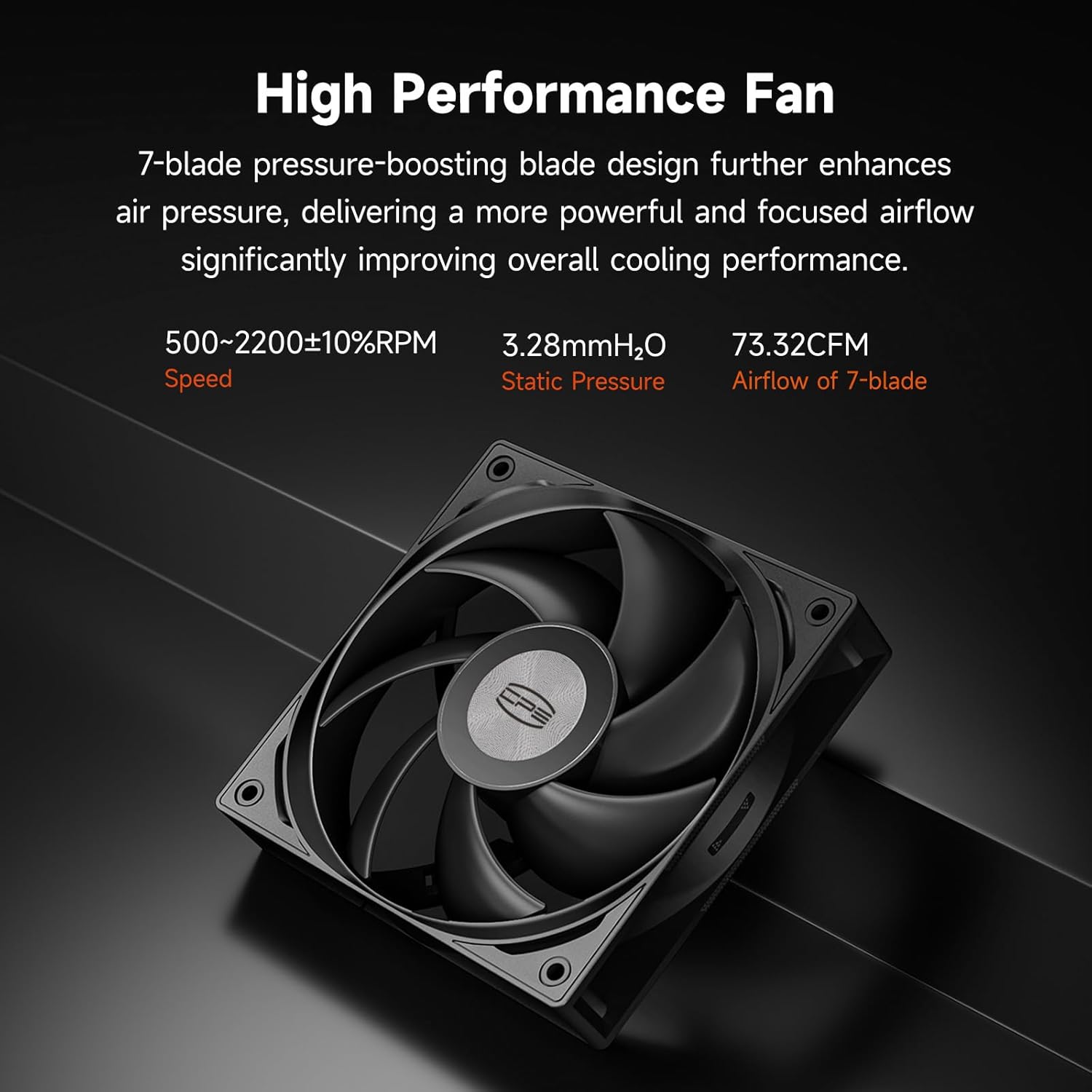
Image: The 120mm ARGB fan of the PCCOOLER RT500 TC BK, highlighting its 7-blade design for high performance and quiet operation.
5. Údržba
Regular maintenance helps ensure optimal cooling performance and extends the lifespan of your CPU cooler.
- Odstranění prachu: Periodically clean dust from the heatsink fins and fan blades using compressed air or a soft brush. Ensure the system is powered off before cleaning.
- Teplovodní pasta: Over time, thermal paste can dry out and lose effectiveness. Consider reapplying thermal paste every 2-3 years, or if you notice a significant increase in CPU temperatures. This requires removing the cooler, cleaning old paste, and applying new paste.
- Kontrola ventilátoru: Check the fan for any obstructions or unusual noises. Ensure fan cables are securely connected.
6. Řešení problémů
If you encounter issues with your PCCOOLER RT500 TC BK, refer to the following common problems and solutions:
| Problém | Možná příčina | Řešení |
|---|---|---|
| Vysoké teploty procesoru |
|
|
| Fan Not Spinning / ARGB Not Lighting Up |
|
|
| Nadměrný hluk |
|
|
7. Specifikace
| Funkce | Detail |
|---|---|
| Model | RT500 TC BK |
| Rozměry produktu (D x Š x V) | 4.92" x 5.31" x 6.1" (přibližně 125 mm x 135 mm x 155 mm) |
| Tepelné trubky | 5 x Φ6 mm |
| Velikost ventilátoru | 120 mm |
| Typ ventilátoru | ARGB, Hydraulic Bearing |
| Rychlost ventilátoru | 500–2200 ot./min (±10 %) |
| Proud vzduchu | 73.32 CFM |
| Úroveň hluku | Max 34.9 dBA |
| Napájecí konektor | 4-Pin PWM |
| svtage | 12 voltů |
| Wattage | 265 watts (TDP rating) |
| Způsob chlazení | Vzduch |
| Materiál | Hliník |
| Kompatibilní patice CPU | Intel LGA115X/1200/1700/1851, AMD AM4/AM5 |
| Hmotnost položky | 2 libry |

Image: Dimensional drawing of the PCCOOLER RT500 TC BK CPU Air Cooler, showing its height (152mm), width (120mm), and depth (70mm).
8. Záruka a podpora
PCCOOLER products are backed by a manufacturer's warranty to ensure customer satisfaction and product reliability.
- Záruční doba: This product comes with a 2-year manufacturer warranty.
- Kontaktujte podporu: For technical assistance, warranty claims, or any product-related inquiries, please visit the official PCCOOLER webnebo kontaktujte svého prodejce.