
1. Konec produktuview
The Mercusys MS124GS is a 24-port Gigabit Ethernet switch designed for expanding your wired network. It features 24 auto-negotiating 10/100/1000 Mbps RJ45 ports with Auto-MDI/MDIX support, ensuring seamless connectivity for various devices. Its durable metal casing provides efficient heat dissipation and a long operational life. The switch supports multiple modes including Isolation Mode and Loop Prevention, enhancing network security and stability.

Obrázek 1: Přední strana view of the Mercusys MS124GS 24-Port Gigabit Switch, showing all 24 Ethernet ports and status indicators.
Klíčové vlastnosti:
- 24 gigabitových portů: Provides 24 RJ45 ports for high-speed wired connections.
- Plug and Play: Requires no configuration for quick and easy setup.
- Režim izolace: Separates client traffic for improved security and performance.
- Prevence smyčky: Detects and prevents network loops to avoid disruptions.
- Odolný kov Casing: Ensures efficient heat dissipation and product longevity.
- Tichý provoz: Fanless design for quiet performance.
2. Obsah balení
Ověřte, zda váš balíček obsahuje následující položky:
- Mercusys MS124GS 24portový gigabitový přepínač
- Napájecí adaptér/kabel
- Gumové nohy
- Sada do racku
- Průvodce rychlou instalací
3. Pokyny k nastavení
The MS124GS switch is designed for simple Plug and Play installation. No software configuration is required.
3.1 Fyzická instalace
- Umístění: Place the switch on a stable, flat surface (desktop) or install it in a standard 19-inch equipment rack using the provided rackmount kit. Ensure adequate ventilation around the switch.
- Attach Rubber Feet (Desktop Use): If placing on a desktop, attach the included rubber feet to the bottom corners of the switch to prevent scratching and provide stability.
- Připojte napájení: Connect the provided power cable to the power port on the rear panel of the switch and then to a power outlet. The power LED on the front panel will illuminate.

Obrázek 2: Zadní view of the MS124GS switch, showing the power input and ventilation.
3.2 Síťové připojení
- Připojit zařízení: Use standard Ethernet cables (Cat5e or higher recommended) to connect your network devices (computers, printers, servers, IP cameras, gaming consoles, etc.) to any of the 24 RJ45 ports on the front panel of the switch.
- Ověřit připojení: Once a device is connected, the corresponding Link/Act LED on the switch's front panel will light up, indicating an active connection. A blinking LED indicates data transmission.

Obrázek 3: Přední strana view of the MS124GS switch, highlighting the 24 Gigabit Ethernet ports.
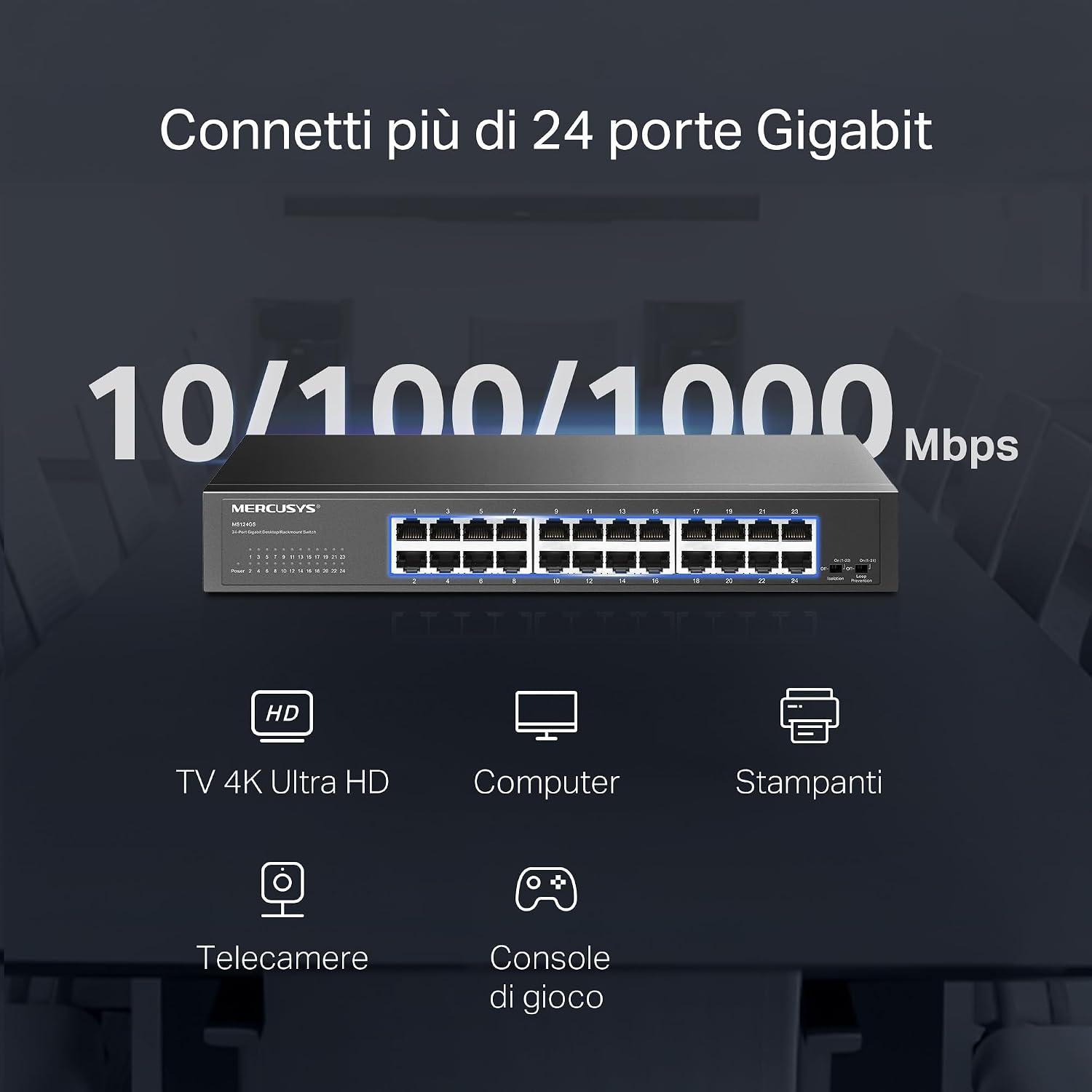
Figure 4: Illustration of various devices such as 4K TVs, computers, printers, IP cameras, and gaming consoles connected to the 24 Gigabit ports of the MS124GS switch.
4. Ovládání přepínače
The Mercusys MS124GS is an unmanaged switch, meaning it operates automatically without requiring complex configuration. However, it includes specific modes to optimize network performance and security.
4.1 Výchozí režim
In Default Mode, all ports operate as standard Gigabit Ethernet ports, allowing all connected devices to communicate freely within the network.
4.2 Izolační režim
Isolation Mode enhances security by separating client traffic. When activated, ports 1-22 are isolated from each other but can still communicate with ports 23-24 (uplink ports). This prevents client devices from directly accessing each other, which is useful in environments like offices or public networks.
- Aktivace: Locate the 'Isolation' switch on the front panel and set it to the 'On' position.
4.3 Režim prevence smyčky
Loop Prevention Mode automatically detects and prevents network loops. A network loop occurs when there are multiple paths between two network devices, which can cause broadcast storms and network instability. This mode helps maintain network reliability.
- Aktivace: Locate the 'Loop Prevention' switch on the front panel and set it to the 'On' position.

Figure 5: Detailed diagrams showing how to activate Isolation Mode and Loop Prevention Mode using the switches on the front panel, and their respective network effects.
5. Údržba
To ensure optimal performance and longevity of your Mercusys MS124GS switch, follow these maintenance guidelines:
- Větrání: Ensure the switch is placed in a well-ventilated area. Do not block the ventilation holes on the sides or rear of the device.
- Čištění: Pravidelně čistěte vnější povrch spínače měkkým, suchým hadříkem. Nepoužívejte tekuté ani aerosolové čisticí prostředky.
- Správa kabelů: Udržujte síťové kabely uspořádané a bez zauzlení nebo nadměrného ohybu, abyste zabránili degradaci signálu.
- Napájení: Use only the power adapter provided with the switch. Disconnect power during electrical storms or when the device will be unused for extended periods.
- Teplota: Operate the switch within its specified temperature range (0°C to 40°C).

Figure 6: The MS124GS switch mounted in a metal rack, demonstrating its durable metal casing and suitability for rack installation.
6. Řešení problémů
If you encounter issues with your Mercusys MS124GS switch, refer to the following troubleshooting tips:
6.1 Bez napájení
- Ensure the power cable is securely connected to both the switch and a working power outlet.
- Ověřte funkčnost elektrické zásuvky zapojením jiného zařízení.
- Check the power LED on the front panel of the switch. If it is off, contact support.
6.2 Žádné spojení/aktivita na portu
- Check if the Ethernet cable is securely connected to both the switch port and the device.
- Zkuste jiný ethernetový kabel, abyste vyloučili vadný kabel.
- Ujistěte se, že je připojené zařízení zapnuté a jeho síťový adaptér funguje správně.
- If using Isolation Mode, ensure the connected device is on a port that can communicate with the desired destination (e.g., ports 23-24 for uplink).
6.3 Network Slowdown or Instability
- Activate Loop Prevention Mode to check if a network loop is causing the issue.
- Ujistěte se, že všechny kabely jsou v dobrém stavu a správně připojeny.
- Check for excessive network traffic or bandwidth-intensive applications on connected devices.
- Restart the switch by disconnecting and reconnecting the power cable.
7. Specifikace
| Funkce | Detail |
|---|---|
| Značka | MERCUSYS |
| Číslo modelu | MS124GS |
| Počet portů | 24 |
| Rozhraní | 24x 10/100/1000 Mbps RJ45 Ports (Auto-Negotiation, Auto-MDI/MDIX) |
| Rychlost přenosu dat | 1000 Megabits per second (Gigabit) |
| Typ přepínače | Unmanaged (with Smart Features: Isolation Mode, Loop Prevention) |
| Materiál pouzdra | Kov |
| Možnosti montáže | Stolní počítač, Rackový počítač |
| Maximální provozní teplota | 40 stupňů Celsia |
| Kompatibilní zařízení | Desktop computers, Gaming consoles, Cameras, Laptops, Smartphones, Printers, Tablets |
| Kompatibilita platformy | Všechny operační systémy |
8. Informace o záruce
The Mercusys MS124GS 24-Port Gigabit Switch comes with a 2-letá záruka from the date of purchase. This warranty covers defects in materials and workmanship under normal use. Please retain your proof of purchase for warranty claims. For detailed warranty terms and conditions, refer to the official Mercusys webwebu nebo v záručním listu, který je součástí balení.
9. Podpora
For further assistance, technical support, or to download the latest firmware and documentation, please visit the official Mercusys webmísto:
Kontaktní informace na zákaznický servis a podporu ve vašem regionu naleznete také na webmísto.