
1. Úvod
The AOBOCAM S501 is a portable multi-functional detection device designed to identify various covert surveillance threats, including hidden cameras, GPS trackers, and wireless listening devices. Utilizing advanced AI algorithms and multi-band RF scanning technology, the S501 provides enhanced accuracy and reliability for personal privacy protection. This manual provides detailed instructions for the proper use, maintenance, and troubleshooting of your AOBOCAM S501 detector.
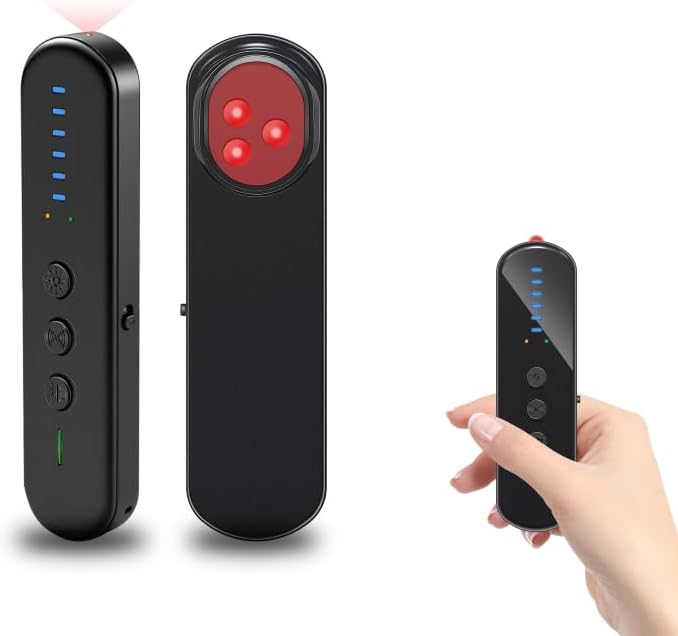
Image 1.1: The AOBOCAM S501 Hidden Camera Detector, illustrating its compact design and various angles.
2. Vlastnosti produktu
- Military-Grade Precision Detection: Incorporates AI algorithms and multi-band RF scanning for identifying hidden cameras, GPS trackers, and wireless bugs with high accuracy.
- 3-in-1 Instant Alert System: Provides alerts through flashing LEDs, strong vibrations, and adjustable audio beeps.
- Dual-Sensor Technology: Enables 360° instant sweeps for faster and broader detection coverage, including RF scanning and magnetic detection.
- Přenosný design: Compact and lightweight (4.2oz), suitable for travel and discreet use.
- Dobíjecí baterie USB-C: Offers extended standby time for prolonged use.
- Infrared (IR) Lens Scanning: Dedicated mode to locate hidden camera lenses.
- Vibration Sensor Alarm: Acts as an anti-touch alarm for personal security.
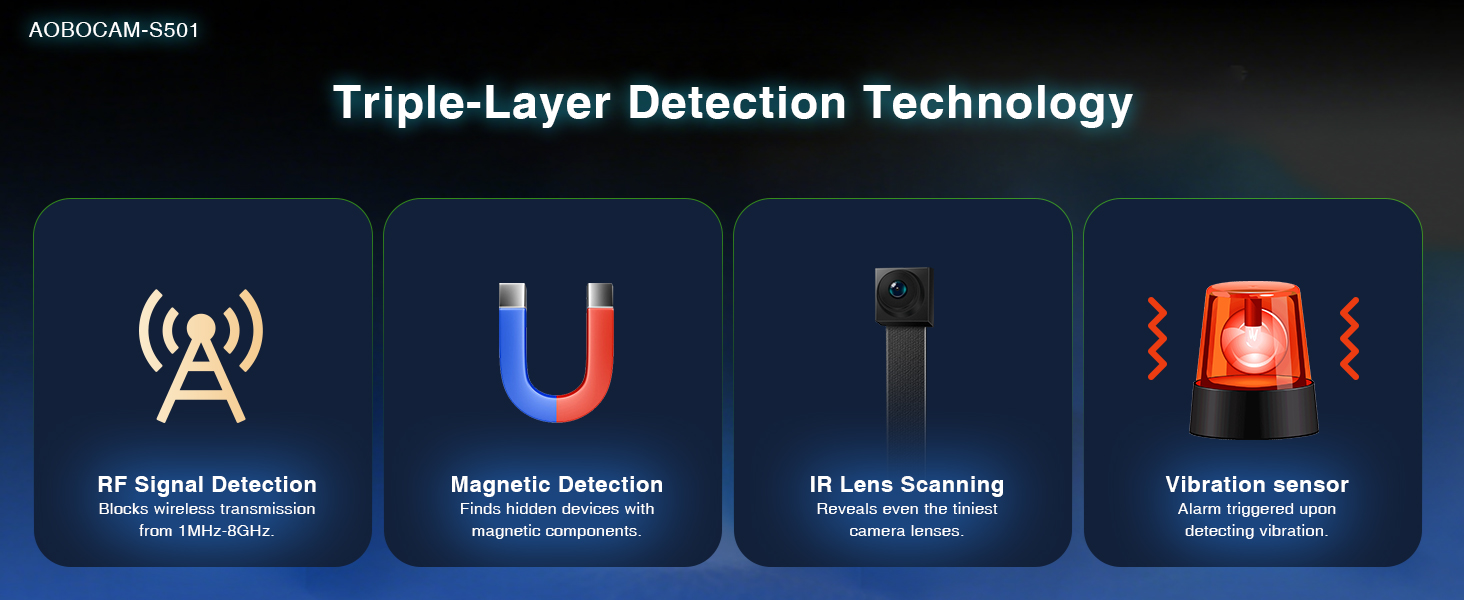
Obrázek 2.1: Konecview of the S501's triple-layer detection capabilities.
3. Obsah balení
Ověřte, zda jsou v balení přítomny všechny položky:
- AOBOCAM S501 Camera Detector
- Nabíjecí kabel USB-C
- Návod k použití (tento dokument)
4. Uspořádání zařízení
The AOBOCAM S501 features a minimalist design with intuitive controls:
- Vypínač: Turns the device on/off and cycles through modes.
- Sensitivity Adjustment Buttons: Increases or decreases detection sensitivity.
- LED indikátory: Display signal strength, battery level, and alert status.
- IR čočka: For scanning hidden camera lenses.
- Nabíjecí port USB-C: Pro dobíjení interní baterie.

Image 4.1: Visual representation of the S501's primary functions and controls.
5. Nastavení
5.1 Nabíjení zařízení
- Připojte dodaný nabíjecí kabel USB-C k nabíjecímu portu na zařízení.
- Plug the other end of the cable into a standard USB power adapter (not included) or a computer USB port.
- The LED indicators will show charging status. A full charge is indicated when all LEDs are solid.
- Plné nabití obvykle trvá přibližně 1–2 hodiny.
5.2 Zapnutí/vypnutí
- Pro zapnutí stiskněte a podržte tlačítko napájení po dobu 2 sekund.
- Pro vypnutí stiskněte a podržte tlačítko napájení po dobu 3 sekund.
6. Návod k obsluze
The AOBOCAM S501 offers multiple detection modes to address various surveillance threats.
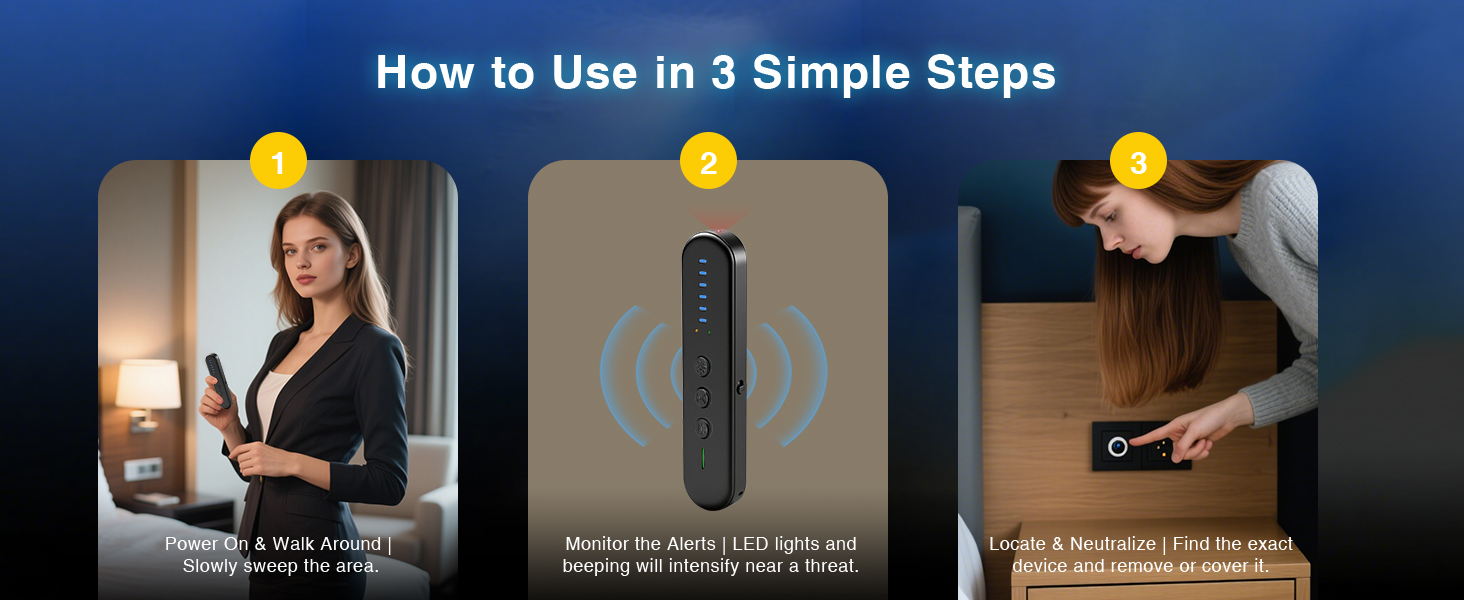
Image 6.1: Three simple steps for operating the detector.
6.1 RF Signal Detection Mode (Wireless Bugs & GPS Trackers)
This mode detects wireless signals emitted by hidden cameras, listening devices, and GPS trackers.
- Power on the device. It will typically start in RF detection mode.
- Adjust sensitivity using the '+' and '-' buttons. Start with medium sensitivity and increase if no signals are detected, or decrease if too many false positives occur.
- Slowly sweep the device around the area you wish to inspect (e.g., hotel room, office, vehicle).
- Monitor the LED indicators and listen for audio alerts. Increased LED activity and faster beeping indicate a stronger signal, suggesting proximity to a transmitting device.
- Move closer to the suspected area, narrowing down the source of the signal.
6.2 IR Lens Scanning Mode (Hidden Cameras)
This mode helps locate the physical lens of hidden cameras, even if they are not transmitting a signal.
- Press the mode button to cycle to the IR Lens Scanning mode. The IR LEDs on the device will illuminate.
- Look through the red viewing window on the device.
- Slowly scan walls, objects, and furniture. Hidden camera lenses will appear as bright red dots when viewed through the window.
- Pay close attention to common hiding spots such as smoke detectors, alarm clocks, power outlets, and decorative items.
6.3 Magnetic Detection Mode (GPS Trackers)
This mode is specifically designed to detect magnetic GPS trackers, which are often attached to vehicles.
- Press the mode button to activate Magnetic Detection.
- Move the device close to surfaces where magnetic trackers might be hidden, such as under vehicles, inside wheel wells, or attached to metal objects.
- The device will alert you with sound and/or vibration if a magnetic field is detected.
6.4 Vibration Sensor Alarm Mode (Anti-Touch)
This mode turns the device into a motion-sensitive alarm, useful for securing personal spaces.
- Activate the Vibration Sensor Alarm mode.
- Place the device on a door handle, near a window, or on an object you wish to protect.
- If the device detects movement or vibration, it will trigger an alarm (beeping and/or vibration).
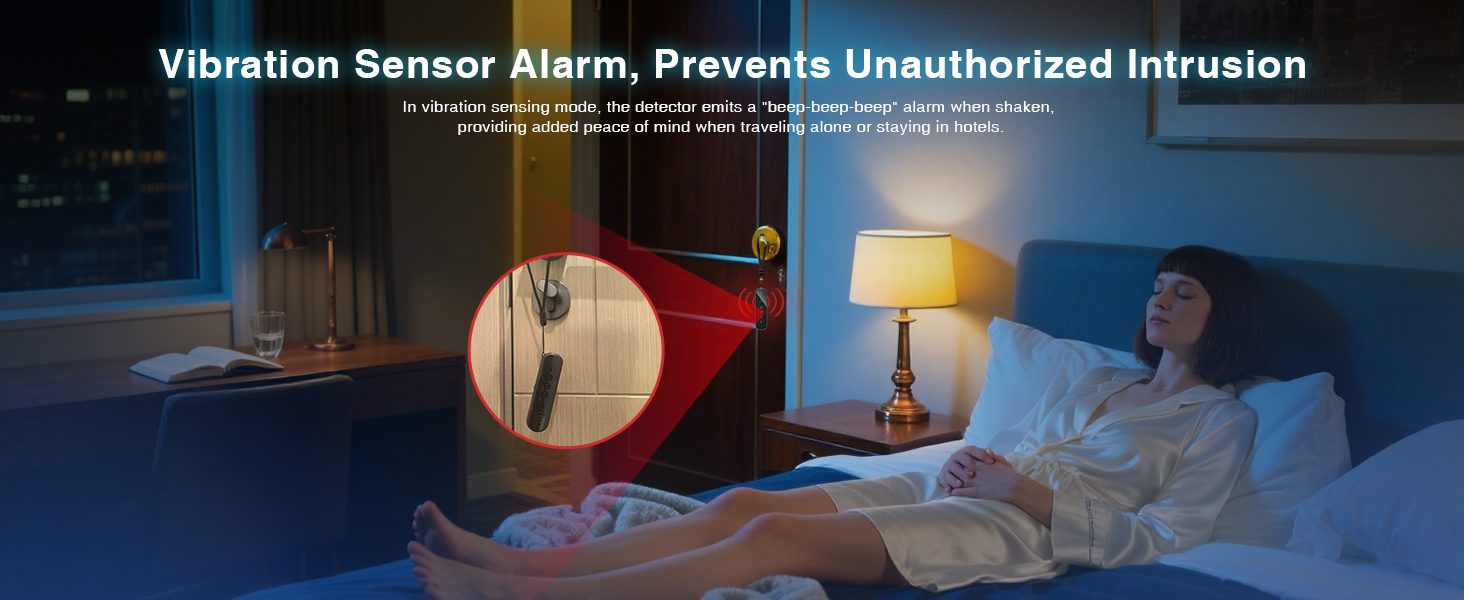
Image 6.2: The S501 in Vibration Sensor Alarm mode, securing a door.
6.5 Interpreting Alerts
The S501 provides multi-modal alerts:
- LED indikátory: A series of blue LEDs light up to indicate signal strength. More lit LEDs mean a stronger signal.
- Vibrace: The device will vibrate when a signal or threat is detected. The intensity or frequency of vibration may increase with signal strength.
- Audio Beeps: An audible alarm will sound. The frequency of beeps increases as you get closer to the source of the signal.
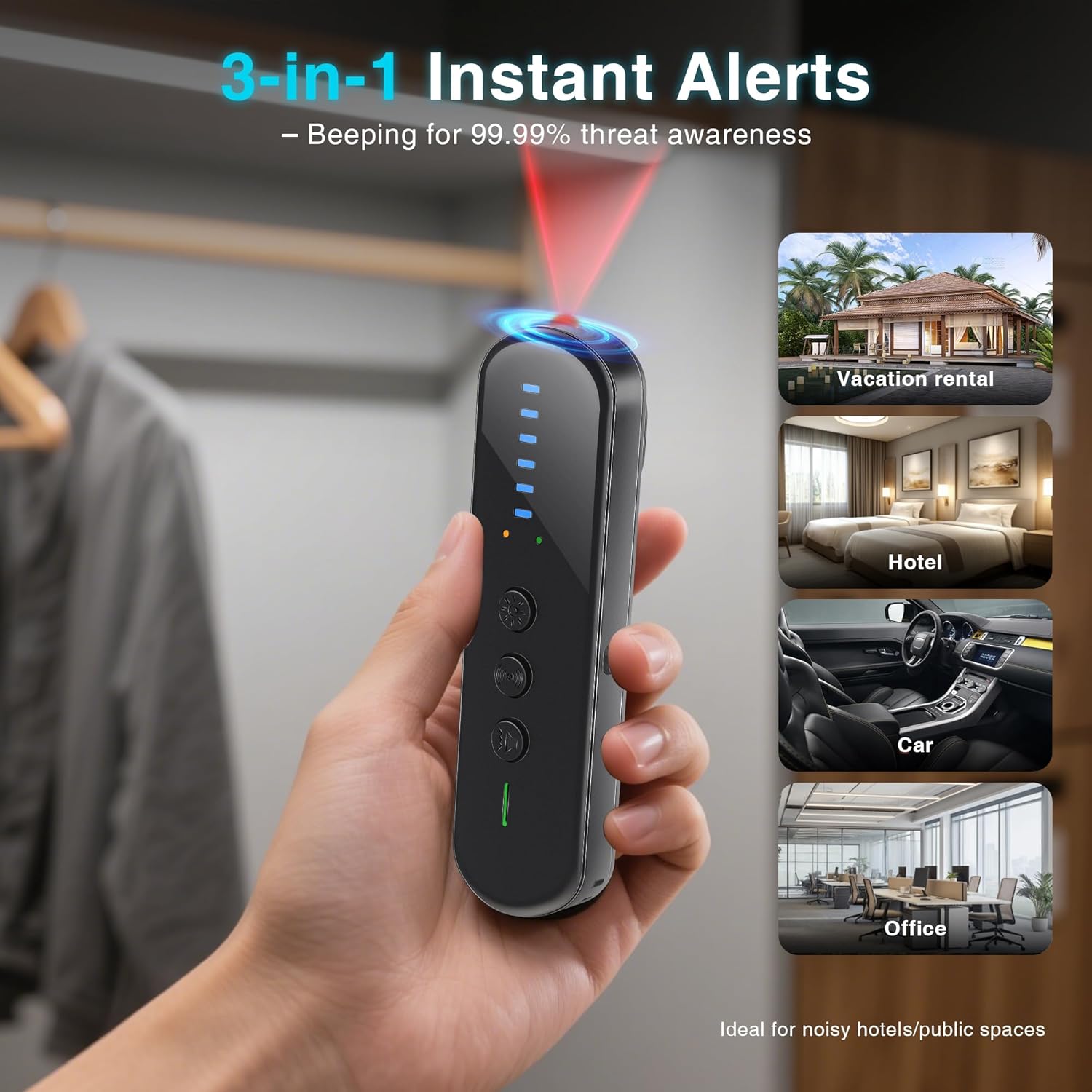
Image 6.3: The S501 in use, demonstrating its alert capabilities in various environments.
7. Údržba a péče
- Čištění: Zařízení otřete měkkým, suchým hadříkem. Nepoužívejte tekuté čisticí prostředky ani rozpouštědla.
- Skladování: Přístroj skladujte na chladném a suchém místě mimo dosah přímého slunečního záření a extrémních teplot.
- Péče o baterie: For optimal battery life, charge the device regularly and avoid fully discharging it for extended periods. If storing for a long time, charge it to about 50% every few months.
- Vyhněte se dopadu: Do not drop or subject the device to strong impacts, as this may damage internal components.
8. Řešení problémů
| Problém | Možná příčina | Řešení |
|---|---|---|
| Zařízení se nezapne. | Slabá baterie nebo žádný proud. | Nabijte zařízení pomocí dodaného kabelu USB-C. |
| Žádná detekce nebo slabý signál. | Low sensitivity setting or device too far from source. | Increase sensitivity using the '+' button. Move closer to suspected areas. |
| Časté falešné poplachy. | High sensitivity setting or interference from other devices (e.g., Wi-Fi routers, cell phones). | Decrease sensitivity using the '-' button. Temporarily turn off other wireless devices in the vicinity if possible. |
| IR Lens Scanning not effective. | Not looking directly through the viewing window or scanning too quickly. | Ensure you are looking through the red viewing window. Scan slowly and methodically. |
9. Technické specifikace
- Model: S501
- Rozměry: 4.7 x 0.4 x 0.8 palce (11.9 x 1.0 x 2.0 cm)
- Hmotnost: 2.25 unce (63.7 gramů)
- Zdroj napájení: Dobíjecí baterie (součástí balení)
- Nabíjecí port: USB-C
- Režimy detekce: RF Signal Detection, IR Lens Scanning, Magnetic Detection, Vibration Sensor Alarm
- Technologie připojení: Bezdrátové (RF)
- Zahrnuté komponenty: Detector, Charging Cable, Instruction Manual

Image 9.1: The compact dimensions of the AOBOCAM S501, highlighting its portability.
10. Bezpečnostní informace
- Udržujte zařízení mimo dosah vody a vlhkosti.
- Nepokoušejte se zařízení rozebírat ani upravovat. Zrušíte tím záruku a může dojít k poškození.
- K nabíjení používejte pouze dodaný nabíjecí kabel nebo certifikovaný kabel USB-C.
- Uchovávejte mimo dosah dětí.
- Zařízení a jeho baterii zlikvidujte v souladu s místními předpisy.
11. Záruka a podpora
AOBOCAM products are designed for reliability and performance. For warranty information, technical support, or service inquiries, please refer to the contact details provided on the product packaging or visit the official AOBOCAM webmísto.
Uschovejte si prosím doklad o koupi pro uplatnění záruky.