
Xbox EP2-29563
Xbox Wireless Controller Storm Breaker Special Edition
Model: EP2-29563
Značka: Xbox
Zavedení
The Xbox Wireless Controller Storm Breaker Special Edition is designed to provide an enhanced gaming experience across multiple platforms. This controller features a unique aesthetic with classic grays and blacks, offset with whites, along with textured grips for improved handling. It offers seamless connectivity and customizable controls to optimize your gameplay.
Klíčové vlastnosti
- Storm Breaker Special Edition Design: Features a distinctive gray, black, and white pattern.
- Textured Triggers: Provides enhanced grip and control during gameplay.
- Pogumované rukojeti: Located on the back cases for secure handling.
- Wireless & Bluetooth Connectivity: Easily pairs with Xbox consoles, PCs, and mobile devices.
- Tlačítko Sdílet: Seamlessly capture and share screenshots and game recordings.
- Přizpůsobitelné mapování tlačítek: Personalize controls using the Xbox Accessories app.
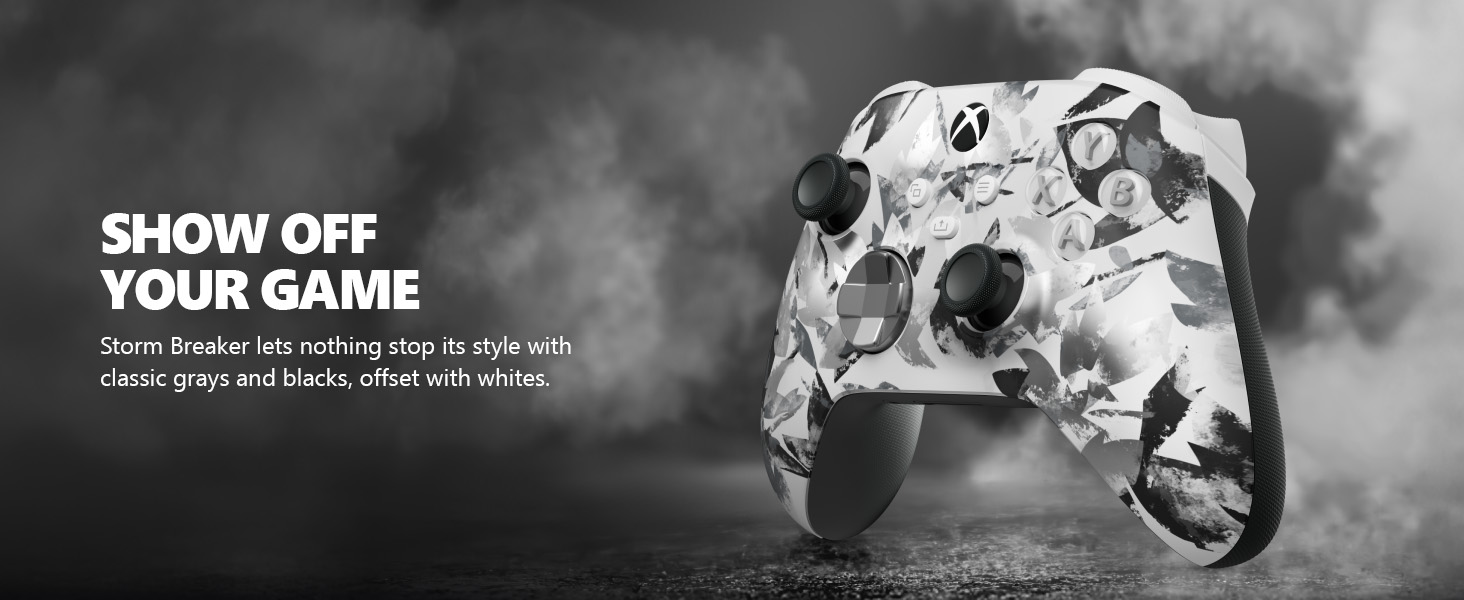
Image: The Xbox Wireless Controller Storm Breaker Special Edition showcasing its distinctive color scheme.
Nastavení
1. Instalace baterie
The controller requires two AA batteries (included). To install:
- Vyhledejte přihrádku na baterie na zadní straně ovladače.
- Press the small tab and lift the battery cover.
- Insert the two AA batteries, ensuring correct polarity (+ and -).
- Nasaďte kryt baterie, dokud nezaklapne na místo.
2. Spárování se zařízeními
The controller supports both Xbox Wireless and Bluetooth for versatile connectivity.
- For Xbox Console:
- Turn on your Xbox console.
- Press the Xbox button on your controller to turn it on.
- Stiskněte a podržte tlačítko Spárovat (⏚) on the top of the controller until the Xbox button flashes rapidly.
- Press the Pair button on your Xbox console (usually near the USB port or on the front).
- The Xbox button on the controller will become solid when connected.
- For PC (Windows 10/11) via Bluetooth:
- Ujistěte se, že váš počítač má povolenou technologii Bluetooth.
- Press the Xbox button on your controller to turn it on.
- Stiskněte a podržte tlačítko Spárovat (⏚) on the top of the controller until the Xbox button flashes rapidly.
- Na počítači přejděte do Nastavení > Zařízení > Bluetooth a další zařízení.
- Select "Add Bluetooth or other device" and then "Bluetooth".
- Choose "Xbox Wireless Controller" from the list and follow on-screen prompts.
- Pro mobilní zařízení (Android/iOS):
- Povolte na svém mobilním zařízení Bluetooth.
- Press the Xbox button on your controller to turn it on.
- Stiskněte a podržte tlačítko Spárovat (⏚) on the top of the controller until the Xbox button flashes rapidly.
- On your mobile device, search for Bluetooth devices and select "Xbox Wireless Controller" to pair.
Video: Overview of the Xbox Wireless Controller, demonstrating its physical features and ports, useful for understanding setup.
Obsluha ovladače
1. Základní ovládací prvky
- Paletky: Používá se pro ovládání pohybu a kamery.
- D-Pad: Ideal for precise directional input in games and menu navigation.
- Tlačítka A, B, X, Y: Primary action buttons for in-game commands.
- Triggers (LT/RT) & Bumpers (LB/RB): Used for various actions like shooting, accelerating, or menu selection.
2. Tlačítko Sdílet
The dedicated Share button (⤓) allows you to quickly capture and share your gaming moments:
- Press once to take a screenshot.
- Press and hold to record the last 30 seconds of gameplay.
3. Jack pro sluchátka
A 3.5mm audio jack is located at the bottom of the controller, allowing you to connect compatible headsets for in-game audio and chat.
4. Customization with Xbox Accessories App
Download the Xbox Accessories app on your Xbox console or Windows PC to customize button mapping and create personalized controller profiles.
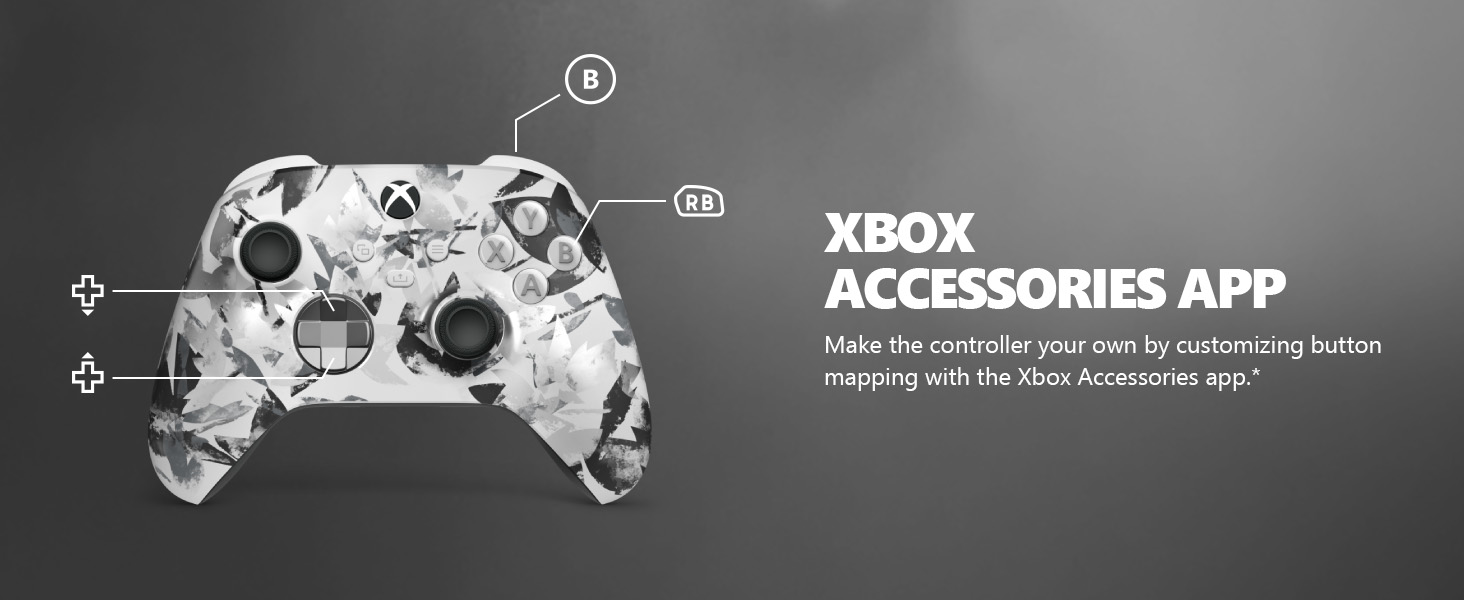
Image: The Share button and an illustration of button mapping customization via the Xbox Accessories app.
Údržba
- Čištění: K čištění ovladače používejte měkký, suchý hadřík. Nepoužívejte abrazivní čisticí prostředky ani rozpouštědla.
- Péče o baterie: Remove batteries if the controller will not be used for an extended period to prevent leakage.
- Skladování: Regulátor skladujte na chladném a suchém místě mimo dosah přímého slunečního záření a extrémních teplot.
Odstraňování problémů
- Ovladač se nepřipojuje:
- Ujistěte se, že jsou baterie správně nainstalovány a nabity.
- Re-attempt the pairing process as described in the Setup section.
- Zkontrolujte, zda nedochází k rušení jinými bezdrátovými zařízeními.
- Update controller firmware via the Xbox Accessories app.
- Tlačítka nereagují:
- Vyčistěte okolí tlačítek, abyste odstranili veškeré nečistoty.
- Test the controller with another device or game to isolate the issue.
- Krátká výdrž baterie:
- Používejte čerstvé, vysoce kvalitní baterie AA.
- Consider using a rechargeable battery pack (sold separately) for extended play.
Specifikace
| Funkce | Detail |
|---|---|
| Číslo modelu | EP2-29563 |
| Konektivita | Xbox Wireless, Bluetooth |
| Kompatibilita | Xbox Series X|S, Xbox One, Windows 10/11, Android, iOS |
| Zdroj napájení | 2 AA baterie (součástí balení) |
| Audio port | 3.5mm jack pro sluchátka |
| Rozměry | 6.91 x 5.61 x 2.76 palce |
| Hmotnost | 14.1 unce |
| Výrobce | Microsoft |
Záruka a podpora
For warranty information and technical support, please refer to the documentation included with your product or visit the official Xbox support webUschovejte si doklad o koupi pro případ reklamace.
Online podpora: podpora.xbox.com
Ask a question about this manual
Ask about setup, troubleshooting, compatibility, parts, safety, or missing instructions. Manuals+ will review the question and use this page’s manual context to help answer it.