
Zavedení
Thank you for choosing the ILIFE V5s Plus Robot Vacuum and Mop. This device is designed to provide efficient cleaning for your home, combining both vacuuming and mopping functions. It features smart navigation, app control, and automatic self-charging for convenience. Please read this manual thoroughly before use to ensure proper operation and maintenance.
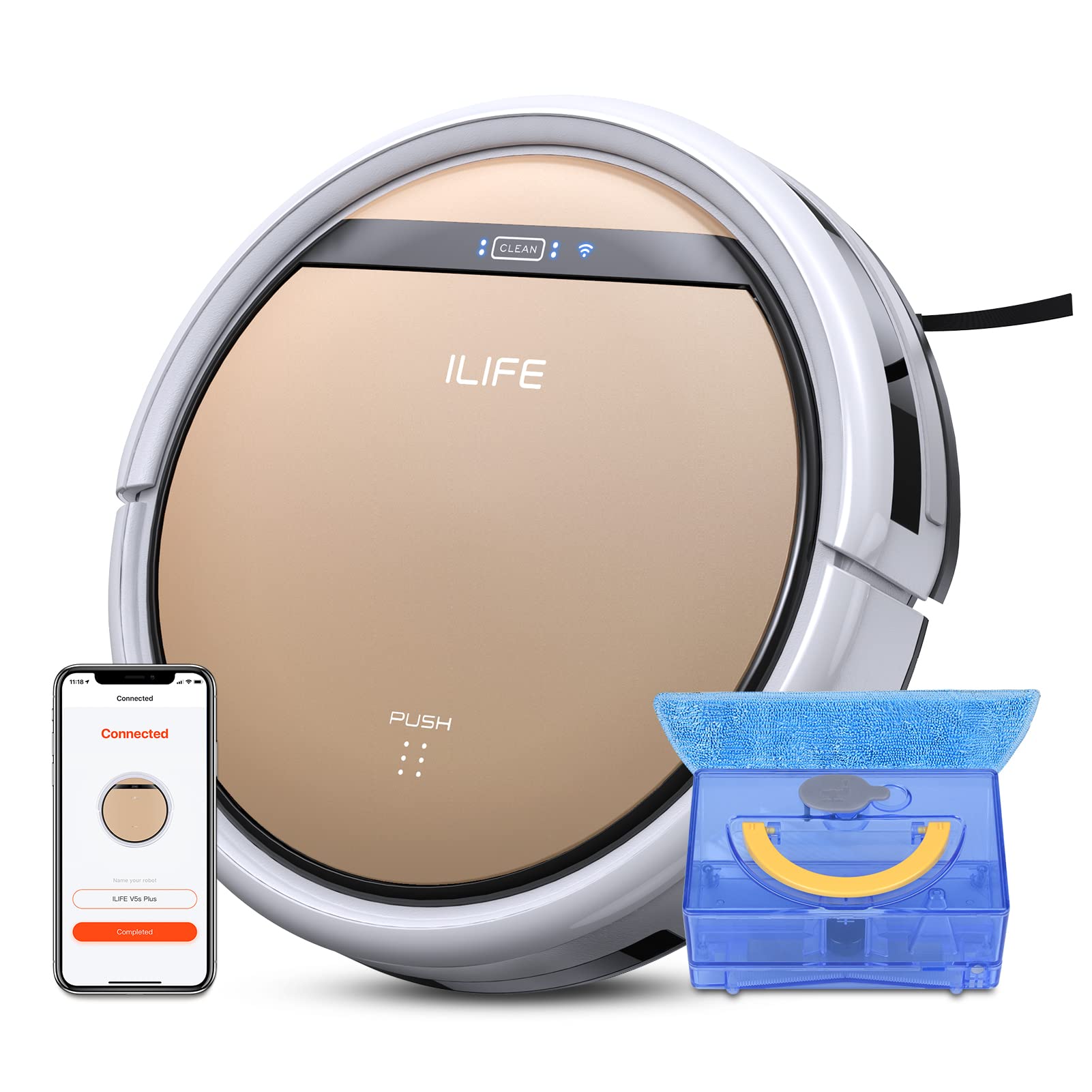
The ILIFE V5s Plus Robot Vacuum and Mop, ready for use.
Bezpečnostní pokyny
Before operating the ILIFE V5s Plus, please observe the following safety precautions:
- Před použitím spotřebiče si pečlivě přečtěte všechny pokyny.
- Uchovávejte robota a jeho příslušenství mimo dosah dětí.
- Nepoužívejte robota ve vlhkém prostředí ani v blízkosti vody.
- Ensure the charging dock is placed on a flat surface against a wall, with clear space around it.
- Odstraňte z čisticí dráhy veškeré volné kabely, malé předměty nebo křehké předměty, abyste zabránili jejich zamotání nebo poškození.
- Nepoužívejte robota k vysávání velkých nečistot, ostrých předmětů nebo tekutin kromě vody určené k vytírání.
- Only use the original power adapter and charging dock provided with the robot.
Co je v krabici
Ověřte, zda jsou v balení přítomny všechny komponenty:
- Hlavní tělo (baterie součástí balení)
- Nabíjecí dok
- Dálkové ovládání (baterie není součástí balení)
- AC adaptér
- Nástroj na čištění
- Mop hadřík
- Nádrž na vodu
- Uživatelská příručka
- Vysoce výkonný filtr
- Extra boční kartáče
Nastavení
1. Počáteční nabíjení
Place the charging dock against a wall in an open area. Connect the AC adapter to the charging dock and plug it into a power outlet. Place the robot onto the charging dock, ensuring the charging pins align. The robot will begin charging automatically. Allow for a full charge before first use (approximately 3-5 hours).
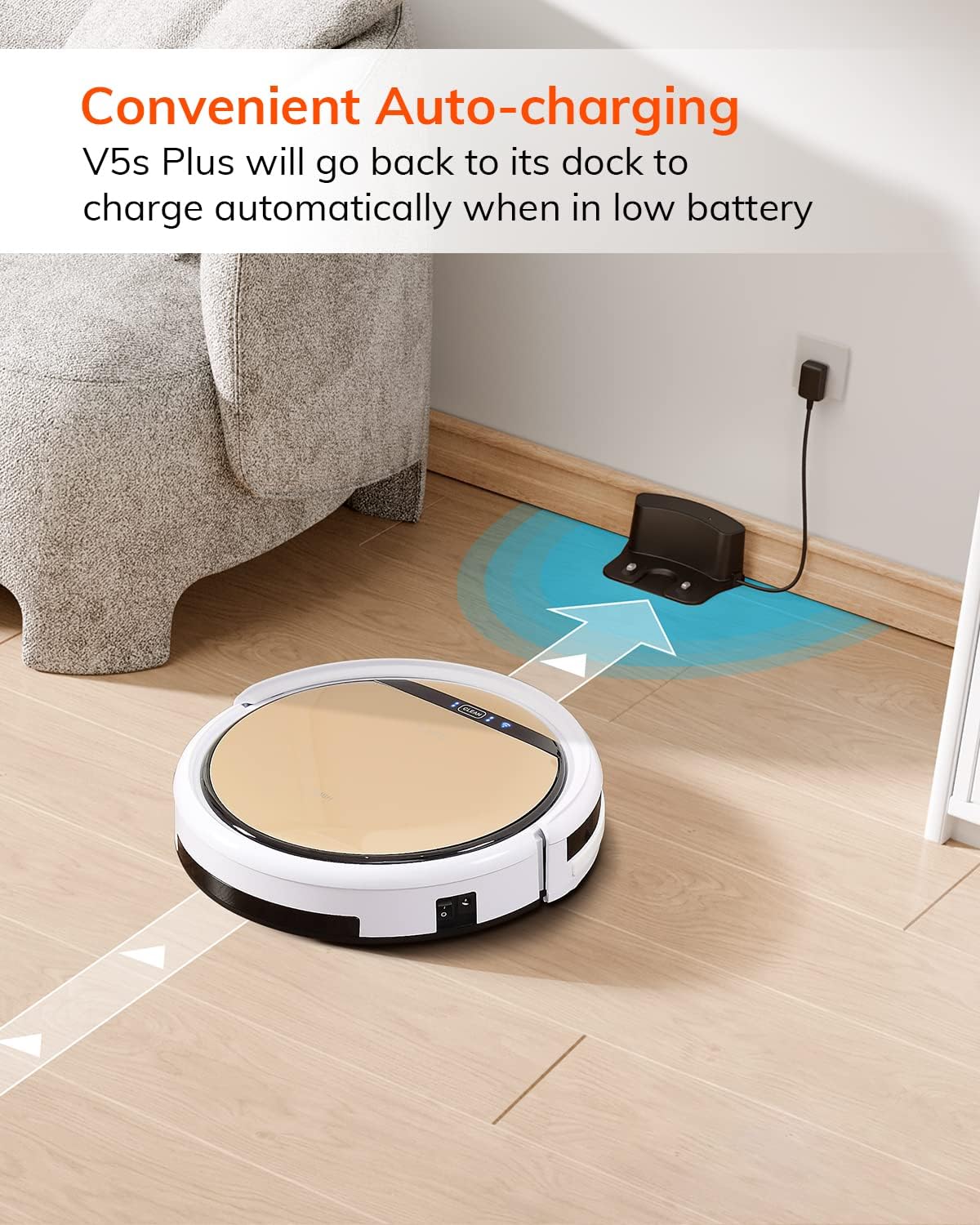
Robot se automaticky vrátí do nabíjecí stanice, když je baterie téměř vybitá.
2. App Download and WiFi Connection
Download the 'ILIFEHOME' app from your smartphone's app store. Follow the in-app instructions to connect your robot to your home WiFi network. Ensure your WiFi is 2.4GHz, as the app does not support 5G WiFi.

Control the robot and schedule cleaning via the ILIFEHOME app.
3. Příprava úklidového prostoru
Before each cleaning cycle, clear the floor of any obstacles such as cables, toys, or small rugs that could entangle the robot. For mopping, ensure the water tank is filled and the mop cloth is attached.
Návod k obsluze
1. Zapnutí/vypnutí
To power on the robot, press the 'CLEAN' button on the robot or use the remote control/app. To power off, press and hold the 'CLEAN' button until the indicator lights turn off, or use the app.
2. Režimy čištění
The ILIFE V5s Plus offers multiple cleaning modes:
- Automatický režim: The robot automatically cleans the area, adjusting its path as needed.
- Bodový režim: Zaměřuje se na konkrétní znečištěnou oblast a čistí ve spirálovitém vzoru.
- Režim okraje: Čistí podél stěn a hran nábytku.
- Maximální režim: Zvyšuje sací výkon pro důkladnější čištění.
- Scheduling Cleaning Mode: Set a cleaning schedule via the app for automated cleaning.

The robot utilizes various cleaning modes to suit different needs.
3. Vacuuming and Mopping
The V5s Plus functions as both a vacuum and a mop. For vacuuming, ensure the dustbin is installed. For mopping, replace the dustbin with the water tank and attach a clean mop cloth. The intelligent control water tank offers three-level water outlet: gentle, standard, and strong, which can be controlled by the App.

The ILIFE V5s Plus offers both vacuuming and mopping capabilities.
4. Hlasové ovládání
The ILIFE V5s Plus is compatible with Amazon Alexa and Google Assistant. Connect your robot to your smart home system to start or stop cleaning tasks using voice commands.

Control your robot with voice commands through Alexa or Google Assistant.
5. Automatické nabíjení
When the battery is low or a cleaning cycle is complete, the robot will automatically return to its charging dock. Ensure the charging dock is accessible and free from obstructions.

The robot automatically returns to its charging base when power is low.
Údržba
Pravidelná údržba zajišťuje optimální výkon a prodlužuje životnost vašeho ILIFE V5s Plus.
1. Vyprázdnění a čištění odpadkové nádoby
Open the top cover of the robot and remove the dustbin. Empty the dustbin into a trash receptacle. Clean the dustbin and filter with the provided cleaning tool or a soft brush. Rinse the dustbin with water if necessary, ensuring it is completely dry before reinstallation.
2. Filling and Cleaning the Water Tank
Remove the water tank from the robot. Open the water tank cap and fill it with clean water. Securely close the cap and reinsert the water tank into the robot. After mopping, empty any remaining water and rinse the tank. Allow it to air dry.

The water tank for the mopping function.
3. Čištění postranních kartáčů
Regularly check the side brushes for tangled hair or debris. Remove any obstructions using the cleaning tool or scissors. Replace worn-out side brushes with new ones.
4. Čištění senzorů
Otřete senzory proti pádu a senzory proti kolizi na spodní straně a předním nárazníku robota čistým a suchým hadříkem, abyste zajistili správnou navigaci.
Odstraňování problémů
If you encounter issues with your ILIFE V5s Plus, refer to the following common problems and solutions:
- Robot se nezapne: Ensure the battery is charged. Check if the power switch on the side of the robot is turned on.
- Robot se nenabíjí: Verify the charging dock is powered and the robot is correctly aligned with the charging pins. Clean the charging contacts on both the robot and the dock.
- Robot se často zasekává: Clear the cleaning area of obstacles. Check for tangled hair in the side brushes or wheels.
- Špatný čisticí výkon: Empty the dustbin and clean the filter. Clean the side brushes. Ensure the water tank is properly filled for mopping.
- Nelze se připojit k aplikaci:
- Make sure to select the correct Wi-Fi and login with the correct Wi-Fi password.
- The ILIFE Robot does not support 5G Wi-Fi. Make sure to use a 2.4G Wi-Fi connection.
- Make sure the Wi-Fi signal is covered and strong.
- Allow the ILIFEHOME APP to have access to your location services and wireless data.
Specifikace
| Funkce | Detail |
|---|---|
| Značka | ILIFE |
| Název modelu | V5s Plus |
| Doporučení pro povrch | Tvrdá podlaha |
| Sací výkon | 2 kpa |
| Doba použití | Až 110 minut |
| Kapacita vodní nádrže | 300 ml |
| Kapacita prachového boxu | 300 ml |
| Dust Box Filter Type | High efficiency filter + nylon mesh |
| Režimy čištění | Auto/Spot/Edge/Max |
| Typ ovládání | Remote Control/ App Control/ Alexa/ Google Assistant |
| Rozměry produktu | 30L x 30W x 8.1H centimetrů |
| Typ baterie | Lithium Ion |
| svtage | 110 voltů |
Záruka
The ILIFE V5s Plus Robot Vacuum and Mop comes with a 1letá záruka výrobcePro případné reklamace si prosím uschovejte doklad o koupi. Záruka se vztahuje na vady materiálu a zpracování při běžném používání. Nevztahuje se na škody způsobené nesprávným použitím, nehodami, neoprávněnými úpravami nebo běžným opotřebením.
Podpora
For further assistance, technical support, or warranty inquiries, please contact ILIFE customer service:
- E-mail: service_us_ca@iliferobot.com
Konec produktuview Video
Podívejte se na toto video pro obecný přehledview of the ILIFE V5s Plus features and operation.
Oficiální produkt skončilview of the ILIFE V5s Plus Robot Vacuum and Mop.