
Zavedení
Thank you for choosing the MIATONE Seattle T-01A PRO Bluetooth Headphones. This manual provides essential information for setting up, operating, and maintaining your headphones. Please read it carefully before use to ensure optimal performance and longevity of your device.
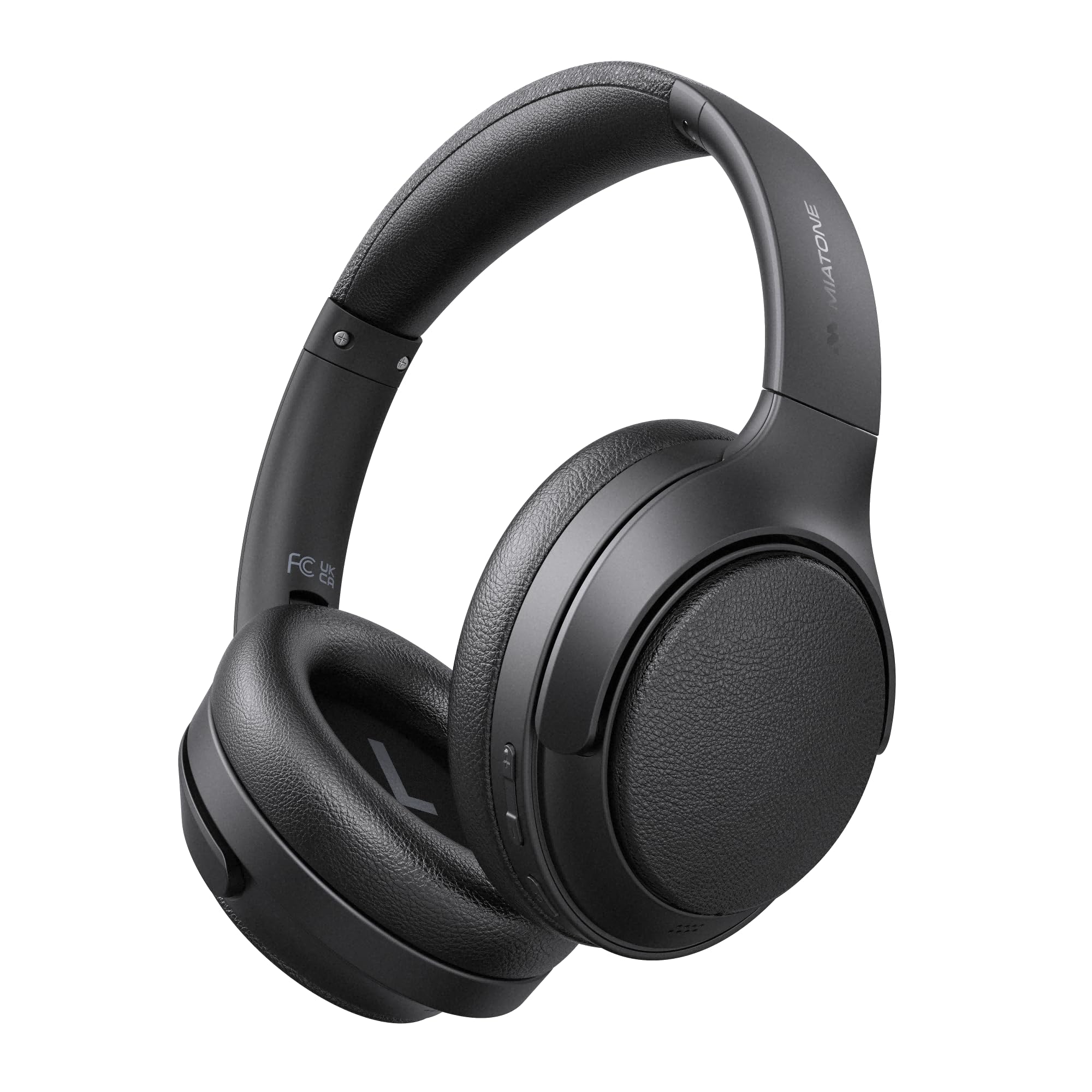
Image: MIATONE Seattle T-01A PRO Bluetooth Headphones in black, showcasinjejich elegantní design.
Obsah balení
Ujistěte se, že v balení jsou přítomny všechny položky:
- MIATONE Seattle T-01A PRO Headphones x 1
- USB-C to USB-A Charging Cable x 1
- 3.5mm audio kabel AUX x 1
- Přepravní kufřík x 1
- Návod k použití x 1

Image: Contents of the MIATONE Seattle T-01A PRO package, including headphones, cables, carrying case, and manual.
Konec produktuview
The MIATONE Seattle T-01A PRO headphones feature a comfortable, foldable design with soft earcups and an adjustable headband for extended wear. They incorporate advanced audio technology for a superior listening experience.
Klíčové vlastnosti:
- Hybridní aktivní potlačení hluku (ANC): Snižuje okolní hluk až o 48 dB.
- 5 AI Microphones: Ensures clear voice calls even in noisy environments.
- Duální dynamické měniče: 40mm and 10mm LCP drivers deliver rich bass and clear treble.
- Dlouhá výdrž baterie: Up to 60 hours of playback (45 hours with ANC).
- Vícebodové připojení: Připojte se ke dvěma zařízením současně.
- Wired & Wireless Modes: Supports Bluetooth 5.4 and 3.5mm AUX connection.

Image: Diagram illustrating the adjustable headband, foldable shaft, multi-axis rotation, and soft earpads for enhanced comfort and portability.

Obrázek: Rozložený view of the headphone earcup, highlighting the 40mm and 10mm LCP dual dynamic drivers.
Nastavení
1. Nabíjení sluchátek
Before first use, fully charge the headphones. Connect the provided USB-C charging cable to the headphone's charging port and the other end to a USB power adapter (not included) or a computer's USB port. The LED indicator will show charging status and turn off when fully charged.
- A 5-minute quick charge provides up to 10 hours of playback.
- Plné nabití trvá přibližně 2 hodin.

Image: Visual representation of the headphones' extended battery life, indicating up to 60 hours of playback.
2. Zapnutí/vypnutí
- Zapnutí: Stiskněte a podržte tlačítko napájení po dobu 2 sekund, dokud nezačne blikat LED indikátor.
- Vypnout: Stiskněte a podržte tlačítko Napájení po dobu 3 sekund, dokud indikátor LED nezhasne.
3. Párování Bluetooth
When powered on for the first time, the headphones will automatically enter pairing mode. The LED indicator will flash blue and red alternately.
- Povolte ve svém zařízení Bluetooth (smartphone, tablet, počítač).
- Hledat "MIATONE Seattle" in the list of available devices.
- Select "MIATONE Seattle" to connect. The LED indicator will turn solid blue when connected.
4. Vícebodové připojení
Sluchátka podporují současné připojení ke dvěma zařízením Bluetooth.
- Pair the headphones with the first device (e.g., smartphone).
- Vypněte Bluetooth na prvním zařízení. Sluchátka se znovu přepnou do režimu párování.
- Pair the headphones with the second device (e.g., PC).
- Re-enable Bluetooth on the first device. The headphones will automatically connect to both devices.
Note: Audio playback will only come from one device at a time. You can switch between devices by pausing playback on one and starting it on the other.

Image: Diagram showing the headphones connected simultaneously to a smartphone and a laptop via multipoint Bluetooth.
5. Kabelové připojení (režim AUX)
To use the headphones in wired mode, connect one end of the 3.5mm AUX audio cable to the headphone's AUX port and the other end to your audio source's 3.5mm jack. The headphones will automatically switch to AUX mode. Bluetooth functions will be disabled in wired mode.

Image: Illustration of both wired (AUX) and wireless (Bluetooth 5.4) connection options for the headphones.
Návod k obsluze
1. Active Noise Cancelling (ANC) Modes
The headphones offer Hybrid ANC and Ambient Sound modes.
- ANC zapnuto: Press the ANC button once to activate Active Noise Cancelling. This mode reduces external noise by up to 48dB, ideal for travel or noisy environments.
- Režim okolního zvuku: Press the ANC button again to switch to Ambient Sound mode. This allows you to hear your surroundings while still enjoying your audio.
- ANC vypnuto: Press the ANC button a third time to turn off all noise control features.

Image: A woman wearing the headphones, demonstrating the -48dB noise reduction capability in various environments like trains, airplanes, and cafes.
2. Volání funkcí
The integrated 5 AI microphones ensure clear communication.
- Přijmout/ukončit hovor: Stiskněte jednou multifunkční tlačítko.
- Odmítnout hovor: Stiskněte a podržte multifunkční tlačítko po dobu 2 sekund.
- Aktivovat Voice Assistant: Dvakrát stiskněte multifunkční tlačítko.

Image: A woman wearing the headphones, illustrating the effectiveness of the 5 AI microphones and AI noise cancelling for clear calls in various settings.
3. Přehrávání hudby
- Přehrát/pozastavit: Stiskněte jednou multifunkční tlačítko.
- Další skladba: Stiskněte a podržte tlačítko pro zvýšení hlasitosti po dobu 2 sekund.
- Předchozí skladba: Stiskněte a podržte tlačítko pro snížení hlasitosti po dobu 2 sekund.
4. Ovládání hlasitosti
- Zvýšit hlasitost: Stiskněte jednou tlačítko pro zvýšení hlasitosti.
- Snížit hlasitost: Stiskněte jednou tlačítko snížení hlasitosti.
Údržba
1. Čištění
- Sluchátka otřete měkkým, suchým hadříkem.
- Nepoužívejte abrazivní čisticí prostředky nebo rozpouštědla.
- Udržujte nabíjecí port bez prachu a nečistot.
2. Skladování
- When not in use, store the headphones in the provided carrying case to protect them from dust and damage.
- Vyhněte se skladování při extrémních teplotách nebo vysoké vlhkosti.

Image: Hands placing the foldable MIATONE Seattle headphones into their protective carrying case for convenient storage and transport.
Odstraňování problémů
| Problém | Možná příčina | Řešení |
|---|---|---|
| Nelze zapnout | Slabá baterie | Plně nabijte sluchátka. |
| Nelze spárovat přes Bluetooth | Headphones not in pairing mode / Bluetooth disabled on device | Ensure headphones are in pairing mode (flashing blue/red). Enable Bluetooth on your device and search again. |
| Žádný zvuk | Volume too low / Not connected / AUX cable inserted | Increase volume. Ensure headphones are connected. If using Bluetooth, remove AUX cable. |
| ANC není efektivní | ANC not activated / High-frequency noise | Press the ANC button to activate. ANC is most effective against low-frequency noise. |
| Špatná kvalita hovoru | Microphone obstructed / Weak Bluetooth signal | Ensure microphones are clear. Move closer to your connected device. |
Specifikace
| Funkce | Specifikace |
|---|---|
| Název modelu | T-01A PRO |
| Kontrola hluku | Hybrid Active Noise Cancelling (up to 48dB) |
| Technologie připojení | Bezdrátové (Bluetooth 5.4), Kabelové (3.5mm AUX) |
| Velikost ovladače | 40mm + 10mm Dual Dynamic Drivers |
| Impedance | 32 ohmů |
| Životnost baterie | Až 60 hodin (ANC vypnuto), až 45 hodin (ANC zapnuto) |
| Mikrofony | 5 AI Microphones for calls |
| Speciální funkce | Multipoint Connection, Ambient Sound Mode, Foldable Design |
| Rozměry | 22.4 x 17.7 x 7.5 cm |
| Hmotnost | 540 g |
Záruka a podpora
MIATONE products are designed for reliability and performance. For warranty information and customer support, please refer to the warranty card included in your package or visit the official MIATONE webmísto. Uschovejte si doklad o koupi pro případ záručních reklamací.
For further assistance, please contact MIATONE customer service.