
FUNYET DuetBook N5095
FUNYET 14-inch Laptop N5095
Uživatelská příručka
Model: DuetBook N5095
Zavedení
This manual provides essential information for setting up, operating, maintaining, and troubleshooting your FUNYET 14-inch Laptop N5095. Please read this guide thoroughly to ensure optimal performance and longevity of your device.

Obrázek: Přední strana view of the FUNYET 14-inch Laptop N5095, highlighting its key specifications on the screen.
1. Počáteční nastavení
1.1 Vybalení a první zapnutí
- Carefully remove the laptop and all accessories from the packaging. The box should contain the laptop, AC adapter, warranty card, and this instruction manual.
- Connect the AC adapter to the laptop's DC-in port and then to a power outlet.
- Otevřete víko notebooku. Notebook se může zapnout automaticky nebo může být nutné stisknout tlačítko napájení na klávesnici.
1.2 Windows 11 Pro Configuration
Upon first boot, you will be guided through the Windows 11 Pro setup process. Follow the on-screen instructions to:
- Vyberte si region a rozložení klávesnice.
- Připojte se k síti Wi-Fi.
- Přihlaste se pomocí svého účtu Microsoft nebo si vytvořte nový.
- Nastavte si PIN pro rychlé přihlášení.
- Upravte nastavení soukromí.

Image: The Windows 11 Pro operating system interface shown on the laptop screen.
2. Ovládání notebooku
2.1 Klávesnice a touchpad
The laptop features a full-sized keyboard and a large, responsive touchpad for navigation. Refer to the image below for key layout.

Obrázek: Podrobný view klávesnice a touchpadu notebooku.
2.2 Připojení periferních zařízení
Váš notebook je vybaven různými porty pro připojení externích zařízení:
- USB porty: 3.0 Two ports for high-speed data transfer with USB devices.
- Port HDMI: Připojení k externím displejům nebo projektorům.
- Sluchátkový jack: Pro zvukový výstup do sluchátek nebo externích reproduktorů.
- Slot na kartu TF: For expanding storage with a TF (MicroSD) card.
- DC-in Port: Pro připojení síťového adaptéru.
Wireless connectivity includes Bluetooth and Wi-Fi (2.4G/5G) for connecting to networks and wireless accessories.
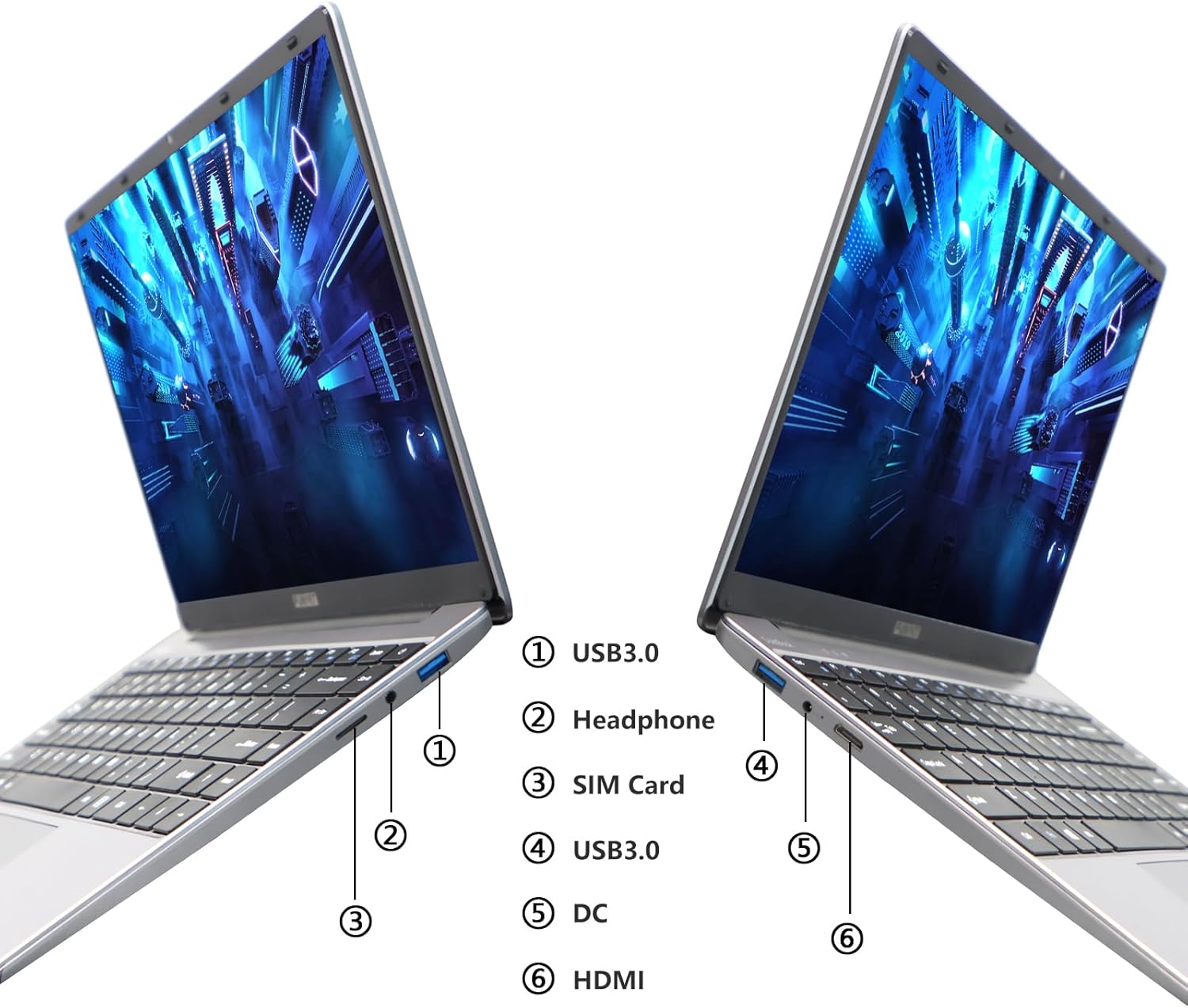
Image: Diagram illustrating the various ports on the sides of the laptop.
2.3 Funkce displeje
The 14.1-inch FHD IPS display offers a 1920x1080 resolution. The laptop supports a 180-degree opening angle, allowing for flexible viewpozice.

Image: The laptop's screen fully opened to a 180-degree flat position.
2.4 Správa baterie
The laptop is equipped with a 3800mAh (7.6V/5000mAh) battery. For optimal battery life, ensure the laptop is fully charged before first use. Unplug the AC adapter once the battery is fully charged to prevent overcharging. For extended storage, charge the battery to approximately 50% and store the device in a cool, dry place.

Image: Laptop screen showing a full battery charge indicator.
3. Údržba
3.1 Obecná péče
- Keep the laptop clean by wiping surfaces with a soft, dry cloth. Avoid liquid cleaners directly on the screen or keyboard.
- Ensure proper ventilation. Do not block the air vents to prevent overheating.
- Nevystavujte notebook extrémním teplotám, přímému slunečnímu záření nebo vysoké vlhkosti.
- Handle the laptop with care to prevent physical damage.
3.2 Rozšíření úložiště
The laptop's storage can be expanded using a TF (MicroSD) card. Insert the TF card into the designated slot until it clicks into place. To remove, gently push the card in until it springs out.
4. Řešení problémů
| Problém | Možná příčina | Řešení |
|---|---|---|
| Notebook se nezapne. | Problém s nízkou baterií nebo napájecím adaptérem. | Ensure the AC adapter is securely connected and the power outlet is functional. Charge the laptop for at least 30 minutes before attempting to power on again. |
| Problémy s připojením k Wi-Fi. | Incorrect Wi-Fi password, router issues, or Wi-Fi adapter disabled. | Verify the Wi-Fi password. Restart your router. Check Windows settings to ensure Wi-Fi is enabled. |
| Pomalý výkon. | Příliš mnoho spuštěných aplikací, málo místa v úložišti nebo zastaralé ovladače. | Close unnecessary applications. Check available storage on the SSD. Update Windows and device drivers. |
| Obrazovka je prázdná nebo bliká. | Display driver issue, external display conflict, or hardware problem. | Restart the laptop. If connected to an external monitor, disconnect it. Update graphics drivers. |
If you encounter issues not listed here or if the suggested solutions do not resolve the problem, please contact FUNYET support.
5. Technické specifikace
| Funkce | Detail |
|---|---|
| Název modelu | DuetBook N5095 |
| Procesor | Intel 11th Gen Celeron N5095 (up to 2.9 GHz, 4 Cores, 4 Threads) |
| Grafika | Grafická karta Intel UHD (integrovaná) |
| BERAN | 16 GB DDR4 |
| Skladování | 512GB SSD (Expandable via TF card) |
| Zobrazit | 14.1-inch FHD IPS (1920 x 1080 pixels) |
| Operační systém | Windows 11 Pro |
| Bezdrátové připojení | Wi-Fi (2.4G/5G), Bluetooth 4.2 |
| Porty | 2x USB 3.0, 1x HDMI, 1x Headphone Jack, 1x DC-in, 1x TF Card Slot |
| Baterie | 3800mAh (7.6V/5000mAh) Lithium Ion |
| Rozměry (DxŠxV) | 12.7 x 8.3 x 0.8 palce |
| Hmotnost | 3 libry |

Image: Visual summary of key laptop features and specifications.
6. Záruka a podpora
FUNYET provides comprehensive support for your laptop:
- Záruka: Záruka 2 roky od data nákupu.
- Vrácení/Výměna: 6 months of free replacement or return service.
- Online podpora: 24/7 online support with instant responses.
- Telefonická podpora: Available every business day from 4 PM to 10 PM Pacific Time.
For assistance, please contact FUNYET support:
- Telefon: +1 800-986-9631
- E-mail: funyetstore@outlook.com
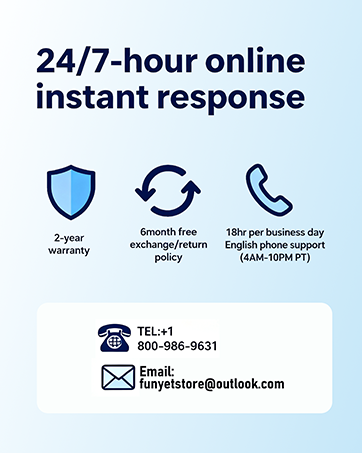
Image: FUNYET customer support and warranty details.
Ask a question about this manual
Ask about setup, troubleshooting, compatibility, parts, safety, or missing instructions. Manuals+ will review the question and use this page’s manual context to help answer it.