
1. Úvod
Thank you for choosing the boAt Rockerz Plus 550 Wireless Headphones. This manual provides essential information for setting up, operating, and maintaining your headphones to ensure optimal performance and longevity. The Rockerz Plus 550 offers a superior audio experience with powerful 50mm drivers, extended battery life, and versatile connectivity options.
2. Co je v krabici
- boAt Rockerz Plus 550 Headphones
- Nabíjecí kabel
- Aux kabel
- Uživatelská příručka
3. Konec produktuview a funkce
3.1 Customizable Earcups
The boAt Rockerz Plus 550 features customizable earcups, allowing you to personalize the appearance of your headphones. Easily change the design to match your style while enjoying comfortable listening.
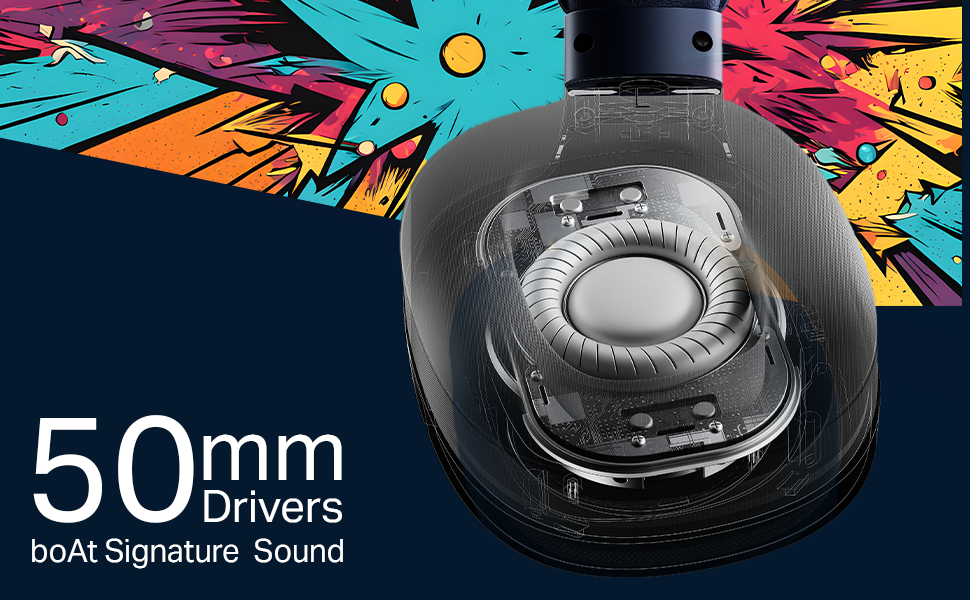
Image: boAt Rockerz Plus 550 headphones with a close-up view of the customizable earcups, highlighting the removable design elements.
3.2 Powerful 50mm Drivers
Experience rich bass and vibrant clarity with the powerful 50mm drivers. boAt Signature Sound technology enhances your music, movies, and other audio content.
Obrázek: Podrobný view of the internal 50mm driver component within the headphone earcup, illustrating its size and design.
3.3 Extended 100-Hour Playback
Enjoy up to 100 hours of battery life on a single charge, allowing for prolonged listening sessions or extended call times without frequent recharging.
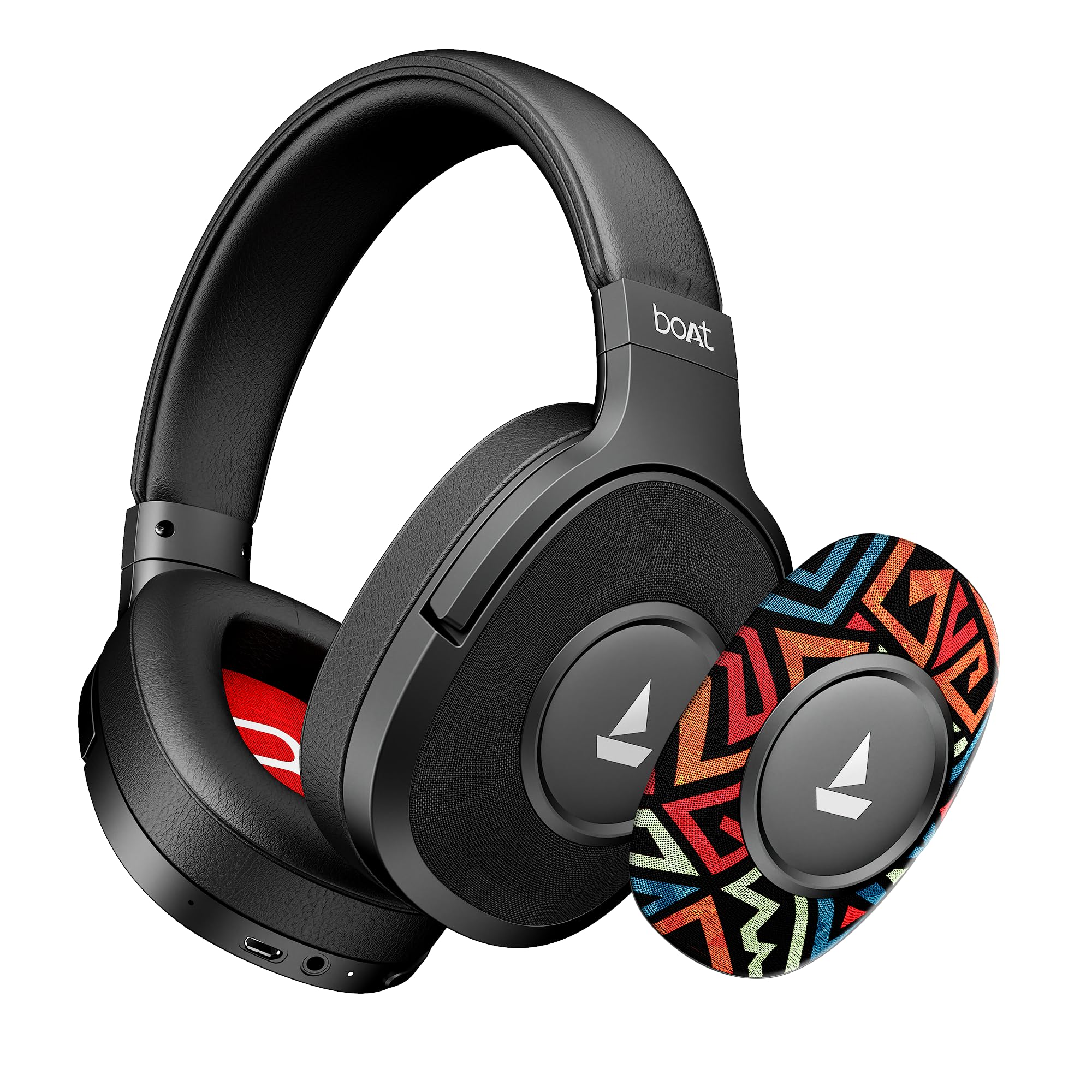
Image: The boAt Rockerz Plus 550 headphones displayed with text indicating 'Up To 100 Hours Playback', emphasizing the long battery life.
3.4 Bluetooth v5.4 & AUX Compatibility
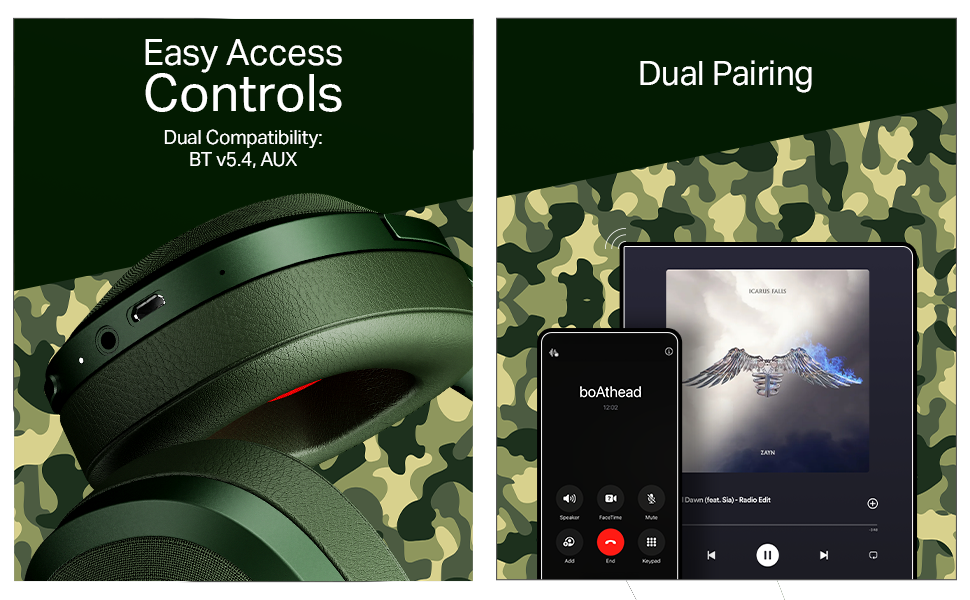
Connect wirelessly using Bluetooth v5.4 for stable and efficient audio streaming, or use the included AUX cable for a wired connection, offering flexible usage options.

Image: A close-up of the headphone earcup, showing the control buttons, charging port, and AUX input for both wireless and wired connectivity.
3.5 Duální párování
Seamlessly connect your Rockerz Plus 550 to two devices simultaneously. This feature allows you to switch between taking calls on your phone and streaming media on a tablet without needing to disconnect and reconnect.

Image: An illustration depicting the headphones connected to both a smartphone and a tablet, demonstrating the dual pairing functionality.
3.6 Easy Access Controls
Manage your audio playback and calls directly from the headphones using the conveniently placed control buttons. Adjust volume, skip tracks, and answer calls with ease.
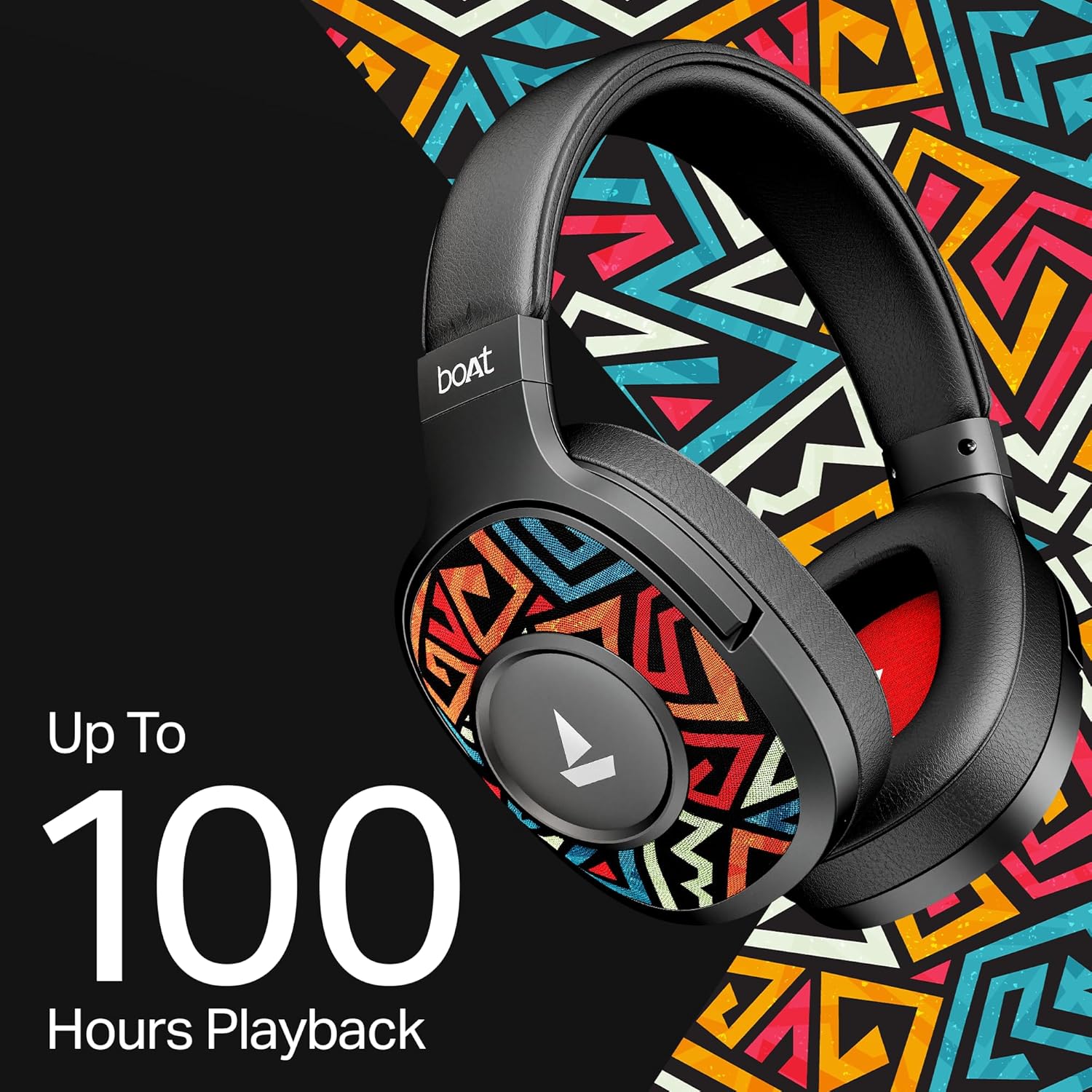
Image: A detailed shot of the physical control buttons located on the headphone earcup, highlighting their accessibility.
3.7 Podpora hlasového asistenta
Activate your smartphone's voice assistant (Siri or Google Voice Assistant) directly from the headphones to perform tasks hands-free, such as setting reminders or checking the weather.

Image: A person wearing the headphones, suggesting interaction with a voice assistant for hands-free operation.
3.8 Ergonomic Over-the-Ear Design
Designed for comfort during extended use, the over-the-ear design ensures a snug and comfortable fit, reducing strain during long listening sessions.

Image: A model wearing the boAt Rockerz Plus 550 headphones, showcasing the comfortable over-the-ear fit and ergonomic design.
3.9 Physical Noise Isolation
The headphones provide physical noise isolation, helping to block out ambient distractions for a more immersive audio experience during calls or music playback.

Image: A woman wearing the boAt Rockerz Plus 550 headphones, illustrating the physical noise isolation feature in action.
4. Pokyny k nastavení
4.1 Nabíjení sluchátek
- Připojte nabíjecí kabel k nabíjecímu portu na sluchátkách.
- Druhý konec kabelu připojte k USB zdroji napájení (např. k síťovému adaptéru, USB portu počítače).
- LED indikátor bude zobrazovat stav nabíjení. Plné nabití trvá přibližně 2.5 hodiny.
- Once fully charged, the headphones provide up to 100 hours of playback time.
4.2 Zapnutí/vypnutí
- Zapnutí: Stiskněte a podržte tlačítko napájení, dokud se nerozsvítí LED indikátor.
- Vypnutí: Stiskněte a podržte tlačítko napájení, dokud LED indikátor nezhasne.
4.3 Párování Bluetooth
- Ujistěte se, že jsou sluchátka vypnutá.
- Stiskněte a podržte tlačítko napájení po dobu přibližně 5–7 sekund, dokud LED indikátor nezačne střídavě blikat modře a červeně, což signalizuje režim párování.
- Na svém zařízení (chytrém telefonu, tabletu atd.) povolte Bluetooth a vyhledejte dostupná zařízení.
- Select "boAt Rockerz Plus 550" from the list of devices.
- Po připojení bude LED indikátor pravidelně modře blikat.
- The headphones will automatically reconnect to the last paired device when powered on, if within range (up to 10 meters).
5. Návod k obsluze
5.1 Použití ovládacích prvků
The headphones feature intuitive push-button controls for various functions:
- Vypínač: Stisknutím a podržením zapnete/vypnete zařízení. Krátkým stisknutím přehrajete/pozastavíte hudbu nebo přijmete/ukončíte hovory.
- Zvýšení hlasitosti (+): Krátkým stisknutím zvýšíte hlasitost. Dlouhým stisknutím přejdete na další skladbu.
- Snížit hlasitost (-): Short press to decrease volume. Long press to skip to the previous track.
- Hlasový asistent: Double-press the Power button to activate your device's voice assistant.
5.2 Dual Pairing Functionality
Pro současné připojení ke dvěma zařízením:
- Spárujte sluchátka s prvním zařízením, jak je popsáno v části 4.3.
- Vypněte Bluetooth na prvním zařízení. Sluchátka se znovu přepnou do režimu párování.
- Spárujte sluchátka s druhým zařízením.
- Enable Bluetooth on the first device. The headphones should now be connected to both devices.
- Audio will play from the device that is actively sending a signal. Calls from either device will take priority.
5.3 Režim AUX
Použití sluchátek v kabelovém režimu:
- Ensure the headphones are powered off or in Bluetooth mode.
- Připojte jeden konec 3.5mm AUX kabelu k AUX portu sluchátek.
- Connect the other end of the AUX cable to your audio source's 3.5mm jack.
- The headphones will automatically switch to AUX mode. No battery power is required for wired listening.
6. Údržba a péče
- Sluchátka pravidelně čistěte měkkým, suchým hadříkem.
- Avoid exposing the headphones to extreme temperatures, humidity, or liquids. While water-resistant, they are not waterproof.
- Když sluchátka nepoužíváte, uchovávejte je na chladném a suchém místě.
- Nepokoušejte se sluchátka rozebírat ani opravovat sami, jinak by došlo ke ztrátě záruky.
- Keep away from sharp objects to prevent scratches or damage.
7. Řešení problémů
7.1 Bez napájení
- Ujistěte se, že jsou sluchátka plně nabitá.
- Zkontrolujte nabíjecí kabel a zdroj napájení, zda jsou správně připojeny.
7.2 Nelze spárovat přes Bluetooth
- Ujistěte se, že sluchátka jsou v režimu párování (LED bliká modře a červeně).
- Ensure Bluetooth is enabled on your device and it is within 10 meters of the headphones.
- Zapomeňte na zařízení z nastavení Bluetooth v telefonu a zkuste spárování znovu.
- Restartujte sluchátka i zařízení.
7.3 Žádný zvuk nebo nízká hlasitost
- Upravte hlasitost na sluchátkách i na připojeném zařízení.
- Ujistěte se, že jsou sluchátka správně spárována a připojena.
- If using AUX mode, ensure the cable is fully inserted into both ports.
- Vyzkoušejte s jiným zdrojem zvuku nebo zařízením.
7.4 Problémy s kvalitou hovoru
- Ujistěte se, že mikrofon není nijak zakrytý.
- Move closer to your connected device to improve Bluetooth signal strength.
- Vyhýbejte se hlučnému prostředí.
8. Specifikace
| Funkce | Detail |
|---|---|
| Značka | loď |
| Název modelu | Rockerz 550 |
| Číslo modelu | 1000003843 |
| Umístění uší | Přes ucho |
| Form Factor | Přes ucho |
| Kontrola hluku | Pasivní potlačení hluku |
| Kontrolní metoda | Stiskněte tlačítko |
| Doba nabíjení baterie | 2.5 hodiny |
| Průměrná životnost baterie | 100 hodiny |
| Typ zvukového ovladače | Dynamický ovladač |
| Frekvenční rozsah | 20 Hz - 20 kHz |
| Materiál pouzdra | Paměťová pěna, silikon |
| Specifické použití pro produkt | Entertainment, Travel |
| Kompatibilní zařízení | Mobilní telefony |
| Úroveň odolnosti proti vodě | Vodě odolný |
| Jack pro sluchátka | Zásuvka 3.5 mm |
| Technologie síťového připojení | Bluetooth |
| Typ bezdrátové technologie | Bluetooth |
| Dosah Bluetooth | 10 metrů |
| Verze Bluetooth | 5.4 |
| Hmotnost položky | 250 gramů |
| Země původu | Čína |
9. Záruka a podpora
9.1 Informace o záruce
The boAt Rockerz Plus 550 headphones come with a 1-letá záruka od data nákupu. Uschovejte si prosím doklad o koupi pro případné reklamace.
9.2 Zákaznická podpora
For any support, queries, or warranty claims, please contact the manufacturer:
- Výrobce: Imagine Marketing Ltd.
- E-mail: info@imaginemarketingindia.com
10. boAt Hearables App Support
Enhance your audio experience by downloading the boAt Hearables App. Scan the QR code below to access the app and explore features like streaming top tracks, listening to audiobooks, and accessing the user help guide.
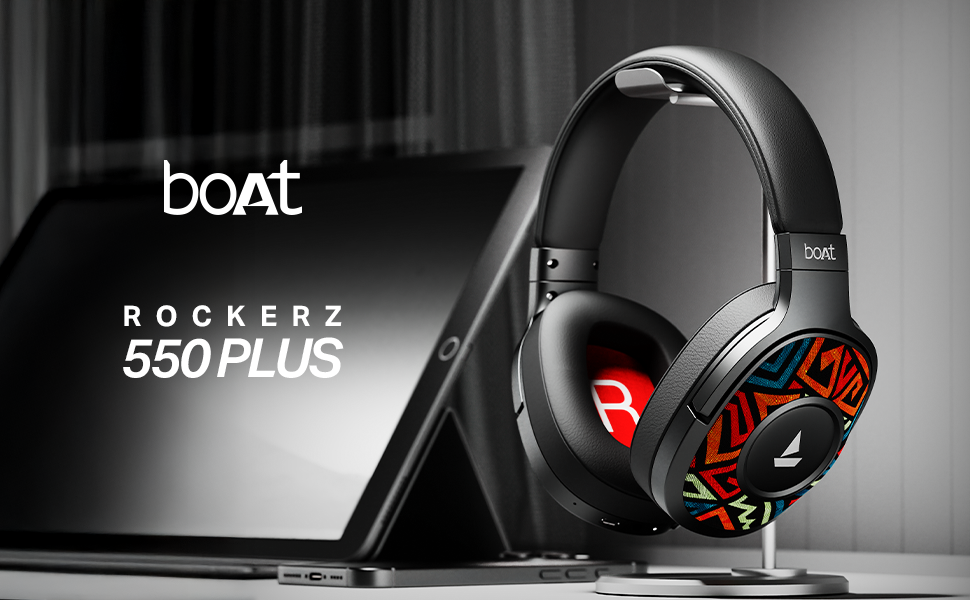
Image: A smartphone screen displaying a QR code for the boAt Hearables App. Scan this code to download the app and unlock additional features and support.
Alternatively, visit the app download page: https://l.ead.me/bdAX6k