
1. Konec produktuview
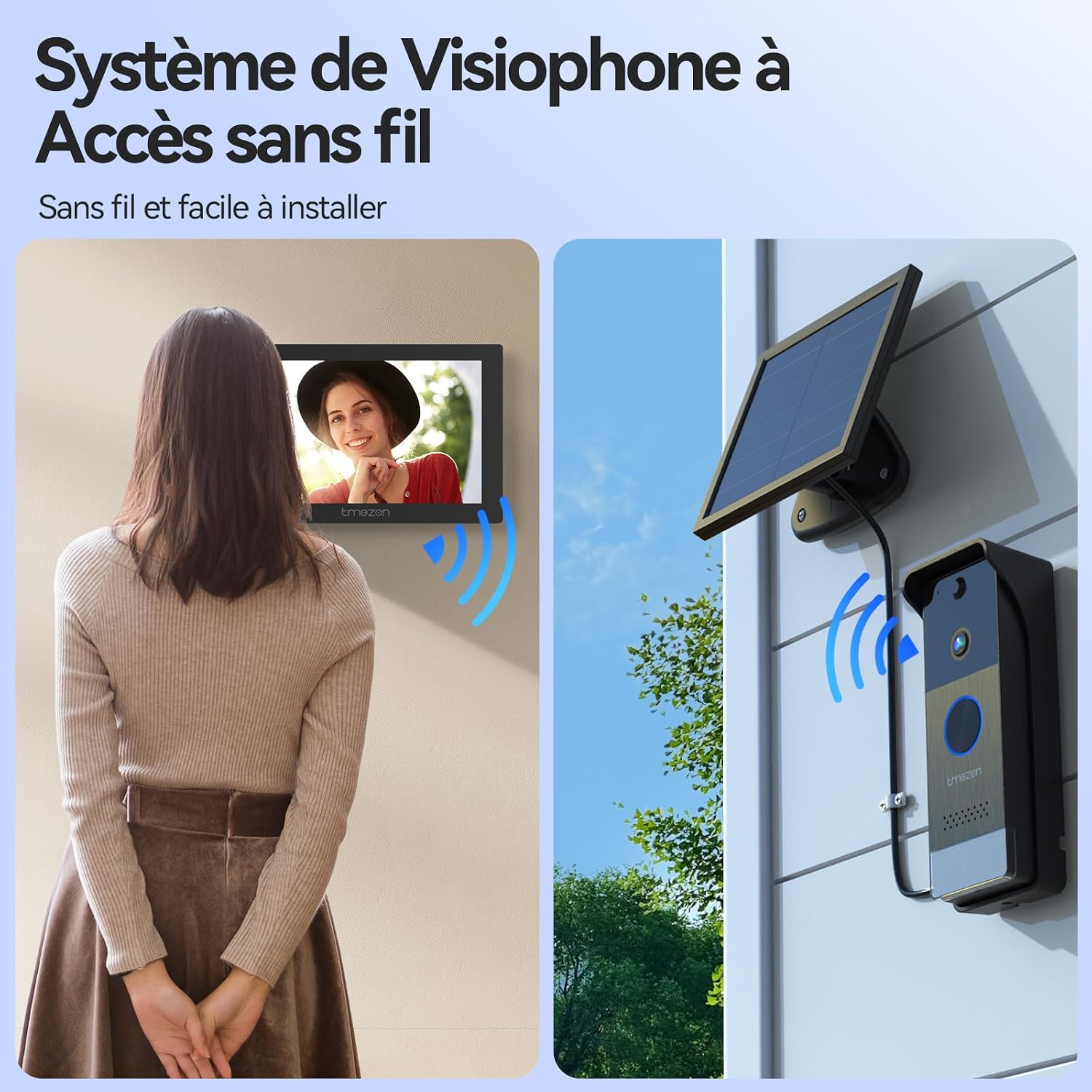
The TMEZON Wireless Video Doorbell System (Model MZ-R10+MZ-L10) provides enhanced home security with its 1080P HD camera, 7-inch touchscreen monitor, and solar charging capabilities. This system offers reliable wireless connectivity, two-way audio communication, and smart motion detection for comprehensive surveillance.
Klíčové vlastnosti:
- Dvoupásmové Wi-Fi připojení: Supports both 2.4GHz and 5GHz for stable and fast connection.
- 1080P HD Camera with Night Vision: 160 ° širokoúhlý view and 850nm infrared night vision for clear images day and night.
- Detekce pohybu PIR: Intelligent human detection reduces false alerts and sends real-time notifications.
- 7-inch Touchscreen Monitor: Intuitive interface for managing settings, viewing visitors, and reviewnahrávek.
- Obousměrný zvuk: Communicate with visitors directly from the monitor or via the TuyaSmart app.
- Solar Power & Rechargeable Batteries: Doorbell powered by a 5000mAh removable battery and solar panel; monitor with a 1200mAh battery.
- Automatické nahrávání: Records video upon doorbell press or motion detection to an integrated 32GB memory card (expandable up to 128GB).
- Design odolný vůči povětrnostním vlivům: IP55 rated for outdoor use, operating in temperatures from -20°C to 60°C.
Obrázek 1.1: Konecview of the TMEZON Wireless Video Doorbell System components.
2. Pokyny k nastavení
2.1 Obsah balení
Před instalací se ujistěte, že jsou přítomny všechny komponenty:
- Outdoor Doorbell Unit
- Indoor 7-inch Monitor
- Solární panel
- Montážní materiál (šrouby, hmoždinky)
- USB nabíjecí kabel
- Napájecí adaptér pro monitor
- Uživatelská příručka

Image 2.1: Package contents of the TMEZON Wireless Video Doorphone.
2.2 Nabíjení zařízení
Fully charge both the outdoor doorbell unit and the indoor monitor before initial use. The doorbell unit has a 5000mAh removable battery, and the monitor has a 1200mAh battery. Use the provided USB cable and power adapter for the monitor. The doorbell can also be charged via the solar panel.

Image 2.2: Doorbell unit charging via solar panel.
2.3 Mounting the Outdoor Doorbell Unit and Solar Panel
- Choose a suitable location for the doorbell unit, typically near your entrance, at a height of approximately 1.2 to 1.5 meters (4 to 5 feet) from the ground.
- Mount the solar panel in a location that receives direct sunlight for most of the day to ensure optimal charging. Connect the solar panel to the doorbell unit.
- Use the provided mounting bracket and screws to securely attach the doorbell unit to the wall.

Image 2.3: Installation of the outdoor doorbell unit.
2.4 Installing the Indoor Monitor
The indoor monitor can be placed on a flat surface using its stand or mounted on a wall. Ensure it is within the wireless range of your Wi-Fi router and the outdoor doorbell unit.
2.5 Wi-Fi připojení
The system supports both 2.4GHz and 5GHz Wi-Fi bands. Follow the on-screen instructions on the 7-inch monitor to connect it to your home Wi-Fi network. This connection is crucial for app functionality and remote access.

Image 2.4: Dual-band Wi-Fi connectivity for the indoor monitor.
2.6 TuyaSmart App Setup
- Download the TuyaSmart app from your smartphone's app store (available on iOS and Android).
- Register or log in to your TuyaSmart account.
- Add the TMEZON video doorbell device by following the in-app instructions. This typically involves scanning a QR code displayed on the monitor or doorbell unit.

Image 2.5: TuyaSmart app interface for device control.
3. Návod k obsluze
3.1 Přijetí hovoru
When a visitor presses the doorbell button, the indoor monitor will ring and display the live video feed. You can answer the call by tapping the 'Answer' icon on the monitor or through the TuyaSmart app on your smartphone.
3.2 Obousměrná zvuková komunikace
Once a call is answered, you can engage in two-way audio communication with the visitor. Speak clearly into the monitor or your smartphone, and the visitor's voice will be heard through the doorbell's speaker.

Image 3.1: Two-way audio communication via the indoor monitor.
3.3 Remote Door Unlocking
If connected to an electric lock, you can remotely unlock your door or gate directly from the indoor monitor or the TuyaSmart app. Tap the 'Unlock' icon during a call to grant access.

Image 3.2: Remote unlocking via the TuyaSmart app.
3.4 Detekce pohybu a upozornění
Activate the PIR motion detection feature via the TuyaSmart app. When motion is detected, the doorbell camera will send a real-time notification to your smartphone. The intelligent PIR detection minimizes false alarms from vehicles or animals.

Image 3.3: PIR motion detection and smartphone notifications.
3.5 Automatické nahrávání a přehrávání
The system automatically records video when the doorbell is pressed or motion is detected. Recordings are saved to the integrated 32GB memory card. You can review these recordings directly on the indoor monitor or through the TuyaSmart app.

Image 3.4: Automatic recording and playback on the monitor.
3.6 Nastavení monitoru
The 7-inch touchscreen monitor allows you to adjust various settings, including volume, brightness, time (Wi-Fi or manual), and language. A sleep mode is available to conserve energy.

Image 3.5: Monitor settings interface.
4. Údržba
4.1 Správa baterie
The outdoor doorbell unit's 5000mAh battery is designed for long-lasting operation, supplemented by the solar panel for continuous charging. Ensure the solar panel is clean and free from obstructions to maximize charging efficiency. The indoor monitor's 1200mAh battery provides portability and can be recharged via its DC5V/1A adapter.
4.2 Správa úložiště
The system includes an integrated 32GB memory card for storing recordings. This can be expanded up to 128GB by replacing the card. Regularly review a spravovat uložené footage, aby byl zajištěn dostatek prostoru pro nové nahrávky.

Image 4.1: SD card slot on the indoor monitor.
4.3 Čištění
Wipe the outdoor doorbell unit and indoor monitor with a soft, damp cloth. Avoid using harsh chemicals or abrasive cleaners that could damage the surfaces or electronic components.
5. Řešení problémů
If you encounter issues with your TMEZON video doorbell system, refer to the following common troubleshooting steps:
- Bez napájení: Ensure both the doorbell unit and monitor are fully charged. Check the solar panel for obstructions if using solar power. Verify the monitor's power adapter is correctly connected.
- Žádné video/zvuk: Check the wireless connection between the doorbell and monitor, and between the monitor and your Wi-Fi router. Ensure both devices are within range and there are no significant obstructions (e.g., thick walls, metal structures).
- Špatná kvalita videa/zvuku: A weak Wi-Fi signal can affect quality. Try moving the monitor closer to the router or doorbell, or ensure your Wi-Fi network is stable.
- Detekce pohybu nefunguje: Verify that PIR motion detection is enabled in the TuyaSmart app settings. Adjust sensitivity levels if necessary.
- Problémy s připojením aplikace: Ensure your smartphone has a stable internet connection. Restart the TuyaSmart app or re-pair the device if connection persists.
- Zvonek nezvoní: Check the volume settings on the indoor monitor. Ensure the doorbell unit is powered on and properly paired with the monitor.
- Unable to Unlock Door Remotely: Confirm that the electric lock is correctly wired to the doorbell unit and that the unlock function is enabled in the system settings.
For further assistance, please contact TMEZON customer support.
6. Specifikace
| Název modelu | MZ-R10+MZ-L10 |
| Značka | TMEZON |
| Technologie připojení | Bezdrátové připojení (Wi-Fi 2.4 GHz/5 GHz) |
| Rozlišení fotoaparátu | 1080p HD |
| Úhel kamery View | 160 stupňů |
| Noční vidění | 850nm Infrared (Color Night Vision) |
| Obrazovka monitoru | 7-inch LCD Touchscreen (1024x600) |
| Outdoor Unit Battery | 5000mAh (Removable, Rechargeable) |
| Indoor Monitor Battery | 1200 XNUMX mAh |
| Zdroj napájení | Solar Power (Outdoor Unit), DC5V/1A Adapter (Indoor Monitor) |
| Skladování | 32GB Integrated (Supports up to 128GB SD Card) |
| Odolnost vůči povětrnostním vlivům | IP55 |
| Provozní teplota | -20 °C až 60 °C |
| Speciální funkce | Two-Way Audio, PIR Motion Detector, Local Recording, HD Resolution |
| Kontrolní metoda | Application (TuyaSmart) |
| Rozměry | 50 x 50 x 50 millimeters (approximate) |
7. Záruka a podpora
TMEZON offers a 2-year support period for this product. Dedicated customer support is available 7 days a week to assist with any inquiries or issues you may encounter. Additionally, detailed video tutorials are provided to help with installation and operation.
For support, please refer to the contact information provided in your product packaging or visit the official TMEZON webmísto.