
1. Úvod
Welcome to the user manual for your new TABWEE T60 12.2-inch Android 16 Tablet. This guide provides essential information to help you set up, operate, maintain, and troubleshoot your device. The TABWEE T60 is designed for high-resolution viewing, efficient multitasking, and extended use, featuring a 2.5K UHD display, an Octa-Core processor, 48GB RAM, 256GB internal storage expandable up to 2TB, and a 10000mAh battery. It runs on Android 16 with integrated Gemini AI for enhanced performance and user experience.
Please read this manual thoroughly to ensure proper use and to maximize the potential of your tablet.
2. Co je v krabici
Upon opening your TABWEE T60 package, verify that all the following items are included:
- 1x TABWEE T60 12.2-inch Android 16 Tablet
- 1x Detachable Keyboard
- 1x Myš
- 1x stylus
- 1x Ochranné pouzdro
- 1x Charger & Cable (USB-C)
- 1x Uživatelská příručka (tento dokument)

Image: Contents of the TABWEE T60 package, showing the tablet, detachable keyboard, mouse, stylus pen, protective case, charger, and USB-C cable.
3. Nastavení
3.1 Nabíjení tabletu
Before first use, fully charge your tablet. Connect the provided USB-C cable to the tablet's charging port and the other end to the included 18W power adapter. Plug the adapter into a wall outlet. The battery indicator on the screen will show charging status.
3.2 Zapnutí/vypnutí
- Zapnutí: Press and hold the Power button located on the side of the tablet until the TABWEE logo appears on the screen.
- Vypnutí: Stiskněte a podržte tlačítko Napájení, dokud se nezobrazí nabídka možností napájení. Vyberte možnost „Vypnout“ a potvrďte.
- Restartovat: From the power options menu, select 'Restart' and confirm.
3.3 Počáteční nastavení
The first time you power on your tablet, you will be guided through an initial setup process:
- Výběr jazyka: Vyberte preferovaný jazyk.
- Wi-Fi připojení: Connect to a Wi-Fi network to enable internet access. This is necessary for software updates and Google account setup.
- Účet Google: Sign in with your existing Google account or create a new one. This allows access to the Google Play Store, Gmail, and other Google services.
- Datum a čas: Nastavte správné datum a čas nebo nechte síť, aby je nastavila automaticky.
- Zabezpečení: Set up a screen lock method (PIN, pattern, password, or face unlock).
3.4 Připojení příslušenství
The TABWEE T60 comes with a detachable keyboard, mouse, and stylus for enhanced productivity.
- Odnímatelná klávesnice: Align the magnetic connectors on the keyboard with the corresponding ports on the tablet. The keyboard will snap into place and connect automatically via Bluetooth.
- Bluetooth Mouse/Stylus: To connect the mouse or stylus, ensure they are powered on and in pairing mode. On your tablet, go to Nastavení > Připojená zařízení > Bluetooth, then select the device from the list of available devices to pair.
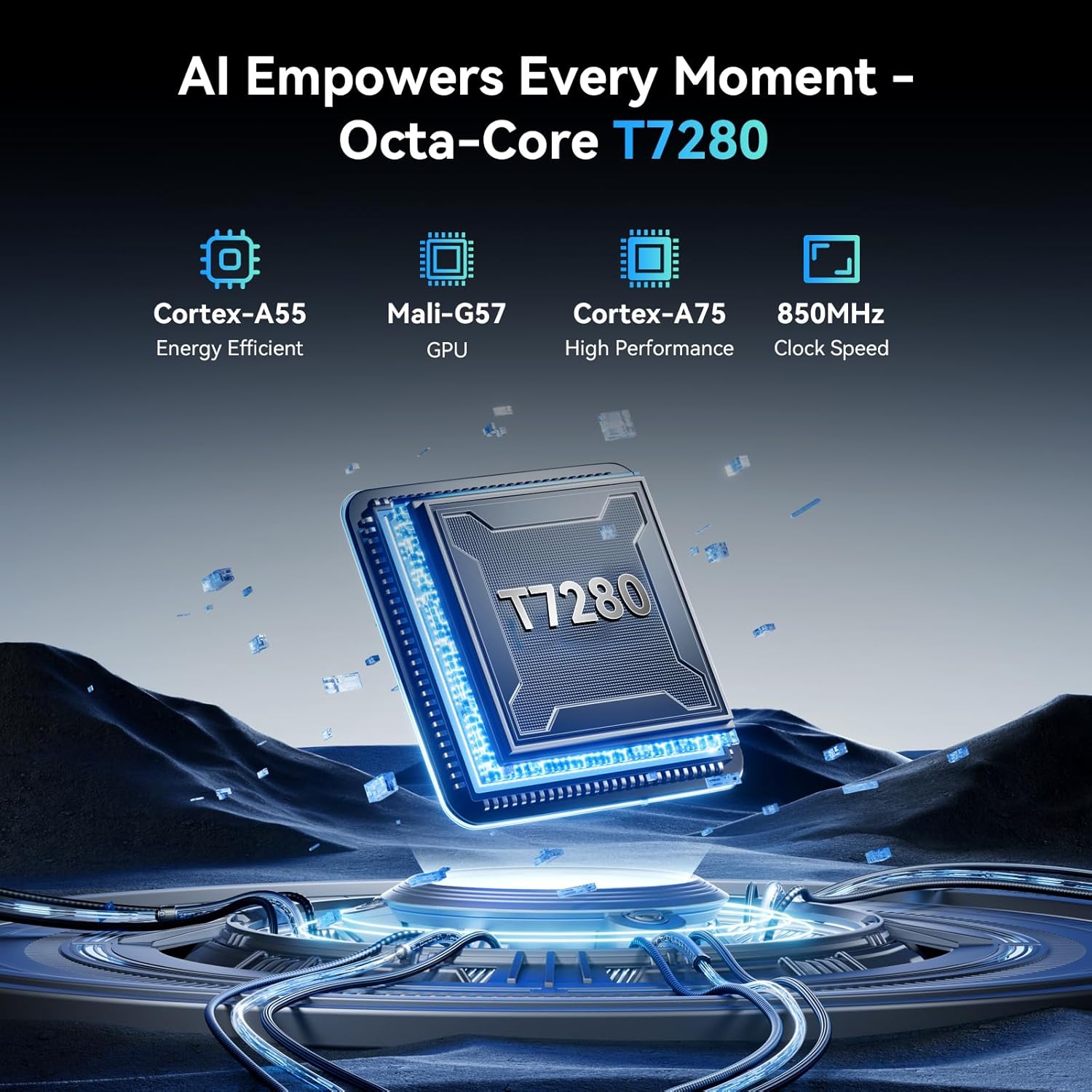
Image: The TABWEE T60 tablet shown with its detachable keyboard, wireless mouse, and stylus pen, illustrating its mobile office capabilities.
4. Ovládání tabletu
4.1 Displej
The TABWEE T60 features a 12.2-inch CSOT 2.5K UHD display (2400 x 1600 pixels) with a 90Hz refresh rate for smooth visuals. It supports 99% sRGB color gamut and includes anti-glare technology for comfortable viewing in various lighting conditions. Widevine L1 certification ensures high-quality streaming from supported services.

Image: A visual comparison demonstrating the larger 12.2-inch 2.5K FHD display with 90Hz refresh rate, emphasizing its clarity and smoothness.
4.2 Výkon a úložiště
Powered by an Octa-Core Unisoc T7280/UMS9230S processor clocked at 2.2 GHz, the T60 delivers efficient performance. It is equipped with 48GB RAM (12GB physical + 36GB virtual expansion) for seamless multitasking and 256GB of internal storage. The storage can be expanded up to 2TB using a TF (microSD) card, providing ampprostor pro aplikace, média a dokumenty.

Image: An infographic detailing the tablet's memory specifications: 48GB RAM (12GB physical + 36GB expansion), 256GB ROM, and support for up to 2TB TF card storage.
4.3 Životnost baterie
The TABWEE T60 is equipped with a large 10000mAh battery, providing extended usage times. Expect approximately 20 hours of music playback, 17 hours of video playback, or 12 hours of gaming on a single charge. The tablet supports 18W fast charging via its USB-C port.

Image: A visual representation of the tablet's 10000mAh battery, highlighting its long-lasting power for various activities like navigation, entertainment, and work/study.
4.4 Kamery
The tablet features a 16MP rear camera with autofocus and an 8MP front camera. These cameras are suitable for video calls, document scanning, and capturing everyday moments. Integrated AI features enhance image quality and offer modes like 'Beauty Mode' and 'Night Shot'.

Image: A depiction of the tablet's 16MP rear and 8MP front cameras, showcasing their capabilities for various photography scenarios.
4.5 Konektivita
The TABWEE T60 supports 5G Wi-Fi (802.11ac) for fast internet speeds and Bluetooth 5.0 for connecting wireless peripherals. It also includes a 4-in-1 GPS system (GPS, GLONASS, Galileo, Beidou) for accurate navigation.

Image: A visual representation of the tablet's 5G WiFi and Bluetooth 5.0 capabilities, showing connections to various devices.

Image: The tablet displaying a navigation map in a car, emphasizing its integrated 4-in-1 GPS system for precise positioning.
4.6 Software (Android 16 & Gemini AI)
The TABWEE T60 runs on the latest Android 16 operating system, offering enhanced security, privacy features, and a smoother user experience. It integrates Gemini AI, which acts as an intelligent assistant for tasks such as summarizing articles, translating text, and optimizing workflow efficiency.

Obrázek: Overview of the Android 16 operating system, highlighting its key features such as enhanced security, smart core, and dynamic themes.

Image: A detailed graphic explaining the various functions of Gemini AI, including intelligent planning, personal assistance, and data analysis.
5. Údržba
5.1 Obecná péče
- Nevystavujte tablet extrémním teplotám, přímému slunečnímu záření nebo vysoké vlhkosti.
- Do not drop or subject the tablet to strong impacts.
- Tablet chraňte před tekutinami a prachem.
- Use the provided protective case to safeguard your device from scratches and minor bumps.
5.2 Čištění
- K čištění obrazovky a těla tabletu použijte měkký hadřík, který nepouští vlákna.
- Na odolné šmouhy lehce otřeteampen the cloth with water or a screen-cleaning solution. Do not spray liquids directly onto the tablet.
- Vyhněte se používání agresivních chemikálií, abrazivních čisticích prostředků nebo rozpouštědel.
5.3 Aktualizace softwaru
Regularly check for and install software updates to ensure your tablet has the latest features, security patches, and performance improvements. You can check for updates by going to Nastavení > Systém > Aktualizace systému.
6. Řešení problémů
If you encounter issues with your TABWEE T60, refer to the following common troubleshooting steps:
6.1 Tablet se nezapíná
- Ensure the tablet is sufficiently charged. Connect it to the charger and wait for at least 15 minutes before attempting to power it on again.
- Stiskněte a podržte tlačítko napájení po dobu 10–15 sekund pro provedení vynuceného restartu.
6.2 Problémy s připojením k Wi-Fi
- Restartujte Wi-Fi router a tablet.
- Přejít na Nastavení > Síť a internet > Wi-Fi, forget the network, and then reconnect.
- Ujistěte se, že jste v dosahu signálu Wi-Fi.
6.3 Pomalý výkon
- Zavřete nepotřebné aplikace na pozadí.
- Vymazat data mezipaměti často používaných aplikací (Nastavení > Aplikace > [Název aplikace] > Úložiště a mezipaměť > Vymazat mezipaměť).
- Ensure you have sufficient free storage space. Delete unused apps or large files.
- Tablet pravidelně restartujte.
6.4 Obrazovka nereaguje
- Perform a forced restart (press and hold the Power button for 10-15 seconds).
- Ujistěte se, že obrazovka je čistá a bez vlhkosti nebo nečistot.
6.5 Příslušenství se nepřipojuje
- For the detachable keyboard, ensure it is correctly aligned and firmly connected to the tablet's magnetic ports.
- For Bluetooth devices (mouse, stylus), ensure they are charged, powered on, and in pairing mode. Re-pair them via Nastavení > Připojená zařízení > Bluetooth.
7. Specifikace
Below are the key technical specifications for the TABWEE T60 tablet:
| Funkce | Specifikace |
|---|---|
| Značka | TABWEE |
| Název modelu | T60 |
| Operační systém | Android 16 |
| Velikost obrazovky | 12.2 palce |
| Rozlišení obrazovky | 2400 x 1600 pixelů (2.5K UHD) |
| Procesor | Unisoc T7280/UMS9230S Octa-Core (2.2 GHz) |
| BERAN | 48 GB (12 GB fyzické + 36 GB virtuální) |
| Interní úložiště | 256 GB |
| Rozšiřitelné úložiště | Až 2 TB přes TF kartu |
| Grafický koprocesor | Integrated Ai Graphics Mali-G57 |
| Zadní WebRozlišení vačky | 16 MP |
| Přední WebRozlišení vačky | 8 MP |
| Bezdrátový typ | 802.11ac (5G WiFi), 802.11b, 802.11g, 802.11n |
| Bluetooth | Bluetooth 5.0 |
| Kapacita baterie | 10000 XNUMX mAh |
| Průměrná životnost baterie | 10000 Hours (standby, actual usage varies) |
| Nabíjecí port | USB-C (18W Fast Charging) |
| GPS | 4-in-1 System (GPS, GLONASS, Galileo, Beidou) |
| Hmotnost položky | 1.41 libry |
| Rozměry produktu | 25 x 20 x 5 palce |
| Barva | Vesmírně šedá |
8. Záruka a podpora
The TABWEE T60 tablet comes with an industry-leading 4-letá záruka, demonstrating our commitment to quality and customer satisfaction. This warranty covers manufacturing defects and ensures long-term support for your device.
8.1 Záruční nároky
For warranty claims or technical assistance, please contact TABWEE Customer Support. You will need your proof of purchase and the tablet's serial number (usually found on the back of the device or in Nastavení > O tabletu).
8.2 Zákaznická podpora
Our dedicated customer support team is available 24/7 to assist you with any questions or issues you may have. Please refer to the contact information provided on the TABWEE official webNejnovější kanály podpory naleznete na webových stránkách nebo v dokumentaci k nákupu.