
1. Úvod
This manual provides essential information for the setup, operation, maintenance, and troubleshooting of your siaviala S8 PRO 14-inch Ultra-Thin 1080P FHD IPS Triple Screen Laptop Monitor Extender. Please read this guide thoroughly before use to ensure optimal performance and longevity of your device.
2. Vlastnosti produktu
- Ultra-Thin & Ultra-Light Design: Features a 4.5mm panel and weighs approximately 1kg, crafted from CNC-machined aerospace aluminum with a matte anti-fingerprint coating.
- 1080P FHD IPS Display: Two 14-inch screens with 1920×1080 resolution at 60Hz, 300cd/m² brightness, and 180° wide viewing angles. Anti-glare surface for reduced eye strain.
- Připojení typu „plug & play“: Simple connection with USB-C and/or HDMI cables, eliminating the need for extra drivers.
- Zvýšená produktivita: Supports Extended Mode, Mirror Mode, and Portrait Mode to improve multitasking efficiency.
- Vysoká kompatibilita: Compatible with MAC, Windows, Android, Linux, Switch, and Chrome OS devices.
- Zpětné nabíjení: USB-C interface supports PD100W for quick charging of connected devices.
3. Obsah balení
Balíček produktu obsahuje následující položky:
- Laptop Screen Extender x 1
- Kabel USB-C na USB-C x 2
- Kabel USB-A na USB-C x 1
- HDMI to Type-C Cable x 2
- Uživatelská příručka x 1
- Přepravní taška x 1

Image: All items included in the siaviala S8 PRO package.
4. Průvodce nastavením
4.1. Kroky instalace
- Pull up the device to the right as shown in Figure 1.
- Open both screens as illustrated in Figure 2.
- After extending the portable monitor, place it against the back of the laptop screen and clamp it, ensuring that the slots on both sides of the stand fit securely against the screen edges and are positioned on top of the laptop screen.
- Insert the adjustable stand into the back of the portable monitor, open and adjust it properly to provide additional support for the portable monitor.
- Connect one end of a necessary cable to the portable monitor and the other end to the laptop.

Image: Visual guide for attaching the screen extender to your laptop.
4.2. Způsoby připojení
The siaviala S8 PRO offers flexible connection options depending on your laptop's available ports:
- Two Full-Featured Type-C Ports: If your laptop has two fully functional Type-C ports, you only need two USB-C to USB-C cables to connect.
- One Full-Featured Type-C and One HDMI Port: If your laptop has one fully functional Type-C port, you need one USB-C to USB-C cable and one HDMI cable.
- No Full-Featured Type-C Ports: If your laptop does not have a fully functional Type-C port, you need two HDMI cables to connect. In this scenario, the product must be powered by an external 5V/2A or higher specification adapter (adapter not included).

Image: Diagrams illustrating various cable connection methods.
4.3. Režimy zobrazení
The monitor extender supports three primary display modes to enhance your workflow:
- Rozšířený režim: Expands your desktop across all screens, allowing for more workspace.
- Zrcadlový režim: Duplicates your main laptop screen onto the extended monitors.
- Režim Portrét: Rotates the extended screens to a vertical orientation, ideal for coding or document viewIng.
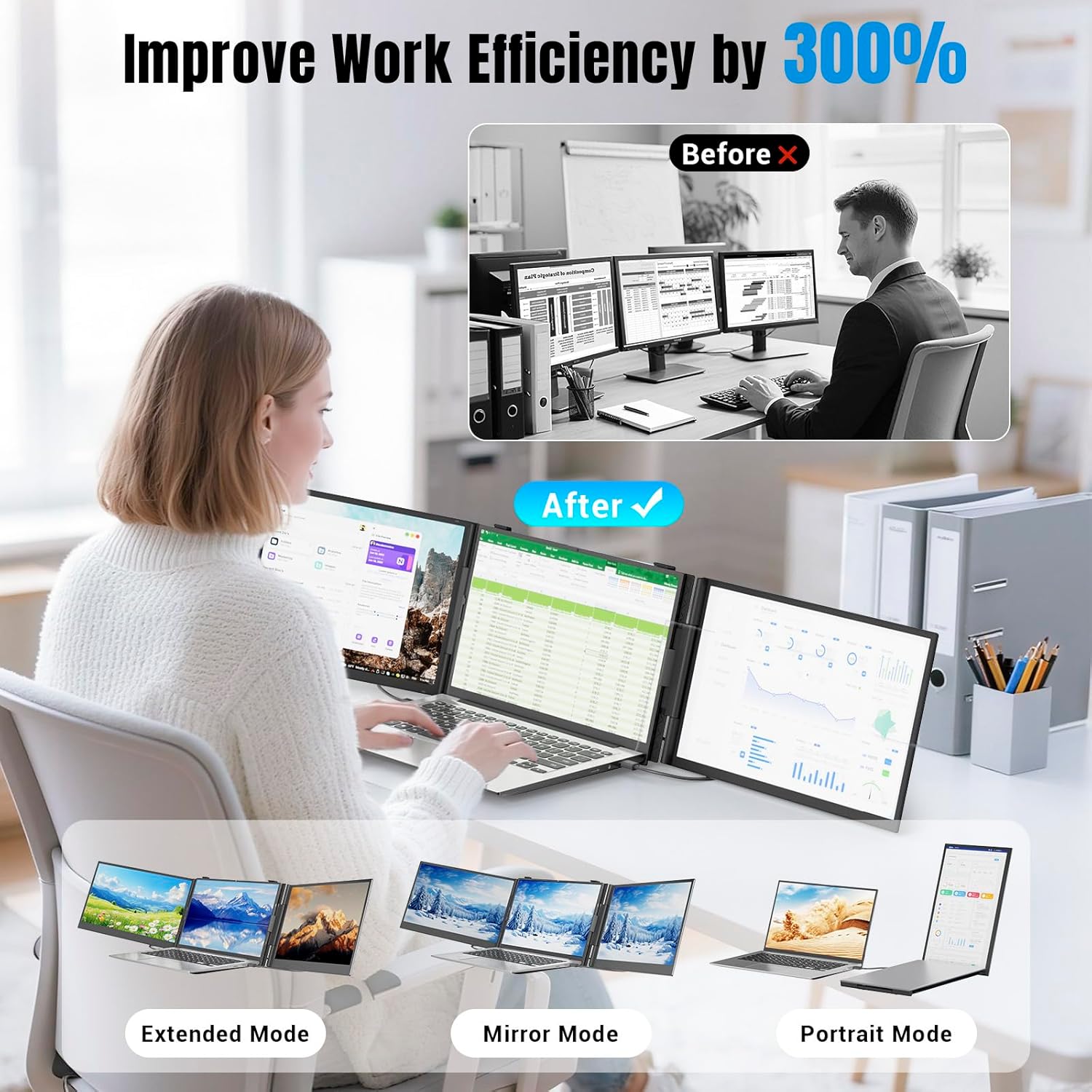
Image: Visual representation of Extended, Mirror, and Portrait display modes.
5. Návod k obsluze
Once connected, your operating system (Windows/macOS) should automatically detect the external displays. You may need to adjust display settings within your OS to configure the screens to your preference (e.g., arrangement, resolution, brightness).
5.1. Screen Adjustments
Each extended screen has independent controls for brightness, contrast, and other display settings. Refer to the on-screen display (OSD) menu accessible via the physical buttons on the monitor to fine-tune each screen individually.
5.2. Zpětné nabíjení
When the portable laptop monitor's Type-C interface is connected to an external PD power supply, it can quickly charge the computer device with reverse PD100W.
6. Údržba
- Obrazovku čistěte měkkým hadříkem, který nepouští vlákna. Nepoužívejte agresivní chemikálie ani abrazivní materiály.
- Handle the device with care to prevent damage. Avoid dropping or subjecting it to strong impacts.
- Store the device in its carrying bag when not in use or during travel to protect it from scratches and dust.
7. Řešení problémů
If you encounter issues with your siaviala S8 PRO, please refer to the following common problems and solutions:
- Bez signálu: Ensure all cables are securely connected. Verify that your laptop's Type-C port supports video output (DisplayPort Alt Mode). If using HDMI, ensure the external power adapter is connected if your laptop does not have a full-featured Type-C port.
- Obrazovka se nezapne: Check the power supply and cable connections. Ensure the external power adapter is providing sufficient power (5V/2A or higher) if required.
- Display Issues (Flickering, Incorrect Resolution): Adjust display settings in your operating system. Ensure your graphics drivers are up to date.
For further assistance, please contact siaviala customer support.
8. Specifikace
| Funkce | Specifikace |
|---|---|
| Rozměry produktu | 0.8 x 13.58 x 8.15 palce |
| Hmotnost položky | 5.24 libry |
| Velikost obrazovky | 14 palce (x2) |
| Rezoluce | 1920 × 1080 (FHD 1080p) |
| Poměr stran | 16:9 |
| Jas obrázku | 300 candela/m² |
| Popis povrchu obrazovky | Lesklý |
| Celkový počet portů USB | 1 |
| Číslo modelu položky | S8 PRO |
9. Záruka a podpora
If you encounter any problems with your siaviala S8 PRO, please contact us promptly for assistance. Refer to the user guide for contact information or visit the official siaviala webmísto pro zdroje podpory.