
1. Úvod
Thank you for choosing the RORSOU C6 Active Noise Cancelling Headphones. These headphones are designed to provide a superior audio experience with advanced noise-cancelling technology, comfortable wear, and versatile connectivity options. This manual will guide you through the setup, operation, and maintenance of your new headphones.

Image: RORSOU C6 Active Noise Cancelling Headphones, Rose Gold variant.
2. Obsah balení
Ujistěte se prosím, že máte v balení všechny položky:
- RORSOU C6 Active Noise Cancellation Bluetooth Headphones
- 3.5mm Backup Audio Cable
- USB nabíjecí kabel
- Uživatelská příručka (tento dokument)
- Travel Protective Storage Bag
3. Konec produktuview a ovládací prvky
Familiarize yourself with the physical features and control buttons of your RORSOU C6 headphones.

Image: Detailed diagram illustrating the location and function of control buttons and ports on the RORSOU C6 headphones.
- Zvýšení hlasitosti (+) / Další skladba: Click for volume up, long press for next track.
- Snížení hlasitosti (-) / Předchozí skladba: Click for volume down, long press for previous track.
- Power Button / Play/Pause: Long press to power on/off, click to play/pause music.
- Tlačítko ANC: Click to activate/deactivate Active Noise Cancelling.
- Port typu C: Pro nabíjení sluchátek.
- 3.5mm audio jack: Pro kabelové audio připojení.
4. Nastavení
4.1. Párování Bluetooth
- Ujistěte se, že jsou sluchátka vypnutá.
- Long press the Power Button until the LED indicator flashes blue, indicating pairing mode.
- On your device (smartphone, tablet, PC), enable Bluetooth and search for "RORSOU C6" in the list of available devices.
- Select "RORSOU C6" to connect. The LED indicator will turn solid blue once connected.
4.2. Kabelové připojení
Použití sluchátek s kabelovým připojením:
- Připojte jeden konec dodaného 3.5mm audio kabelu k 3.5mm audio konektoru na sluchátkách.
- Connect the other end of the cable to your audio source's 3.5mm port.
- Sluchátka se automaticky přepnou do kabelového režimu.
5. Návod k obsluze
5.1. Aktivní potlačení hluku (ANC)
The RORSOU C6 features advanced Active Noise Cancelling technology to reduce ambient noise.

Image: Visual representation of Active Noise Cancelling reducing external noise.
- To activate ANC, click the dedicated ANC button. You will hear an audible confirmation.
- To deactivate ANC, click the ANC button again.
5.2. Kvalita zvuku
Equipped with 40mm dynamic drivers, the C6 headphones deliver high-fidelity audio with deep bass, rich mids, and crisp highs, ensuring every detail of your music is clear.
5.3. Životnost baterie a nabíjení
The headphones offer up to 60 hours of playtime on a single charge. A full charge takes approximately 2 hours using the provided USB charging cable.

Image: Close-up of the RORSOU C6 earcups and adjustable headband, emphasizing comfort.
5.4. Comfort and Portability
The RORSOU C6 headphones feature ultra-soft protein leather earcups and an adjustable headband for extended comfortable wear. Their lightweight and foldable design allows for easy storage in the travel protective bag, making them ideal for travel and daily use.
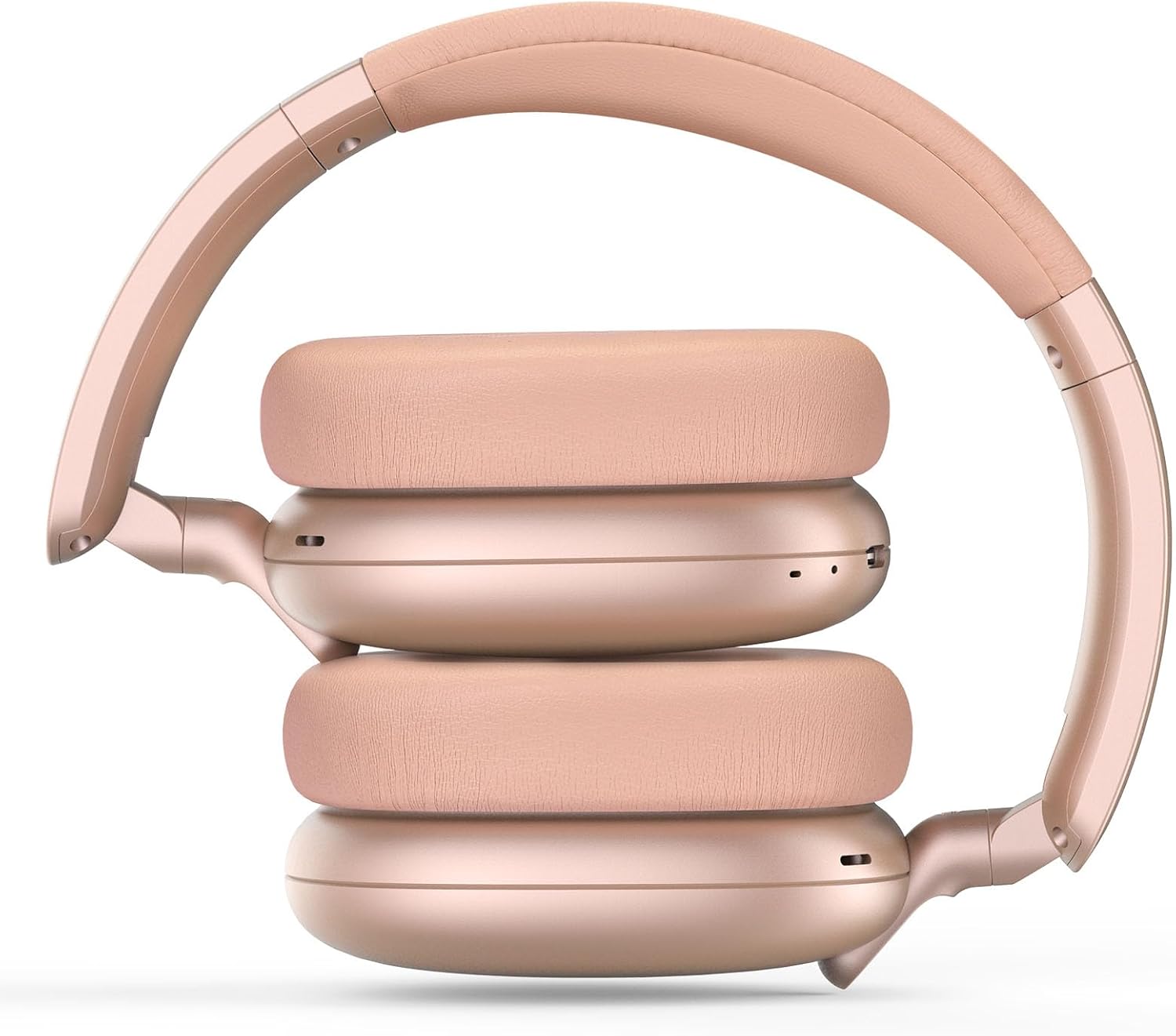
Image: RORSOU C6 headphones shown in their folded configuration, demonstrating portability.
6. Specifikace
| Funkce | Specifikace |
|---|---|
| Název modelu | C6 |
| Značka | RORSOU |
| Technologie připojení | Bluetooth 5.4, Wired, Wireless |
| Technologie bezdrátové komunikace | Bluetooth |
| Funkce pro potlačení hluku | Aktivní potlačení hluku |
| Jack pro sluchátka | Zásuvka 3.5 mm |
| Velikost zvukového ovladače | 40 milimetrů |
| Životnost baterie | 60 hodiny |
| Doba nabíjení | 2 hodiny |
| Hmotnost položky | 230 gramů (8.1 unce) |
| Speciální funkce | Adjustable Headband, Detachable Cable, Foldable, Lightweight, Noise Cancellation |
7. Údržba
To ensure the longevity and optimal performance of your RORSOU C6 headphones, follow these maintenance guidelines:
- Čištění: K čištění sluchátek používejte měkký, suchý hadřík. Nepoužívejte agresivní chemikálie ani abrazivní materiály.
- Skladování: When not in use, store the headphones in the provided travel protective storage bag to prevent dust and scratches.
- Vyhněte se extrémním podmínkám: Nevystavujte sluchátka extrémním teplotám, vlhkosti ani přímému slunečnímu záření.
- Voděodolnost: These headphones are not water resistant. Avoid contact with liquids.
8. Řešení problémů
If you encounter any issues with your RORSOU C6 headphones, please refer to the following common solutions:
- Bez napájení: Ujistěte se, že jsou sluchátka plně nabitá. Připojte je ke zdroji napájení pomocí nabíjecího kabelu USB.
- Nelze spárovat přes Bluetooth: Make sure the headphones are in pairing mode (flashing blue LED). Ensure Bluetooth is enabled on your device and it is within range (10 meters). Try restarting both the headphones and your device.
- Žádný zvuk: Check the volume levels on both the headphones and your connected device. If using a wired connection, ensure the 3.5mm cable is securely plugged into both ends.
- ANC nefunguje: Ensure the ANC function is activated by pressing the ANC button.
- Špatná kvalita zvuku: Ensure the headphones are within Bluetooth range of your device. If using a wired connection, try a different 3.5mm cable.
9. Záruka a podpora
RORSOU is dedicated to providing high-quality products with excellent after-sale service. Your RORSOU C6 headphones come with a 365-day Hassle-Free Limited Protection. If you have any questions or require support, please contact RORSOU customer service. We aim to respond within 12 hours.