
1. Konec produktuview
The PAXA Clipbuds 7 are open-ear wireless earbuds designed for comfort and situational awareness. They feature Bluetooth 5.4 connectivity, a dual LED battery display, touch controls, and IP45 water resistance.
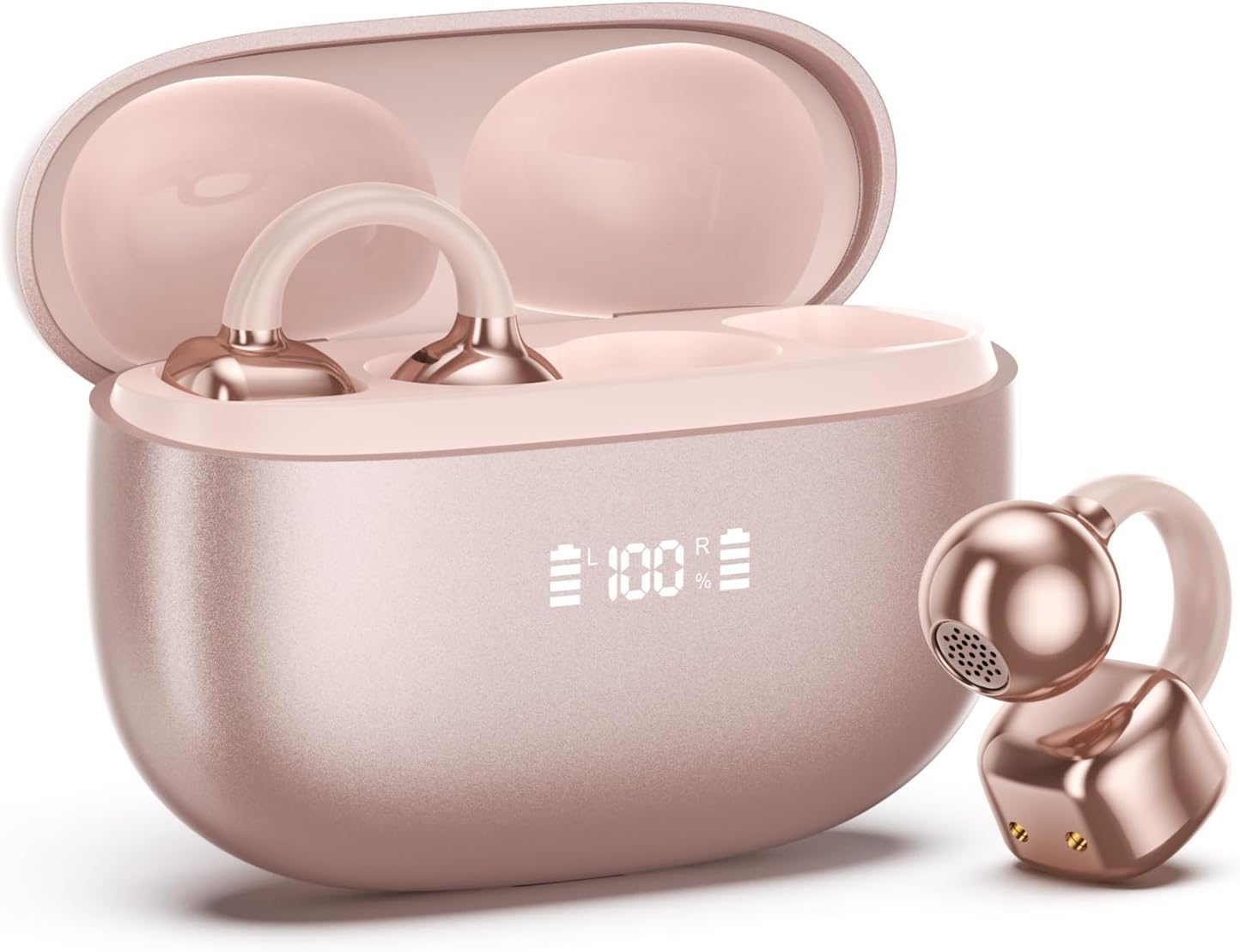
Image 1.1: PAXA Clipbuds 7 Rose Gold Earbuds and Charging Case. The earbuds are shown in their open charging case, which features an LED display indicating battery levels. One earbud is also shown outside the case.
Klíčové vlastnosti:
- Open-ear design for comfort and environmental awareness.
- Bluetooth 5.4 pro stabilní a efektivní bezdrátové připojení.
- Dual LED display on charging case for battery status.
- Touch controls for music, calls, and voice assistant.
- Celková doba přehrávání s nabíjecím pouzdrem až 44 hodin.
- Odolnost proti prachu a vodě IP45.
- Ultra-lightweight design (4.5g per earbud).
2. Obsah balení
Ujistěte se, že v balení jsou přítomny všechny položky:
- Clip on Earbuds (1 pair)
- Bezdrátové nabíjecí pouzdro (1)
- Nabíjecí kabel (1)
- Uživatelský manuál (1)
3. Nastavení a párování
3.1 Počáteční nabíjení
Before first use, fully charge the earbuds and the charging case. Connect the provided charging cable to the Type-C port on the charging case and a USB power source. The LED display on the case will indicate the charging status.
3.2 Nošení sluchátek do uší
The Clipbuds 7 are designed to clip onto the thinnest part of your ear. Adjust the earbud tip to align with your ear canal for optimal sound and comfort.
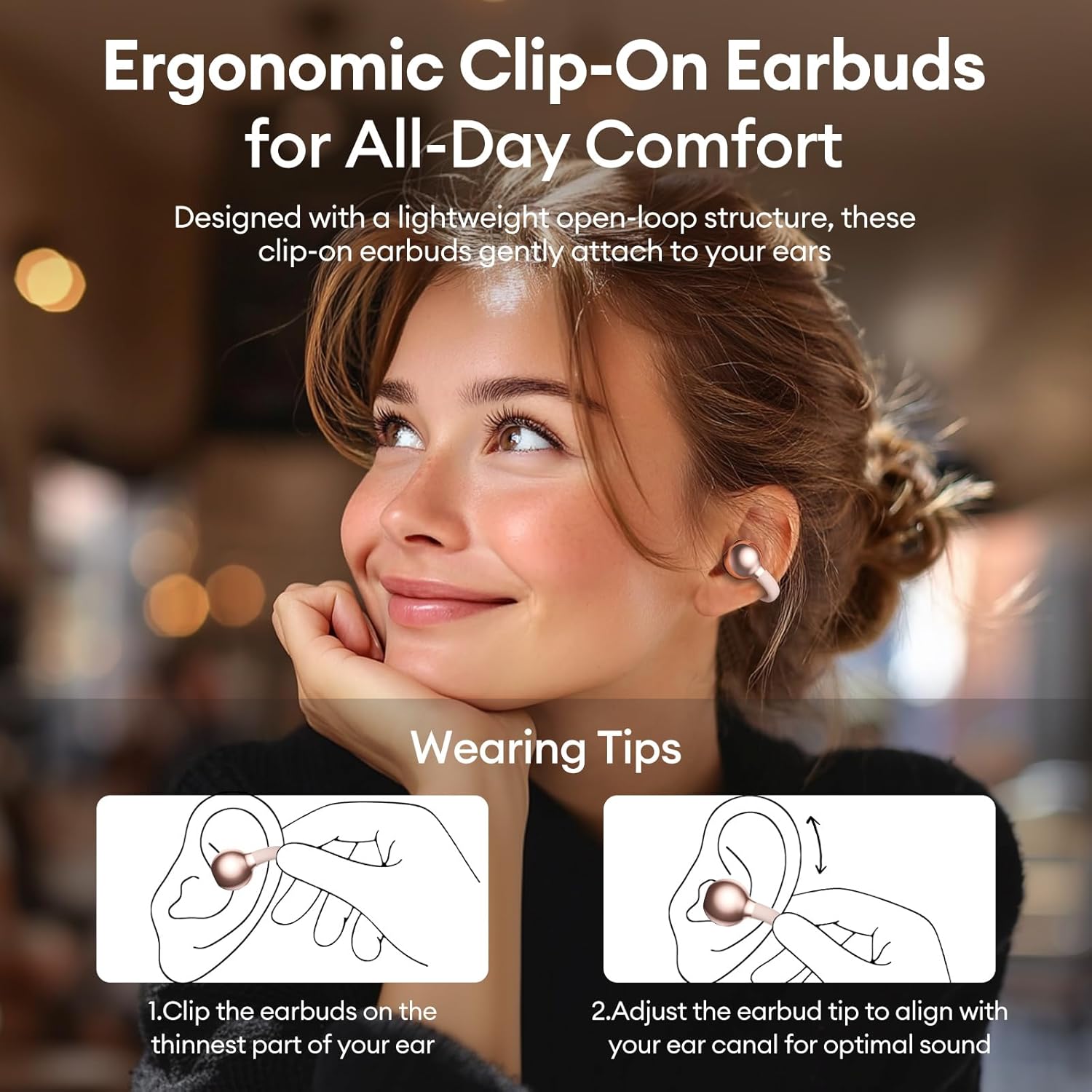
Image 3.2: Wearing instructions for PAXA Clipbuds 7. The diagram illustrates clipping the earbud onto the ear and adjusting for fit.
3.3 Párování Bluetooth
- Ujistěte se, že jsou sluchátka nabitá a vložená do nabíjecího pouzdra.
- Otevřete nabíjecí pouzdro. Sluchátka se automaticky přepnou do režimu párování.
- Na svém zařízení (chytrý telefon, tablet, notebook) přejděte do nastavení Bluetooth.
- Hledat "Clipbuds 7" in the list of available devices and select it to connect.
- Jakmile jsou sluchátka připojena, po vyjmutí z pouzdra se s vaším zařízením automaticky spárují.
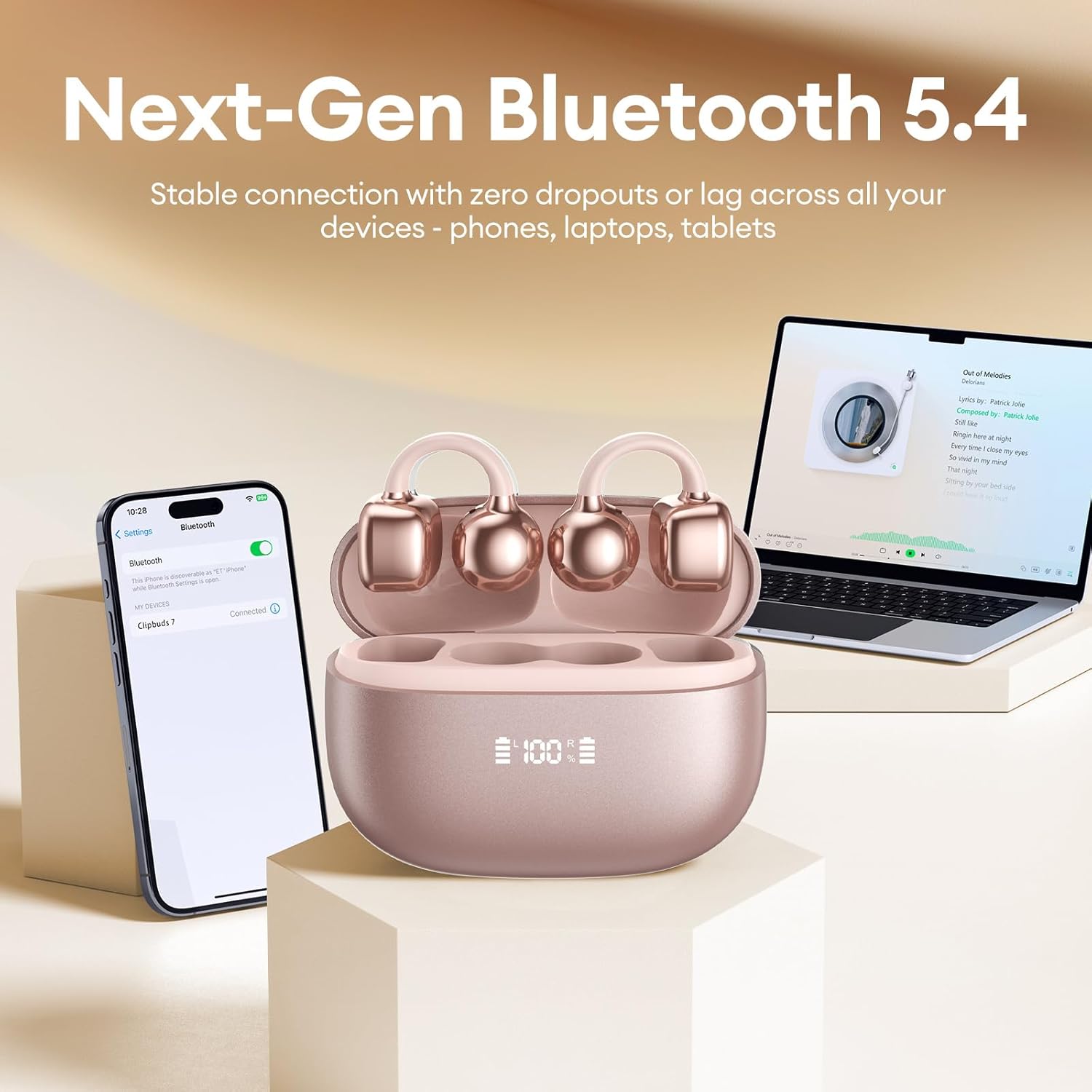
Image 3.3: PAXA Clipbuds 7 connected via Bluetooth to a smartphone and a laptop, demonstrating multi-device compatibility.
4. Návod k obsluze
4.1 Dotykové ovládání
The Clipbuds 7 feature sensitive touch controls on each earbud. Refer to the following table for functions:

Image 4.1: Visual guide for PAXA Clipbuds 7 touch controls, showing actions for calls, music, and voice assistant.
| Funkce | Akce |
|---|---|
| Přijmout/ukončit hovor | Double-click either earbud |
| Odmítnout hovor | Stiskněte a podržte jedno ze sluchátek po dobu 2 sekund |
| Přehrát/Pozastavit | Double-click either earbud |
| Předchozí skladba | Triple-click the left (L) earbud |
| Další píseň | Triple-click the right (R) earbud |
| Hlasitost + | Click the right (R) earbud |
| Hlasitost - | Click the left (L) earbud |
| Voice Assistant (Siri, Google Assistant) | Hold both earbuds for 2 seconds |
4.2 LED Battery Display
The charging case features a dual LED display that shows the battery percentage of the case and each individual earbud (L and R).
4.3 Open-Ear Awareness
The open-ear design allows you to hear your audio while remaining aware of your surroundings. This feature is beneficial for activities like running, cycling, or commuting where situational awareness is important.

Image 4.3: Individuals using PAXA Clipbuds 7 during work, sports, and social gatherings, highlighting their versatility and open-ear design.
5. Baterie a nabíjení
The Clipbuds 7 offer extended battery life for prolonged use.
- Doba přehrávání sluchátek: Až 8 hodin na jedno nabití.
- Celková doba přehrávání: Až 44 hodin s nabíjecím pouzdrem.
- Rychlé nabíjení: 10 minut nabíjení poskytne přibližně 3 hodiny přehrávání.

Image 5.1: Illustration of the PAXA Clipbuds 7 charging case, highlighting the 44-hour total battery life and fast charging capability.
6. Údržba a péče
6.1 Odolnost proti vodě a prachu
The Clipbuds 7 have an IP45 rating, making them resistant to dust and splashes of water. This means they can withstand sweat and light rain, making them suitable for workouts and outdoor activities. However, they are not designed for submersion in water.
Image 6.1: A person wearing PAXA Clipbuds 7 during light rain, illustrating the IP45 water resistance feature.
6.2 Čištění
To maintain optimal performance and hygiene, regularly clean your earbuds and charging case with a soft, dry, lint-free cloth. Avoid using abrasive materials or harsh chemicals.
7. Řešení problémů
If you encounter issues with your Clipbuds 7, try the following solutions:
- Žádné problémy se zvukem/připojením:
- Ujistěte se, že jsou sluchátka nabitá.
- Ověřte, zda je na vašem zařízení povoleno Bluetooth.
- Forget "Clipbuds 7" from your device's Bluetooth list and re-pair.
- Ensure earbuds are within Bluetooth range (up to 50 feet).
- Sluchátka se nenabíjejí:
- Zkontrolujte, zda je nabíjecí kabel bezpečně připojen k pouzdru i ke zdroji napájení.
- Ujistěte se, že je nabíjecí pouzdro napájeno.
- Vyčistěte nabíjecí kontakty na sluchátkách i na pouzdře.
- Dotykové ovládání nereaguje:
- Ujistěte se, že máte prsty čisté a suché.
- Restartujte sluchátka tak, že je vložíte do pouzdra, zavřete ho a znovu otevřete.
8. Specifikace
| Funkce | Detail |
|---|---|
| Název modelu | Clipbuds 7 |
| Značka | PAXA |
| Technologie připojení | Bezdrátové (Bluetooth) |
| Verze Bluetooth | 5.4 |
| Dosah Bluetooth | Až 50 stop |
| Umístění uší | Otevřete ucho |
| Typ ovládání | Dotykové ovládání |
| Výdrž baterie (na jedno nabití) | 8 hodiny |
| Celková výdrž baterie (s pouzdrem) | 44 hodiny |
| Úroveň odolnosti proti vodě | IP45 (Dust/Water Resistant) |
| Kontrola hluku | Hybrid Noise Cancellation (ENC for calls) |
| Materiál | Silicone Rubber + Plastic |
| Hmotnost položky | 2.39 unce |
| Zahrnuté komponenty | Clip on Earbuds, Wireless Charging Case, Charging Cable, User Manual |
9. Záruka a podpora
For warranty information and customer support, please refer to the contact details provided with your purchase or visit the official PAXA webUschovejte si doklad o koupi pro případné reklamace.
10. Oficiální produktová videa
The following videos provide additional information and demonstrations of the PAXA Clipbuds 7.
PAXA Clipbuds7 Open Ear Clip On Earbuds with LED Display
Video 10.1: This video from PAXA Direct showcases the features of the Clipbuds 7, including the LED display and open-ear design. It demonstrates the product's appearance and some functionalities.
PAXA High-Street Jewelry Open Ear Clip On Earbuds
Video 10.2: This video from PAXA Direct highlights the aesthetic and design aspects of the Clipbuds 7, emphasizing their jewelry-like appearance and comfortable fit.