
Zavedení
This manual provides essential information for setting up, operating, maintaining, and troubleshooting your HP OMEN 16L TG03 Gaming Desktop. This high-performance system is equipped with an Intel Core Ultra 7 265F processor, NVIDIA GeForce RTX 5060 graphics, 64GB DDR5 RAM, and a 2TB SSD, designed for demanding gaming and creative tasks. It also includes a Thunderobot KG3089R Gaming Keyboard.
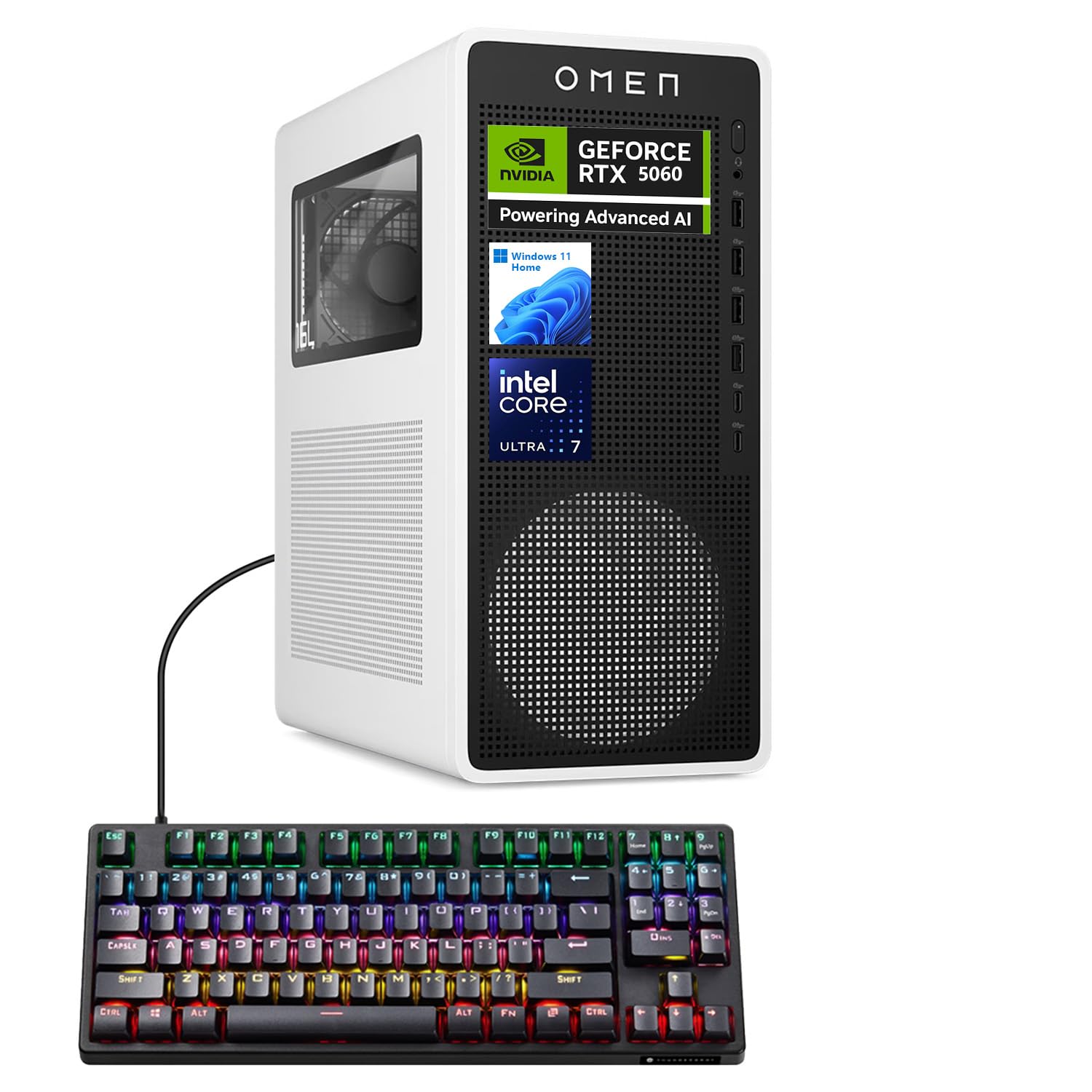
Figure 1: HP OMEN 16L TG03 Gaming Desktop with included Thunderobot Keyboard.
1. Průvodce nastavením
1.1 Rozbalení a umístění
- Carefully remove all components from the packaging. Ensure all accessories, including the Thunderobot keyboard, are present.
- Place the desktop on a stable, flat surface with adequate ventilation. Avoid blocking air vents.
1.2 Připojení periferních zařízení
- Monitor: Connect your monitor to the graphics card's HDMI or DisplayPort outputs. The NVIDIA GeForce RTX 5060 supports multiple displays.
- Klávesnice a myš: Connect the Thunderobot KG3089R Gaming Keyboard and your mouse to any available USB Type-A ports.
- Moc: Connect the power cable to the desktop's power supply and then to a grounded electrical outlet.
- Síť: For wired internet, connect an Ethernet cable to the RJ-45 port. For wireless, ensure Wi-Fi antennas are properly connected (if external).
- Zvuk: Connect speakers or headphones to the audio ports.

Obrázek 2: Zadní view of the HP OMEN 16L TG03 Desktop showing various ports for connectivity.

Figure 3: HP OMEN 16L TG03 Desktop connected to a monitor, showcasing the OMEN Gaming Hub interface.
1.3 Počáteční zapnutí
- Stiskněte tlačítko napájení, které se nachází na přední straně stolního počítače.
- Follow the on-screen instructions to complete the Windows 11 Home operating system setup. This typically involves setting up user accounts, network connections, and privacy settings.
2. Návod k obsluze
2.1 Základní obsluha
- Zapnutí/vypnutí: Press the power button to turn on. To shut down, use the Windows Start menu (Start > Power > Shut down).
- Restartovat: Use the Windows Start menu (Start > Power > Restart).
- Režim spánku: Use the Windows Start menu (Start > Power > Sleep).
2.2 Gaming and Performance Features
- Herní centrum OMEN: This pre-installed software allows you to monitor system performance, customize RGB lighting, optimize game settings, and access OMEN AI features.
- NVIDIA GeForce RTX 5060: Leverage the dedicated graphics card for high-fidelity gaming and demanding creative applications. Ensure graphics drivers are up to date for optimal performance.
- AI-Ready Capabilities: The Intel Core Ultra 7 processor and NVIDIA RTX 5060 GPU provide advanced AI processing capabilities for enhanced gaming, content creation, and productivity.

Obrázek 4: Přesview of NVIDIA RTX 50 Series graphics card features, including DLSS 4 and AI-Powered Creativity.
2.3 Thunderobot KG3089R Keyboard Shortcuts
The included Thunderobot KG3089R Gaming Keyboard features several shortcut key combinations:
- FN+F9: Přepnout světelné efekty.
- FN + Win: Lock the Windows key to prevent accidental presses during gaming.
- Refer to the keyboard's dedicated manual for a complete list of functions.

Figure 5: Thunderobot KG3089R Gaming Keyboard highlighting FN key combinations for lighting and Windows key lock.
3. Údržba
3.1 Čištění
- Vnější: Použijte měkký, damp hadříkem k čištění vnějších povrchů. Nepoužívejte abrazivní čisticí prostředky.
- Průduchy: Regularly check and clean dust from the air vents using compressed air to ensure proper airflow and prevent overheating.
- Klávesnice: Use compressed air to remove debris from under the keycaps.
3.2 Aktualizace softwaru
- Aktualizace systému Windows: Regularly check for and install Windows 11 updates to ensure system stability and security. (Settings > Windows Update).
- Aktualizace ovladačů: Keep your graphics drivers (NVIDIA GeForce Experience) and other hardware drivers updated for optimal performance and compatibility.
- Herní centrum OMEN: Ensure the OMEN Gaming Hub software is updated to access the latest features and optimizations.
3.3 Záloha systému
- Pravidelně zálohujte důležitá data na externí disk nebo cloudové úložiště, abyste předešli jejich ztrátě.
- Consider creating a system restore point before major software changes.
4. Řešení problémů
4.1 Běžné problémy a řešení
- Bez napájení:
- Ujistěte se, že je napájecí kabel bezpečně připojen ke stolnímu počítači i k elektrické zásuvce.
- Zkontrolujte, zda je elektrická zásuvka funkční.
- Bez displeje:
- Check that the monitor is powered on and the video cable is securely connected to the graphics card output, not the motherboard's integrated graphics port.
- Zkuste jiný video kabel nebo monitor, pokud je k dispozici.
- Zpomalení systému:
- Zavřete nepotřebné aplikace běžící na pozadí.
- Zkontrolujte, zda neobsahuje malware nebo viry.
- Zajistěte dostatek volného místa na 2TB SSD disku.
- Verify system temperatures using OMEN Gaming Hub to rule out overheating.
- Klávesnice nereaguje:
- Ensure the keyboard cable is securely connected to a USB port.
- Zkuste připojit klávesnici k jinému USB portu.
- If the Windows key is locked (FN + Win), unlock it.
4.2 Kontaktování podpory
If you encounter issues that cannot be resolved with the above steps, please refer to the official HP support website or contact their customer service for assistance. Have your product model (OMEN 16L TG03) and serial number ready.
5. Specifikace
| Funkce | Detail |
|---|---|
| Značka | HP |
| Název modelu | OMEN 16L TG03 (HSC-F007MT) |
| Operační systém | Windows 11 Home |
| Procesor | Intel Core Ultra 7 265F (20 Cores, up to 5.30GHz) |
| Grafická karta | NVIDIA GeForce RTX 5060 (8 GB GDDR7) |
| BERAN | 64GB DDR5 (4800 MHz) |
| Skladování | 2TB PCIe NVMe M.2 SSD |
| Přední porty | Headphone/MIC combo jack, 4x SuperSpeed USB Type-A (5Gbps), 2x USB Type-C (10Gbps) |
| Zadní porty | 3x Headphone/MIC combo jack, HDMI Out, 4x USB 2.0 Type-A, RJ-45, 3x DisplayPort |
| Bezdrátové připojení | Wi-Fi 6, Bluetooth |
| Rozměry (V x Š x H) | 13.26 x 6.1 x 12.12 palce |
| Hmotnost | 13.91 libry |
| Zahrnuté příslušenství | Herní klávesnice Thunderobot KG3089R |
6. Informace o záruce
Your HP OMEN 16L TG03 Gaming Desktop is covered by a manufacturer's warranty. The specific terms and duration of the warranty may vary by region and purchase date. Please refer to the warranty documentation included with your product or visit the official HP support webPodrobné informace naleznete na webových stránkách. Uschovejte si doklad o koupi pro případ reklamace.
7. Zákaznická podpora
Pro další pomoc, technickou podporu nebo stažení nejnovějších ovladačů a softwaru navštivte oficiální stránky podpory HP. webmísto: support.hp.com. You may also find helpful resources and community forums on the OMEN Gaming Hub application.