
1. Úvod
The VicoHome Smart Bird Feeder Camera is designed to bring the beauty of nature directly to your smartphone. This device combines a bird feeder with a high-definition camera, offering features such as AI bird recognition, solar-powered operation, night vision, and motion alerts. It allows users to observe, record, and identify various bird species visiting their garden, providing an interactive and educational experience for all ages.
This manual provides detailed instructions for the setup, operation, and maintenance of your VicoHome Smart Bird Feeder Camera to ensure optimal performance and longevity.
2. Bezpečnostní informace
Please read all safety instructions carefully before using the product. Failure to follow these instructions may result in damage to the product or personal injury.
- Pouze pro venkovní použití: This product is designed for outdoor use and is IP65 waterproof. Ensure all connections are secure to maintain water resistance.
- Wi-Fi kompatibilita: The device supports 2.4GHz Wi-Fi networks only. It is not compatible with 5GHz networks.
- Ovládání aplikace: The camera is controlled exclusively via the VicoHome App on smartphones. It is not compatible with TVs or computers.
- Umístění solárního panelu: Ensure the solar panel is placed in an area that receives direct sunlight for maximum charging efficiency. Avoid shaded areas.
- Zabezpečení montáže: When mounting the feeder, ensure it is securely fastened to prevent it from falling, especially in windy conditions.
- Čištění: Před čištěním odpojte napájení. Použijte měkký,amp tkanina. Nepoužívejte agresivní chemikálie nebo abrazivní čisticí prostředky.
3. Obsah balení
Ověřte, zda jsou v balení obsaženy všechny níže uvedené položky:
- 1 × VicoHome Smart Bird Feeder Camera
- 1 × Solar Panel with Charging Cable
- 1 × Mounting Bracket & Installation Accessories
- 1 × nabíjecí kabel USB
- 1 × Stručný průvodce

Image: Components of the VicoHome Smart Bird Feeder Camera system, including the feeder unit, solar panel, and mounting hardware.
4. Nastavení
4.1 Fyzická instalace
The VicoHome Smart Bird Feeder Camera offers flexible mounting options including pole mount, tree mount, and wall mount.
- Vyberte umístění: Vyberte venkovní místo, které poskytuje jasný view for the camera and receives ample direct sunlight for the solar panel. Ensure the location is within range of your 2.4GHz Wi-Fi network.
- Namontujte držák: Use the provided mounting bracket and installation accessories to securely attach the feeder to a pole, tree, or wall. Ensure the mounting is stable and can support the weight of the feeder, especially when filled with birdseed.
- Attach the Feeder: Securely attach the bird feeder camera unit to the mounted bracket.
- Umístěte solární panel: Mount the solar panel in a position where it can receive maximum direct sunlight throughout the day. Connect the charging cable from the solar panel to the camera unit.
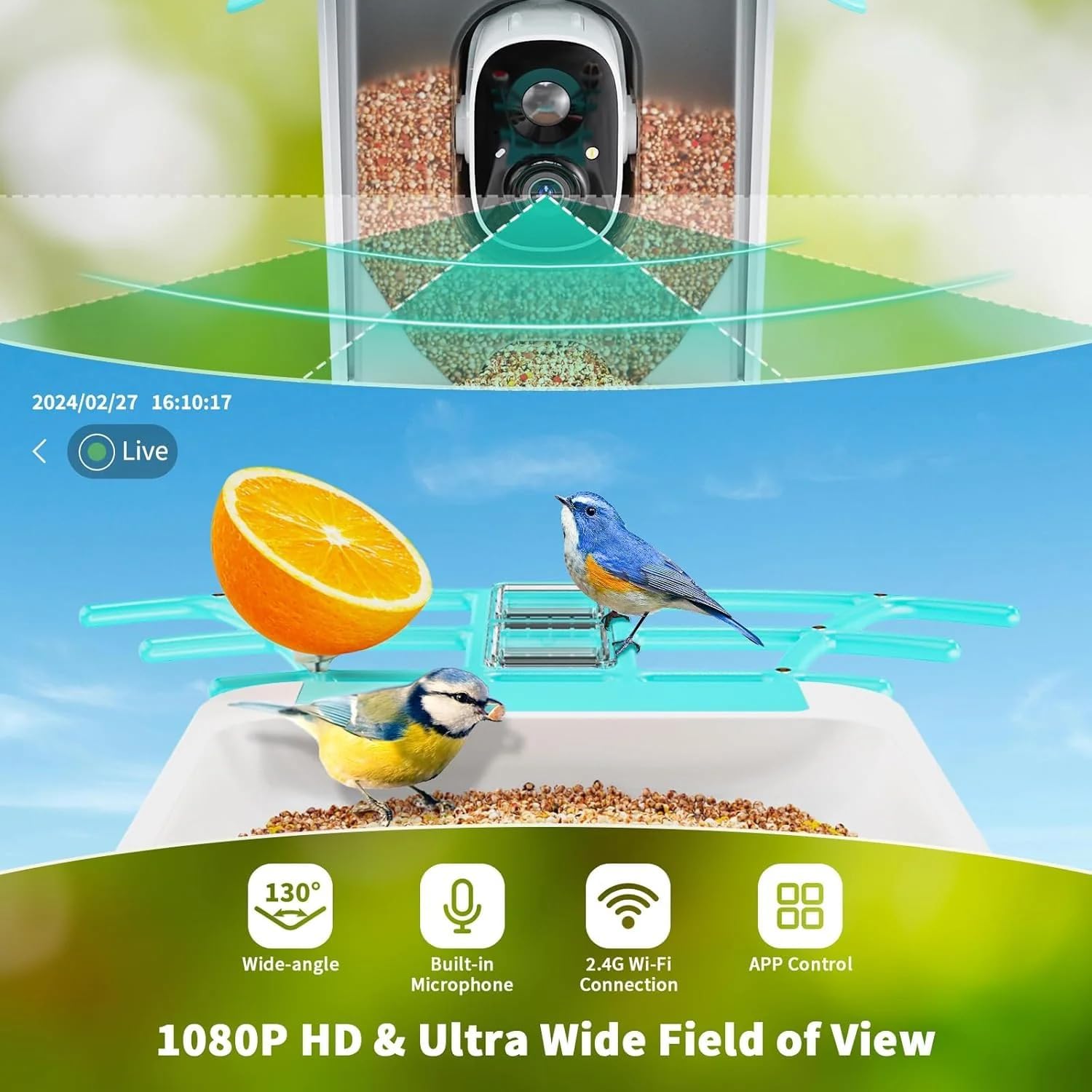
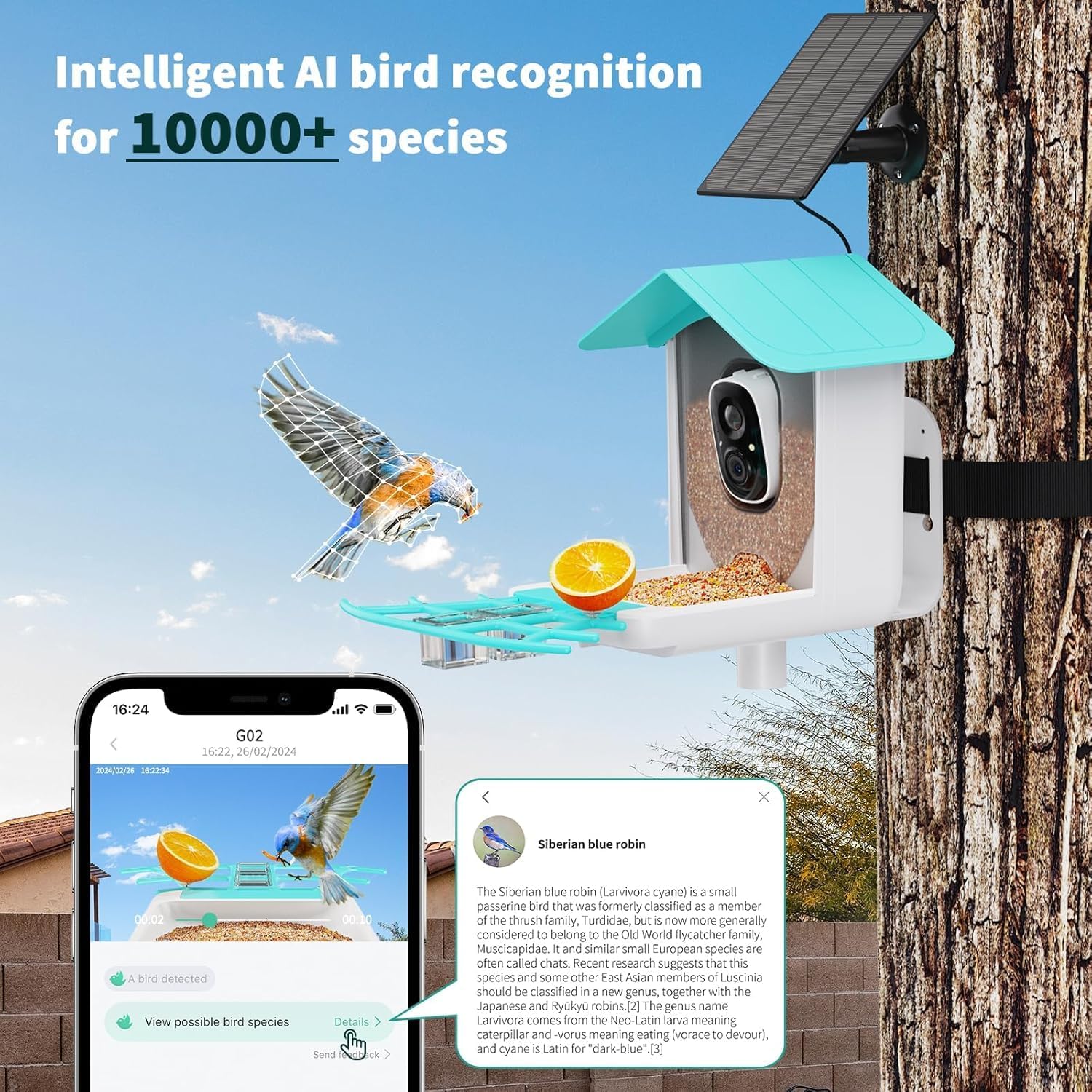
Image: Illustration of the bird feeder camera mounted outdoors, demonstrating its waterproof design and connection to the solar panel.
Obrázek: Podrobný view of the camera unit's power switch and microSD card slot for local storage.
4.2 Zapnutí a počáteční nabití
The camera is battery-powered and supplemented by the solar panel. For first-time use, it is recommended to fully charge the camera using the provided USB charging cable before relying solely on solar power.
- Locate the power switch on the camera unit (refer to image in 4.1).
- Otočte vypínač do polohy „ON“.
- Connect the USB charging cable to the camera and a standard USB power adapter (not included) to fully charge the internal battery.
- Once charged, ensure the solar panel is connected and positioned for optimal sunlight exposure to maintain continuous power.

Image: The solar panel component, designed to provide continuous power to the bird feeder camera.
4.3 Instalace aplikace a připojení k Wi-Fi
The VicoHome App is essential for controlling your bird feeder camera and accessing its features.
- Stáhněte si aplikaci: Hledat "VicoHome" in your smartphone's app store (Google Play Store for Android or Apple App Store for iOS) and download the official app.
- Vytvořit účet: Open the VicoHome App and follow the on-screen instructions to create a new user account or log in if you already have one.
- Přidat zařízení: In the app, tap the "+" icon or "Add Device" to begin the pairing process.
- Vyberte typ zařízení: Choose the appropriate device type, typically "Smart Camera" or "Bird Feeder Camera".
- Připojení k Wi-Fi: Follow the app's prompts to connect the camera to your 2.4GHz Wi-Fi network. This usually involves scanning a QR code displayed on your phone with the camera, or entering your Wi-Fi credentials. Ensure your phone is connected to the 2.4GHz network during setup.
- Párování zařízení: Once connected, the camera will pair with your account. You can then name your device and begin using it.

Image: A visual representation of the VicoHome app interface, demonstrating a bird detection alert and options for viewdetaily.
5. Návod k obsluze
5.1 Živě View a Nahrávání
Once connected, you can access a live feed from your camera and record videos or capture photos.
- Open the VicoHome App and select your bird feeder camera from the device list.
- Klepněte na živé vysílání view to see real-time footage.
- Use the on-screen controls to manually record video or take snapshots.
- The camera automatically records when motion is detected. These recordings can be accessed in the app's playback section.
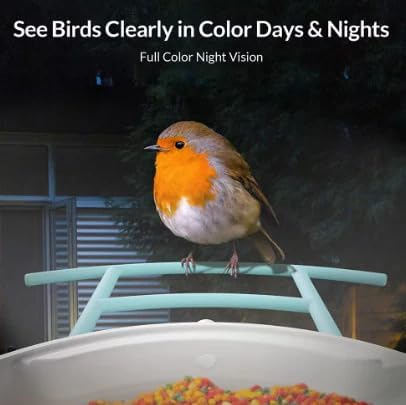
Image: The VicoHome app displaying a live feed from the bird feeder, highlighting features like wide-angle view, microphone, Wi-Fi connectivity, and app control.
5.2 AI Bird Recognition and Motion Alerts
The camera features advanced AI technology to identify bird species and notify you of activity.
- When a bird is detected, the camera will automatically record a short clip and send a push notification to your smartphone.
- Klepněte na oznámení view the event. The app will attempt to identify the bird species using its AI database (recognizes 11,000+ species).
- Můžete znovuview identified species and learn more about them directly within the app.

Image: A notification from the VicoHome app indicating a bird has been detected in the backyard.
Image: The VicoHome app displaying detailed information about a recognized bird species, in this case, a Siberian blue robin.
5.3 Night Vision and Two-Way Audio
- Noční vidění: The camera is equipped with full-color night vision, allowing you to observe birds and other wildlife clearly even in low-light conditions or at night. This feature activates automatically.
- Obousměrný zvuk: The built-in speaker and microphone enable two-way communication. You can hear the sounds around the feeder and, if desired, speak through the app to gently interact with or deter animals.
Image: A robin perched on the feeder at night, illustrating the camera's ability to capture clear, full-color images in darkness.
5.4 Cloud and SD Storage
Your recordings can be stored in two ways:
- Bezplatné cloudové úložiště: The VicoHome App offers free 3-day cloud storage for recorded events. This allows you to access recent recordings from anywhere.
- Paměťová karta MicroSD: For extended local storage, you can insert a microSD card (up to 128GB, not included) into the camera's designated slot. Recordings will be saved directly to the card.
6. Údržba
6.1 Cleaning the Feeder and Camera
Regular cleaning is essential for hygiene and optimal performance.
- Odpojit napájení: Before cleaning, ensure the camera is turned off and disconnected from any power source (USB cable, solar panel).
- Empty Seed: Remove any remaining birdseed from the feeder.
- Čisté povrchy: Použijte měkký, damp cloth to wipe down the exterior of the feeder and camera lens. For stubborn dirt, a mild soap solution can be used, but ensure no water enters the camera unit.
- Vyhněte se agresivním chemikáliím: Do not use abrasive cleaners, solvents, or strong detergents, as these can damage the materials or coatings.
- Důkladně vysušte: Allow all components to dry completely before refilling with seed and reassembling.
6.2 Péče o solární panely a baterie
- Udržujte solární panel v čistotě: Pravidelně otírejte povrch solárního panelu měkkým, damp hadříkem odstraňte prach, nečistoty nebo úlomky, které by mohly snížit účinnost nabíjení.
- Monitor stavu baterie: Check the battery status in the VicoHome App. If the battery level consistently drops, re-evaluate the solar panel's placement for better sun exposure or consider a temporary USB charge.
- Extrémní teploty: While designed for outdoor use, prolonged exposure to extreme temperatures (very hot or very cold) can affect battery life.
6.3 aktualizací firmwaru
The VicoHome App will notify you if firmware updates are available for your camera. It is recommended to install these updates to ensure optimal performance, new features, and security enhancements. Follow the in-app instructions for firmware updates.
7. Řešení problémů
| Problém | Možná příčina | Řešení |
|---|---|---|
| Fotoaparát se nepřipojuje k Wi-Fi. | Nesprávné pásmo Wi-Fi (5 GHz), slabý signál, nesprávné heslo. | Ensure your router is broadcasting a 2.4GHz Wi-Fi signal. Move the camera closer to the router. Double-check the Wi-Fi password. Restart your router and the camera. |
| Špatná kvalita videa nebo zpoždění. | Slabý signál Wi-Fi, přetížení sítě. | Improve Wi-Fi signal strength by moving the camera closer to the router or using a Wi-Fi extender. Reduce other network activity. |
| Baterie se nenabíjí nebo se rychle vybíjí. | Insufficient sunlight for solar panel, faulty solar panel/cable, excessive motion detection. | Ensure the solar panel receives direct sunlight for several hours daily. Clean the solar panel. Reduce motion detection sensitivity in the app if alerts are too frequent. Fully charge via USB if needed. |
| Nebyly přijaty žádné výstrahy k pohybu. | Motion detection disabled, app notifications off, poor Wi-Fi. | Check motion detection settings in the VicoHome App. Ensure app notifications are enabled on your phone. Verify Wi-Fi connection. |
| Bird recognition not working. | Poor image clarity, unusual bird angle, software issue. | Ensure the camera lens is clean. Ensure good lighting. Check for app updates. |
8. Specifikace
| Funkce | Detail |
|---|---|
| Název modelu | Vicohome G02 |
| Značka | VicoSafe |
| Vnitřní/venkovní použití | Venkovní |
| Zdroj napájení | Napájeno z baterie (se solárním panelem) |
| Typ montáže | Montáž na sloup, Montáž na strom, Montáž na stěnu |
| Barva | Modrý |
| Materiál | Nové a recyklované plasty po spotřebě |
| Rozměry produktu (D x Š x V) | 8 x 7 x 11 palce |
| Hmotnost položky | 2.13 libry |
| Kontrolní metoda | App (VicoHome App) |
| Technologie připojení | Bezdrátové (pouze 2.4 GHz Wi-Fi) |
| Speciální funkce | Adjustable Perch, Long Lasting, Motion Sensor, Rain Proof, AI Bird Recognition, Night Vision, Two-Way Audio, Cloud & SD Storage |
| UPC | 199284632608 |
9. Záruka a podpora
VicoSafe is committed to providing quality products and customer satisfaction.
9.1 Informace o záruce
All VicoHome products are 100% original. For specific warranty terms and conditions, please refer to the warranty card included in your package or visit the official VicoSafe webUschovejte si doklad o koupi pro případ reklamace.
9.2 Zákaznická podpora
If you encounter any issues or have questions regarding your VicoHome Smart Bird Feeder Camera, please contact VicoSafe customer support. Contact details can typically be found in the Quick Start Guide or on the official VicoSafe webmísto.
When contacting support, please have your product model number (G02) and purchase information ready.