
karuisrc K610
Uživatelská příručka k GPS dronu karuisrc K610
Model: K610
1. Úvod
This manual provides essential information for the safe operation and maintenance of your karuisrc K610 GPS Drone. Please read this manual thoroughly before operating the drone to ensure proper usage and to prevent damage or injury. The K610 is a foldable GPS quadcopter equipped with a 4K camera, designed for both beginners and experienced users, featuring intelligent flight modes and stable performance.

Image 1.1: The karuisrc K610 GPS Drone in flight.
2. Bezpečnostní pokyny
Operating a drone requires responsibility. Adhere to the following safety guidelines to ensure a safe flight experience for yourself and others:
- Předletová kontrola: Před každým letem vždy zkontrolujte dron, vrtule a baterii. Ujistěte se, že všechny komponenty jsou bezpečně upevněny a nepoškozené.
- Podmínky prostředí: Fly in open areas, away from people, animals, buildings, and obstacles. Avoid flying in strong winds, rain, snow, or fog.
- Bezpečnost baterie: Use only approved batteries and chargers. Do not overcharge or puncture batteries. Discontinue use if batteries are damaged or swollen.
- Přímá viditelnost: Udržujte s dronem neustále vizuální kontakt.
- Respektujte soukromí: Do not use the drone to invade privacy.
- Místní předpisy: Buďte si vědomi a dodržujte všechny místní zákony a předpisy týkající se provozu dronů.
3. Obsah balení
Ověřte, zda jsou v balení přítomny všechny položky:
- K610 Drone x 1
- Dálkové ovládání x 1
- Batteries x 1 (Nonstandard Battery)
- Náhradní vrtule x 4
- Šroubovák x 1
- USB kabel x 1
- Přepravní kufřík x 1
- Návod k použití x 1

Image 3.1: Included items in the karuisrc K610 drone package.
4. Komponenty přesview
4.1 dron
The K610 drone features a foldable design for portability, brushless motors for stable flight, and an integrated 4K camera.

Image 4.1: The karuisrc K610 drone and remote control.
4.2 Dálkové ovládání
The remote control provides intuitive flight control and a mount for your smartphone to view FPV kanál.
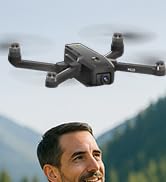
Image 4.2: Remote control with smartphone for FPV viewIng.
5. Nastavení
5.1 Instalace a nabíjení baterie
- Insert the modular battery into the drone's battery compartment until it clicks into place.
- To charge, remove the battery from the drone. Connect the USB charging cable to the battery and a suitable USB power adapter (not included).
- The charging indicator on the battery will show its status. Ensure the battery is fully charged before flight.

Image 5.1: Modular battery for the K610 drone.
5.2 Instalace vrtule
Attach the propellers according to the markings (A and B) on the propellers and motor arms. Ensure they are securely fastened with the provided screwdriver.
5.3 Nastavení dálkového ovládání
- Install 3x AA batteries (not included) into the remote control.
- Extend the phone holder and securely mount your smartphone.
5.4 Instalace a připojení aplikace
- Download the official karuisrc drone app from your smartphone's app store.
- Zapněte dron a poté dálkové ovládání.
- On your smartphone, connect to the drone's Wi-Fi network (usually named 'K610-XXXXXX').
- Otevřete aplikaci pro navázání spojení a view živý FPV přenos.

Image 5.2: 5GHz WiFi transmission for real-time viewIng.
5.5 Kalibrace
Before the first flight and after any significant change in location, perform compass and gyroscope calibration as instructed in the app or quick start guide. This ensures stable flight and accurate GPS positioning.
6. Provoz
6.1 Základní ovládací prvky letu
Refer to the remote control diagram in the quick start guide for specific joystick and button functions. Generally:
- Left Joystick: Controls altitude (up/down) and rotation (yaw left/right).
- Right Joystick: Controls forward/backward and left/right movement (pitch/roll).
6.2 Vzlet a přistání
- Vzlet jedním klíčem: Press the designated take-off button on the remote or in the app. The drone will automatically ascend to a safe height and hover.
- Ruční vzlet: Push both joysticks to the bottom-outer corners to unlock motors, then slowly push the left joystick up to ascend.
- Přistání jedním klíčem: Press the designated landing button. The drone will descend and land automatically.
- Manuální přistání: Slowly pull the left joystick down to descend. Once landed, push both joysticks to the bottom-outer corners to stop motors.
6.3 Funkce GPS
The K610 drone utilizes GPS for enhanced stability and intelligent flight functions.
- Automatický návrat domů (RTH): The drone can automatically return to its take-off point if the signal is lost, battery is low, or the RTH button is pressed.

Image 6.1: GPS Auto Return Home functionality.
6.4 Pokročilé letové režimy
Access these modes via the drone's app:
- Následuj mě: The drone will automatically follow the remote control or smartphone, capturing footage při pohybu.
- Waypoint Flight (Tap Fly): Tap points on the map in the app, and the drone will fly along the specified path.
- Point-of-Interest (Circle Fly): Select a point on the map, and the drone will circle around it at a set radius and altitude.

Image 6.2: Advanced flight modes: Follow Me, Circle Fly, and Tap Fly.
6.5 4K Camera Operation
The K610 is equipped with a 4K UHD camera with 90° adjustable tilt for capturing high-quality aerial footage a fotografie.
- Pořízení fotografie/videa: Pro pořizování fotografií nebo spuštění/zastavení nahrávání videa použijte vyhrazená tlačítka na dálkovém ovladači nebo rozhraní aplikace.
- Nastavitelný úhel kamery: The camera's tilt can be adjusted remotely via the app or remote control.
- Podpora karty SD: Insert an SD card (not included) into the drone for direct storage of high-resolution media.

Image 6.3: The K610's 4K HD Camera.
6.6 Konec produktuview Video
Watch this video for a visual guide on the karuisrc K610 GPS Drone's features and operation.
Video 6.4: Konecview of the karuisrc K610 GPS Drone's features and capabilities.
7. Údržba
Pravidelná údržba zajistí dlouhou životnost a optimální výkon vašeho dronu.
- Čištění: Gently wipe the drone and remote control with a soft, dry cloth after each use. Avoid using harsh chemicals.
- Kontrola vrtule: Regularly check propellers for cracks, bends, or damage. Replace damaged propellers immediately using the provided spares.
- Péče o baterie: Baterie skladujte na chladném a suchém místě. Plně nabité nebo zcela vybité baterie neskladujte delší dobu. Pro dlouhodobé skladování je nabijte na přibližně 50–60 %.
- Skladování: Pokud dron nepoužíváte, složte jej a uložte do přepravního pouzdra, abyste jej ochránili před prachem a fyzickým poškozením.
8. Řešení problémů
Pokud narazíte na problémy, podívejte se na následující běžné problémy a jejich řešení:
| Problém | Možná příčina | Řešení |
|---|---|---|
| Dron nevzlétá ani nereaguje na ovládání. | Low battery, improper calibration, motors locked. | Charge drone/remote batteries. Perform calibration. Unlock motors (refer to section 6.2). |
| Nestabilní let nebo driftování. | Poor calibration, strong winds, damaged propellers. | Recalibrate the drone. Fly in calm conditions. Inspect and replace damaged propellers. |
| No FPV feed on smartphone. | Wi-Fi not connected, app not open, drone/phone too far apart. | Ensure phone is connected to drone's Wi-Fi. Open the app. Move closer to the drone. |
| GPS features (RTH, Follow Me) not working. | Insufficient GPS signal, drone not calibrated. | Fly in an open area with clear sky. Wait for sufficient GPS satellites to connect (indicated by app). Perform GPS calibration. |
9. Specifikace
Key technical specifications for the karuisrc K610 GPS Drone:
| Funkce | Detail |
|---|---|
| Název modelu | K610 |
| Hmotnost položky | 204 gramů (7.2 unce) |
| Fotoaparát | 4K UHD (4096×3072P images), 12 MP Effective Still Resolution, 90° Adjustable, CMOS Sensor |
| Rozlišení záznamu videa | 1080p (formát MP4) |
| Technologie připojení | Wi-Fi, RF (5GHz FPV Transmission) |
| Typ ovládání | Dálkové ovládání |
| Speciální funkce | Adjustable, Auto-Landing, Portable, GPS Auto Return, Follow Me, Waypoint Flight, Point-of-Interest Circle |
| Typ motoru | Bezkartáčový motor |
| Baterie | 1 Nonstandard Lithium Ion Battery (included) |
| Doba letu | Up to 20 minutes (typical 18 minutes) |
| Materiál | Plast |
| Rozměry produktu | 7 cm D x 2 cm Š x 8 cm V |

Image 9.1: Brushless motor technology for the K610 drone.
10. Záruka a podpora
For warranty information or technical support, please contact karuisrc customer service. Keep your purchase receipt as proof of purchase.
- Telefon: +44 7419 298225
- E-mail: Karuisrc@gmail.com

Image 10.1: karuisrc customer support.
Ask a question about this manual
Ask about setup, troubleshooting, compatibility, parts, safety, or missing instructions. Manuals+ will review the question and use this page’s manual context to help answer it.