
1. Úvod
The Elitech DIT-220 is a high-precision, non-contact infrared thermometer designed for safe and accurate temperature measurement across various applications. This device utilizes laser targeting for precise aim and features adjustable emissivity to ensure accurate readings on different surface types. It is suitable for use by professionals, DIY enthusiasts, and in household settings for monitoring temperatures in industrial, commercial, and domestic environments.
2. Bezpečnostní informace
Před použitím tohoto výrobku si pečlivě přečtěte všechna bezpečnostní varování a pokyny. Nedodržení těchto pokynů může vést ke zranění nebo poškození zařízení.
- Bezpečnost laseru: Do not look directly into the laser beam or point it at people or animals. The laser is used for targeting only and should be used with caution.
- Bezkontaktní měření: This thermometer measures surface temperature. It is not intended for measuring body temperature.
- Elektrická bezpečnost: Do not use the device near strong electromagnetic fields. Keep the device dry and avoid exposure to moisture or extreme temperatures.
- Bezpečnost baterie: Use only the specified battery type (2x AAA). Ensure correct polarity when installing batteries. Remove batteries if the device will not be used for an extended period. Do not mix old and new batteries or different types of batteries.
- Údržba: Nepokoušejte se zařízení rozebírat ani upravovat. Veškerý servis svěřte kvalifikovanému personálu.
3. Obsah balení
Ověřte, zda jsou v balení přítomny všechny položky:
- Elitech DIT-220 Infrared Thermometer
- 2 x AAA baterie
- Uživatelská příručka (tento dokument)
4. Vlastnosti produktu
- Široký teplotní rozsah: Měří od -50 °C do 530 °C (-58 °F až 986 °F).
- Rychlá doba odezvy: Provides readings in approximately 0.5 seconds.
- Vysoká přesnost: ±1.5°C (±2.7°F) or ±1.5% for temperatures between -50°C and 50°C.
- Laserové zaměřování: Integrated laser pointer for precise aiming at the target surface.
- Nastavitelná emisivita: User-adjustable emissivity from 0.10 to 1.00 for accurate readings on various materials.
- Poměr vzdálenosti k bodu (D:S): 12:1, ensuring accurate measurement from a safe distance.
- MAX/MIN/AVG Mode: Automatically tracks maximum, minimum, and average temperatures during a measurement session.
- Podsvícený LCD displej: Provides clear visibility of readings in various lighting conditions.
- Automatické vypnutí: Šetří životnost baterie automatickým vypnutím po určité době nečinnosti.
- Připomenutí nízké baterie: Označuje, kdy je třeba vyměnit baterie.
- Přepínač °C/°F: Snadno přepínejte mezi jednotkami Celsia a Fahrenheita.

Obrázek 1: Elitech DIT-220 Infrared Thermometer highlighting its main features.
5. Nastavení
5.1 Instalace baterie
- Najděte krytku přihrádky na baterie na rukojeti teploměru.
- Otevřete kryt bateriového prostoru.
- Vložte dvě baterie typu AAA a dbejte na správnou polaritu (+ a -) vyznačenou uvnitř přihrádky.
- Bezpečně zavřete kryt bateriového prostoru.

Obrázek 2: Elitech DIT-220 components and battery compartment location.
5.2 Zapnutí/vypnutí
To power on the device, simply press the measurement trigger. The device will automatically power off after a period of inactivity to conserve battery life.
6. Návod k obsluze
6.1 Provedení měření
- Point the thermometer at the target surface. Ensure the laser pointer (if activated) is aimed at the center of the area you wish to measure.
- Press and hold the measurement trigger. The laser will activate, and the current temperature will be displayed on the LCD screen.
- Release the trigger to hold the measurement on the display. The 'HOLD' icon will appear.
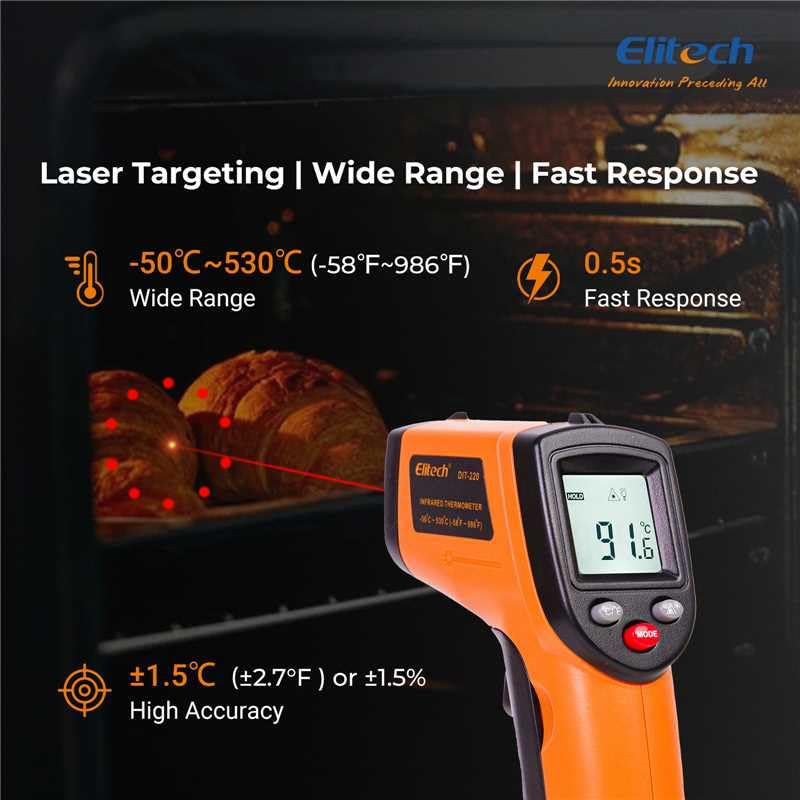
Obrázek 3: Using the DIT-220 for non-contact temperature measurement with laser targeting.
6.2 Understanding Distance-to-Spot Ratio (D:S)
The DIT-220 has a Distance-to-Spot ratio of 12:1. This means that as you move further from the target, the area being measured (spot size) increases. For accurate readings, ensure the target area is larger than the spot size. For example, at a distance of 12 inches, the measurement spot will be 1 inch in diameter.

Obrázek 4: Illustration of the 12:1 Distance-to-Spot ratio.

Obrázek 5: Visual guide for maintaining correct measurement distance.
6.3 Nastavení emisivity
Different materials emit infrared energy differently. The DIT-220 allows you to adjust the emissivity (ε) from 0.10 to 1.00 to compensate for this and achieve more accurate readings. Refer to a standard emissivity table for common materials or adjust empirically.
- Stiskněte tlačítko MODE button to cycle through settings until 'EMS' (Emissivity) is displayed.
- Use the Up/Down arrow buttons to adjust the emissivity value.
- Stiskněte tlačítko MODE znovu pro potvrzení a ukončení.
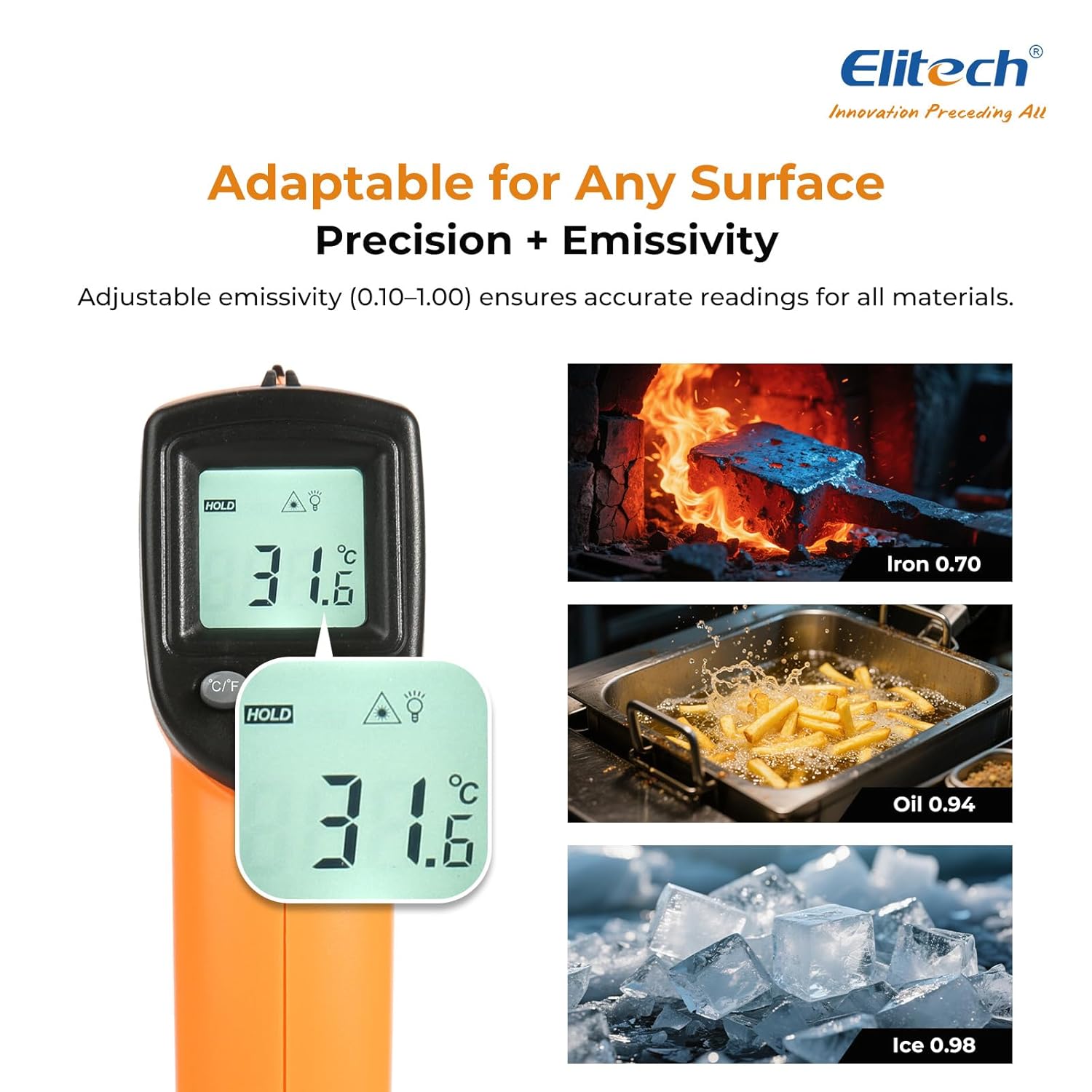
Obrázek 6: Adjustable emissivity feature and examples for different materials.
6.4 Using MAX/MIN/AVG Modes
These modes are useful for monitoring temperature fluctuations over time.
- While holding the measurement trigger, press the MODE button repeatedly to cycle through MAX (Maximum), MIN (Minimum), and AVG (Average) display modes.
- The corresponding icon will appear on the screen, showing the respective temperature value recorded during the current measurement session.
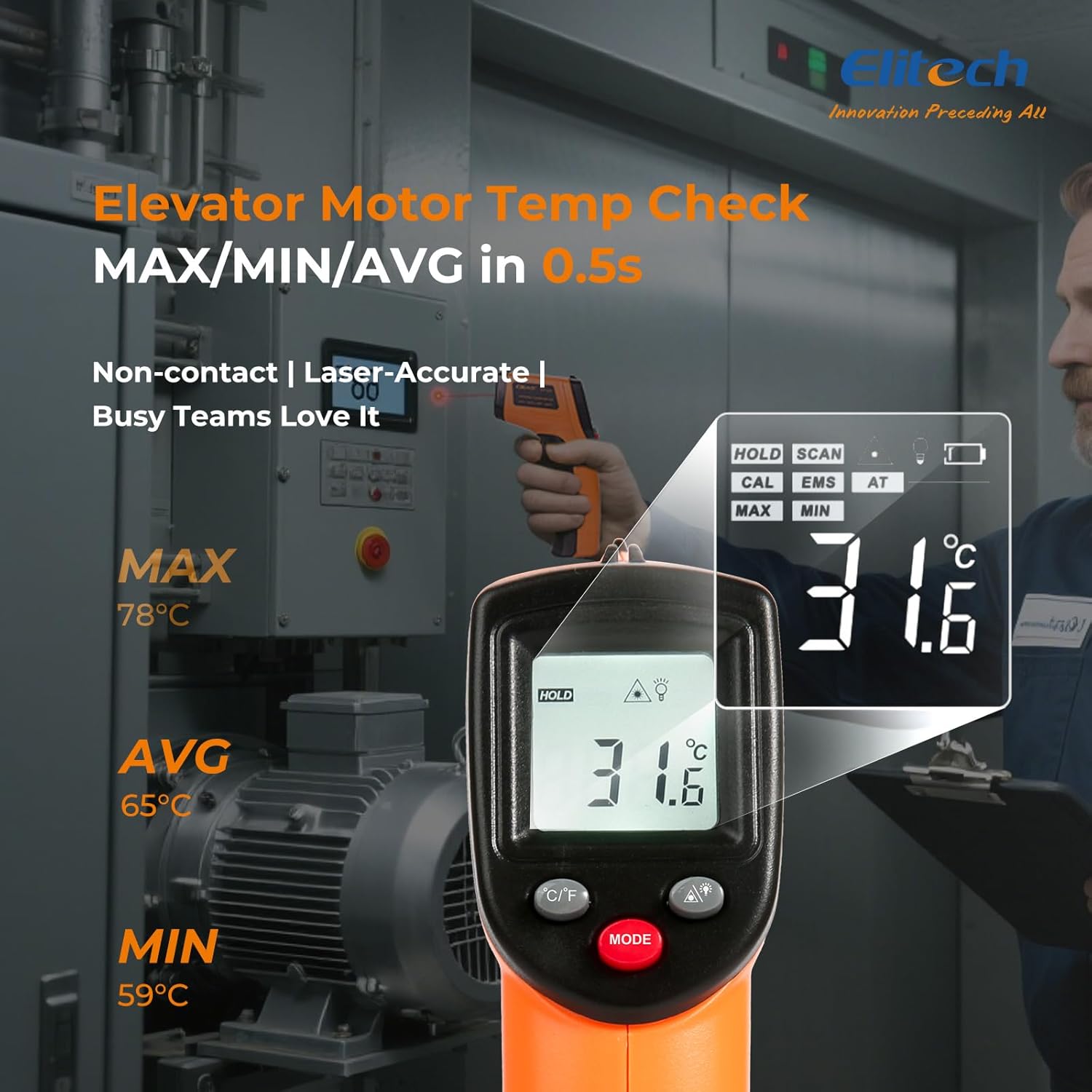
Obrázek 7: Displaying MAX, MIN, and AVG temperature readings.
6.5 Přepínání teplotních jednotek (°C/°F)
To switch between Celsius and Fahrenheit, press the °C/°F button located on the device.
7. Údržba
7.1 Čištění
- Vyčistěte čočku měkkým, damp hadříkem nebo vatovým tamponem. Nepoužívejte abrazivní čisticí prostředky ani rozpouštědla.
- Otřete zařízení casinměkkým, suchým hadříkem.
7.2 Výměna baterie
When the low battery indicator appears on the display, replace the two AAA batteries as described in the Setup section (5.1 Battery Installation).
7.3 Skladování
Teploměr skladujte na chladném a suchém místě mimo dosah přímého slunečního záření a extrémních teplot. Pokud teploměr skladujete delší dobu, vyjměte baterie.
8. Řešení problémů
| Problém | Možná příčina | Řešení |
|---|---|---|
| Displej zobrazuje „Lo“ nebo „Hi“ | Teplota je mimo měřicí rozsah. | Ujistěte se, že cílová teplota je v rozmezí -50 °C až 530 °C (-58 °F až 986 °F). |
| Nepřesné údaje | Incorrect emissivity setting; measurement distance too far/close; lens dirty. | Adjust emissivity for the target material. Maintain appropriate D:S ratio. Clean the lens. |
| Zařízení se nezapne | Baterie jsou vybité nebo nesprávně nainstalované. | Replace batteries with new AAA batteries. Check battery polarity. |
| Laser nefunguje | Laser may be disabled or faulty. | Check if the laser function is enabled via the MODE button. If not, contact support. |
9. Specifikace
| Funkce | Specifikace |
|---|---|
| Model | DIT-220 (EU-DIT-220) |
| Teplotní rozsah | -50 °C až 530 °C (-58 °F až 986 °F) |
| Přesnost | ±1.5°C (±2.7°F) or ±1.5% (for -50°C to 50°C) |
| Doba odezvy | 500 0.5 milisekund (XNUMX sekund) |
| Poměr vzdálenosti k bodu (D:S) | 12:1 |
| Emisivita | Nastavitelné 0.10 - 1.00 |
| Zdroj napájení | 2 x AAA baterie (součástí balení) |
| Typ zobrazení | Digitální, podsvícený LCD |
| Speciální funkce | Non-contact, Laser Target, MAX/MIN Mode, Auto Calibration |
| Materiál | Plast |
| Hmotnost položky | 30 gramů |
| Rozměry balení | 18.7 x 9.7 x 3.6 cm |
10. Záruka a podpora
Elitech products are designed for reliability and performance. For warranty information, technical support, or service inquiries, please contact Elitech customer support through their official website or the retailer where the product was purchased. Please have your model number (DIT-220) and purchase date available when contacting support.