
1. Začínáme
This section provides instructions for the initial setup of your HP 15 Laptop.
1.1 Vybalení a úvodní kontrola
Opatrně vyjměte notebook a veškeré příslušenství z obalu. Zkontrolujte, zda jsou všechny součásti přítomny:
- Notebook HP 15
- Power Adapter (45W AC adapter)
- Dokumentace
Inspect the laptop for any visible damage. If any damage is found or components are missing, contact your retailer or HP support immediately.
1.2 Připojení napájení
Before first use, ensure the laptop is fully charged. Connect the power adapter to the laptop's AC power port and then to a wall outlet.

Image: Essential ports on the HP 15 Laptop, highlighting the AC power input.
The battery indicator light will show the charging status. Allow the laptop to charge for at least 30 minutes before initial power-on, or until fully charged.
1.3 First Power-On and Windows 11 Pro Setup
Open the laptop lid and press the power button. The laptop will boot up and guide you through the Windows 11 Pro setup process. Follow the on-screen instructions to:
- Vyberte svůj region a jazyk.
- Připojte se k síti Wi-Fi.
- Přijměte licenční podmínky.
- Vytvořte si účet Microsoft nebo se pomocí něj přihlaste.
- Set up a PIN or password.
- Nakonfigurujte nastavení soukromí.
Once Windows 11 Pro is set up, you will be presented with the desktop.
1.4 Microsoft Office 365 Activation
Your HP 15 Laptop includes Microsoft Office 365. To activate it:
- Ensure you are connected to the internet.
- Otevřete libovolnou aplikaci sady Office (např. Word, Excel).
- Postupujte podle pokynů a přihlaste se pomocí svého účtu Microsoft nebo si vytvořte nový.
- The Office 365 subscription will be linked to your account.
2. Ovládání notebooku
This section covers the basic operation and features of your HP 15 Laptop.
2.1 Klávesnice a touchpad
The laptop features a full-size keyboard with a numeric keypad and a precision touchpad. Use the touchpad for navigation and gestures. Refer to Windows settings for touchpad customization.
2.2 Konektivita
Your laptop supports various connectivity options:
- Wi-Fi 5: Připojte se k bezdrátovým sítím pro přístup k internetu.
- Bluetooth 5: Pair with compatible devices such as headphones, mice, or keyboards.
- USB porty:
- 1 x USB Type-C (5Gbps)
- 2 x USB typu A (5 Gb/s)
- HDMI 1.4b: Připojení k externím displejům nebo projektorům.
- Čtečka SD karet: Vložte SD karty pro přenos dat.
- Kombinovaný konektor pro sluchátka / mikrofon: Connect headphones or external microphones.
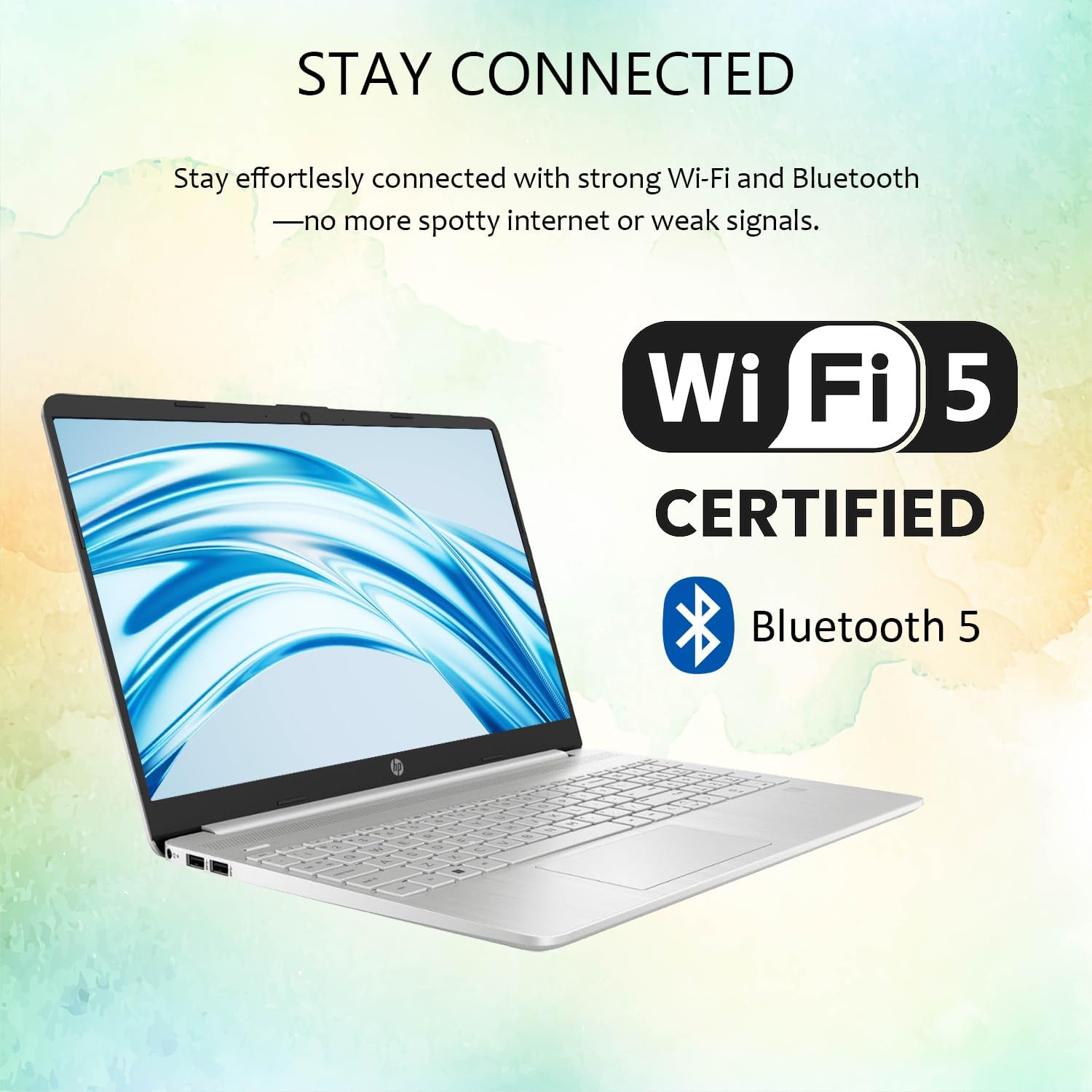
Image: Wireless connectivity features of the HP 15 Laptop.
2.3 Displej a zvuk
The 15.6-inch Full HD (1920 x 1080) IPS display features an anti-glare coating for comfortable viewing. Dual stereo speakers provide audio output, and dual array microphones are integrated for communication.

Image: The 15.6-inch Full HD IPS display with anti-glare coating.
2.4 Using Copilot AI
Your laptop includes Copilot AI, an intelligent assistant integrated into Windows 11 Pro. Access Copilot to assist with tasks, answer questions, and enhance productivity. You can typically launch Copilot from the taskbar or by using a dedicated key if available.
3. Údržba a péče
Správná údržba zajistí dlouhou životnost a optimální výkon vašeho notebooku HP 15.
3.1 Čištění notebooku
- Obrazovka: Lehce používejte měkký hadřík, který nepouští vlákna dampOpláchněte vodou nebo čističem obrazovek. Vyhněte se agresivním chemikáliím.
- Klávesnice a šasi: Používejte měkký hadřík. Na prach použijte stlačený vzduch.
- Před čištěním se ujistěte, že je notebook vypnutý a odpojený od sítě.
3.2 Aktualizace softwaru
Pravidelně kontrolujte a instalujte aktualizace systému Windows, abyste zajistili, že váš systém má nejnovější bezpečnostní záplaty a vylepšení výkonu. Přejděte na Nastavení > Aktualizace systému Windows pro správu aktualizací.
3.3 Péče o baterii
- Vyhněte se extrémním teplotám.
- Nevybíjejte baterii často úplně.
- Pro dlouhodobé skladování nabijte baterii na přibližně 50–70 %.
3.4 Správa úložiště
Pravidelně znovuview a smažte nepotřebné files to free up storage space. Windows 11 Pro includes tools like Storage Sense (in Nastavení > Systém > Úložiště) k automatizaci tohoto procesu.
4. Řešení problémů
Tato část se zabývá běžnými problémy, se kterými se můžete setkat u svého notebooku HP 15.
4.1 Problémy s napájením
- Notebook se nezapíná: Ujistěte se, že je napájecí adaptér bezpečně připojen a zásuvka je funkční. Zkuste jinou zásuvku.
- Baterie se nenabíjí: Zkontrolujte napájecí adaptér a kabel, zda nejsou poškozené. Ujistěte se, že je nabíjecí port čistý.
4.2 Problémy se zobrazením
- Žádný displej: Connect an external monitor via HDMI to check if the issue is with the laptop screen or the system itself.
- Blikající obrazovka: Aktualizujte ovladače grafické karty. Upravte obnovovací frekvenci displeje v nastavení systému Windows.
4.3 Problémy s připojením
- Nelze se připojit k Wi-Fi: Restart your router and laptop. Check Wi-Fi settings in Windows. Ensure Wi-Fi is enabled.
- Zařízení Bluetooth se nespáruje: Ensure the device is in pairing mode and within range. Remove and re-add the device in Bluetooth settings.
4.4 Výkon systému
- Pomalý výkon: Close unnecessary applications. Check for background processes in Task Manager. Ensure sufficient free storage space.
- Systém zamrzá: Perform a hard reset by holding the power button until the laptop shuts down, then restart.
For more advanced troubleshooting or issues not covered here, refer to the HP support webnebo kontaktujte zákaznický servis.
5. Specifikace
Detailed technical specifications for the HP 15 Laptop (Model G9).

Image: Key features and specifications of the HP 15 Laptop.
| Funkce | Specifikace |
|---|---|
| Název modelu | HP 15 Laptop (G9) |
| Operační systém | Windows 11 Pro |
| Procesor | Intel N4120 (4 Cores / 4 Threads, up to 2.6 GHz) |
| Grafika | Grafická karta Intel UHD (integrovaná) |
| Zobrazit | 15.6" Full HD (1920 x 1080) IPS, Anti-Glare, 250 nits |
| Paměť (RAM) | 4GB DDR4 (Configurable up to 16GB DDR4) |
| Skladování | 128GB SSD (Configurable up to 512GB SSD) |
| Bezdrátové připojení | Wi-Fi 5, Bluetooth 5 |
| Porty | 1x USB Type-C (5Gbps), 2x USB Type-A (5Gbps), 1x HDMI 1.4b, 1x SD Media Card Reader, 1x Headphone/Microphone Combo Jack, 1x AC Power Port |
| Zvuk | Dual stereo speakers, Dual array microphones |
| Webvačka | Built-in 720p HD Camera |
| Klávesnice | Americká angličtina, plná velikost s numerickou klávesnicí |
| Napájecí adaptér | 45W AC adaptér |
| Rozměry (D x Š x V) | 14.09 cm x 9.53 cm x 0.78 cm |
| Hmotnost | 3.8 liber |
6. Záruka a podpora
Tato část obsahuje informace o záruce na váš produkt a o tom, jak získat podporu.
6.1 Záruka na produkt
Your HP 15 Laptop (Model G9) comes with a standard manufacturer's warranty. The warranty period is typically 1 rok od data nákupu, která se vztahuje na vady materiálu a zpracování při běžném používání. Uschovejte si prosím doklad o koupi pro případné reklamace.
For detailed warranty terms and conditions, please refer to the documentation included with your product or visit the official HP support webmísto.
6.2 Technická podpora
If you encounter any issues that cannot be resolved using the troubleshooting steps in this manual, or require further assistance, please contact HP Technical Support.
- Online podpora: Navštivte oficiální podporu HP website for drivers, manuals, FAQs, and diagnostic tools.
- Telefonická podpora: Contact HP customer service via phone. Refer to the HP webmísto pro regionální kontaktní čísla.
- When contacting support, have your laptop's serial number and model number (G9) ready.
Poznámka: If you purchased this product through Amazon and have an Amazon Order ID, you may also contact your seller for initial assistance as indicated in the product description.