
1. Úvod
This manual provides essential information for the safe and efficient use of your DOOGEE Fire 3 rugged smartphone. Please read it thoroughly before operating your device.
The DOOGEE Fire 3 is designed for durability and performance, featuring a robust build, long-lasting battery, and the latest Android 15 operating system. It is engineered to withstand challenging environments while providing a smooth and personalized mobile experience.

Obrázek 1: Přední a zadní strana view of the DOOGEE Fire 3 rugged smartphone.
Unboxing the DOOGEE Fire 3
Watch this video for a detailed unboxing experience of your new DOOGEE Fire 3 smartphone, showcasing all included accessories and initial presentation.
Video 1: DOOGEE Fire 3 Unboxing.
2. Počáteční nastavení
2.1 Instalace SIM karty a karty MicroSD
To install your SIM card(s) and an optional MicroSD card:
- Vyhledejte držák SIM karty na boku telefonu.
- Vložte dodaný nástroj pro vysunutí SIM karty do malého otvoru vedle zásobníku a jemně zatlačte, dokud zásobník nevyskočí.
- Vložte kartu (karty) Nano-SIM a/nebo kartu MicroSD do určených slotů v držáku. Ujistěte se, že zlaté kontakty směřují dolů.
- Opatrně zatlačte zásobník zpět do telefonu, dokud nebude v jedné rovině s tělem zařízení.
Note: Please check compatibility with your local frequency band before purchasing and inserting SIM cards. The phone supports GSM T-Mobile, but may not work with AT&T, new Cricket, or Verizon.
2.2 Zapnutí a počáteční konfigurace
To power on your device, press and hold the Power button located on the side of the phone until the DOOGEE logo appears. Follow the on-screen prompts to complete the initial setup, which includes:
- Výběr jazyka.
- Připojování k síti Wi-Fi.
- Nastavení účtu Google.
- Configuring screen lock (PIN, pattern, password).
2.3 Nastavení odemykání obličejem
For enhanced security and convenience, you can set up Face Unlock:
- Přejít na Nastavení > Zabezpečení a soukromí > Odemknutí obličejem.
- Postupujte podle pokynů na obrazovce a zaregistrujte svůj obličej. Ujistěte se, že jste v dobře osvětleném místě.
- Po registraci můžete telefon odemknout pouhým pohledem na přední fotoaparát.
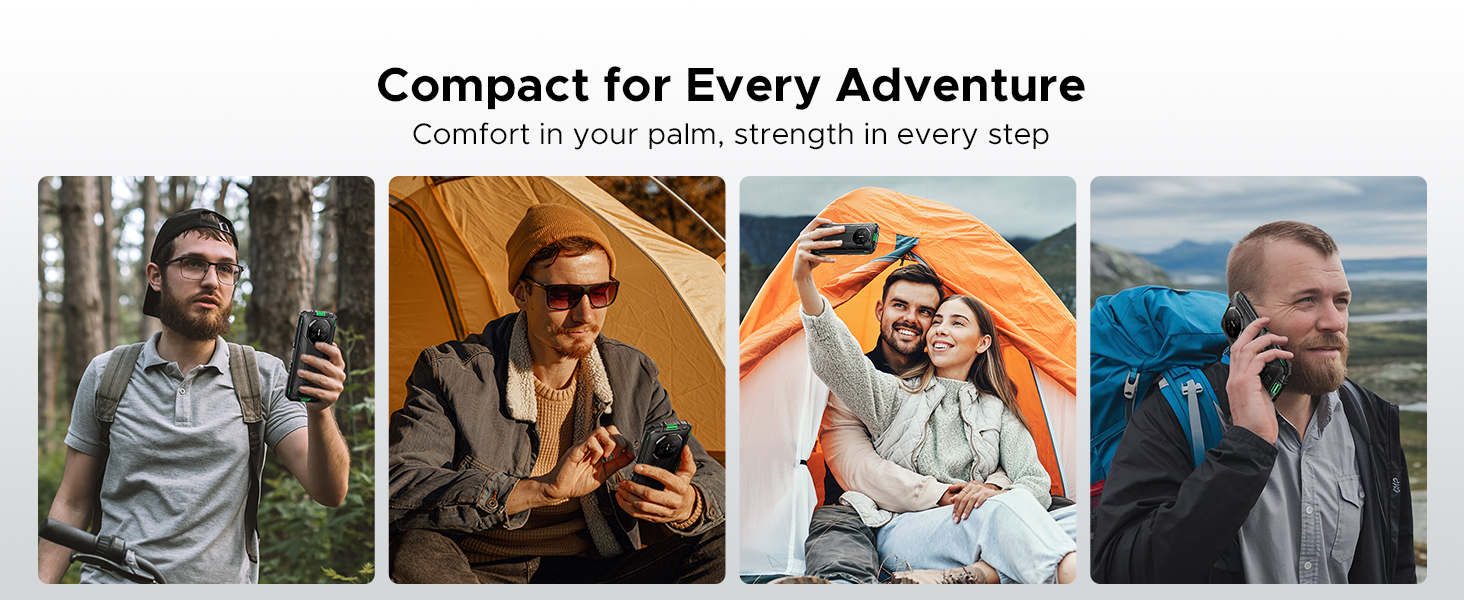
Figure 2: Key features including Face Unlock.
3. Obsluha vašeho zařízení
3.1 Funkce Androidu 15
Your DOOGEE Fire 3 runs on Android 15, offering a range of features for improved usability and privacy:
- Klonování aplikací: Run multiple instances of the same app for different accounts.
- Inteligentní snímání pohybu: Pro rychlé akce používejte gesta.
- Super schránka: Vylepšená funkcionalita schránky pro správu kopírovaného obsahu.
- Rozdělená obrazovka: Používejte dvě aplikace současně na obrazovce.
- Vylepšená ochrana soukromí: Granular control over app permissions and data access.
- Režim v rukavicích: Improve touch sensitivity for use with gloves.
- Povědomí o obrazovce: Keeps the screen on while you are looking at it.
- Živý přepis: Automatically captions media playing on your device (English only).
Obrázek 3: Funkce operačního systému Android 15.
3.2 Použití kamery
The DOOGEE Fire 3 features a 13MP AI triple rear camera and an 8MP front camera.
- Fotit: Otevřete aplikaci Fotoaparát, zaměřte záběr a klepněte na tlačítko spouště.
- Rozpoznávání scény s umělou inteligencí: The camera automatically detects scenes (e.g., greenery, sunrise) and optimizes settings for the best photo quality.
- Přední kamera: Pro selfie a videohovory přepněte na přední fotoaparát.

Figure 4: Capturing photos with the 13MP main camera.
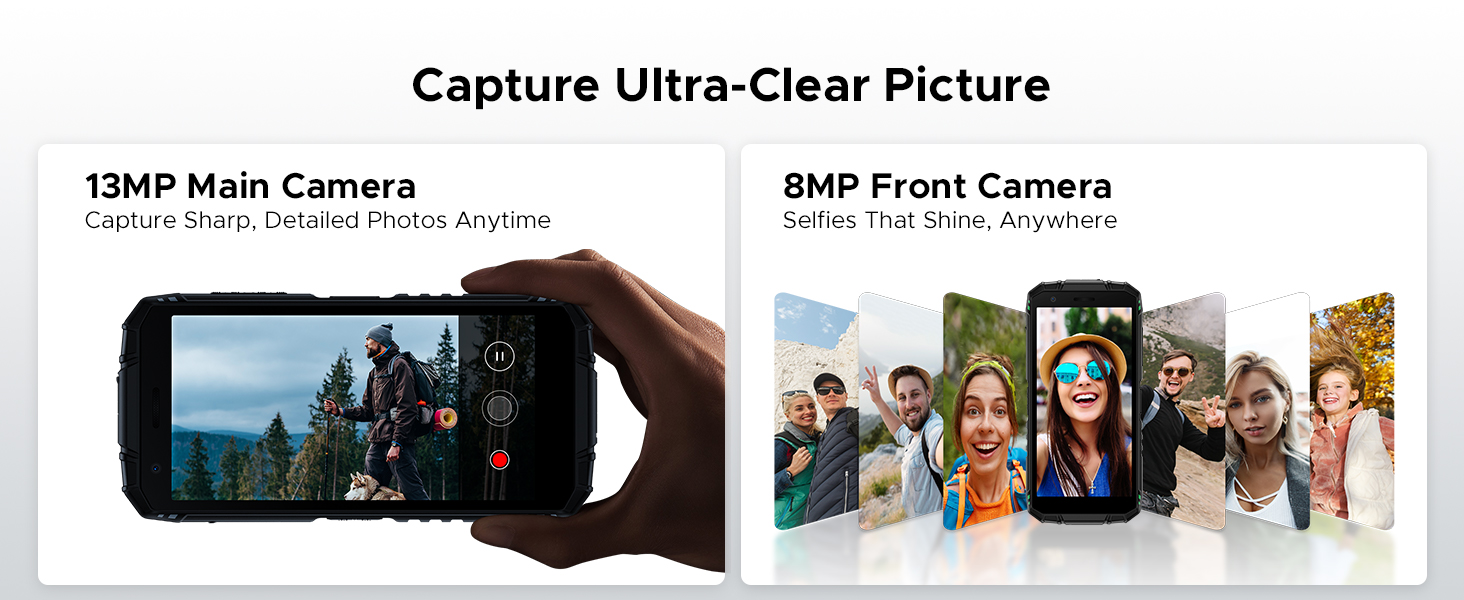
Figure 5: AI Scene Recognition in the camera app.
3.3 Digitální sada nástrojů
The DOOGEE Fire 3 includes a suite of useful tools for outdoor and daily activities:
- Kompas
- Měřič zvuku
- Zavěšení obrázků
- Lupa
- Úhloměr
- Plumb Bob
- Poplachový zvon
- Gradient
- Měření výšky
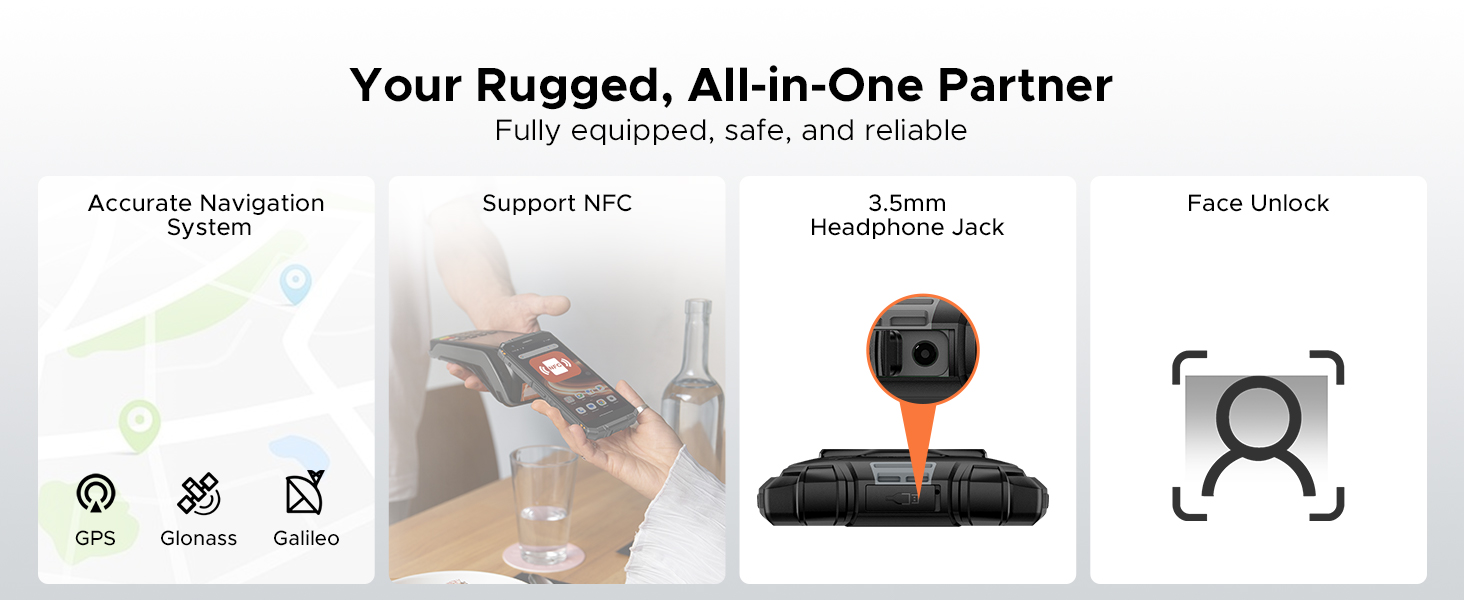
Figure 6: Digital Toolkit applications.
3.4 Navigace a konektivita
The device supports multiple navigation systems and essential connectivity features:
- Navigace: Accurate positioning with GPS, Glonass, and Galileo.
- NFC: Podporuje Near Field Communication pro bezkontaktní platby a výměnu dat.
- 3.5mm konektor pro sluchátka: Pro kabelové audio příslušenství.
3.5 General Usage Overview
Toto video poskytuje obecný přehledview of the DOOGEE Fire 3's compact size and powerful features in various usage scenarios.
Video 2: DOOGEE Fire 3 Small Body, Big Power.
4. Správa baterií
The DOOGEE Fire 3 is equipped with a massive 8350mAh battery, designed for extended use.
4.1 Výdrž baterie a nabíjení
- Pohotovostní doba: Až 47 dny.
- Přehrávání hudby: Až 87 hodiny.
- Sledování videa: Až 28 hodiny.
- Povolání: Až 44 hodiny.
- Nabíjení: Podporuje 10W nabíjení.
- Zpětné nabíjení: The phone can act as a power bank to charge other devices like earbuds or smartwatches.
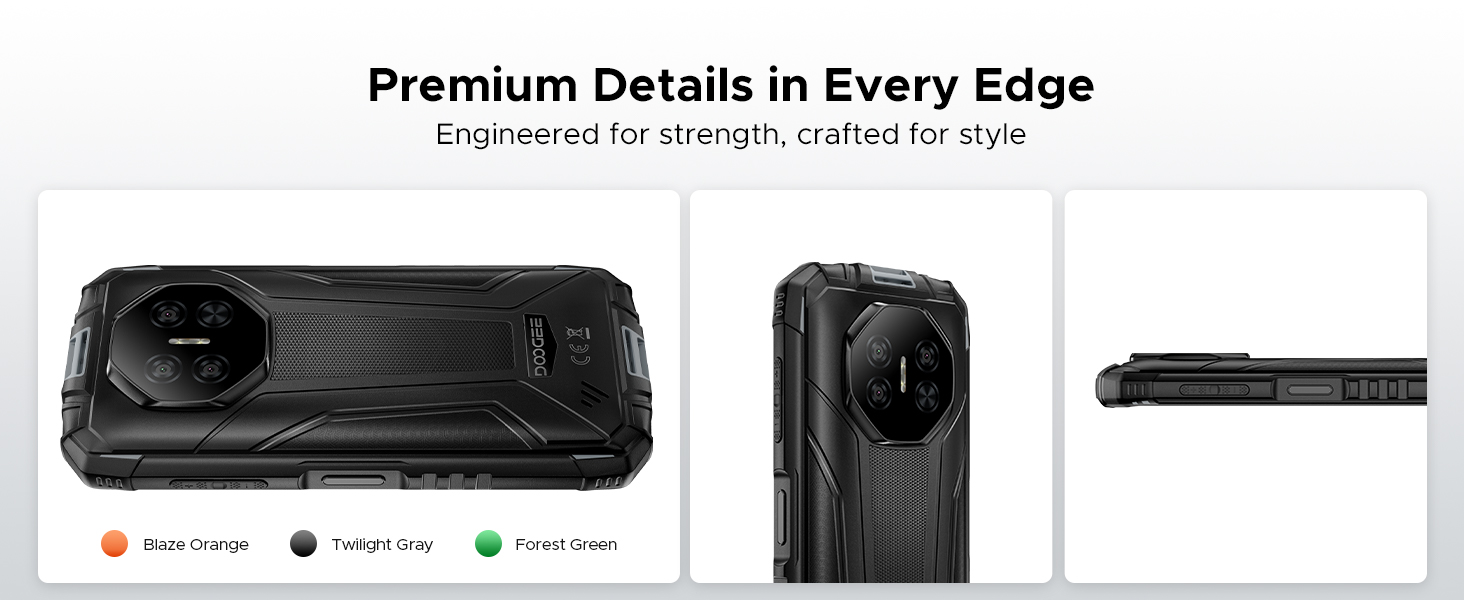
Figure 7: 8350mAh large battery features.
4.2 Battery Performance Overview
This video demonstrates the impressive battery life and charging capabilities of the DOOGEE Fire 3 rugged phone.
Video 3: DOOGEE Fire 3 Rugged Phone - Big Battery.
5. Trvanlivost a design
The DOOGEE Fire 3 is built to endure harsh conditions, certified with industry-leading ruggedness standards.
5.1 Ruggedness Certifications
- IP68: Odolný vůči vodě a prachu.
- IP69K: Odolné vůči vysokotlakým a teplotním vodním paprskům.
- MIL-STD-810H: Military-grade standard for drops, shocks, and extreme temperatures.
The phone can withstand drops from up to 5 feet, survive 30 minutes underwater at 4 feet depth, and is fully protected against dust, sand, and dirt.
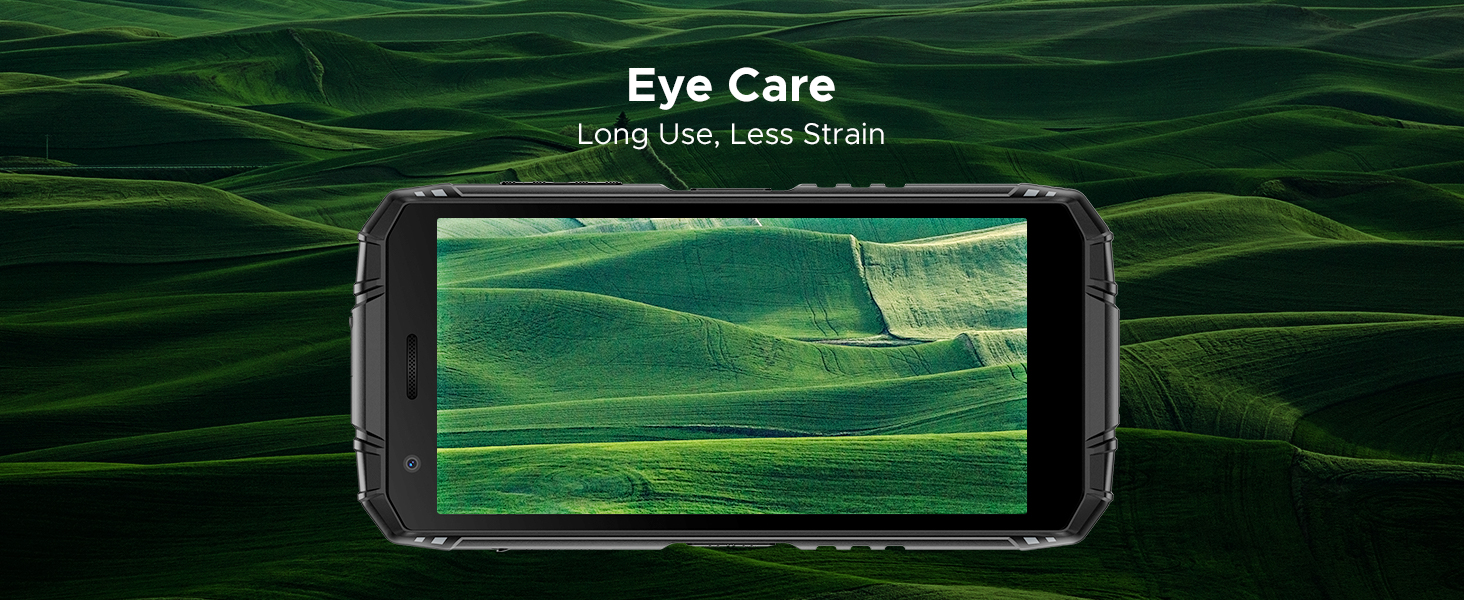
Figure 8: IP68/IP69K/MIL-STD-810H certifications for water, drop, and dust resistance.
5.2 Fyzikální vlastnosti
- Rozměry: 162.5 x 77.4 x 17.8 mm
- Hmotnost: 291 g (9.2 uncí)
- Zobrazit: 5.5" HD+ IPS Display with 400 nits (TYP) brightness, 16.7M screen color, and 720*1440 resolution. Features Eye Care mode for reduced strain.
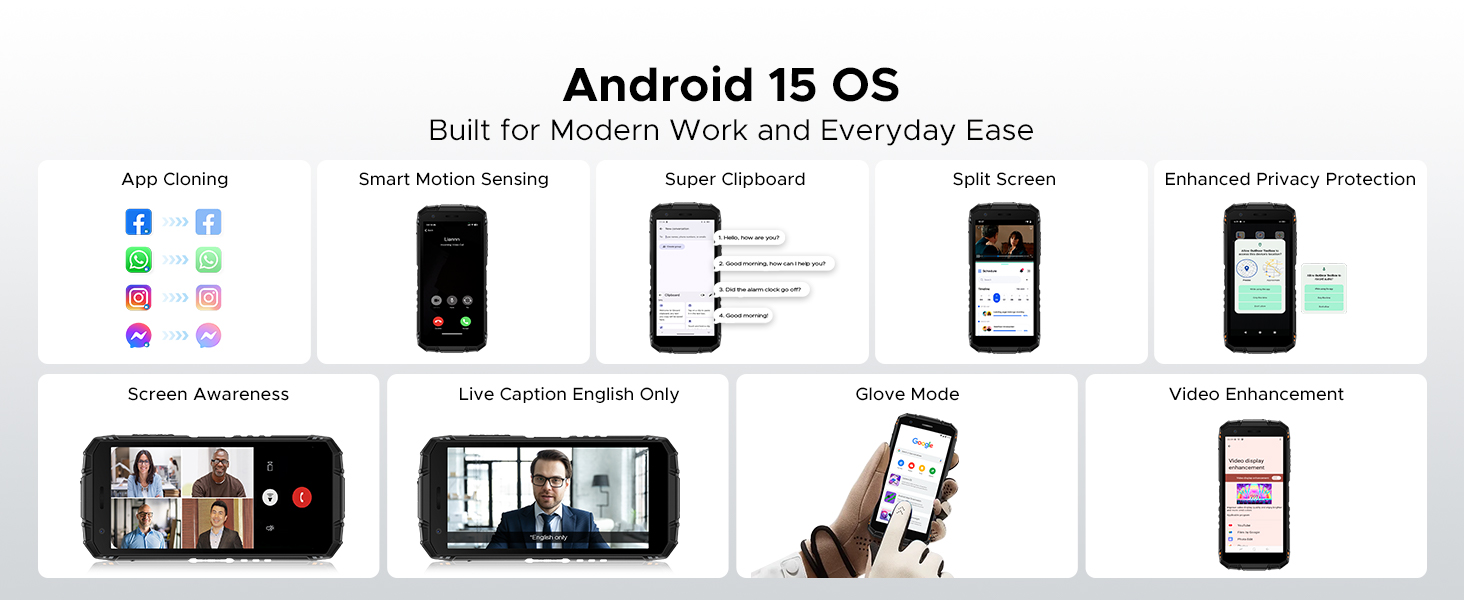
Figure 9: Compact design for comfortable grip.
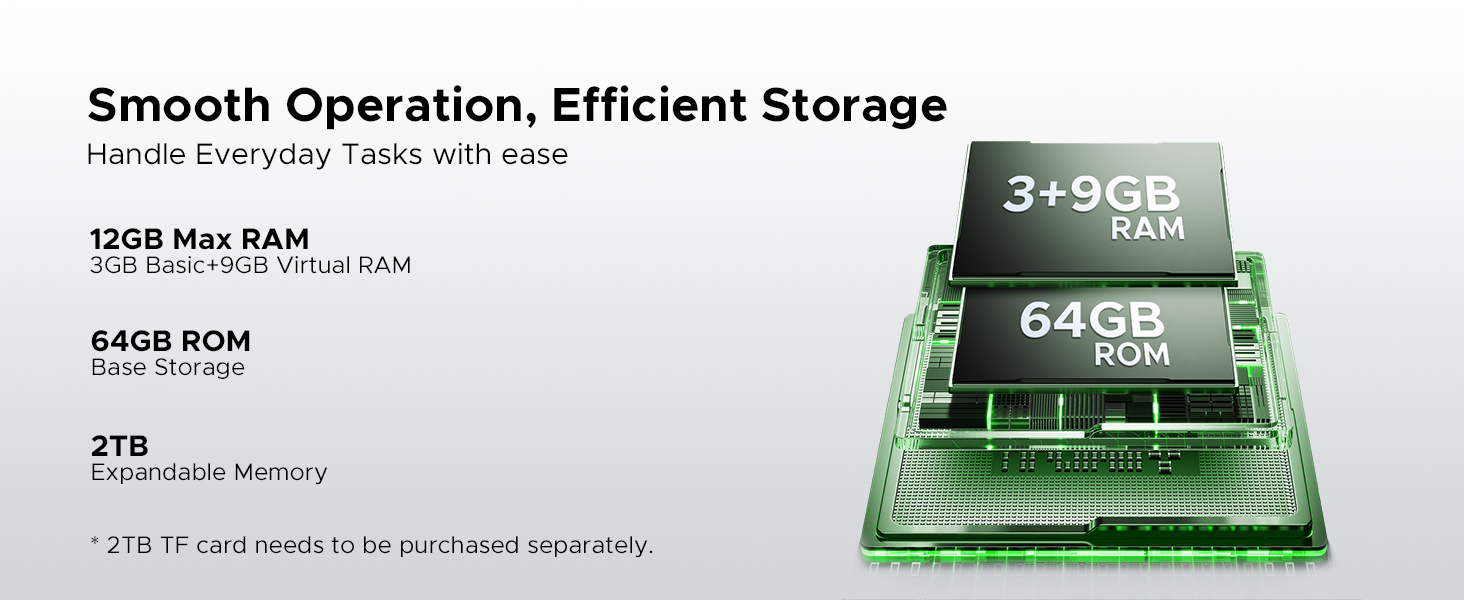
Figure 10: 5.5" HD+ IPS Display details.
6. Specifikace
| Funkce | Detail |
|---|---|
| Značka | DOOGEE |
| Název modelu | Oheň3 |
| Operační systém | Android 15 |
| Procesor | Unisoc SC9863A Octa-Core (1.6GHz) |
| BERAN | 12GB (3GB Basic + 9GB Virtual) |
| Interní úložiště | 64 GB |
| Rozšiřitelné úložiště | Až 2 TB přes MicroSD kartu (není součástí balení) |
| Velikost obrazovky | 5.45 palce |
| Typ zobrazení | HD+ IPS Display |
| Rezoluce | 720*1440 |
| Jas | 400 nitů (TYP) |
| Zadní kamera | 13MP trojitý fotoaparát s umělou inteligencí |
| Přední kamera | 8 MP |
| Kapacita baterie | 8350 XNUMX mAh |
| Nabíjení | 10W, Reverse Charging supported |
| Trvanlivost | IP68, IP69K, MIL-STD-810H (Waterproof, Drop-proof, Dust-proof) |
| Konektivita | 4G Cellular Technology, Wireless, NFC |
| Navigace | GPS, Glonass, Galileo |
| Rozměry | 162.5 x 77.4 x 17.8 mm |
| Hmotnost položky | 262 gramů (9.2 unce) |
| Speciální funkce | Face Unlock, Digital Toolkit, 3.5mm Headphone Jack |
| Kompatibilita bezdrátových operátorů | GSM T-Mobile (Not compatible with AT&T, new Cricket, Verizon) |
7. Řešení problémů
If you encounter issues with your DOOGEE Fire 3, refer to the following common solutions:
7.1 Problémy s napájením a nabíjením
- Telefon se nezapne: Ujistěte se, že je baterie nabitá. Připojte telefon k nabíječce a před opětovným zapnutím počkejte několik minut.
- Telefon se nenabíjí: Zkontrolujte nabíjecí kabel a adaptér, zda nejsou poškozené. Zkuste jinou zásuvku. Ujistěte se, že nabíjecí port je čistý a bez nečistot.
7.2 Síť a konektivita
- No signal/Network issues: Verify your SIM card is correctly inserted. Check if your carrier is supported by the device (GSM T-Mobile compatible). Restart the phone.
- Problémy s připojením k Wi-Fi: Restartujte Wi-Fi router. Zapomeňte na síť v telefonu a znovu se připojte.
7.3 Výkon a software
- Apps crashing/Freezing: Close background apps. Clear the cache of the problematic app (Settings > Apps > [App Name] > Storage > Clear cache). Update the app or the phone's software.
- Pomalý výkon: Uvolněte úložný prostor smazáním nepotřebných filenebo aplikací. Zařízení pravidelně restartujte.
7.4 Problémy se zobrazením
- Obrazovka nereaguje: Perform a forced restart (usually by holding the Power button for 10-15 seconds).
- Display flickering: Check for software updates. If the issue persists, contact support.
7.5 Water/Dust Exposure
While the DOOGEE Fire 3 is rugged, prolonged exposure or extreme conditions beyond its ratings (IP68/IP69K/MIL-STD-810H) can cause damage. If the phone has been exposed to water or dust, ensure all ports are dry and clean before charging or using accessories.
8. Záruka a podpora
Společnost DOOGEE se zavázala k poskytování vysoce kvalitních produktů a vynikajícího zákaznického servisu.
8.1 Informace o záruce
- Záruční doba: Your DOOGEE Fire 3 comes with a 2-year free warranty.
- Záruka vrácení peněz: Enjoy 30 days of money back without reason from the date of purchase.
Uschovejte si prosím doklad o koupi pro uplatnění záruky.
8.2 Zákaznická podpora
For any problems or inquiries, our professional support team is available 24/7 to assist you.
- Online podpora: Visit the official DOOGEE website for FAQs, support resources, and contact options.
- E-mailová podpora: Viz obal produktu nebo oficiální website for specific email contact details.
We recommend checking the official DOOGEE website for the most up-to-date support information and warranty terms.