
1. Úvod
This manual provides essential information for the safe and efficient use of your DOOGEE Note 58 Android 16 Smartphone. Please read it carefully before using your device and keep it for future reference.
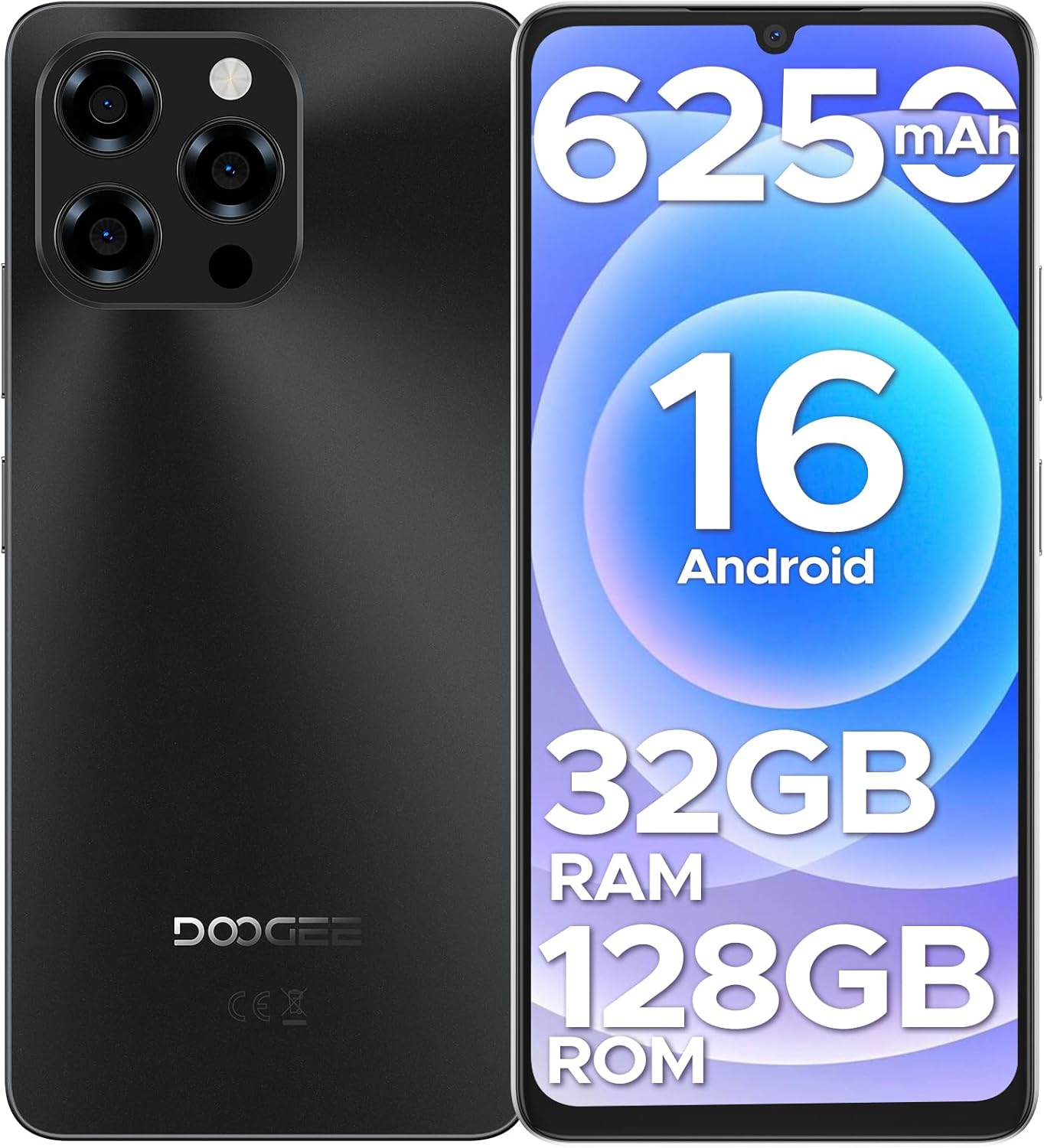
Obrázek: Přední a zadní strana view of the DOOGEE Note 58 smartphone, highlighting its design and key features like the camera module and display.
2. Obsah balení
Ověřte, zda jsou v balení produktu přítomny všechny položky:
- DOOGEE Note 58 Cellphone (Unlocked Android 16) x1
- 1x USB kabel typu C
- Nabíječka x1
- Protivýbušná fólie x1
- SIM card pin x1
- Protective case x1
- Balící krabice x1
- Manual and warranty card x1
3. Průvodce nastavením
3.1 Vložení SIM karty a karty MicroSD
- Vyhledejte držák SIM karty na boku zařízení.
- Vložte dodaný kolík SIM karty do malého otvoru v přihrádce a vysuňte ji.
- Carefully place your Nano-SIM card(s) and/or MicroSD card into the designated slots on the tray. Ensure the metal contacts face downwards. The phone supports two SIM cards or one SIM card and one MicroSD card.
- Jemně zatlačte zásobník zpět do telefonu, dokud nezacvakne na místo.
3.2 Počáteční zapnutí a základní nastavení
- Stiskněte a podržte tlačítko napájení (obvykle na pravé straně), dokud se neobjeví logo DOOGEE.
- Postupujte podle pokynů na obrazovce a vyberte jazyk, připojte se k síti Wi-Fi a nastavte si účet Google.
- Configure security settings such as Face Unlock, PIN, pattern, or password.

Obrázek: Představení DOOGEE Note 58asing its Face Unlock feature and NFC payment capability at a terminal.
4. Ovládání smartphonu
Operační systém 4.1 Android 16
The DOOGEE Note 58 runs on the latest Android 16, offering a fast, secure, and user-friendly experience. Enjoy smooth multitasking, quick app launches, and enhanced privacy features.
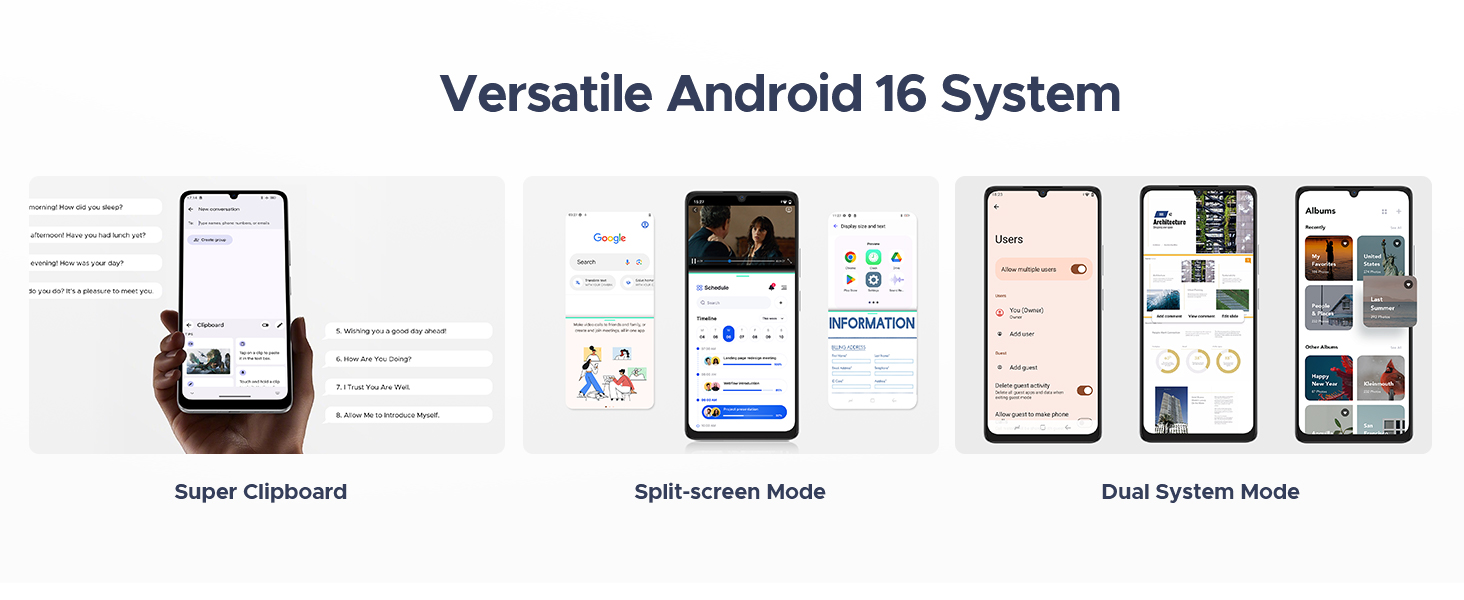
Image: The DOOGEE Note 58 displaying various features of the Android 16 operating system, including a super clipboard, split-screen mode, and dual system mode.
4.2 Zobrazení a vizuální prvky
Experience vibrant visuals on the 6.75-inch HD+ IPS waterdrop display with a 90Hz refresh rate. The 720 x 1600 resolution, enhanced brightness, and in-cell technology ensure clear and crisp details for all your content.

Obrázek: Představení DOOGEE Note 58asing its expansive 6.75-inch display, ideal for immersive viewIng.
4.3 Výkon a úložiště
The device is powered by a 12nm UNISOC T7250 octa-core processor, ensuring smooth performance. It features 8GB of basic RAM, expandable up to 32GB with memory extension, and 128GB of internal storage, which can be expanded up to 2TB using a MicroSD card.

Image: Visual representation of the DOOGEE Note 58's 32GB RAM (8GB Basic + 24GB Extended) and 128GB ROM with 2TB expandable storage.
4.4 Funkce fotoaparátu
Capture moments with the 16MP AI main camera and an 8MP front-facing camera. The camera supports various modes including HDR, Night Mode, Time-Lapse, Portrait, Panorama, and Pro Mode. Optical image stabilization helps reduce blur, and features like Beauty Mode and Filters enhance your photos.

Image: The DOOGEE Note 58 highlighting its 16MP main camera and 8MP front camera, along with various shooting modes.
4.5 Výdrž baterie a nabíjení
The DOOGEE Note 58 is equipped with a 6250mAh large-capacity battery for extended use. It supports OTG reverse charging, allowing you to power other devices. Smart AI power management optimizes battery consumption.

Image: Diagram illustrating the large 6250mAh battery inside the DOOGEE Note 58, emphasizing its long-lasting capacity.
4.6 Připojení a navigace
The device offers 4G dual SIM support, compatible with various GSM carriers. It includes NFC for tap-to-pay functionality with Google Wallet, and precise navigation systems (GPS, GLONASS, Galileo, BeiDou) for accurate location services. Widevine L1 support ensures high-quality streaming.
5. Údržba
5.1 Čištění vašeho zařízení
K čištění obrazovky a těla telefonu používejte měkký hadřík, který nepouští vlákna. Nepoužívejte agresivní chemikálie ani abrazivní materiály, které by mohly zařízení poškodit.
5.2 Aktualizace softwaru
Pravidelně kontrolujte a instalujte aktualizace softwaru, abyste zajistili, že vaše zařízení má nejnovější funkce, bezpečnostní záplaty a vylepšení výkonu. Přejděte na Nastavení > Systém > Aktualizace systému pro kontrolu aktualizací.
5.3 Péče o baterii
To prolong battery life, avoid exposing your phone to extreme temperatures. It is recommended to keep the battery charge between 20% and 80% for optimal longevity.
6. Řešení problémů
6.1 Běžné problémy a řešení
- Zařízení se nezapíná: Ujistěte se, že je baterie nabitá. Připojte telefon k nabíječce a před opětovným zapnutím počkejte několik minut.
- Obrazovka nereaguje: Zkuste restartovat zařízení podržením tlačítka napájení po dobu asi 10-15 sekund, dokud se zařízení nerestartuje.
- Forgotten password/pattern: If you have set up a Google account on the device, you may be able to reset your password through Google's account recovery process. If not, a factory reset might be necessary (this will erase all data).
- SIM karta nebyla detekována: Ensure the SIM card is correctly inserted into the tray. Re-insert the tray firmly. Verify that your SIM card is active and compatible with the device's network bands.
- Problémy s připojením k síti: Check your carrier's coverage in your area. Ensure mobile data is enabled in settings. Some carriers may have specific compatibility requirements; verify with your service provider.
6.2 Obnovení továrního nastavení
Obnovení továrního nastavení vymaže všechna data z telefonu a obnoví jeho původní tovární nastavení. Před pokračováním si zálohujte důležitá data.
- Přejít na Nastavení > Systém > Možnosti resetování.
- Vybrat Vymazat všechna data (obnovení továrního nastavení).
- Potvrďte své rozhodnutí a v případě potřeby zadejte PIN/vzor/heslo.
7. Specifikace
| Funkce | Specifikace |
|---|---|
| Název modelu | Poznámka58 |
| Operační systém | Android 16 |
| Velikost obrazovky | 6.75 palce |
| Rezoluce | 720 x 1600 |
| Obnovovací frekvence | 90 Hz |
| Velikost nainstalované paměti RAM | 8 GB (rozšiřitelné až na 32 GB) |
| Kapacita paměti | 128 GB (rozšiřitelné až na 2 TB) |
| Procesor | UNISOC T7250 Octa-core |
| Baterie | 6250 XNUMX mAh |
| Hlavní fotoaparát | 16 MP |
| Přední kamera | 8 MP |
| Buněčná technologie | 4G |
| Bezdrátový nosič | Unlocked for All Carriers (GSM compatible) |
| Speciální funkce | NFC, Face Unlock, GPS, GLONASS, Galileo, BeiDou, Widevine L1, OTG Reverse Charging |
| Rozměry produktu | 7.6 x 4 x 2 palce |
| Hmotnost položky | 14.9 unce |
8. Záruka a podpora
Your DOOGEE Note 58 Smartphone comes with a warranty. Please refer to the warranty card included in your package for detailed terms and conditions. For technical support or further assistance, please visit the official DOOGEE website or contact their customer service as indicated on your warranty documentation.