
DOOGEE U11Pro
DOOGEE U11Pro Android 16 Tablet User Manual
Model: U11Pro | Brand: DOOGEE
Zavedení
This manual provides detailed instructions for the safe and efficient use of your DOOGEE U11Pro Android 16 Tablet. Please read this manual thoroughly before operating the device and keep it for future reference.
Obsah balení
Po otevření balení se prosím ujistěte, že obsahuje všechny následující položky:
- 1x DOOGEE U11 Pro Tablet
- 1x kabel typu C
- 1x Nabíječka
- 1x SIM Card Ejector Pin (Note: This is a Wi-Fi only model, the pin is for microSD card tray)
- 1x Balicí krabice
- 1x Uživatelská příručka
- 1x Záruční list

Obrázek 1: Contents of the DOOGEE U11Pro package. Includes the tablet, charging accessories, and documentation.
Konec produktuview a klíčové vlastnosti
Operating System: Android 16 with Gemini AI
The DOOGEE U11Pro runs on the latest Android 16 operating system, released in 2025. This version brings significant improvements in multitasking, AI capabilities, UI design, security, and privacy. It is optimized for faster app launch and responsiveness, offering a more intuitive and convenient user experience. The integration of Gemini AI enhances various functions, including content creation, image analysis, code development, language learning, smart assistance, and information retrieval.
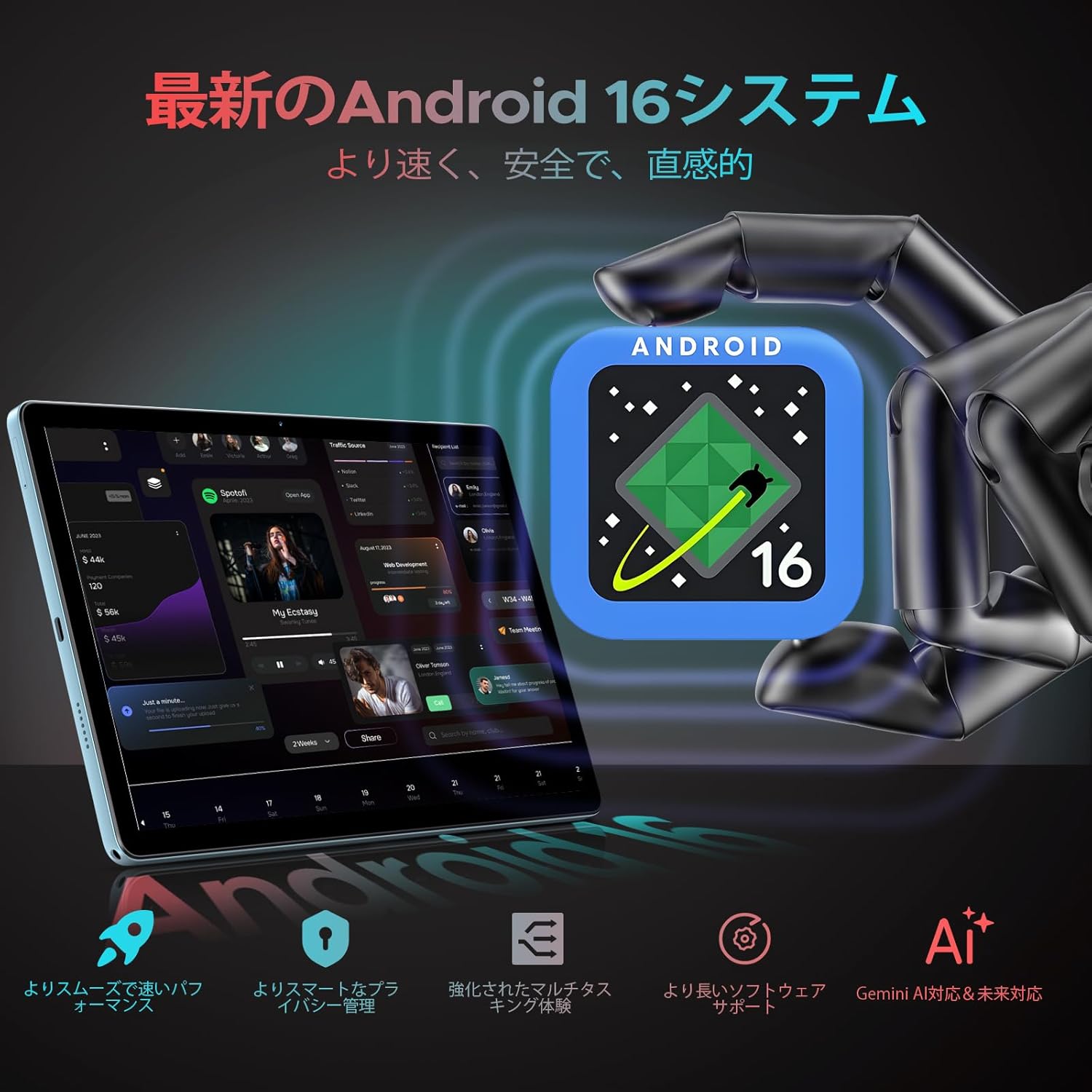
Obrázek 2: The DOOGEE U11Pro features the latest Android 16 OS with integrated Gemini AI for enhanced performance and smart functionalities.

Obrázek 3: Gemini AI capabilities on the DOOGEE U11Pro, supporting various intelligent tasks for work and daily life.
Performance: High-Capacity RAM & Storage
The U11Pro is equipped with 6GB of physical RAM, expandable with an additional 24GB of virtual RAM, totaling 30GB. This large RAM capacity ensures quick app launches and smooth multitasking. It also features 256GB of internal storage, which can be expanded up to 2TB using a microSD card (sold separately). This ample storage eliminates concerns about running out of space for applications, photos, and videos.

Obrázek 4: The powerful Unisoc T7200 Octa-core processor combined with 30GB RAM and 256GB ROM provides robust performance and ampúložiště.
Display: 11-inch IPS with 90Hz Refresh Rate
Experience vibrant and comfortable viewing on the DOOGEE U11Pro's 11-inch IPS display with a resolution of 1280x800. The 90Hz high refresh rate enhances responsiveness, providing a smoother and more comfortable gaming experience and fluid web browsing. Fast-moving actions are rendered seamlessly, and scrolling through web pages or social media feeds is highly responsive.

Obrázek 5: The 11-inch IPS 90Hz display offers ultra-clear visuals and a smoother user experience compared to standard 60Hz displays.

Obrázek 6: The 90Hz high refresh rate provides upgraded smooth operation for browsing and gaming.
Battery: 8580mAh Long-Lasting Power
The DOOGEE U11Pro is equipped with a large 8580mAh battery, supporting Type-C charging. This allows for extended usage, making it ideal for business trips or travel without frequent recharging. The battery provides up to 1509 hours of standby time, 28.3 hours of music playback, 9.2 hours of video viewing, and 6.7 hours of web procházení.
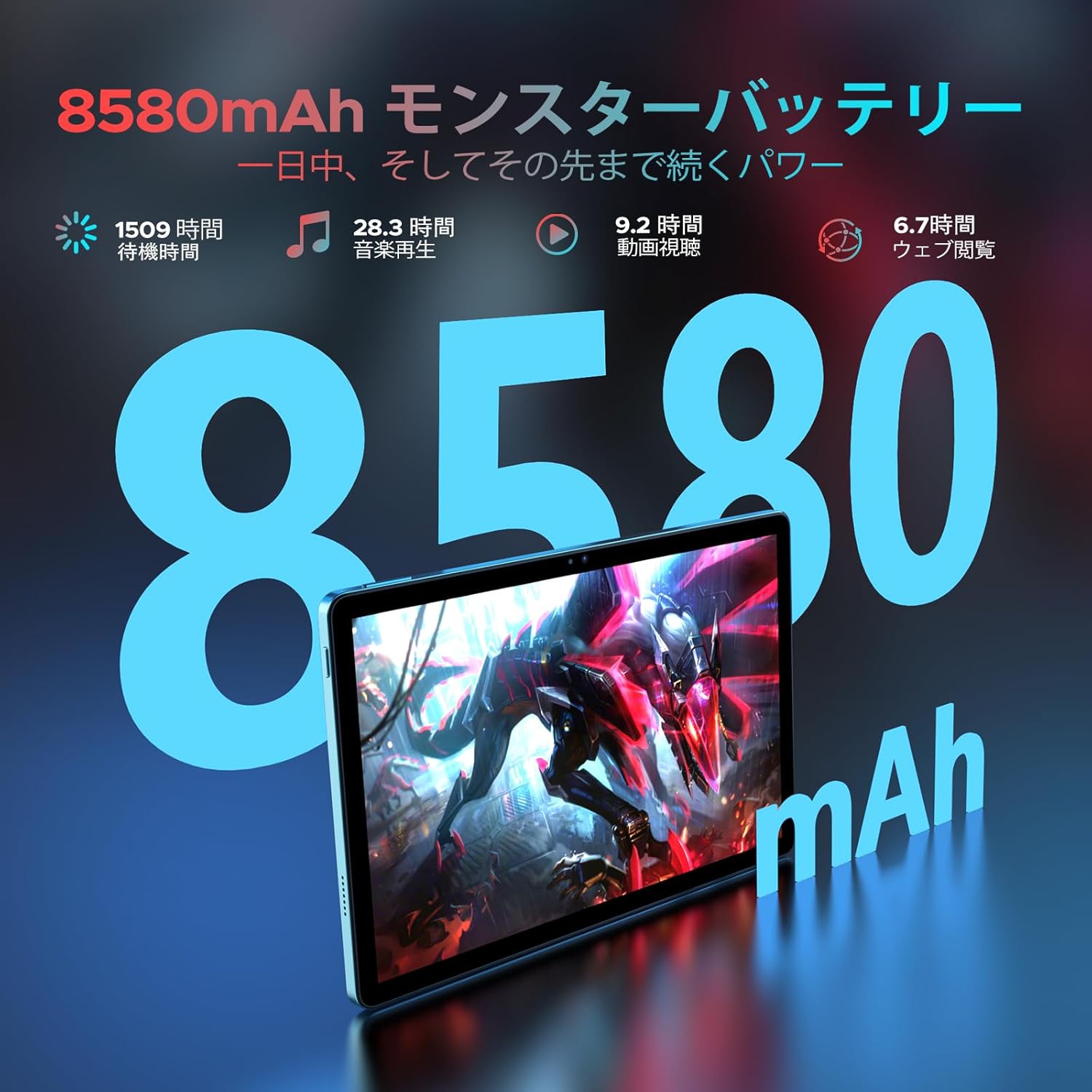
Obrázek 7: The 8580mAh monster battery provides power that lasts all day and beyond.
Connectivity: Dual-Band Wi-Fi, Bluetooth 5.0, and GPS
The tablet features a built-in dual-band Wi-Fi chip (2.4GHz/5GHz compatible) supporting 802.11 a/b/g/n/ac standards, enabling high-speed communication up to 433Mbps. This ensures stable connections both indoors and outdoors for a comfortable online experience. Bluetooth 5.0 allows for high-speed pairing with game controllers and external speakers with minimal delay. The integrated high-precision GPS enables quick and accurate positioning for navigation and location-based applications.
Multimedia & Productivity Features
- Podpora Widevine L1: Enjoy high-quality streaming from platforms like Amazon Prime Video, Disney+, Hulu, and Netflix.
- Duální reproduktory: Provides an immersive audio-visual experience.
- Kamery: Equipped with a 13MP main camera and a 5MP front camera for clear photos and video calls.
- Rozpoznávání obličejů: Quick and easy tablet unlocking.
- Funkce rozdělené obrazovky: Multitask efficiently, for example, watching YouTube while browsing Twitter.
- FM rádio: Connect your favorite headphones to enjoy high-quality audio anywhere.
- Podpora OTG: Connect external devices for seamless transfer of photos, videos, and files.
- Kids Protection Mode: Manage screen time for children and balance learning with entertainment.
- Režim redukce modrého světla: Protects your eyes during extended use.
- Pre-installed WPS Office: Includes WPS Word, Excel, and PPT for productivity.

Obrázek 8: Widevine L1 support ensures the highest quality streaming anytime.

Obrázek 9: Capture clear details with the 13MP main camera and 5MP front camera.

Obrázek 10: Face recognition provides simple and fast tablet input.

Obrázek 11: The low blue light protect mode gently protects your vision.

Obrázek 12: Built-in PC-level WPS Office for enhanced productivity.
Průvodce nastavením
1. Počáteční zapnutí
- Press and hold the Power button located on the side of the tablet until the DOOGEE logo appears on the screen.
- Postupujte podle pokynů na obrazovce a vyberte jazyk, region a souhlaste s podmínkami.
2. Nabíjení zařízení
Before first use, it is recommended to fully charge your tablet. Use the provided Type-C cable and charger.
- Připojte kabel typu C k nabíjecímu portu tabletu.
- Plug the other end of the cable into the charger, and then plug the charger into a power outlet.
- The charging indicator will appear on the screen. A full charge typically takes several hours.
3. Připojení k Wi-Fi
- Na domovské obrazovce přejetím prstem shora dolů otevřete panel Rychlé nastavení.
- Klepnutím a podržením ikony Wi-Fi přejdete do nastavení Wi-Fi.
- Přepněte přepínač Wi-Fi do polohy „Zapnuto“.
- Vyberte požadovanou síť Wi-Fi ze seznamu dostupných sítí.
- Pokud se zobrazí výzva, zadejte heslo k síti a poté klepněte na tlačítko „Připojit“.
4. Setting up Face Recognition
- Přejít na Nastavení > Zabezpečení a soukromí > Odemknutí obličejem.
- Follow the on-screen instructions to register your face. Ensure you are in a well-lit area and hold the tablet at eye level.
- Once registered, you can use your face to unlock the tablet.
Návod k obsluze
Základní navigace
- Dotek: Klepnutím na ikonu nebo možnost ji vyberte.
- Výpad: Tažením prstu po obrazovce můžete procházet nebo přecházet mezi obrazovkami.
- Přiblížení/zvětšení prsty: Položte dva prsty na obrazovku a roztáhněte je od sebe pro přiblížení nebo je stahněte k sobě pro oddálení.
- 10-Point Touch: The tablet supports multi-touch gestures for precise control, especially useful in games and drawing applications.

Obrázek 13: 10-point touch provides multi-touch precision and seamless gesture control.
Using Split Screen
Funkce rozdělené obrazovky umožňuje používat dvě aplikace současně.
- Otevřete první aplikaci, kterou chcete použít.
- Klepněte na tlačítko nedávných aplikací (obvykle čtvercová ikona) pro view otevřené aplikace.
- Tap the app icon at the top of the first app's card, then select 'Split screen'.
- Choose the second application from the recent apps list or the app drawer to fill the other half of the screen.
Správa aplikací
- Instalace aplikací: Stáhněte a nainstalujte aplikace z Obchodu Google Play.
- Odinstalace aplikací: Press and hold an app icon on the home screen or app drawer, then drag it to the 'Uninstall' option, or go to Nastavení > Aplikace, vyberte aplikaci a klepněte na tlačítko „Odinstalovat“.
Funkce rádia FM
To use the FM radio, connect wired headphones to the 3.5mm audio jack. The headphones act as an antenna.
- Zapojte sluchátka.
- Open the 'FM Radio' application.
- Scan for available stations and select your preferred one.
Obrázek 14: The FM radio function allows you to relax and enjoy your favorite stations.
WPS Office Suite
The tablet comes with WPS Office pre-installed, allowing you to create, edit, and view dokumenty, tabulky a prezentace.
- Open the WPS Office application from your app drawer.
- Select the type of document you wish to create or open an existing file.
Blue Light Reduction Mode
To reduce eye strain, especially during prolonged use or in low light conditions, activate the blue light reduction mode.
- Přejít na Nastavení > Zobrazit > Oční štít (nebo podobné).
- Toggle the feature on. You may also be able to adjust the intensity or schedule it.
GPS navigace
The built-in high-precision GPS supports various navigation systems (GPS, Beidou, GLONASS, Galileo) for accurate location tracking.
- Ensure location services are enabled in Nastavení > Umístění.
- Používejte předinstalované mapové aplikace nebo si stáhněte svou preferovanou navigační aplikaci z Obchodu Google Play.

Obrázek 15: The precise navigation system keeps you on track wherever you go.
Funkce OTG
The tablet supports On-The-Go (OTG) functionality, allowing you to connect USB devices such as flash drives, keyboards, or mice using an OTG adapter (not included).
- Connect the OTG adapter to the tablet's Type-C port.
- Zapojte USB zařízení do OTG adaptéru.
- The tablet should automatically recognize the connected device.
Kids Protection Mode
This mode helps parents manage their children's tablet usage, ensuring a balanced experience between learning and entertainment.
- Access the Kids Protection Mode application or setting (location may vary based on Android version or pre-installed apps).
- Set time limits, restrict access to certain applications, and monitor usage.
Údržba
Péče o baterie
- Nevystavujte tablet extrémním teplotám (horkým nebo nízkým), mohlo by to snížit životnost baterie.
- Nenechávejte baterii často úplně vybíjet. Nabijte ji dříve, než dosáhne velmi nízkého stavu nabití.
- Use only the provided charger and cable or certified alternatives to prevent damage.
Čištění tabletu
- K otření obrazovky a těla tabletu použijte měkký hadřík, který nepouští vlákna.
- Na odolné šmouhy lehce otřeteampOtřete hadřík vodou nebo čističem obrazovek určeným pro elektroniku.
- Vyhněte se používání agresivních chemikálií, abrazivních materiálů nebo nadměrné vlhkosti.
Aktualizace softwaru
Pravidelně kontrolujte a instalujte aktualizace softwaru, abyste zajistili optimální výkon, zabezpečení a přístup k novým funkcím.
- Přejít na Nastavení > Systém > Aktualizace systému.
- Postupujte podle pokynů na obrazovce a stáhněte a nainstalujte všechny dostupné aktualizace.
Správa úložiště
To maintain optimal performance, regularly manage your tablet's storage.
- Smazat nepotřebné files, fotografie a videa.
- Odinstalujte nepoužívané aplikace.
- Vymazat data mezipaměti aplikací v Nastavení > Aplikace.
- Zvažte použití cloudových úložišť pro velké files.
Odstraňování problémů
| Problém | Možná příčina | Řešení |
|---|---|---|
| Tablet se nezapne. | Slabá baterie; Havárie systému. | Charge the tablet for at least 30 minutes. If still unresponsive, press and hold the Power button for 10-15 seconds to force restart. |
| Problémy s připojením k Wi-Fi. | Nesprávné heslo; Problém s routerem; Problém s Wi-Fi modulem tabletu. | Verify Wi-Fi password. Restart your Wi-Fi router. Go to Wi-Fi settings, forget the network, and reconnect. Restart the tablet. |
| Aplikace jsou pomalé nebo padají. | Too many apps running; Low storage; App bug. | Close background apps. Clear app cache or data. Free up storage space. Update the app or the tablet's OS. |
| Baterie se rychle vybíjí. | High screen brightness; Background apps; Frequent Wi-Fi/Bluetooth use. | Reduce screen brightness. Close unused apps. Turn off Wi-Fi/Bluetooth when not in use. Check battery usage in settings to identify power-hungry apps. |
| Tablet is not responding to touch. | Dočasná softwarová závada; Poškození obrazovky. | Force restart the tablet. If the issue persists, contact customer support. |
Technické specifikace
| Značka | DOOGEE |
| Název modelu | U11Pro |
| Operační systém | Android 16 |
| Velikost displeje | 11 palce |
| Rozlišení displeje | 1280x800 pixelů |
| Značka CPU | Unisoc |
| Rychlost CPU | 1.6 GHz |
| Kapacita paměti | 256 GB (rozšiřitelné až na 2 TB pomocí microSD) |
| BERAN | 6GB Physical + 24GB Virtual (Total 30GB) |
| Bezdrátový typ | 802.11ac (Dual-band Wi-Fi) |
| Konektivita | Wi-Fi, Bluetooth 5.0, GPS |
| Rozlišení předního fotoaparátu | 5 MP |
| Rozlišení zadní kamery | 13 MP |
| Kapacita baterie | 8580 mAh (lithium-polymerová) |
| Hmotnost položky | 537 g |
| Rozměry produktu | 32.9 x 19.2 x 3.7 cm |
| Barva | Černý |
Záruka a podpora
Your DOOGEE U11Pro tablet comes with a Záruka 12 měsíců od data nákupu. Navíc a 30denní lhůta pro vrácení peněz is available for products purchased from our store.
If you encounter any issues with your product within the warranty period, or if you have any questions, please contact our customer support team. We are committed to ensuring your satisfaction.
Jak kontaktovat podporu:
- Navigate to your Amazon purchase history.
- Find your order for the DOOGEE U11Pro.
- Click on the seller's name (Doogee Smart Tablet) located under the "Add to Cart" button on the product page, then click "Ask a question" on the top right of the seller's page.
Ask a question about this manual
Ask about setup, troubleshooting, compatibility, parts, safety, or missing instructions. Manuals+ will review the question and use this page’s manual context to help answer it.