
OGERY F11
OGERY F11 CampUživatelská příručka ventilátoru
Model: F11 | Brand: OGERY
1. Úvod
Thank you for choosing the OGERY F11 Camping Fan. This portable and versatile fan is designed to provide powerful airflow and illumination for various outdoor and indoor activities. With its long-lasting battery, fast charging capabilities, and multiple features, it is an essential companion for camping, travel, and everyday use.
1.1 Obsah balení
- OGERY F11 Camping Fan (1 unit)
- Dálkové ovládání (1 jednotka)
- USB nabíjecí kabel (1 jednotka)
- Uživatelská příručka (tento dokument)
1.2 Klíčové vlastnosti
- Upgraded Stronger Wind: Delivers wind speeds up to 5.3m/s with Turbocharging and PWM Control for higher wind pressure and lower noise.
- Longer Battery Endurance: Equipped with a 20000mAh battery, providing 12 to 138 hours of operation (fan/lighting dependent).
- Rychlé nabíjení: Supports 20W fast charging, reaching 100% in approximately 4.5 hours.
- 3-Level Eye-Protective LED Lantern: Offers soft, comfortable illumination with three brightness settings.
- Multifunkční design: Features 30°/60°/90°/120° automatic oscillation, 270° manual rotation, remote control, folding handle, and a 360° rotatable hook.
- Funkce powerbanky: Dual outputs for charging other devices simultaneously.
2. Důležité bezpečnostní pokyny
Please read and understand all safety instructions before using the OGERY F11 Camping Fan. Failure to follow these instructions may result in electric shock, fire, or serious injury.
- Neponořujte ventilátor do vody nebo jiných kapalin.
- Uchovávejte mimo dosah dětí a domácích zvířat.
- Nevkládejte prsty ani žádné předměty do mřížky ventilátoru, když je v provozu.
- Use only the provided charging cable or a compatible 20W (or higher) adapter/power bank for charging.
- Do not attempt to disassemble, repair, or modify the fan. Contact qualified service personnel for assistance.
- Nevystavujte ventilátor extrémním teplotám, přímému slunečnímu záření nebo vysoké vlhkosti.
- Ujistěte se, že ventilátor je umístěn na stabilním, rovném povrchu, aby se zabránilo jeho převrácení.
- Turn off and unplug the fan before cleaning or when not in use for extended periods.
3. Konec produktuview
3.1 Komponenty

Figure 3.1: OGERY F11 Camping Fan showing the main unit and remote control.
OGERY F11 Camping Fan consists of a main fan unit with an integrated LED light and a sturdy base that houses the battery and control panel. It also includes a detachable remote control for convenient operation.
3.2 Ovládací panel

Obrázek 3.2: Detailní view of the fan's control panel, indicating various buttons and indicators.
The control panel on the fan's base features a power indicator, fan speed indicator, rocking head indicator, and timer indicator. Buttons include Sleep, Lighting, Fan Speed Control Knob (OFF to MAX), Oscillation, and Timer.
3.3 Dálkové ovládání

Figure 3.3: The remote control for the OGERY F11 fan, showing buttons for power, fan speed, lighting, timer, and oscillation settings.
The remote control allows for convenient operation of all fan functions from a distance. It includes buttons for Power on/off, Increase/Decrease Fan Speed, Lighting Increase/Decrease, Timer Setting, Sleep Mode, and Oscillation Setting.
4. Nastavení
4.1 Počáteční nabíjení
Before first use, fully charge the OGERY F11 Camping Fan. Connect the provided USB charging cable to the fan's input port and a compatible power source (e.g., >18W adapter or power bank). The battery indicator lights on the control panel will show charging progress. A full charge takes approximately 4.5 hours.

Figure 4.1: The fan's fast charging capability, demonstrating connection to an external power source.
4.2 Možnosti umístění
The OGERY F11 fan offers versatile placement options:
- Tabletop/Ground: Place the fan on any stable, flat surface.
- Závěsný: Utilize the integrated 360° rotatable hook on the top handle to hang the fan inside a tent, from a branch, or other suitable points.
- Držák na stativ: The fan base may include a standard tripod screw hole for mounting on compatible tripods (tripod not included).
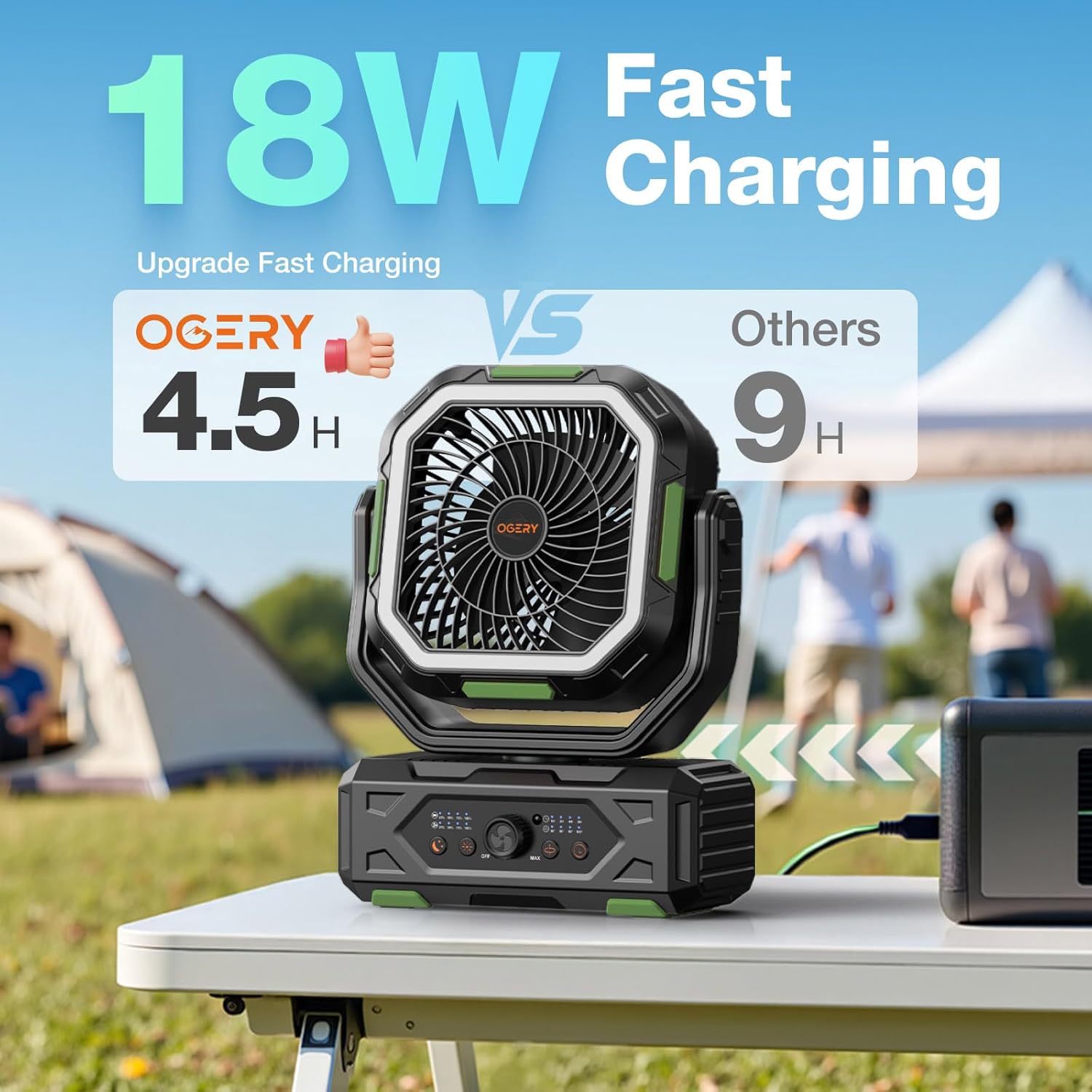
Figure 4.2: The fan positioned on a table, suitable for various outdoor activities.
5. Návod k obsluze
5.1 Zapnutí/vypnutí
Zapnutí ventilátoru ON, rotate the Fan Speed Control Knob from "OFF" towards "MAX" on the control panel, or press the Power button on the remote control. To turn the fan VYPNUTO, rotate the knob to "OFF" or press the Power button on the remote again.
5.2 Nastavení rychlosti ventilátoru
The OGERY F11 features stepless speed regulation. Rotate the Fan Speed Control Knob on the control panel to precisely adjust the airflow from minimum to maximum. Alternatively, use the "Increase Fan Speed" and "Decrease Fan Speed" buttons on the remote control.

Figure 5.2: Adjusting fan speed using the control knob on the base unit.
5.3 Řízení oscilace
Press the "Oscillation" button on the control panel or remote to activate automatic oscillation. The fan supports 30°, 60°, 90°, and 120° oscillation angles. Press the button repeatedly to cycle through the available angles or turn oscillation off. The fan head can also be manually rotated 270° vertically to direct airflow.

Figure 5.3: The fan's omnidirectional airflow capabilities, including automatic oscillation and manual tilt.
5.4 Provoz LED lucerny
Press the "Lighting" button on the control panel or remote to turn on the LED lantern. Press repeatedly to cycle through the three brightness levels (Low, Medium, Strong). The ring light design is eye-protective. Press a fourth time to turn the light off.

Figure 5.4: The fan's integrated LED lantern with three adjustable brightness levels, providing illumination for various settings.
5.5 Funkce časovače
Press the "Timer" button on the control panel or remote to set an automatic shut-off timer. Available settings are 1 hour, 2 hours, 4 hours, and 8 hours. The corresponding indicator light will illuminate. The fan will automatically turn off after the selected time period.
5.6 Funkce powerbanky
The OGERY F11 fan can also serve as a power bank to charge other electronic devices. Locate the dual output ports (USB and Type-C) on the side of the fan's base. Connect your device using an appropriate charging cable. The fan supports 22.5W super fast charging for connected devices.

Figure 5.6: The fan's power bank feature, showing it charging multiple devices simultaneously.
5.7 Režim spánku
Press the "Sleep" button on the control panel or remote to activate Sleep Mode. In this mode, the fan operates at its lowest, quietest setting (less than 23dB), and all indicator lights on the control panel will turn off to ensure an undisturbed sleep environment.

Figure 5.7: The fan's quiet operation in Sleep Mode, ideal for use during rest.
5.8 Oficiální video produktu
Video 5.8: An official product video from OGERY-Outdoors showcasing the features and benefits of the OGERY F11 Campventilátor.
6. Údržba
6.1 Čištění
- Před čištěním se ujistěte, že je ventilátor vypnutý a odpojený.
- Použijte měkký, damp hadřík k otření vnějších povrchů ventilátoru.
- For dust accumulation on the fan blades or grille, use a soft brush or a vacuum cleaner with a brush attachment. Do not use abrasive cleaners or solvents.
- Do not spray water directly onto the fan.
6.2 Skladování
When storing the fan for an extended period, ensure it is fully charged and then turn it off. Store it in a cool, dry place away from direct sunlight and extreme temperatures. It is recommended to recharge the fan every 3-6 months to maintain battery health.
7. Řešení problémů
If you encounter any issues with your OGERY F11 Camping Fan, please refer to the following table for common problems and solutions:
| Problém | Možná příčina | Řešení |
|---|---|---|
| Ventilátor se nezapne. | Baterie je vybitá. Vypínač je vypnutý. Baterie dálkového ovládání je slabá. | Plně nabijte ventilátor. Ensure the control knob is turned from "OFF". Replace remote control batteries (CR5 included). |
| Slabé proudění vzduchu. | Otáčky ventilátoru nastaveny příliš nízko. Obstruction in front/back of fan. | Increase fan speed using the control knob or remote. Clear any obstructions around the fan. |
| LED světlo nefunguje. | Light is off or set to lowest brightness. Baterie je velmi slabá. | Press the Lighting button to cycle through brightness levels. Nabijte ventilátor. |
| Dálkové ovládání nereaguje. | Baterie dálkového ovladače je vybitá. Překážka mezi dálkovým ovladačem a ventilátorem. | Vyměňte baterie v dálkovém ovladači. Zajistěte nerušený výhled na přijímač ventilátoru. |
If the problem persists after trying these solutions, please contact OGERY customer support.
8. Specifikace
| Funkce | Detail |
|---|---|
| Značka | OGERIE |
| Název modelu | F11 |
| Rozměry produktu | 4.3"H x 9.5"Š x 15"V |
| Hmotnost položky | 3.91 libry |
| Zdroj napájení | Napájení z baterie |
| Kapacita baterie | 20000 XNUMX mAh |
| Doba nabíjení | Approx. 4.5 hours (with >18W adapter) |
| Maximální rychlost větru | Až 5.3 m/s |
| Úroveň hluku | Ultra quiet, ≤ 23dB (in Sleep Mode) |
| Kmitání | 30°/60°/90°/120° Automatic, 270° Manual Tilt |
| Kontrolní metoda | Push Button, Remote, Touch |
| UPC | 716597693999 |
9. Záruka a podpora
OGERY F11 Camping Fan comes with a standard manufacturer's warranty. Please refer to the product packaging or the official OGERY webkonkrétní záruční podmínky naleznete na webových stránkách.
For product support, technical assistance, or warranty claims, please contact OGERY customer service through the official OGERY Store on Amazon or via the contact information provided on the product packaging.
Ask a question about this manual
Ask about setup, troubleshooting, compatibility, parts, safety, or missing instructions. Manuals+ will review the question and use this page’s manual context to help answer it.