
1. Úvod
This manual provides essential information for the safe and efficient use of your DOOGEE Fire 3 Ultra Rugged Smartphone. Please read it thoroughly before operating your device to ensure optimal performance and longevity. The DOOGEE Fire 3 Ultra is designed for durability and performance, featuring a robust build, advanced camera system, and long-lasting battery life.
2. Obsah balení
Ověřte, zda jsou v balení produktu přítomny všechny položky:
- 1x Ultra odolný telefon DOOGEE Fire 3
- 1x USB kabel typu C
- 1x 18W nabíječka
- 1x Popruh
- 1x Otvírák na karty
3. Zařízení skončiloview
The DOOGEE Fire 3 Ultra is a rugged smartphone designed for demanding environments. It features a 5.5-inch display on the front and a multi-camera system on the rear, housed within a durable chassis.

Obrázek: Přední a zadní strana view of the DOOGEE Fire 3 Ultra Rugged Smartphone, highlighting its robust design and camera module.
Fyzické komponenty:
- Zobrazit: 5.5-inch IPS HD+ screen.
- Přední kamera: Nachází se v horní části displeje.
- Modul zadní kamery: Includes 16MP main camera, 20MP night vision camera, and LED flash.
- Boční snímač otisků prstů: Integrated for quick and secure access.
- Port USB Type-C: Pro nabíjení a přenos dat.
- 3.5mm audio jack: Pro sluchátka.
- Vypínač: Nachází se na boku.
- Tlačítka hlasitosti: Nachází se na boku.
- Slot pro SIM/TF kartu: Accessible via the card slot opener.
4. Nastavení
4.1 Instalace SIM a TF karty
- Vyhledejte slot pro SIM/TF kartu na boku zařízení.
- Vložte dodaný otvírák slotu pro karty do malého otvoru vedle zásobníku a jemně zatlačte, dokud se zásobník nevysune.
- Place your Nano SIM card(s) and/or TF card (up to 2TB, purchased separately) into the tray according to the diagram on the tray. Ensure the metal contacts face downwards.
- Opatrně vložte zásobník zpět do telefonu, dokud nebude v jedné rovině s tělem zařízení.
4.2 Počáteční zapnutí
Press and hold the Power button located on the side of the device until the DOOGEE logo appears on the screen. Follow the on-screen prompts to complete the initial setup of your Android 15 operating system.
4.3 Nabíjení zařízení
Connect the Type-C USB cable to the phone's charging port and the 18W charger to a power outlet. The device supports 18W fast charging. Ensure the phone is adequately charged before first use.

Image: The DOOGEE Fire 3 Ultra connected to its 18W fast charger, illustrating the charging process and battery capacity.
5. Obsluha vašeho zařízení
5.1 Paměť a úložiště
The DOOGEE Fire 3 Ultra comes with 24GB of RAM (6GB physical + 18GB virtual) and 256GB of internal storage. Storage can be expanded up to 2TB using a TF card (sold separately).

Image: Visual representation of the 24GB RAM (6GB basic + 18GB virtual) and 256GB ROM, with an option for 2TB expandable memory.
5.2 Funkce displeje
The 5.5-inch IPS HD+ display offers clear visuals with a 60Hz refresh rate and up to 400 nits brightness. It supports Widevine L1 for high-definition content streaming on compatible platforms.
5.3 Funkce fotoaparátu
The device is equipped with a 16MP main camera, a 20MP night vision camera, and an 8MP front camera. The night vision camera enhances low-light photography, providing detailed images in dark conditions.

Obrázek: Podrobný view of the DOOGEE Fire 3 Ultra's rear camera module, indicating the 16MP main camera, 20MP night vision camera, and infrared night vision light.
Multiple shooting modes are available, including HDR, Pro Mode, Panorama, Night Mode, Beauty, Portrait, Filters, Watermark Camera, Smile Shutter, and QR Code Scan.
5.4 Konektivita
- Duální SIM karta 4G: Supports two Nano SIM cards or one Nano SIM and one TF card.
- NFC: For mobile payments, device pairing, and access card scanning.
- GPS: Integrated with Beidou, Galileo, Glonass, and GPS systems for accurate navigation.
- Wi-Fi: Supports Wi-Fi 2.4G/5G.
- Bluetooth: For wireless accessory connection.
5.5 Bezpečnostní funkce
The device includes a side-mounted fingerprint sensor and Face Unlock for quick and secure access to your phone.
5.6 Správa baterie
The 8350mAh battery provides extended usage time. It also supports OTG reverse charging, allowing the phone to act as a power bank for other devices.
6. Vlastnosti trvanlivosti
The DOOGEE Fire 3 Ultra is built to withstand harsh conditions, certified with IP68/IP69K ratings and MIL-STD-810H compliance.
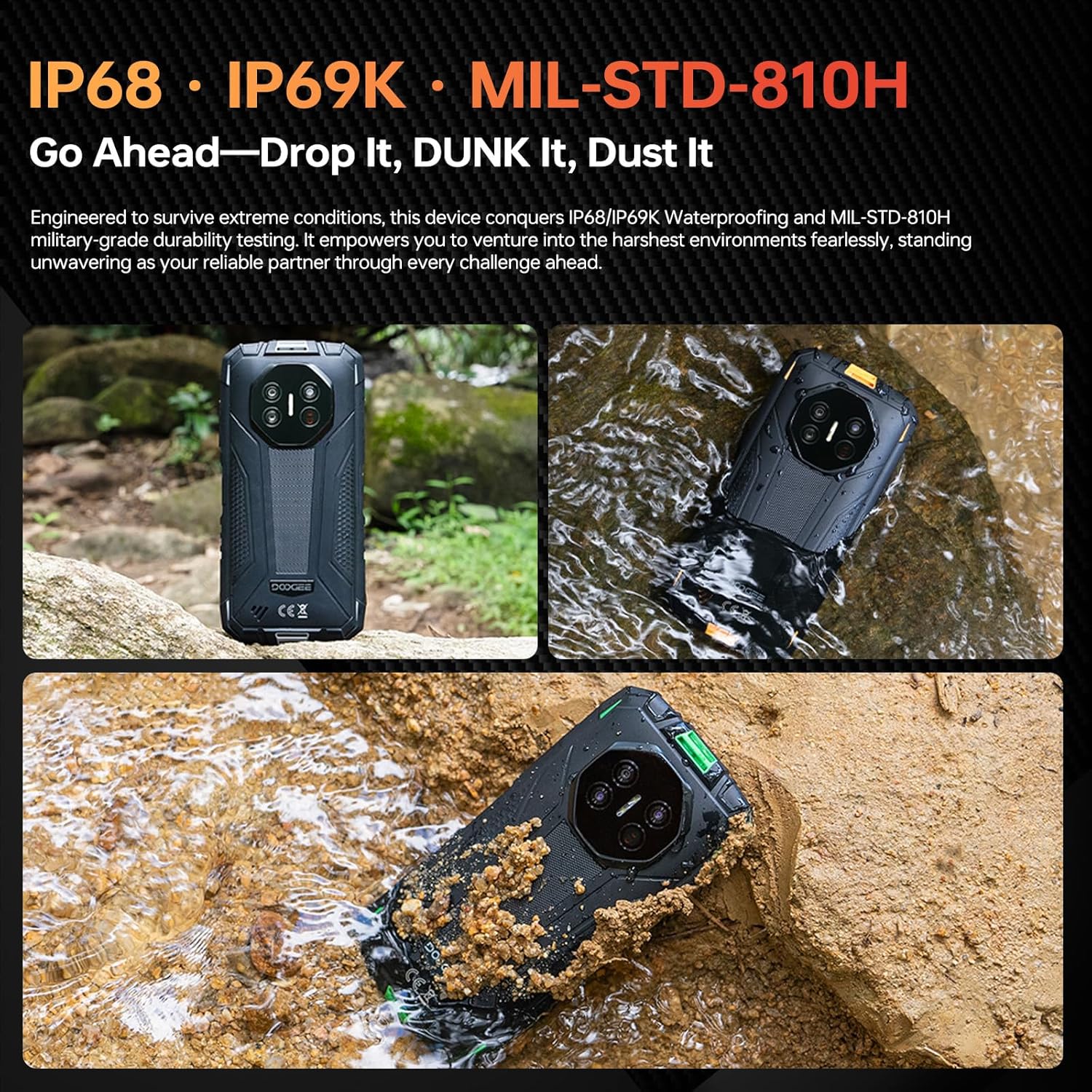
Image: The DOOGEE Fire 3 Ultra submerged in water and covered in dirt, illustrating its IP68/IP69K waterproof and dustproof capabilities.
- IP68/IP69K: Provides dustproof and waterproof protection, allowing submersion up to 1.5 meters for 30 minutes.
- MIL-STD-810H: Military-grade durability ensures resistance to drops from up to 1.5 meters, shocks, and extreme temperatures.
7. Údržba
To maintain your DOOGEE Fire 3 Ultra in optimal condition:
- Pravidelně čistěte obrazovku a tělo zařízení měkkým hadříkemamp tkanina. Vyhněte se agresivním chemikáliím.
- Ensure all port covers are securely closed when the device is exposed to water or dust.
- Nevystavujte zařízení extrémním teplotám po delší dobu.
- Udržujte zařízení mimo dosah silných magnetických polí.
8. Řešení problémů
8.1 Initial Email Registration Issues
If you encounter problems during initial email registration, please check your network connection and ensure the serial number is entered correctly. Occasional system delays may occur; try again later. If the issue persists, contact customer support.
8.2 Obecné otázky
- Zařízení se nezapíná: Ujistěte se, že je baterie nabitá. Před zapnutím připojte zařízení k nabíječce alespoň na 10 minut.
- Obrazovka nereaguje: Restart the device by holding the power button. If unresponsive, force restart by holding the power button for an extended period (e.g., 10-15 seconds).
- Problémy s připojením k síti: Check SIM card insertion, ensure mobile data is enabled, or try restarting the device. Verify your carrier's frequency band compatibility.
9. Specifikace
| Funkce | Specifikace |
|---|---|
| Název modelu | DOOGEE Fire 3 Ultra |
| Operační systém | Android 15 |
| BERAN | 24 GB (6 GB fyzické + 18 GB virtuální) |
| Interní úložiště | 256 GB |
| Rozšiřitelné úložiště | Až 2 TB (TF karta) |
| Velikost displeje | 5.5 Inches IPS HD+ |
| Rezoluce | 720 x 1440 |
| Obnovovací frekvence | 60 Hz |
| Hlavní fotoaparát | 16 MP |
| Kamera pro noční vidění | 20 MP |
| Přední kamera | 8 MP |
| Kapacita baterie | 8350 XNUMX mAh |
| Nabíjení | 18W rychlé nabíjení, reverzní nabíjení OTG |
| Hodnocení trvanlivosti | IP68, IP69K, MIL-STD-810H |
| Konektivita | 4G Dual SIM, NFC, GPS (Beidou, Galileo, Glonass), Wi-Fi, Bluetooth |
| Zabezpečení | Side Fingerprint, Face Unlock |
| Rozměry | 6.39 x 3.04 x 0.70 palce |
| Hmotnost položky | 1.2 libry |
10. Záruka a podpora
For warranty information, please refer to the warranty card included in your product package or visit the official DOOGEE website. If you require assistance or encounter any issues not covered in this manual, please contact DOOGEE customer support for further guidance.