
1. Úvod
This manual provides essential information for setting up, operating, maintaining, and troubleshooting your HP Victus 15 Gaming Laptop. The HP Victus 15 is designed for high-performance gaming and demanding creative tasks, featuring powerful AMD Ryzen processors and NVIDIA GeForce RTX graphics.

Figure 1.1: HP Victus 15 Gaming Laptop, showcasing its 15.6-inch display and key specifications.
The laptop is equipped with an AMD Ryzen 7 7445HS processor, NVIDIA GeForce RTX 4050 6GB GPU, 64GB DDR5 RAM, and a 2TB SSD, ensuring smooth performance for gaming, streaming, and productivity. It runs on Windows 11 Home and includes features like a backlit keyboard and Wi-Fi 6 connectivity.
2. Nastavení
2.1. Co je v krabici
Upon unboxing your HP Victus 15 Gaming Laptop, please verify that all components are present:
- HP Victus 15 Gaming Laptop
- AC Adapter with Power Cord (120 W)
- Uživatelská příručka (tento dokument)

Figure 2.1: Illustration of the HP Victus 15 package contents and approximate dimensions.
2.2. Počáteční zapnutí a konfigurace
- Připojte síťový adaptér k napájecímu portu notebooku a poté do elektrické zásuvky.
- Otevřete víko notebooku. Notebook se může zapnout automaticky nebo může být nutné stisknout tlačítko napájení.
- Postupujte podle pokynů na obrazovce a dokončete nastavení systému Windows 11 Home, včetně výběru jazyka, síťového připojení a vytvoření uživatelského účtu.
- Ensure the laptop is connected to the internet to download necessary updates during the initial setup process.
3. Ovládání notebooku
3.1. Výkon nadview
The HP Victus 15 is engineered for high-demand applications and gaming. It features an AMD Ryzen 7 7445HS processor with 6 cores and a boost clock up to 4.7 GHz, paired with an NVIDIA GeForce RTX 4050 Laptop GPU with 6GB GDDR6 VRAM. This combination provides excellent performance for modern games and creative software.

Figure 3.1: Key performance components of the HP Victus 15, including CPU, RAM, and SSD.
The 64GB DDR5 RAM (4800 MHz) facilitates smooth multitasking, while the 2TB PCIe Gen4 NVMe M.2 SSD ensures rapid boot times and fast application loading. The NVIDIA RTX 4050 supports advanced graphics technologies such as ray tracing and DLSS 3 for enhanced visual fidelity and frame rates in compatible games.

Figure 3.2: Details of the NVIDIA GeForce RTX 4050 Laptop GPU's capabilities.
3.2. Funkce displeje
The laptop features a 15.6-inch Full HD (1920x1080) display with a 144Hz refresh rate, providing fluid visuals for fast-paced gaming. The screen boasts 300-nit brightness and an anti-glare coating to reduce reflections. It also supports AMD FreeSync Premium for tear-free gaming.
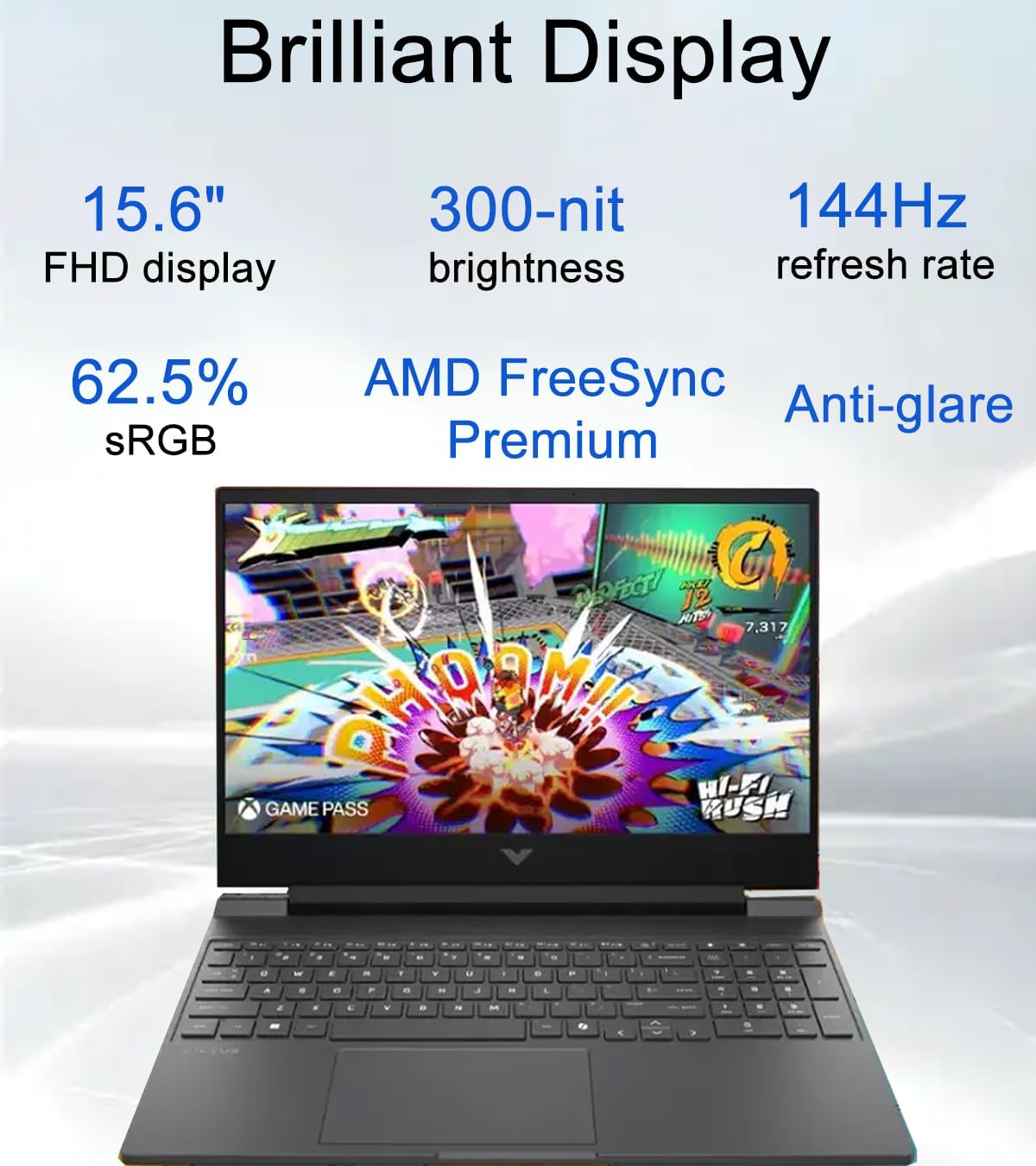
Obrázek 3.3: Přesview of the HP Victus 15's brilliant display features.
3.3. Konektivita
The HP Victus 15 offers a comprehensive set of ports and wireless connectivity options:
- 1x USB Type-C (5Gbps signaling rate, DisplayPort 1.4a, HP Sleep and Charge)
- 2x USB Type-A (5Gbps signaling rate, one with HP Sleep and Charge)
- 1x HDMI 2.1 (supports up to 8K@60Hz external display)
- 1x ethernetový port RJ-45
- 1x kombinovaný konektor pro sluchátka/mikrofon
- AC smart pin port
Wireless connectivity includes Wi-Fi 6 (802.11ax) for high-speed internet and Bluetooth 5.4 for connecting peripherals.
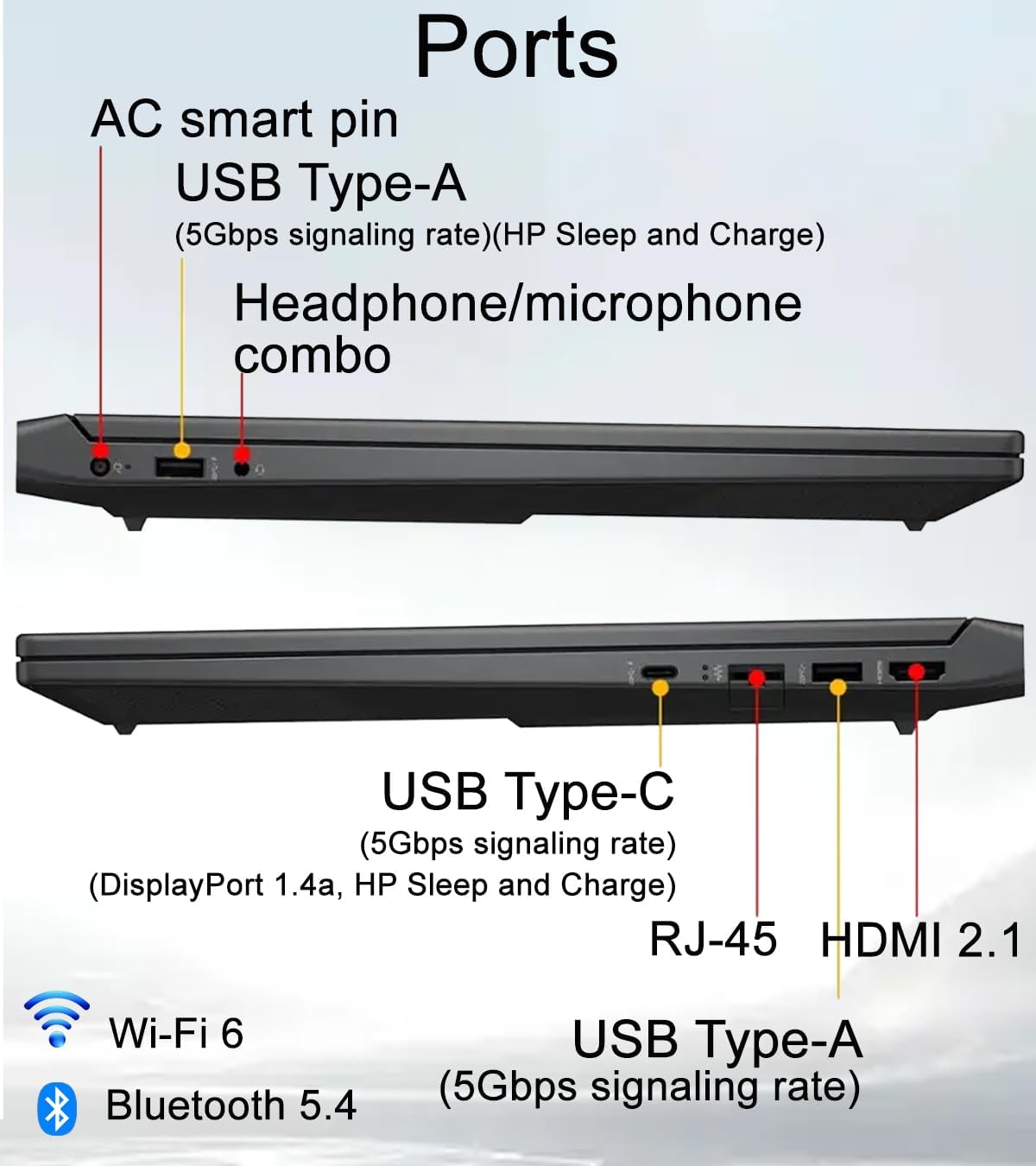
Obrázek 3.4: Detailní view of the HP Victus 15's input/output ports.
3.4. Keyboard and Audio
The laptop features a full-size precision keyboard with a numeric keypad and backlighting, allowing for comfortable typing and gaming in various lighting conditions. Audio is enhanced with HD Audio and DTS: X Ultra Technology, providing immersive sound through stereo speakers.
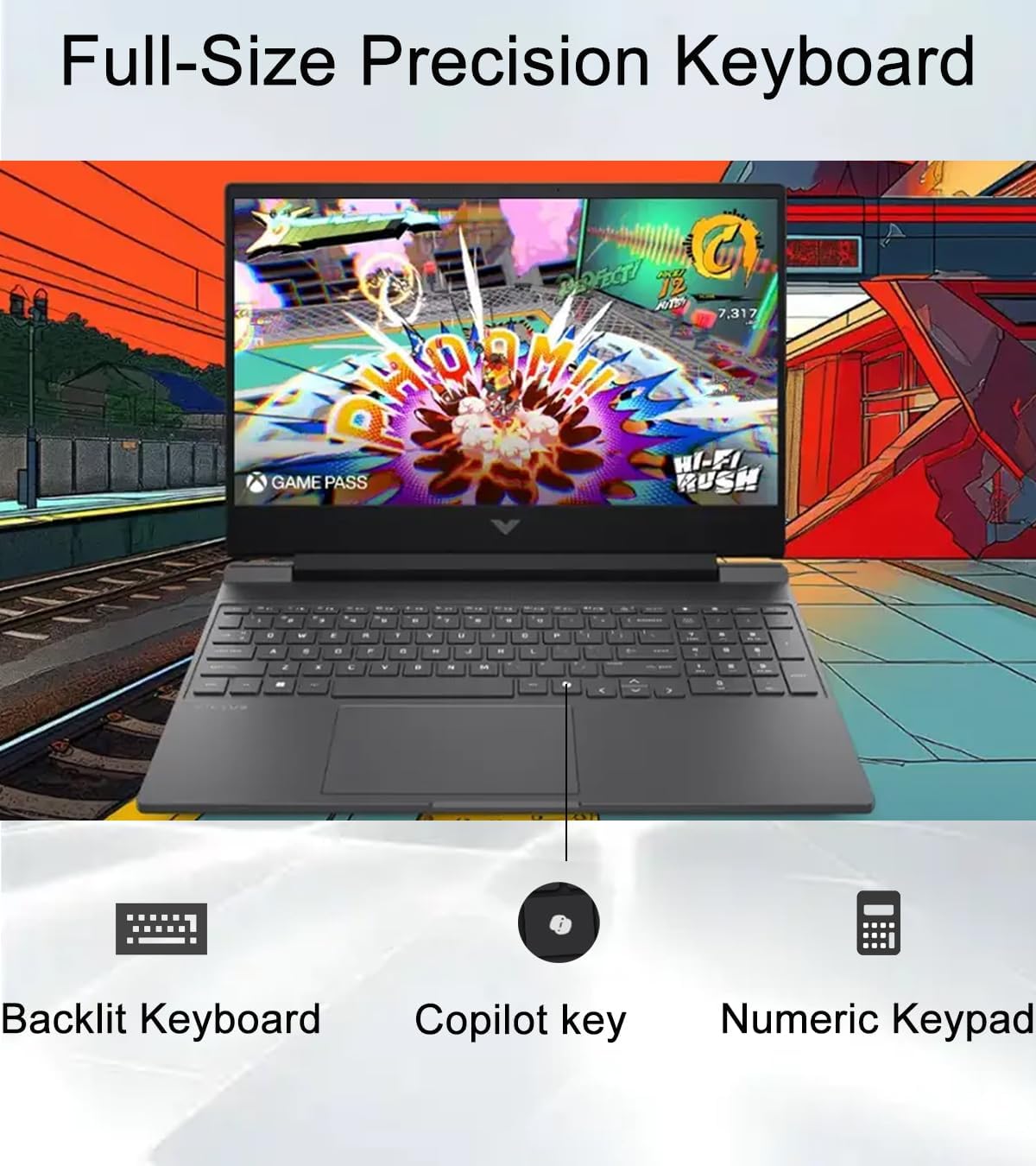
Figure 3.5: Features of the HP Victus 15's full-size precision keyboard.
The integrated OMEN AI feature helps optimize settings for maximum frame rates during gaming sessions.
4. Specifikace
Detailed technical specifications for the HP Victus 15 Gaming Laptop:
| Funkce | Specifikace |
|---|---|
| Název modelu | HP Victus 15 |
| Operační systém | Windows 11 Home |
| Procesor | AMD Ryzen 7 7445HS (6 Cores, up to 4.7 GHz) |
| Grafika | NVIDIA GeForce RTX 4050 Laptop GPU (6GB GDDR6 dedicated) |
| BERAN | 64 GB DDR5 (4800 MHz) |
| Skladování | 2TB PCIe Gen4 NVMe M.2 SSD |
| Zobrazit | 15.6-inch FHD (1920 x 1080) 144Hz, 300-nit, Anti-glare, AMD FreeSync Premium |
| Bezdrátové připojení | Wi-Fi 6 (802.11ax), Bluetooth 5.4 |
| Porty | 1x USB Type-C, 2x USB Type-A, 1x HDMI 2.1, 1x RJ-45, 1x Headphone/Mic Combo, AC Smart Pin |
| Klávesnice | Backlit, Full-size with Numeric Keypad |
| Webvačka | 720p HD s dočasnou redukcí šumu |
| Zvuk | HD Audio with Stereo Speakers, DTS: X Ultra Technology |
| Rozměry (DxŠxV) | 14.09 x 10.04 x 0.93 palce |
| Hmotnost | 5.06 libry |
5. Údržba
5.1. Obecná péče
- Keep the laptop on a clean, flat, and stable surface to ensure proper ventilation.
- Nevystavujte notebook extrémním teplotám, přímému slunečnímu záření nebo vysoké vlhkosti.
- Nepokládejte na notebook těžké předměty.
- Protect the screen from scratches by closing the lid gently and avoiding placing objects on the keyboard before closing.
5.2. Čištění
- Obrazovka: Lehce používejte měkký hadřík, který nepouští vlákna dampvodou nebo čističem obrazovek. Nestříkejte tekutinu přímo na obrazovku.
- Klávesnice a šasi: Použijte měkký, suchý hadřík. Na odolnou špínu použijte lehceamp cloth can be used, ensuring no liquid enters openings. Compressed air can be used to clear dust from keyboard keys and vents.
- Průduchy: Regularly check and clean the ventilation grilles to prevent dust buildup, which can impede airflow and lead to overheating.
6. Řešení problémů
This section provides solutions to common issues you might encounter with your HP Victus 15 Gaming Laptop.
6.1. Problémy s napájením
- Notebook se nezapne: Ensure the AC adapter is securely connected to both the laptop and a working power outlet. Try a different outlet. If using battery, ensure it is charged.
- Baterie se nenabíjí: Verify the AC adapter is functioning correctly. Check the power port for any damage.
6.2. Problémy se zobrazením
- Žádný obraz na obrazovce: Connect an external monitor to check if the issue is with the laptop's display or the graphics output. Ensure the laptop is powered on.
- Blikající nebo zkreslený obraz: Aktualizujte ovladače grafické karty. Pokud používáte externí monitor, zkontrolujte připojení kabelů displeje.
6.3. Problémy s připojením
- Nelze se připojit k Wi-Fi: Ujistěte se, že je v nastavení systému Windows povolena Wi-Fi. Restartujte router a modem. Aktualizujte ovladače bezdrátového připojení.
- Zařízení Bluetooth se nespáruje: Ujistěte se, že je Bluetooth povoleno na notebooku i zařízení. Umístěte zařízení blízko sebe. Odeberte a znovu přidejte zařízení v nastavení Bluetooth.
6.4. Problémy s výkonem
- Pomalý výkon: Close unnecessary applications. Check for background processes consuming high CPU/RAM. Ensure sufficient free space on the SSD.
- Přehřívání: Ensure laptop vents are clear and not obstructed. Use the laptop on a hard, flat surface. Consider using a cooling pad if issues persist.
7. Záruka a podpora
Your HP Victus 15 Gaming Laptop comes with specific warranty coverage:
- A tříletá záruka is provided by Issaquah Highlands Tech for the upgraded Memory and SSD components.
- A jednoletá záruka from the original manufacturer (HP) covers the remaining components of the laptop.
For technical support or warranty claims, please contact the respective service provider. For general inquiries or to explore additional products from the seller, you may visit the ist computers Store on Amazon.