
Zavedení
Thank you for choosing the UMLIFE KWS-2303C USB C Tester Power Meter. This device is designed to accurately measure and display various electrical parameters of USB Type-C connections, including voltage, current, power, capacity, and energy. It supports multiple fast-charging protocols and features a clear color display for easy data monitoring. This manual provides detailed instructions for proper setup, operation, and maintenance of your device.
Bezpečnostní informace
- Zařízení nerozebírejte ani neupravujte.
- Nevystavujte zařízení extrémním teplotám, vlhkosti nebo přímému slunečnímu záření.
- Uchovávejte mimo dosah dětí.
- Use only with compatible USB Type-C devices within the specified voltage a aktuální rozsahy.
- If the device appears damaged or malfunctions, discontinue use immediately.
Obsah balení
- UMLIFE KWS-2303C USB C Tester Power Meter (2 PCS)
Konec produktuview
The KWS-2303C is a compact and versatile USB C power meter designed for monitoring the performance of USB Type-C charging devices and cables. It features a 1.06-inch ISP color high-definition display that provides clear and detailed information.
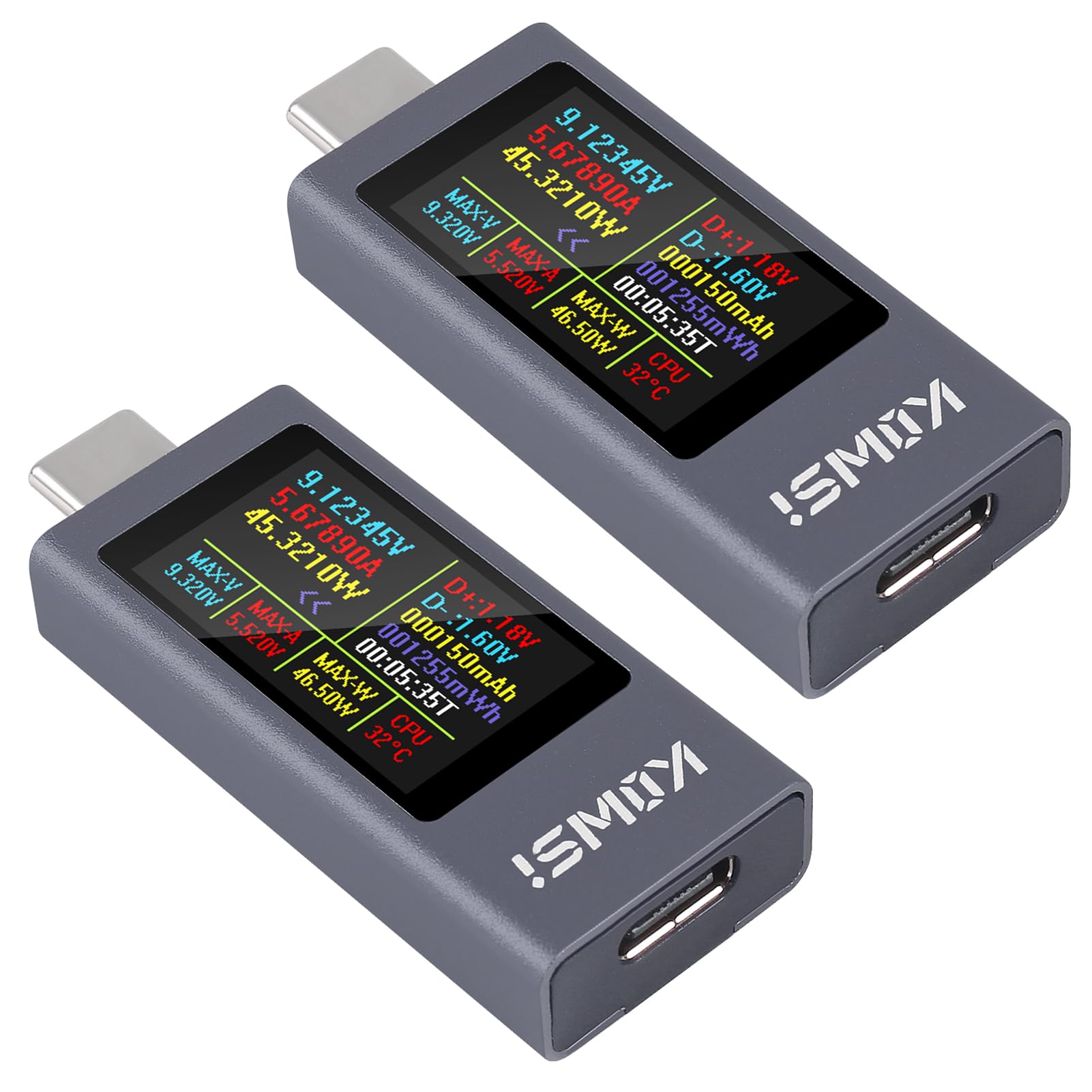
Obrázek 1: Přední view of the UMLIFE KWS-2303C USB C Tester Power Meter, displaying various measurement parameters on its color screen.
Klíčové vlastnosti:
- Široký rozsah měření: Měří stejnosměrný objtage from 4-30V and current from 0-12A, with power up to 360W.
- Komplexní zobrazení dat: Ukazuje svtage, current, power, capacity (mAh), energy (Wh), timing, maximum voltage, maximum current, maximum power, current direction, and CPU temperature.
- Barevný displej s vysokým rozlišením: 1.06-inch ISP screen with high resolution for clear data readability.
- Fast Charging Protocol Support: Compatible with PD2.0, PD3.0, PPS, QC2.0, QC3.0, FCP, SCP, AFC, PE, DASH VOOC, Super VOOC, and other protocols.
- Power-off Storage: Automatically saves capacity and energy data when power is disconnected.
- Curve Function: Monitoruje v reálném čase objtage and current curves over selectable timeframes.
- Více režimů zobrazení: Easily switch between three display interfaces.
Nastavení
- Identifikace portů: The KWS-2303C has a male USB-C connector on one end and a female USB-C port on the other.
- Připojte ke zdroji napájení: Plug the male USB-C connector of the tester into your USB-C power adapter, power bank, or any USB-C output port you wish to test.
- Připojit zařízení: Plug your USB-C charging cable into the female USB-C port of the tester, and then connect the other end of the cable to the device you intend to charge or power.
- Zapnutí: The tester will automatically power on and display measurement data once connected to a live power source.

Obrázek 2: The USB C Tester connected in-line between a power source and a device, monitoring charging parameters.
Návod k obsluze
The KWS-2303C features a single button for navigation and control.

Obrázek 3: Zadní view of the KWS-2303C, highlighting the control button and product specifications.
- Přepínání rozhraní displeje:
Press the button once to cycle through the available display interfaces. The tester offers three distinct display modes for data presentation.
- Changing Display Direction:
Double-click the button to rotate the display orientation by 180 degrees. This is useful for viewing the screen from different angles.
- Resetování dat:
To reset accumulated capacity (mAh) and energy (Wh) data, press and hold the button for approximately 3 seconds until the values clear. This action will not reset the timing data.
Režimy zobrazení
The KWS-2303C offers three distinct display interfaces to suit your monitoring needs. You can switch between these modes by pressing the control button.

Obrázek 4: Examples of the three available display interfaces, including a detailed data view and a curve graph.
- Standardní data View: Zobrazuje svtage, current, power, capacity, energy, time, D+/D- voltage, and CPU temperature.
- Simplified Data View: Focuses on larger display of voltage, proud a výkon.
- Real-time Curve Graph: Vizualizuje objemtage and current changes over time, providing a dynamic view of charging performance.
Ukládání dat
The KWS-2303C features a power-off storage function. This means that the accumulated capacity (mAh) and energy (Wh) data will be automatically saved even if the power supply is disconnected. This allows for convenient review of total charge delivered over time.
To clear the stored capacity and energy data, refer to the "Resetting Data" instruction in the Operating Instructions section.
Curve Function
The upgraded curve function allows for better recording and visualization of real-time voltage and current fluctuations. To access and configure the curve display:
- Navigate to the curve graph display interface by pressing the control button.
- Long press the button to enter the curve settings. Here you can set the time interval for the curve page (e.g., 5 minutes, 15 minutes, 60 minutes, 2 hours) to monitor real-time voltage and current over your desired period.
Údržba
- Čištění: K čištění zařízení používejte měkký, suchý hadřík. Nepoužívejte tekuté čisticí prostředky ani rozpouštědla.
- Skladování: Přístroj skladujte na chladném a suchém místě mimo dosah přímého slunečního záření a extrémních teplot.
- Zacházení: Zabraňte pádu zařízení nebo jeho vystavení silným nárazům.
Odstraňování problémů
| Problém | Možná příčina | Řešení |
|---|---|---|
| Displej je prázdný nebo se nezapíná. | No power supply, faulty connection, or device malfunction. | Ensure the tester is properly connected to a working USB-C power source. Check the cable connections. Try a different power source or cable. |
| Nepřesné údaje. | Poor cable quality, incompatible device, or environmental factors. | Use a high-quality USB-C cable. Ensure the connected device and power source are within the tester's specifications. Avoid extreme temperatures. |
| Button not responding. | Stuck button or temporary software glitch. | Gently press the button multiple times. Disconnect and reconnect the tester to reset it. |
| Data not saving after power-off. | Specific data types (like timing) are not designed for power-off storage, or a malfunction. | Only capacity (mAh) and energy (Wh) are stored. If these are not saving, contact support. |
Specifikace
| Model: | KWS-2303C |
| svtage Rozsah měření: | DC 4-30V |
| Aktuální rozsah měření: | 0-12A |
| Rozsah měření výkonu: | 0-360W |
| Capacity Measurement Range: | 0-666666 mAh |
| Rozsah měření energie: | 0-999999Wh |
| Rozsah časování: | 0-99 hodin |
| Zobrazit: | 1.06-inch ISP Color High-Definition Display |
| Velikost produktu: | 53 × 20 × 9 mm (přibližně 2.09 × 0.79 × 0.35 palce) |
| Podporované protokoly: | PD2.0, PD3.0, PPS, QC2.0, QC3.0, FCP, SCP, AFC, PE, DASH VOOC, Super VOOC, etc. |

Obrázek 5: Dimensional drawing of the KWS-2303C USB C Tester.
Záruka a podpora
UMLIFE products are designed for reliability and performance. For warranty information or technical support, please refer to the contact details provided with your purchase or visit the official UMLIFE website. Please have your model number (KWS-2303C) and purchase date ready when contacting support.
Pro další pomoc se můžete také obrátit na UMLIFE Store on Amazon.