
1. Úvod
This user manual provides comprehensive instructions for the NEC VersaPro VH-1 laptop. It covers setup, operation, maintenance, and troubleshooting to ensure optimal performance and user experience. Please read this manual thoroughly before using your device.
The NEC VersaPro VH-1 is a lightweight and high-performance 12.5-inch Full HD laptop, featuring a 7th Generation Intel Core i5-7Y54 processor. It is designed for efficient web browsing, business applications, and remote work. With pre-installed Windows 11 Pro and MS Office 2019, it is ready for immediate use upon arrival.
2. Konec produktuview
2.1 Klíčové vlastnosti
- Lightweight & Thin Design: Weighing approximately 921g, this 12.5-inch FHD laptop is highly portable, fitting easily into a backpack for commuting, business trips, or mobile work.
- 7th Gen Intel Core i5-7Y54 Processor: Equipped with an efficient and power-saving Intel Core i5-7Y54 (up to 3.2GHz) processor, offering sufficient performance for browsing, online meetings, and Office applications. It also features quiet operation and low heat generation.
- High-Speed SSD Storage: Features an SSD for fast boot-up and smooth operation, handling large files and multiple applications without lag.
- Rich Connectivity & Type-C Expansion: Zahrnuje a Web camera, Wi-Fi, Bluetooth, HDMI, and a Type-C port for versatile connections to peripherals and external monitors. The Type-C port supports future expansion.
- Pre-installed Software: Comes with Windows 11 Pro and MS Office 2019 pre-installed, allowing immediate document creation, report preparation, and web konference.
2.2 Identifikace součásti
Familiarize yourself with the various parts of your NEC VersaPro VH-1 laptop.

Obrázek: Různé views of the NEC VersaPro VH-1 laptop, showing the front, back, top, and keyboard layout.

Obrázek: Boční view of the laptop highlighting available ports including USB 3.0, LAN, Headphone Jack, HDMI, SD Card Slot, and Power Connector.
3. Nastavení
3.1 První zapnutí
- Připojte napájení: Zapojte síťový adaptér do napájecího portu notebooku a poté do zásuvky ve zdi.
- Zapnutí: Open the laptop lid and press the power button. The laptop will begin the initial boot process.
- Nastavení systému Windows: Postupujte podle pokynů na obrazovce a dokončete nastavení systému Windows 11 Pro, včetně jazyka, regionu, síťového připojení a vytvoření uživatelského účtu.
3.2 Aktivace softwaru
Your laptop comes with MS Office 2019 pre-installed. Follow the prompts to activate your Office suite using your Microsoft account or product key.

Image: The laptop displaying the Windows 11 interface, with logos indicating Windows 11 Pro and MS Office 2019 are installed and ready for use.
4. Návod k obsluze
4.1 Základní použití
- Klávesnice: The laptop features a Japanese layout keyboard designed for comfortable and accurate typing.
- Touchpad: Use the integrated touchpad for navigation and gestures.
- Web Fotoaparát: Vestavěný web camera and dual microphones are ideal for remote work, online meetings, and video calls.

Image: A user engaged in a video conference call on the NEC VersaPro VH-1 laptop, demonstrating its web camera and dual microphone capabilities for remote work and online learning.
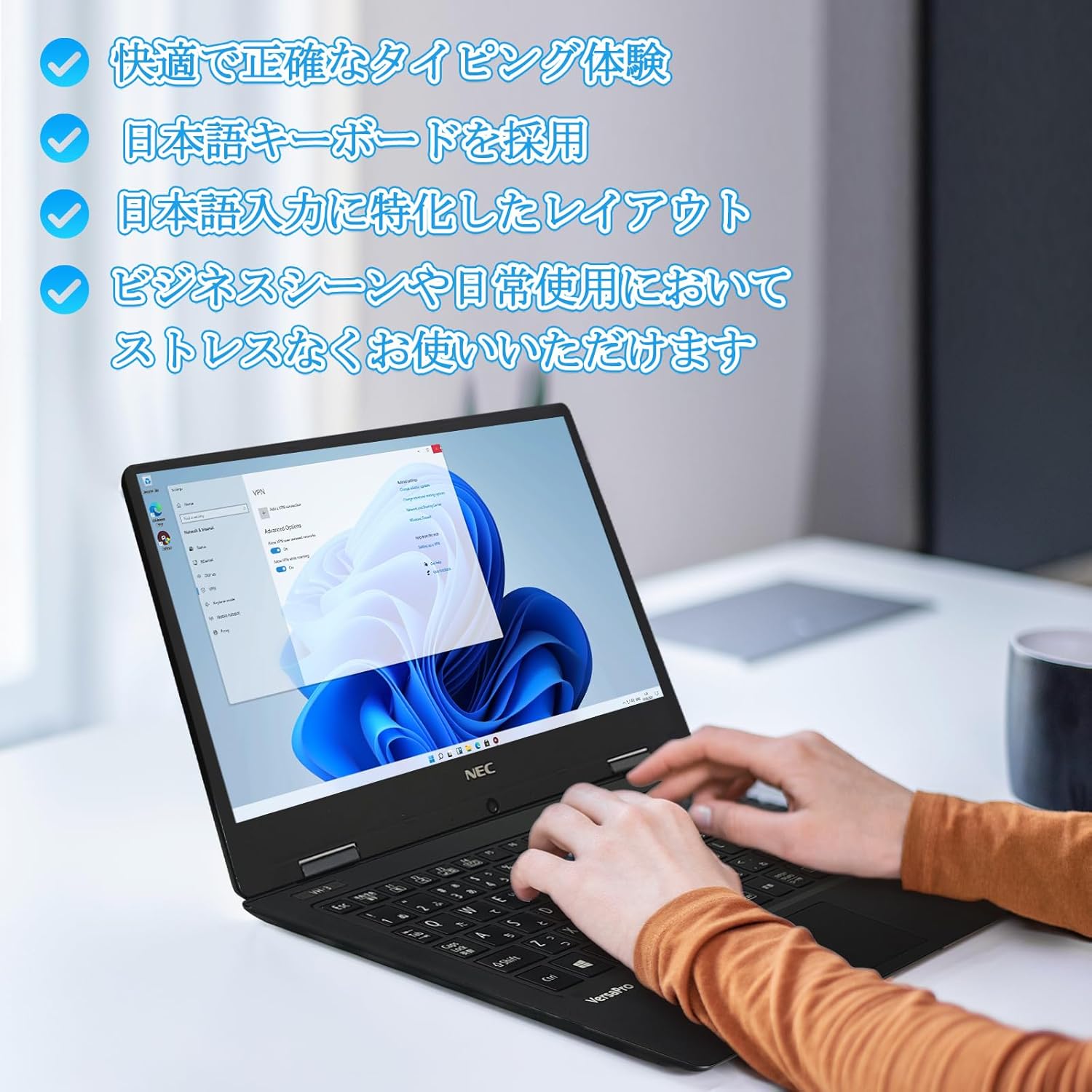
Image: Close-up of hands typing on the laptop's keyboard, illustrating the comfortable and precise typing experience provided by the Japanese layout keyboard.
4.2 Konektivita
- Wi-Fi: Připojte se k bezdrátovým sítím pro přístup k internetu.
- Bluetooth: Pair with Bluetooth-enabled devices such as headphones or mice.
- HDMI: Připojení k externím displejům nebo projektorům.
- Typ C: Use the Type-C port for data transfer, charging compatible devices, or connecting to a USB-C hub for additional ports.
5. Údržba
5.1 Čištění
- Obrazovka: Použijte měkký hadřík, který nepouští vlákna dampvodou nebo čističem obrazovek. Nestříkejte tekutinu přímo na obrazovku.
- Klávesnice a šasi: K otření povrchů používejte měkký hadřík. V případě odolné nečistoty použijte lehceamp Lze použít hadřík. Vyhněte se agresivním chemikáliím.
5.2 Péče o baterii
- Pro prodloužení životnosti baterie se vyhněte extrémním teplotám.
- Pokud notebook skladujete delší dobu, ujistěte se, že je baterie nabitá na přibližně 50–70 %.
6. Řešení problémů
6.1 Běžné problémy a řešení
| Problém | Možné řešení |
|---|---|
| Notebook se nezapne. | Ensure the AC adapter is securely connected to both the laptop and a working power outlet. Check if the power button is functioning correctly. |
| Problémy s připojením k Wi-Fi. | Verify Wi-Fi is enabled in Windows settings. Restart your router and the laptop. Check for updated network drivers. |
| Externí displej nebyl detekován. | Ensure the HDMI cable is securely connected. Press Windows key + P to cycle through display modes. Check external display input settings. |
| Pomalý výkon. | Zavřete nepotřebné aplikace. Zkontrolujte, zda procesy na pozadí nespotřebovávají prostředky. Zajistěte dostatek volného místa na SSD disku. Spusťte kontrolu systému na přítomnost malwaru. |
Pokud narazíte na problémy, které zde nejsou uvedeny, nebo potřebujete další pomoc, podívejte se prosím do sekce podpory.
7. Specifikace
| Funkce | Detail |
|---|---|
| Značka | NEC |
| Název modelu | VasaPro VH-1 |
| Číslo modelu produktu | VKT12 |
| Velikost obrazovky | 12.5 palce |
| Rezoluce | 1920x1080 pixelů (FHD) |
| Značka CPU | Intel |
| Typ CPU | Core i5 7Y54 |
| Rychlost CPU | 1.2 GHz (max. 3.2 GHz) |
| Počet procesorů | 2 |
| Velikost paměti RAM | 4 GB |
| Maximální podporovaná paměť | 8 GB |
| Typ paměti | DDR3 SDRAM |
| Velikost pevného disku | 1 TB |
| Typ pevného disku | SSD |
| Grafický koprocesor | Grafická karta Intel HD Graphics 615 |
| Popis grafické karty | Integrovaný |
| Operační systém | Windows 11 Pro |
| Bezdrátový typ | Bluetooth, Wi-Fi (802.11n) |
| Porty USB 3.0 | 2 |
| HDMI porty | 1 |
| Typ optické mechaniky | Žádný |
| Hmotnost položky | 1.5 Kilograms (Shipping Weight) |
| Baterie | 1 12V battery (included), 24 Watt-hours, 4 Lithium Ion cells |
8. Záruka a podpora
For warranty information and technical support, please refer to the documentation provided with your purchase or contact the retailer. Specific warranty terms may vary.