
1. Úvod
The Qubo NEONW-BK 4G mobile phone is specifically designed for seniors, prioritizing simplicity, functionality, and safety. Its flip design protects the screen and prevents accidental calls. Key features include a clear menu, large buttons, FM radio, a basic camera, and an essential SOS button for emergencies. This manual will guide you through the phone's features and operations to ensure a comfortable and easy user experience.
2. Konec produktuview
2.1. Obsah balení
- Qubo NEONW-BK 4G Mobile Phone
- Baterie
- Nabíjecí kabel USB-C
- Napájecí adaptér
- Uživatelská příručka (tento dokument)
2.2. Součásti telefonu
The Qubo NEONW-BK 4G features a classic flip design with an external display for notifications and an internal main screen. It includes large, easy-to-press buttons for dialing and navigation, a dedicated SOS button, and a camera.
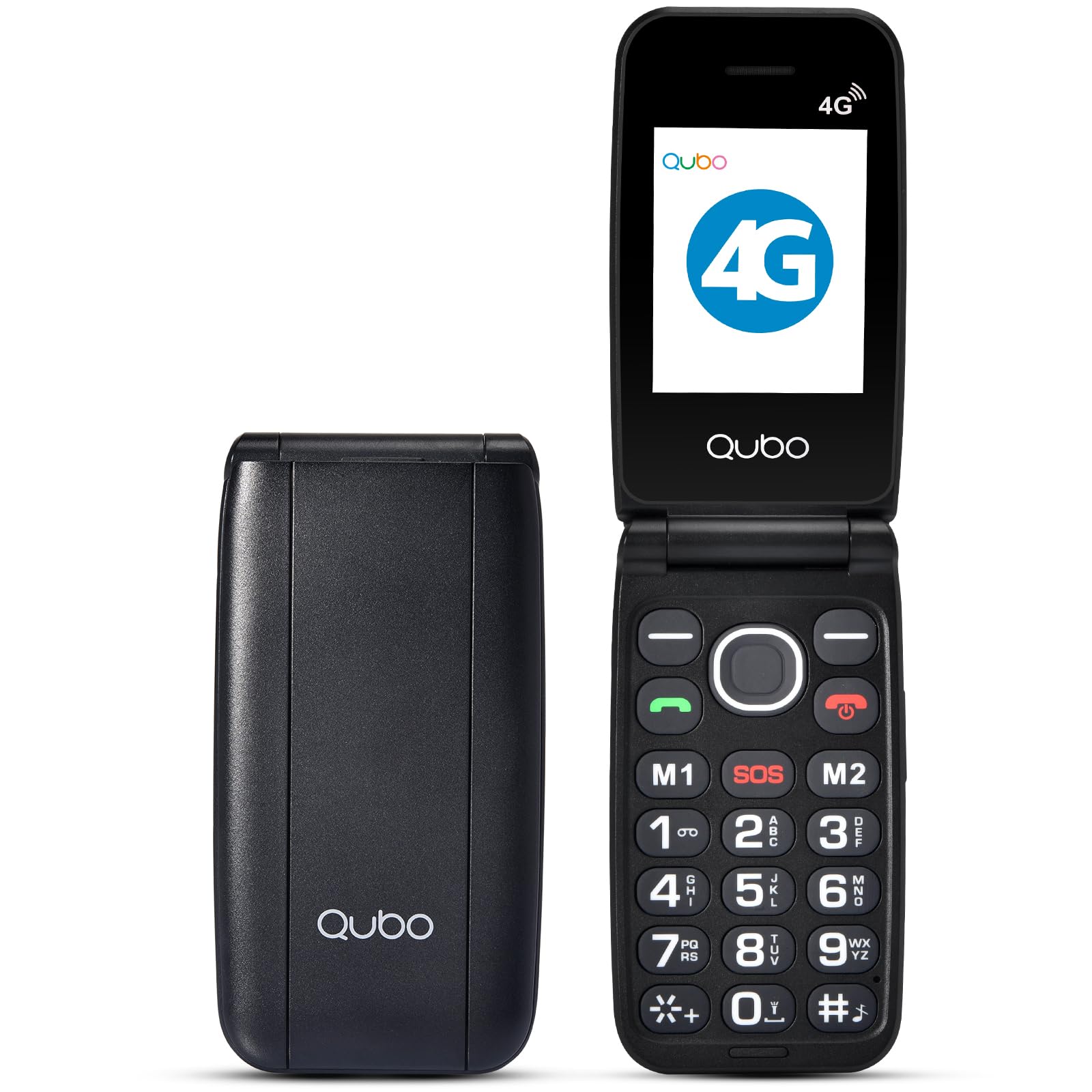
The image above shows the Qubo NEONW-BK 4G mobile phone in its open, ready-to-use state, highlighting its large keypad and clear display, designed for user convenience.
2.3. Accessories Overview
This video demonstrates the various accessories included with the phone, such as the charging cable and power adapter, ensuring you have everything needed for initial setup and daily use.
3. Nastavení
3.1. Instalace baterie
- Opatrně sejměte zadní kryt telefonu.
- Zarovnejte kontakty baterie s póly telefonu.
- Pevně zatlačte baterii dolů, dokud nezacvakne na místo.
- Nasaďte zadní kryt.
3.2. Instalace SIM karty a paměťové karty
The Qubo NEONW-BK 4G supports Dual SIM (Standard SIM size) and a T-Flash memory card up to 32MB.
- With the back cover and battery removed, locate the SIM card slots (SIM1, SIM2) and the memory card slot.
- Carefully insert your Standard SIM card(s) into the designated slots, ensuring the gold contacts face downwards and the cut corner aligns correctly.
- Insert the T-Flash memory card into its slot until it is securely in place.
- Znovu nainstalujte baterii a zadní kryt.
This video provides a visual guide on how to quickly and correctly install the SIM card(s) into your Qubo NEONW-BK 4G phone.
3.3. Nabíjení telefonu
Before first use, fully charge the phone's battery. Use the provided USB-C cable and power adapter.
- Connect the USB-C cable to the charging port on the phone.
- Zapojte napájecí adaptér do elektrické zásuvky.
- Indikátor nabíjení na obrazovce bude zobrazovat stav nabíjení.
- Po plném nabití (přibližně 3 hodiny) odpojte nabíječku.
3.4. Zapnutí/vypnutí
- To power on: Press and hold the Power/End Call button (red button) until the screen lights up.
- To power off: Press and hold the Power/End Call button until the power-off options appear, then select 'Power off'.
4. Návod k obsluze
4.1. Uskutečňování a přijímání hovorů
- Uskutečnění hovoru: Open the flip, dial the number using the large keypad, and press the Call button (green button).
- Příjem hovoru: Open the flip to answer, or press the Call button. Close the flip or press the End Call button (red button) to end a call.
- Direct Memory Keys (M1, M2, M3): Press and hold M1, M2, or M3 to quickly dial pre-set contacts.
4.2. Zprávy
To send or read text messages, navigate to the 'Messages' menu using the navigation keys and the 'OK' button.
4.3 Funkce SOS
The dedicated SOS button is located on the back of the phone for emergencies. When activated, it automatically calls pre-configured emergency contacts.
- Nastavení SOS kontaktů: Access the 'SOS Settings' in the phone's menu to add up to 5 emergency numbers.
- Použití tlačítka SOS: In an emergency, press and hold the SOS button for a few seconds. The phone will automatically call the pre-set contacts in sequence until one answers.
4.4. FM rádio
The phone includes an FM radio. Navigate to the 'FM Radio' option in the menu to listen to your favorite stations without needing an internet connection.
4.5. Fotoaparát
The 0.3 MP camera allows you to capture simple photos. Access the 'Camera' option from the main menu to take pictures.
This video highlights various features of a senior-friendly mobile phone, including its ease of use, large buttons, and practical functionalities.
5. Údržba
- Udržujte telefon suchý. Vlhkost může poškodit elektronické obvody.
- Do not use or store the phone in dusty, dirty areas.
- Do not store the phone in hot or cold temperatures.
- Nenechávejte telefon upadnout, neklepejte s ním ani s ním netřeste. Hrubé zacházení může poškodit vnitřní desky plošných spojů.
- Telefon čistěte měkkým hadříkemamp cloth. Do not use harsh chemicals or cleaning solvents.
- Only use original or approved accessories.
6. Řešení problémů
6.1. Telefon se nezapne
- Zkontrolujte, zda je baterie správně nainstalována.
- Ujistěte se, že je baterie nabitá. Připojte nabíječku a zkuste to znovu.
6.2. Nelze uskutečňovat/přijímat hovory
- Zkontrolujte, zda je SIM karta správně vložena a aktivována.
- Ensure you have network signal.
- Verify that the phone is not in airplane mode.
6.3. Špatná kvalita zvuku
- Adjust the call volume using the side buttons.
- Ensure the speaker and microphone are not obstructed.
- Přesuňte se do oblasti s lepším pokrytím sítě.
6.4. Baterie se rychle vybíjí
- Snižte jas obrazovky.
- Zavřete nepoužívané aplikace.
- Omezte využití dat na pozadí.
- Pokud problém přetrvává, může být nutné baterii vyměnit.
7. Specifikace
| Funkce | Specifikace |
|---|---|
| Číslo modelu | NEONWBK 4G |
| Zobrazit | TFT LCD 2.4" QVGA |
| Čipová sada | SCT107 |
| CPU | ARM7, 260 MHz |
| Paměť (RAM + ROM) | 48MB RAM + 128MB ROM |
| Bluetooth | 5.0 |
| Kapacita baterie | 800 mAh (Li-ion) |
| Konektivita | 2G GSM 850/900/1800/1900 (GSM/GPRS), 4G B1/3/7/8/20 |
| Fotoaparát | 0.3 MP |
| Rádio | FM |
| Typ SIM | Dual SIM (Standard) |
| Podpora paměťových karet | T-Flash up to 32MB |
| Doba pohotovostního režimu | 100 hours (Dual SIM), 140 hours (Single SIM) |
| Doba hovoru | 3.5 hodin |
| Funkce | Calendar, Calculator, Multimedia Player (audio/video), Video Recorder, SOS Button |
| Spojení | USB-C, 3.5 mm Jack |
| Rozměry | 10.5 x 5.3 x 1.7 cm |
| Hmotnost | 200 g |
8. Záruka a podpora
For warranty information, please refer to the warranty card included in your product packaging or contact your retailer. For technical support or further assistance, please reach out to Qubo customer service through their official webwebu nebo kontaktních údajů uvedených při nákupu.