

1. Úvod
This manual provides essential information for setting up, operating, maintaining, and troubleshooting your DOOGEE E3MAX 14-inch Android 15 Tablet. Please read this guide thoroughly to ensure optimal performance and longevity of your device.
2. Nastavení
2.1 Vybalení a úvodní kontrola
Carefully unpack your DOOGEE E3MAX tablet and verify that all components are present. The standard package includes:
- DOOGEE Tab E3 Max Tablet
- Kabel USB typu C
- Nabíječka
- SIM Card Removal Tool
- Stylus (Full Accessory Set Version)
- Tempered Glass Film (Full Accessory Set Version)
- Bluetooth Mouse (Full Accessory Set Version)
- Leather Protective Cover (Full Accessory Set Version)
- Bluetooth Keyboard (Full Accessory Set Version)
- Uživatelská příručka

This image shows all items included in the DOOGEE E3MAX package: the tablet, a Type-C USB cable, a charger, a SIM card removal tool, a stylus, a tempered glass film, a Bluetooth mouse, a leather protective cover, a Bluetooth keyboard, and the user manual.
2.2 Nabíjení tabletu
Before first use, fully charge the tablet using the provided USB Type-C cable and charger. Connect the cable to the tablet's Type-C port and the charger to a power outlet. The battery indicator on the screen will show charging status.
2.3 Zapnutí/vypnutí
- Zapnutí: Stiskněte a podržte tlačítko napájení, dokud se nezobrazí logo DOOGEE.
- Vypnutí: Stiskněte a podržte tlačítko napájení a poté z možností na obrazovce vyberte možnost „Vypnout“.
- Restartovat: Stiskněte a podržte tlačítko napájení a poté z možností vyberte „Restartovat“.
2.4 Počáteční konfigurace
Po prvním zapnutí postupujte podle pokynů na obrazovce a nastavte tablet:
- Vyberte preferovaný jazyk.
- Připojte se k síti Wi-Fi.
- Přihlaste se pomocí svého účtu Google nebo si vytvořte nový.
- Review a přijměte obchodní podmínky.
- Set up screen lock (PIN, pattern, password, or face recognition).
2.5 Instalace SIM a TF karty
The tablet supports dual SIM cards or one SIM card and one TF (microSD) card for expanded storage.
- Vyhledejte slot pro SIM/TF kartu na boku tabletu.
- Insert the SIM card removal tool into the small hole next to the tray to eject it.
- Vložte kartu (karty) Nano-SIM a/nebo kartu TF do určených slotů v držáku. Dbejte na správnou orientaci.
- Jemně zatlačte zásobník zpět do tabletu, dokud nezacvakne na místo.

This diagram illustrates the tablet's dual card slot, allowing for the insertion of two SIM cards or one SIM card and one TF (microSD) card for expanded storage and cellular connectivity.
3. Návod k obsluze
3.1 Funkce displeje
The DOOGEE E3MAX features a large, high-resolution display for an enhanced visual experience.
- Velikost obrazovky: 14-palcový IPS displej
- Rezoluce: 2.1K (2160x1440 pixelů)
- Poměr stran: 3:2
- Poměr obrazovky k tělu: 82.8 %
- Barevná hloubka: 16.7 milionů barev

The tablet features a 14-inch 2.1K (2160x1440) IPS display, offering vivid colors and sharp details with an 82.8% screen-to-body ratio and 3:2 aspect ratio.
3.2 Výkon
The tablet is designed for smooth multitasking and efficient operation.
- Procesor: MediaTek Helio G100 Octa-Core Processor (2.2GHz, 6nm process)
- BERAN: 32GB (8GB physical + 24GB virtual memory)
- Interní paměť (ROM): 256 GB
- Rozšiřitelné úložiště: Až 2 TB přes TF kartu (prodává se samostatně)
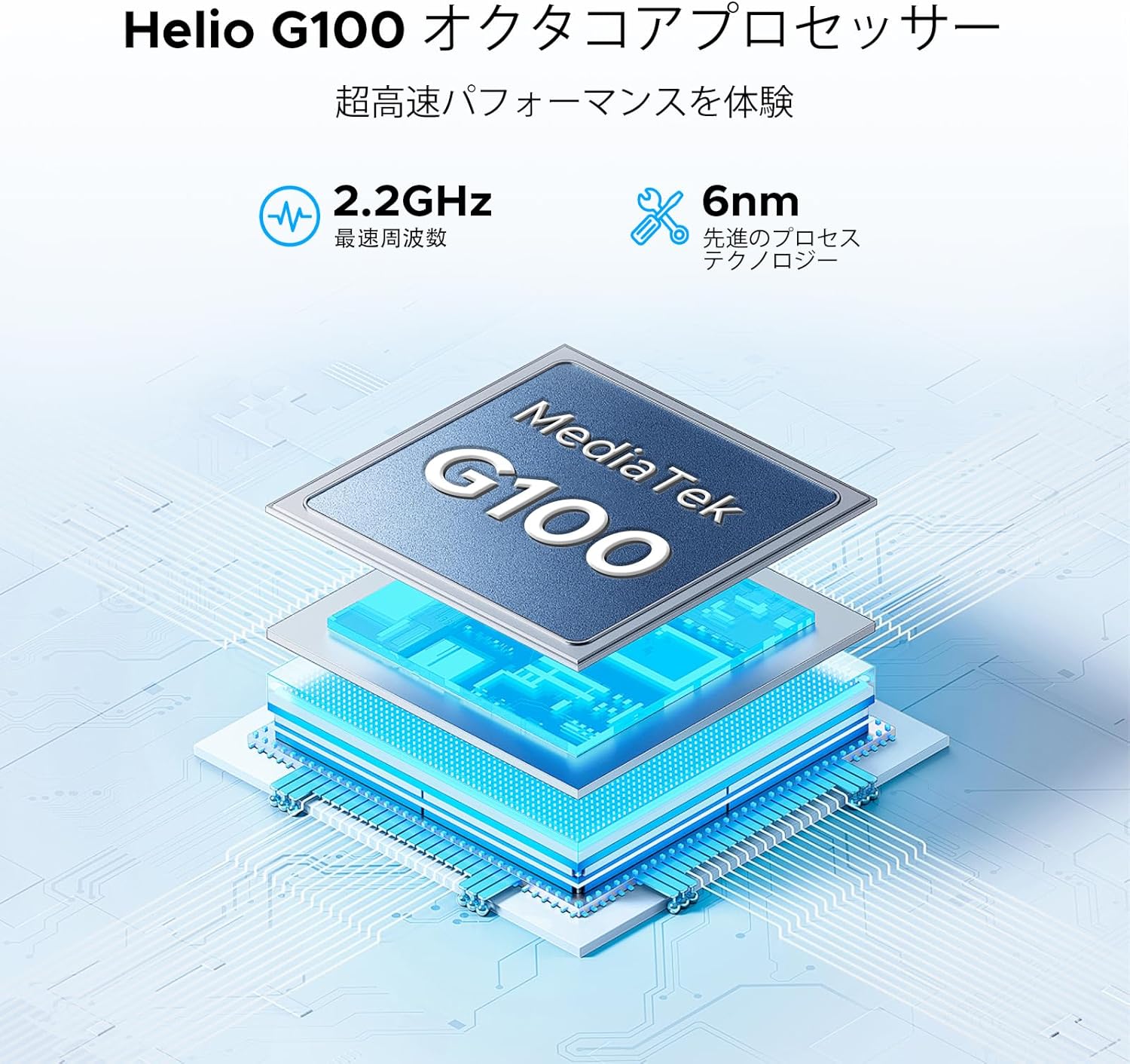
The tablet is powered by a MediaTek Helio G100 octa-core processor, operating at 2.2GHz with a 6nm process technology, ensuring efficient performance for various tasks.

Equipped with 32GB RAM (8GB physical + 24GB virtual) and 256GB internal storage, the tablet also supports up to 2TB of expandable storage via a TF card (sold separately).
3.3 Bezdrátové připojení
Stay connected with various wireless options:
- Wi-Fi: Dual-band 2.4G/5G (802.11ax, 802.11b, 802.11g, 802.11n) for stable and fast internet.
- Bluetooth: Version 5.2 for connecting wireless peripherals.
- Mobilní: 4G LTE support via dual SIM card slots.
- Navigace: Integrované GPS, Glonass, Galileo a Beidou pro přesné lokalizační služby.

The tablet supports dual-band 2.4G/5G Wi-Fi for stable and fast internet access, along with Bluetooth 5.2 for peripheral connections and GPS for navigation.
3.4 Audio systém
Enjoy rich audio with the tablet's advanced sound features:
- Řečníci: Premium 1217 BOX Quad Speakers for immersive sound.
- Audio jack: Standard 3.5mm audio jack for wired headphones.

Experience immersive sound with the tablet's premium 1217 BOX quad speakers. A standard 3.5mm audio jack is also included for wired headphone connectivity.
3.5 Integrated Cameras
Capture moments and conduct video calls with the tablet's cameras:
- Zadní kamera: 16MP with autofocus, suitable for document scanning and general photography.
- Přední kamera: 8MP, ideal for video conferencing and selfies.
- Makro kamera: 2MP pro detailní záběry zblízka.

Capture clear photos with the 16MP autofocus rear camera, suitable for scanning documents. The 8MP front camera is ideal for video calls, and a 2MP macro camera is included for detailed close-up shots.
3.6 Dlouhotrvající baterie
The DOOGEE E3MAX is equipped with a high-capacity battery for extended use.
- Kapacita baterie: 13500mAh Lithium Polymer battery.
- Pohotovostní doba: Až 29 dny.
- Přehrávání videa: Up to 10 hours of continuous video.

The tablet is equipped with a large 13500mAh battery, providing extended usage times, including up to 29 days standby and 10 hours of continuous video playback.
3.7 Softwarové funkce
The tablet runs on the latest Android operating system with integrated smart features.
- Operační systém: Android 15, GMS certified for full access to Google services.
- Umělá inteligence Blíženců: Built-in AI for tasks like voice-to-text conversion for meetings, image analysis, and smart assistance.
- Kancelář WPS: Pre-installed suite for Word, Excel, and PowerPoint document editing.
- Multitasking: Efficient split-screen functionality for running multiple applications simultaneously.
- Zabezpečení: Face recognition for quick and secure unlocking, enhanced privacy shield with precise permission management, data encryption, and timely security updates.
- Ochrana očí: Features like eye protection mode and dark mode to reduce eye strain during prolonged use.

Integrated Gemini AI assists with various tasks, including converting meeting audio to text, scanning documents, and providing smart assistance.

WPS Office is pre-installed, allowing for efficient editing of Word, Excel, and PowerPoint files, making the tablet suitable for productivity tasks.

Enhance productivity with split-screen multitasking. Secure your device with face recognition unlock and protect your eyes with built-in eye protection modes.
4. Údržba
4.1 Péče o zařízení
- Čištění: K čištění obrazovky a těla přístroje používejte měkký hadřík, který nepouští vlákna. Nepoužívejte abrazivní materiály ani agresivní chemikálie.
- Aktualizace softwaru: Pravidelně kontrolujte a instalujte aktualizace systému, abyste zajistili optimální výkon a zabezpečení. Přejděte do Nastavení > Systém > Aktualizace systému.
- Správa úložiště: Pravidelně odstraňujte nepotřebné filea aplikace pro uvolnění úložného prostoru a udržení rychlosti zařízení.
- Péče o baterie: Nevystavujte extrémním teplotám. Nenechávejte baterii často zcela vybíjet. Pro dlouhodobé skladování nabijte baterii přibližně na 50 %.
5. Řešení problémů
Tato část se zabývá běžnými problémy, se kterými se můžete s tabletem setkat.
- Zařízení se nezapíná: Ujistěte se, že je baterie nabitá. Připojte nabíječku a před opětovným zapnutím počkejte několik minut. Pokud zařízení nereaguje, stiskněte a podržte tlačítko napájení po dobu 10–15 sekund, abyste vynutili restart.
- Problémy s připojením Wi-Fi: Zkontrolujte, zda je v nastavení povolena Wi-Fi. Restartujte router a tablet. Zapomeňte na síť a znovu se připojte.
- Pomalý výkon: Close unused applications. Clear cache and data for frequently used apps. Consider performing a factory reset if performance issues persist after backing up your data.
- Pády aplikací: Ujistěte se, že jsou aplikace aktualizovány na nejnovější verze. Vymažte mezipaměť a data aplikace (Nastavení > Aplikace > [Název aplikace] > Úložiště > Vymazat mezipaměť/Vymazat data).
- Problémy s nabíjením: Verify the charging cable and adapter are securely connected and undamaged. Try a different compatible charger and cable.
6. Specifikace
| Funkce | Specifikace |
|---|---|
| Značka | DOOGEE |
| Model | E3MAX |
| Operační systém | Android 15 |
| Procesor | Osmijádrový procesor MediaTek Helio G100, 2.2 GHz |
| BERAN | 32 GB (8 GB fyzické + 24 GB virtuální) |
| Interní úložiště | 256 GB |
| Rozšiřitelné úložiště | Až 2 TB přes TF kartu |
| Zobrazit | 14-inch IPS, 2160x1440 (2.1K) |
| Zadní kamera | 16MP Autofocus |
| Přední kamera | 8 MP |
| Makro fotoaparát | 2 MP |
| Baterie | Lithium-polymer 13500 mAh |
| Wi-Fi | 802.11ax, 802.11b, 802.11g, 802.11n (2.4G/5G Dual-band) |
| Bluetooth | Verze 5.2 |
| Navigace | GPS, Glonass, Galileo, Beidou |
| Porty | USB typu C, 3.5mm audio konektor |
| Rozměry (D x Š x V) | 24.53 x 16.33 x 0.99 cm |
| Hmotnost | 992 g |
7. Záruka a podpora
7.1 Informace o záruce
Your DOOGEE E3MAX tablet comes with a Záruka kvality 12 měsíců od data nákupu. Tato záruka se vztahuje na výrobní vady vzniklé běžným používáním. Pro případné reklamace si prosím uschovejte doklad o koupi.
7.2 Zákaznická podpora
For any questions, technical assistance, or warranty claims, please contact DOOGEE customer support. Refer to the contact information provided with your purchase or visit the official DOOGEE webstránky pro podrobnosti o podpoře.