
MOTPK 53 Inch L Shaped Gaming Desk
MOTPK 53 Inch L Shaped Gaming Desk User Manual
Model: 53 Inch L Shaped Gaming Desk
Zavedení
This manual provides detailed instructions for the assembly, operation, and maintenance of your MOTPK 53 Inch L Shaped Gaming Desk. Please read this manual thoroughly before assembly and use to ensure proper function and safety.
The MOTPK L Shaped Gaming Desk is designed to optimize your gaming or work setup with features such as integrated power outlets, customizable LED lighting, and versatile storage options. Its reversible design allows for flexible placement in various room configurations.
Důležité bezpečnostní informace
Please read and understand all safety warnings before proceeding with assembly or use.
- Vždy pečlivě dodržujte montážní návod.
- Use appropriate tools and ensure the work area is clear of obstructions.
- Keep hands and body parts away from moving parts during assembly.
- Always unplug and disconnect any power sources before assembly or disassembly.
- Ensure all connections are secure before applying power to the integrated outlets or LED lights.
- Do not overload the power outlets. Refer to specifications for maximum load.
Obsah balení
Před zahájením montáže zkontrolujte, zda jsou všechny součásti přítomny a nepoškozené. Pokud některé součásti chybí nebo jsou poškozené, kontaktujte zákaznickou podporu.
- Desk panels (L-shaped desktop, corner desktop, display shelf, CPU stand platform)
- Kovové rámové komponenty
- Integrated power strip (3 AC outlets, 2 USB ports, 6.5ft power cord)
- LED light strips with controller
- Háček na sluchátka
- Montážní materiál (šrouby, matice atd.)
- Montážní nářadí (např. imbusový klíč, šroubovák)
- Návod k použití
Nastavení a montáž
Assembly typically takes under 45 minutes. Follow the visual step-by-step instructions provided in the included guide. All necessary tools are provided.
- Připravte oblast: Clear a spacious, flat area for assembly. Lay out all components and hardware.
- Sestavte rám: Connect the metal frame components according to the diagrams. Ensure all screws are finger-tightened initially.
- Připojení panelů plochy: Secure the L-shaped desktop and corner desktop panels to the assembled frame. Fully tighten all screws once panels are aligned.
- Install Display Shelf and CPU Stand: Attach the display storage shelf and the adjustable CPU stand platform. The CPU stand can be adjusted vertically to suit your needs.
- Montáž elektrické zásuvky: Secure the integrated power strip into its designated slot on the desktop.
- Instalace LED světel: Adhere the LED light strips to the designated areas. Connect the controller and power cable.
- Připojení háčku pro sluchátka: Secure the headphone hook to the underside of the desk.
- Závěrečná kontrola: Ensure all connections are secure and the desk is stable before placing any equipment on it.

Obrázek: Overview of the MOTPK L Shaped Gaming Desk, showcasing its design with integrated LED lighting, power outlet, and storage features. The image also illustrates the reversible configuration option.

Image: A detailed diagram illustrating the dimensions of the MOTPK L Shaped Gaming Desk, including length, width, height, and the length of the power cord (6.5 feet).
Návod k obsluze
Integrovaná zásuvka
The desk features a built-in power strip for convenient access to power.
- AC zásuvky: 3 standard 125V/12A AC outlets for powering monitors, computers, and other devices.
- USB porty: 2 USB 5V/2A charging ports for mobile devices, controllers, and headsets.
- Napájecí kabel: The integrated 6.5-foot power cord connects the power strip to a wall outlet.

Obrázek: Detailní záběr view of the integrated power outlet on the desk, showing three AC outlets and two USB charging ports, with a device plugged in.
Systém LED osvětlení
The desk is equipped with dual LED light strips to enhance your environment. Use the included controller to manage the lighting.
- Zapnutí/vypnutí: Press the power button on the controller to turn the lights on or off.
- Statické barvy: Select from 10 vibrant static colors.
- Dynamické efekty: Choose from 10 dynamic lighting effects.
- Nastavení jasu: Adjust the brightness level (6 levels available) to suit your preference.
- Funkce paměti: The system retains your last selected settings when powered off and on.

Image: A visual representation of the two LED light strips and their controller, demonstrating various color options and lighting modes available for the desk.
Adjustable CPU Stand Platform
The multi-level corner board can be adjusted to accommodate your CPU tower or to provide additional desktop space.
- Nastavení: The platform can be smoothly adjusted up or down without tools.
- Funkčnost: Use it to showcase your CPU tower or as an extra surface for accessories.
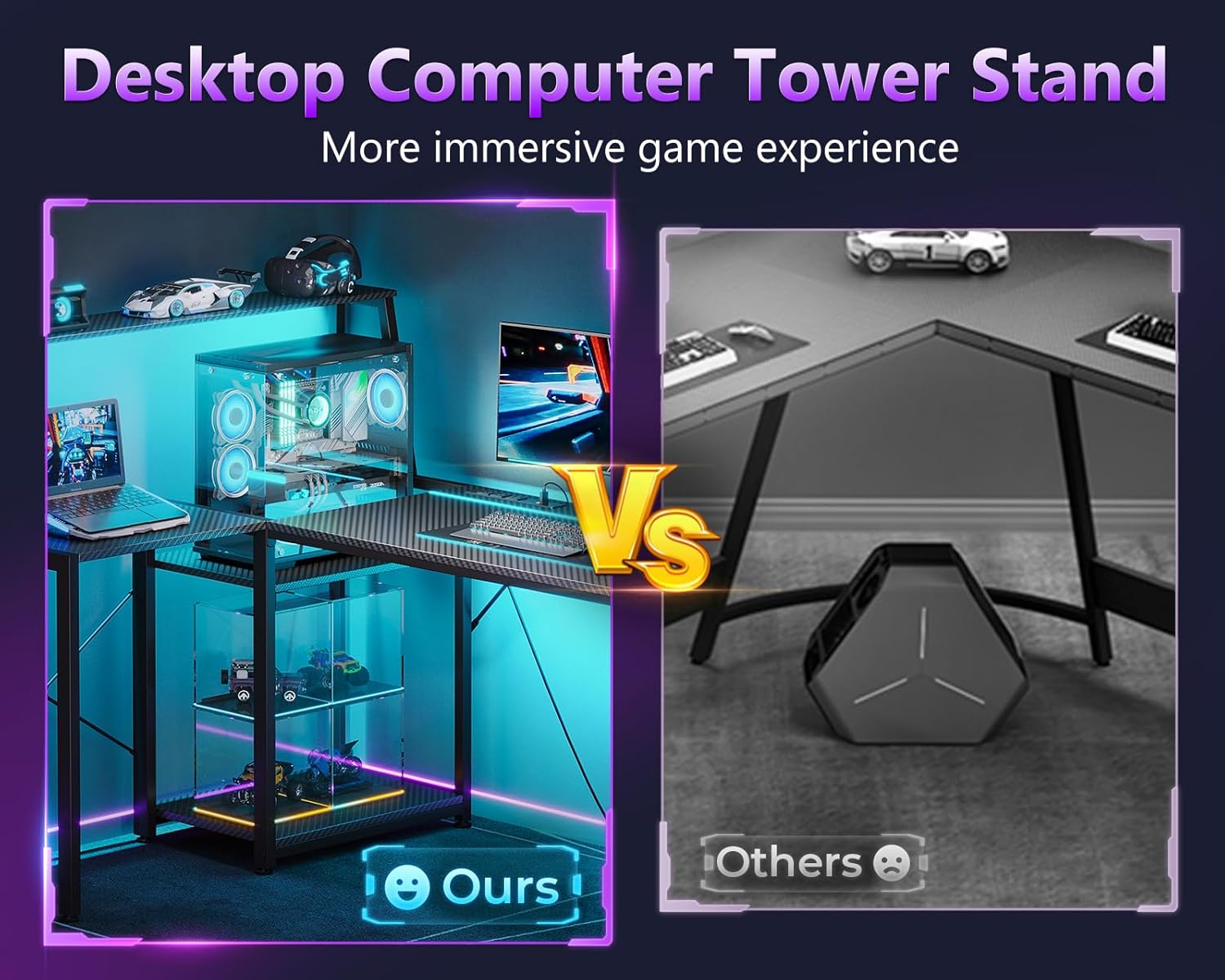
Image: A comparison showing the integrated desktop computer tower stand on the MOTPK desk versus a typical floor-standing CPU case, highlighting the space-saving and display benefits.
Údržba
To ensure the longevity and appearance of your MOTPK Gaming Desk, follow these maintenance guidelines:
- Čištění: Otřete povrch z uhlíkových vláken měkkým hadříkemamp hadříkem. Nepoužívejte abrazivní čisticí prostředky ani agresivní chemikálie, které by mohly poškodit povrchovou úpravu.
- Utírat prach: Regularly dust the desk and LED strips to maintain optimal performance and appearance.
- Rozlití kapaliny: Immediately wipe up any liquid spills to prevent damage to the desktop or electrical components.
- Správa kabelů: Periodically check and organize cables to prevent tangles and reduce strain on connections.
- Kontrola hardwaru: Every few months, check all screws and bolts to ensure they remain tight. Retighten if necessary.
Odstraňování problémů
Pokud narazíte na jakékoli problémy se stolem, postupujte podle následujících běžných kroků pro řešení problémů:
| Problém | Možná příčina | Řešení |
|---|---|---|
| Stůl je vratký. | Uvolněné šrouby nebo nerovná podlaha. | Ensure all assembly screws are fully tightened. Adjust leveling feet if present, or place shims under legs on uneven surfaces. |
| LED světla se nerozsvítí. | Problém s připojením k napájení, vadný ovladač nebo poškozený pásek. | Check if the power cord for the LED lights is securely plugged into the power strip and the wall outlet. Ensure the controller is properly connected to the LED strips. Try pressing the power button on the controller. If issues persist, contact support. |
| Nefunkční elektrické zásuvky. | Desk power cord unplugged, circuit breaker tripped, or faulty outlet. | Verify the desk's main power cord is securely plugged into a functional wall outlet. Check your home's circuit breaker. Test the wall outlet with another device. If the issue is isolated to the desk's power strip, contact support. |
| CPU stand platform not adjusting smoothly. | Překážka nebo špatné zarovnání. | Ensure no cables or objects are obstructing the adjustment mechanism. Check for proper alignment during assembly. |
Specifikace
- Značka: MOTPK
- Model: 53 Inch L Shaped Gaming Desk
- Tvar: Tvar
- Rozměry produktu (H x Š x V): 39.37"H x 52.76"Š x 45.47"V
- Barva: Carbon Fiber Surface, Black
- Styl: Moderní
- Základní materiál: Legovaná ocel
- Typ vrchního materiálu: Umělé dřevo
- Typ dokončení: Práškové lakování
- Speciální funkce: Reversible, Built-in Power Outlet, LED Lighting, Headphone Hook, Storage Shelves, Adjustable CPU Stand
- Zásuvka: 3 AC Outlets (125V/12A), 2 USB Ports (5V/2A), 6.5-Feet Power Cord
- LED světla: 2 Strips, 10 Static Colors, 10 Dynamic Effects, 6 Brightness Levels, Memory Function
- Shromáždění: Required (Includes all assembly tools)
Záruka a podpora
Omezená záruka
This MOTPK product comes with a limited warranty. Please refer to the warranty card included in your package for specific terms and conditions. The warranty covers manufacturing defects under normal use.
Zákaznická podpora
For any questions, concerns, or assistance with assembly or product functionality, please contact our dedicated support team. Our team typically responds within 24 hours via Amazon Messages.
You can reach us through the Amazon platform by navigating to your order history and selecting "Contact Seller" for your MOTPK desk purchase.
Ask a question about this manual
Ask about setup, troubleshooting, compatibility, parts, safety, or missing instructions. Manuals+ will review the question and use this page’s manual context to help answer it.