
Zavedení
This manual provides detailed instructions for the ATTACK SHARK G3 Tri-Mode Wireless Gaming Mouse. Please read this manual thoroughly before use to ensure proper operation and to maximize your experience with the product.
The ATTACK SHARK G3 is a high-performance gaming mouse designed for versatility and precision. It offers three connectivity modes: 2.4GHz wireless, Bluetooth 5.2, and wired USB-C, allowing seamless switching between various devices and setups. Featuring a lightweight design, a high-precision PAW3311 sensor, and programmable buttons, the G3 is engineered for both gaming and productivity.
Obsah balení
- ATTACK SHARK G3 Wireless Gaming Mouse
- Nabíjecí/datový kabel USB-C
- 2.4GHz USB přijímač
- Uživatelská příručka
Konec produktuview
Familiarize yourself with the components of your ATTACK SHARK G3 mouse.

Obrázek: Shora dolů view of the ATTACK SHARK G3 Wireless Gaming Mouse in Berry Red, showing the left and right click buttons, scroll wheel, and two side buttons on the left.
- Levé tlačítko myši: Standardní primární funkce myši.
- Kliknutí pravým tlačítkem: Standardní funkce sekundární myši.
- Rolovací kolečko: Pro funkci rolování a kliknutí prostředním tlačítkem myši.
- Boční tlačítka (x2): Default to Forward/Backward, programmable via software.
- DPI Button (underside): Cykluje mezi přednastavenými úrovněmi DPI.
- Mode Switch (underside): Toggles between 2.4GHz, Bluetooth, and Wired modes.
- Port USB-C: Pro kabelové připojení a nabíjení.
- 2.4GHz USB Receiver Storage: Nachází se na spodní straně myši.

Obrázek: Výstava kolážíasing key features of the G3 mouse, including its 59g ultra-light design, 500mAh battery, PixArt PAW3311 sensor, 25000 DPI capability, Huano Blue Shell Pink Dot Switches, and Tri-mode connectivity.
Nastavení
1. Připojení v kabelovém režimu
- Připojte konec USB-C dodaného kabelu k myši.
- Připojte konec kabelu USB-A k volnému portu USB v počítači.
- Ensure the mode switch on the underside of the mouse is set to the "Wired" position.
- The mouse will be recognized by your computer and is ready for use.
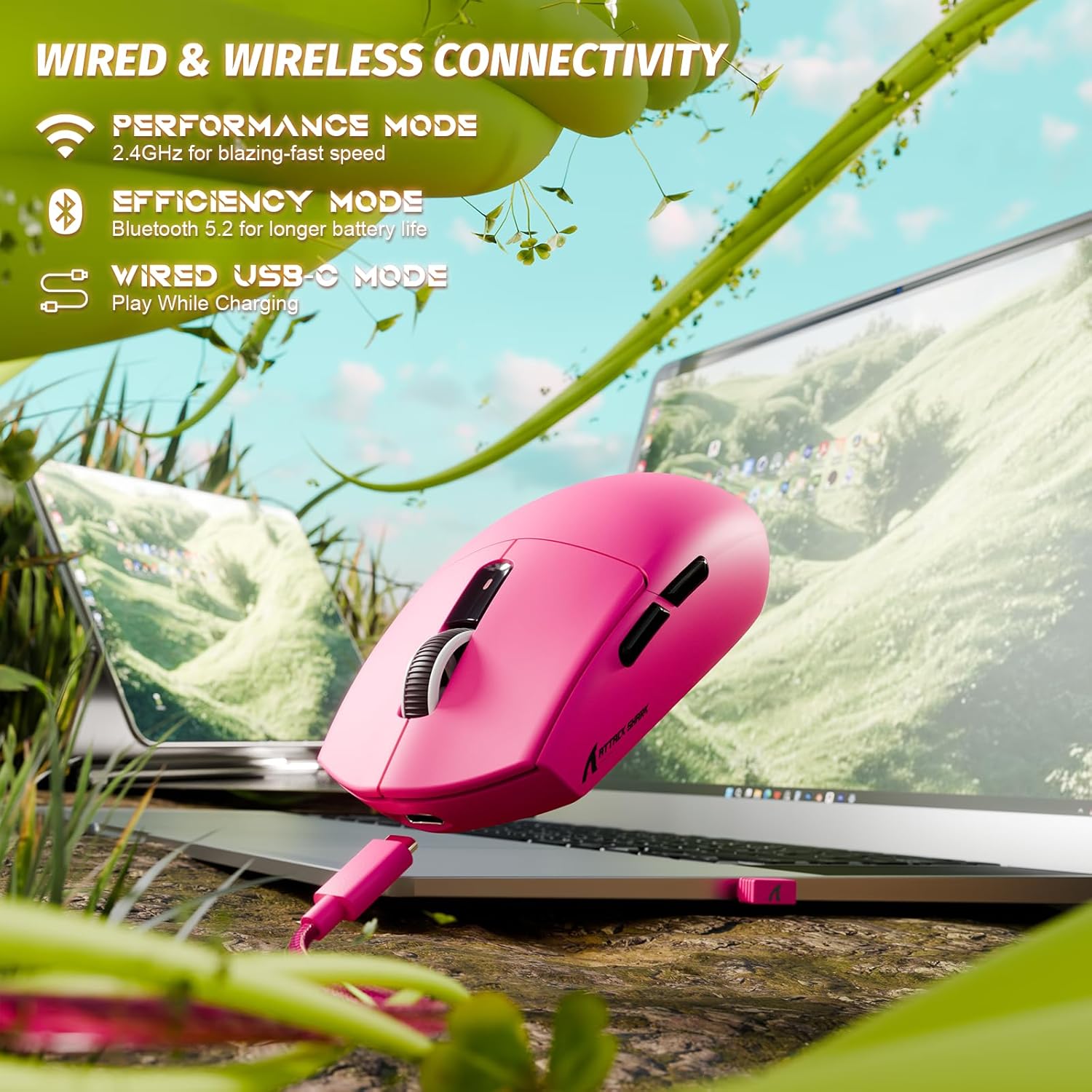
Image: The ATTACK SHARK G3 mouse connected to a laptop via its USB-C cable, illustrating the wired connectivity option.
2. 2.4GHz Wireless Mode Connection
- Locate the 2.4GHz USB receiver stored on the underside of the mouse.
- Zapojte USB přijímač do volného USB portu na vašem počítači.
- Set the mode switch on the underside of the mouse to the "2.4G" position.
- The mouse should automatically connect to the receiver. If not, press and hold the DPI button and a side button simultaneously for 3 seconds to initiate pairing.
3. Bluetooth 5.2 Mode Connection
- Set the mode switch on the underside of the mouse to the "BT" (Bluetooth) position.
- The mouse will enter pairing mode, indicated by a blinking LED light.
- V počítači nebo zařízení přejděte do nastavení Bluetooth.
- Hledat new devices and select "ATTACK SHARK G3" from the list.
- Dokončete proces párování podle pokynů na obrazovce.
Návod k obsluze
Úprava DPI
The ATTACK SHARK G3 features a PAW3311 sensor with adjustable DPI settings. You can cycle through preset DPI levels by pressing the DPI button located on the underside of the mouse. For fine adjustments and custom DPI profiles, use the dedicated driver software.

Obrázek: Detailní záběr view of the PixArt PAW3311 sensor inside the mouse, highlighting its capabilities such as 1000Hz polling rate, 25000 DPI max, and 40G acceleration.
Programmable Buttons and Software
The G3 mouse includes 5 programmable buttons. To customize button functions, create macros, and adjust settings like polling rate and Lift-Off Distance (LOD), download and install the official ATTACK SHARK driver software from the manufacturer's website. The software allows for personalized configurations to suit your specific needs.

Image: A screenshot of the ATTACK SHARK G3 customization software interface, showing options for mouse settings, DPI settings, parameter settings, macro editing, and personal center.
Nabíjení myši
The mouse is equipped with a built-in 500mAh rechargeable lithium-ion battery. When the battery is low, the LED indicator will signal. Connect the mouse to your computer using the provided USB-C cable to charge. The mouse can be used normally while charging in wired mode.

Image: The ATTACK SHARK G3 mouse in a natural setting, emphasizing its 500mAh battery capacity for extended use.
Údržba
- Čištění: K čištění povrchu myši použijte měkký, suchý hadřík. V případě odolných nečistot použijte lehceamp Lze použít hadřík, který zajistí, aby se do vnitřních součástí nedostala vlhkost.
- Péče o senzor: Udržujte optický senzor na spodní straně myši čistý a bez prachu nebo nečistot, abyste zajistili přesné sledování.
- Výdrž baterie: Chcete-li prodloužit životnost baterie, vyhněte se častému úplnému vybíjení myši. Nabijte ji, jakmile se zobrazí indikátor slabé baterie.
- Skladování: Pokud myš delší dobu nepoužíváte, skladujte ji na chladném a suchém místě.

Image: An inverted view of the ATTACK SHARK G3 mouse, showcasing its double-layer mouse feet for smooth gliding and stability.
Odstraňování problémů
- Myš nereaguje:
- Ujistěte se, že je myš nabitá.
- Check the mode switch (2.4G, BT, Wired) is set correctly.
- Pro frekvenci 2.4 GHz se ujistěte, že je USB přijímač bezpečně zapojený. Zkuste jiný USB port.
- V případě Bluetooth se ujistěte, že je na vašem zařízení povoleno připojení Bluetooth a myš je spárovaná.
- Try connecting in wired mode to confirm functionality.
- Nepřesné sledování:
- Vyčistěte optický senzor na spodní straně myši.
- Ujistěte se, že myš používáte na vhodném povrchu (např. podložce pod myš).
- Adjust DPI settings via the DPI button or software.
- Problémy s připojením:
- Pro snížení rušení přibližte myš k přijímači/zařízení.
- Avoid using the 2.4GHz receiver near other wireless devices that may cause interference.
- Re-pair the mouse in 2.4GHz or Bluetooth mode if connection is lost.
- Software nerozpoznává myš:
- Ensure the mouse is connected in wired or 2.4GHz mode (Bluetooth may not be supported by all software).
- Restartujte software a/nebo počítač.
- Znovu nainstalujte software ovladače.
Specifikace
| Funkce | Detail |
|---|---|
| Model | G3 |
| Konektivita | Bezdrátové připojení 2.4 GHz, Bluetooth 5.2, kabelové USB-C |
| Senzor | Optický senzor PixArt PAW3311 |
| Rozsah DPI | 800 - 25,000 DPI (adjustable) |
| Rychlost sledování | 400 IPS |
| Akcelerace | 40G |
| Míra hlasování | 1000Hz (Wired/2.4GHz) |
| Tlačítka | 5 programovatelná tlačítka |
| Spínače | Huano Blue Shell Pink Dot Switches (80 million clicks) |
| Baterie | Dobíjecí lithium-iontová baterie 500 mAh |
| Hmotnost myši | Přibližně 59 g (2.08 oz) |
| Kompatibilita | PC, Mac (Windows/macOS) |
Záruka a podpora
ATTACK SHARK products are designed and manufactured to the highest quality standards. For warranty information and technical support, please refer to the official ATTACK SHARK webnebo se obraťte přímo na jejich zákaznický servis. Uschovejte si doklad o koupi pro případ reklamace.
For further assistance, visit the official ATTACK SHARK store: ATTACK SHARK Store