
1. Úvod
This manual provides essential instructions for the safe and efficient use of your Samsung Smart FHD 43'' TV, model LS43F6000FGXZD. Please read this manual thoroughly before operating the device and retain it for future reference. Your new television features Full HD resolution, HDR technology, PurColor, and the Tizen™ operating system for a rich viewzkušenosti.
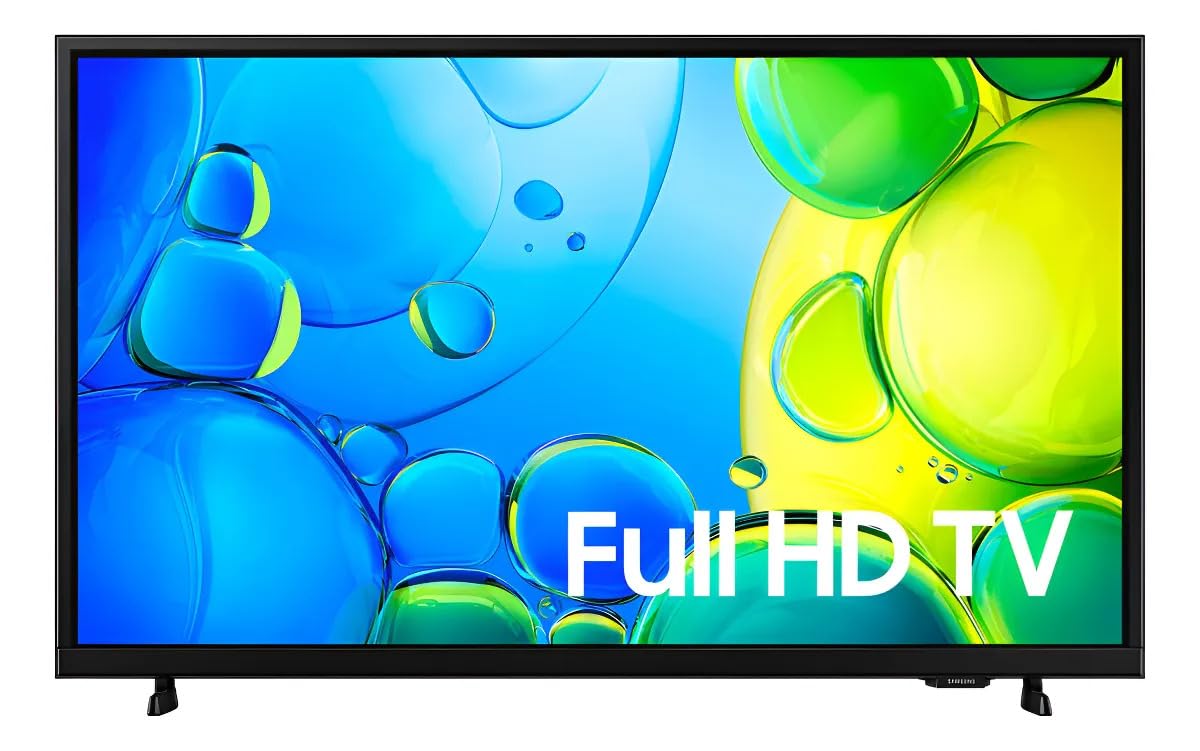
Obrázek 1: Přední strana view of the Samsung Smart FHD 43'' TV.
2. Bezpečnostní informace
Vždy dodržujte tato základní bezpečnostní opatření, abyste snížili riziko požáru, úrazu elektrickým proudem a zranění.
- Nevystavujte toto zařízení dešti nebo vlhkosti.
- Nezakrývejte žádné větrací otvory. Nainstalujte v souladu s pokyny výrobce.
- Neinstalujte v blízkosti zdrojů tepla, jako jsou radiátory, tepelné regulátory, kamna nebo jiná zařízení (včetně amplifikátory), které produkují teplo.
- Chraňte napájecí kabel před šlapáním nebo přiskřípnutím, zejména u zástrček, zásuvek a v místě, kde vychází z přístroje.
- Používejte pouze nástavce/příslušenství určené výrobcem.
- Veškerý servis svěřte kvalifikovanému servisnímu personálu. Je -li zařízení jakýmkoli způsobem poškozeno, je nutná údržba.
- Ensure the TV is placed on a stable surface or securely mounted to prevent tipping.
3. Co je v krabici
Carefully unpack your TV and ensure all components are present. If any items are missing or damaged, contact your retailer.
- Samsung Smart FHD 43'' TV
- Remote Control (requires 2 AA batteries, not always included)
- Napájecí kabel
- Video Adapter (if applicable)
- Stand Components (Base/Feet)
- Uživatelská příručka (tento dokument)
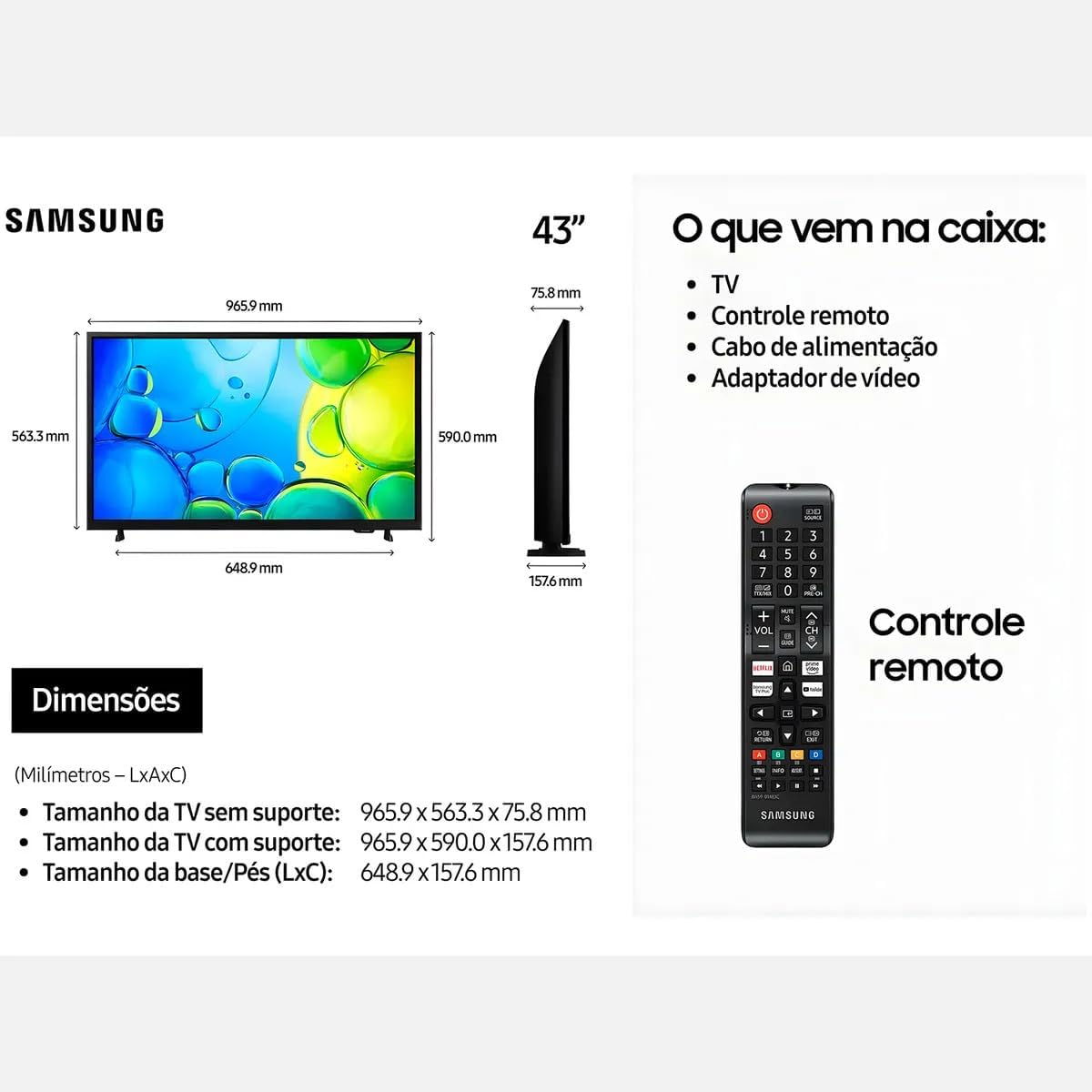
Figure 2: Illustration of items typically included in the product packaging, along with TV dimensions.
4. Nastavení
4.1 Vybalení
Remove the TV and all accessories from the packaging. It is recommended to keep the original packaging for future transport or servicing.
4.2 Připevnění stojanu
If you are placing the TV on a table or cabinet, attach the included stand. Follow the instructions provided in the stand assembly guide. Ensure all screws are tightened securely.
4.3 Montáž na stěnu
For wall mounting, use a VESA-compliant wall mount kit (100 x 200 mm, sold separately). Consult a professional for wall mounting to ensure proper installation and safety.
4.4 Připojení periferních zařízení
Připojte externí zařízení k televizoru pomocí příslušných portů.
- HDMI: Připojte přehrávače Blu-ray, herní konzole nebo set-top boxy k portům HDMI. Tento televizor má 2 porty HDMI.
- USB: Connect USB storage devices for media playback to the USB 3.0 port. This TV has 1 USB 3.0 port.
- Síť (LAN): Pro kabelové připojení k internetu připojte ethernetový kabel k portu LAN.
- Anténa/kabel: Připojte anténu nebo kabelovou televizi.
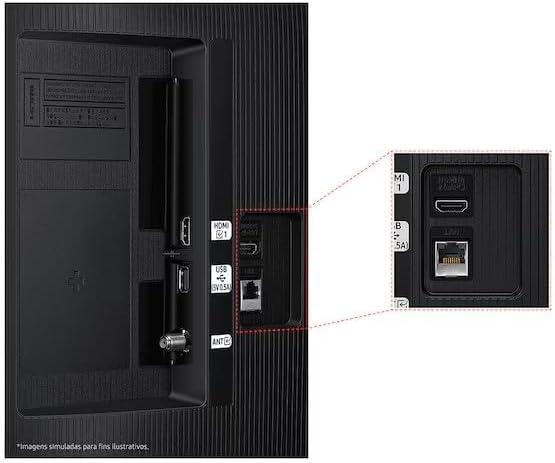
Figure 3: Rear panel connections, highlighting HDMI, USB, and LAN ports.
4.5 Počáteční zapnutí a průvodce nastavením
After connecting all necessary cables, plug the power cord into an electrical outlet. The TV will power on and guide you through the initial setup wizard, which includes language selection, network connection (Wi-Fi or wired), channel scanning, and smart features configuration.
5. Ovládání televizoru
5.1 Dálkové ovládání Overview
Insert two AA batteries into the remote control. The remote allows you to navigate menus, change channels, adjust volume, and access smart features. Refer to the diagram on the remote control for button functions.
5.2 Základní funkce televizoru
- Moc: Stisknutím tlačítka napájení na dálkovém ovladači zapnete nebo vypnete televizor.
- Objem: Pomocí tlačítek pro zvýšení/snížení hlasitosti upravte hlasitost.
- Kanál: Pro změnu kanálů použijte tlačítka pro přepínání kanálů nahoru/dolů.
- Zdroj: Press the Source button to switch between connected input devices (HDMI 1, HDMI 2, TV, etc.).
5.3 Funkce chytré televize (operační systém Tizen)
Your Samsung Smart TV runs on the Tizen™ operating system, providing access to a wide range of applications and services. Connect your TV to the internet via Wi-Fi or Ethernet to utilize these features.
- App Store: Download and install various applications like Netflix, YouTube, and Amazon Prime Video.
- Web prohlížeč: Procházejte internet přímo z televizoru.
- Smart Hub: Access all your smart features, apps, and connected devices from one central location.

Figure 4: The Tizen operating system interface, showing available applications.
The TV also features Knox Security, ensuring your data and privacy are protected.
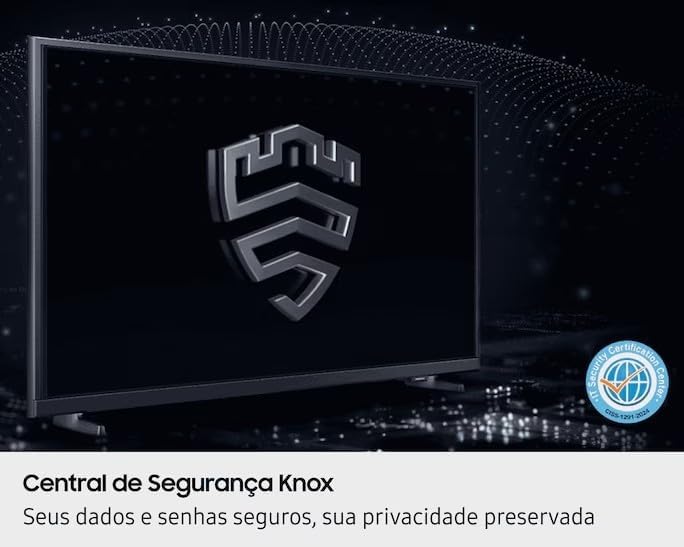
Figure 5: Knox Security Central, highlighting data and privacy protection.
5.4 Nastavení obrazu
Upravte nastavení obrazu pro optimalizaci viewzkušenosti.
- Režim obrazu: Select from various preset modes (Standard, Dynamic, Movie, etc.) or customize your own.
- Jas/kontrast: Adjust these settings to suit your environment.
- Technologie HDR: This TV supports HDR10+, providing greater depth in details, even in very bright or dark scenes.
- PurColor: Enhances color accuracy and vibrancy for a more lifelike image.
- Zesilovač kontrastu: Automatically adjusts contrast for improved picture depth.

Figure 6: HDR Technology in action, showing enhanced detail in both bright and dark areas.
5.5 Nastavení zvuku
Customize audio output through the sound settings menu. Options may include sound modes, equalizer settings, and audio output selection (TV speakers, external soundbar, Bluetooth audio).
5.6 Konektivita
- Bluetooth: Bezdrátově připojte kompatibilní zařízení Bluetooth, jako jsou sluchátka nebo soundbary.
- Wi-Fi: Připojte se k domácí bezdrátové síti a získejte přístup k internetu a chytrým funkcím.
6. Údržba
6.1 Čištění televizoru
- Obrazovka: Jemně otřete obrazovku měkkým hadříkem, který nepouští vlákna. V případě odolných skvrn lehceampOtřete hadřík vodou nebo specializovaným čističem obrazovek. Nikdy nestříkejte tekutinu přímo na obrazovku.
- Tělo televizoru: K otření prachu z rámu a zadního panelu televizoru použijte měkký, suchý hadřík.
- Důležité: Před čištěním vždy odpojte televizor od elektrické zásuvky.
6.2 Aktualizace softwaru
Your TV may receive software updates to improve performance and add new features. You can usually configure the TV to update automatically or check for updates manually through the settings menu (typically under Support > Software Update).
7. Řešení problémů
Pokud narazíte na problémy s televizorem, před kontaktováním podpory se podívejte na následující běžná řešení.
| Problém | Možné řešení |
|---|---|
| Žádná síla | Ujistěte se, že je napájecí kabel bezpečně zapojený do televizoru i do funkční elektrické zásuvky. Vyzkoušejte zásuvku s jiným zařízením. |
| Žádný obraz, ale zvuk je přítomný | Zkontrolujte vstupní zdroj. Ujistěte se, že je připojené zařízení zapnuté a funguje správně. Zkuste jiný kabel HDMI. |
| Žádný zvuk, ale obraz je přítomen | Check the volume level and ensure the TV is not muted. Verify audio output settings. If using external speakers, check their connections and power. |
| Dálkové ovládání nefunguje | Replace the batteries (AA type). Ensure there are no obstructions between the remote and the TV's IR sensor. |
| Nelze se připojit k Wi-Fi | Ensure your router is on and functioning. Re-enter the Wi-Fi password. Try restarting both the TV and your router. |
| Problémy s kvalitou obrazu (např. rozmazaný, zkreslený) | Zkontrolujte rozlišení zdroje. Upravte nastavení obrazu (jas, kontrast, ostrost). Ujistěte se, že jsou kabely bezpečně připojeny. |
8. Specifikace
Key technical specifications for the Samsung Smart FHD 43'' TV (Model: LS43F6000FGXZD).
| Funkce | Detail |
|---|---|
| Číslo modelu | LS43F6000FGXZD |
| Velikost obrazovky | 43 palce |
| Technologie displeje | FHD (plné vysoké rozlišení) |
| Rezoluce | FHD (1920 x 1080 pixels) |
| Obnovovací frekvence | 60 Hz |
| Operační systém | Tizen™ |
| Podpora HDR | HDR10+ |
| Vylepšení obrazu | HDR Technology, PurColor, Contrast Enhancer |
| Konektivita | Bluetooth, Wi-Fi, 2x HDMI, 1x USB 3.0 |
| Podporované internetové služby | Netflix, YouTube, Amazon Prime |
| Standardní držák VESA | 100 x 200 mm |
| Dimensions (W x D x H) without stand | 965.9 x 75.8 x 563.3 mm |
| Dimensions (W x D x H) with stand | 965.9 x 157.6 x 590.0 mm |
| Hmotnost (bez podstavce) | 6.5 kg |
| svtage | 110-220 Volts (check product label for specific range) |
| Typ baterie dálkového ovládání | AA (x2) |
9. Záruka a podpora
9.1 Záruka na produkt
This Samsung Smart FHD 43'' TV (Model: LS43F6000FGXZD) comes with a 12měsíční omezená záruka from the date of purchase. This warranty covers manufacturing defects and malfunctions under normal use. Please retain your proof of purchase for warranty claims. For detailed terms and conditions, refer to the warranty card included with your product or visit the official Samsung support webmísto.
9.2 Zákaznická podpora
For technical assistance, troubleshooting beyond this manual, or warranty service, please contact Samsung Customer Support. You can find contact information (phone numbers, chat support, service center locations) on the official Samsung webstránky pro váš region.
When contacting support, please have your TV's model number (LS43F6000FGXZD) and serial number ready. The serial number is typically located on a sticker on the back of the TV.