
1. Úvod
This manual provides comprehensive instructions for the installation, operation, maintenance, and troubleshooting of your NEWFAST 1200Mbps Dual Band WiFi Extender, model RE523. Please read this manual carefully before using the device to ensure proper setup and optimal performance.
2. Konec produktuview
The NEWFAST RE523 WiFi Extender is designed to expand your existing wireless network coverage and eliminate Wi-Fi dead zones. It supports dual-band operation, offering speeds up to 1200Mbps (300Mbps on 2.4GHz and 867Mbps on 5.8GHz) for a stable and fast internet connection.
2.1 Klíčové vlastnosti
- Vysokorychlostní dvoupásmové Wi-Fi: Up to 1200Mbps (300Mbps 2.4GHz + 867Mbps 5.8GHz).
- Rozšířené pokrytí: Equipped with 4 external 3dBi high-gain antennas, rotatable 180° for optimal signal reception and coverage.
- Inteligentní LCD displej: Provides real-time status information for easy monitoring.
- Více provozních režimů: Supports Repeater, Bridge, AP, Router, and Client modes.
- Snadné nastavení: One-click WPS setup or web-založená konfigurace.
- Široká kompatibilita: Compatible with 802.11 ac/a/b/g/n routers.
- Vysoká kapacita zařízení: Can connect up to 35 wireless devices simultaneously.
2.2 Obsah balení
- NEWFAST 1200Mbps WiFi Extender (RE523)
- Uživatelská příručka (tento dokument)
- Ethernetový kabel (může se lišit v závislosti na regionu)
2.3 Fyzické komponenty
Below is an image of the NEWFAST RE523 WiFi Extender, highlighting its main components.
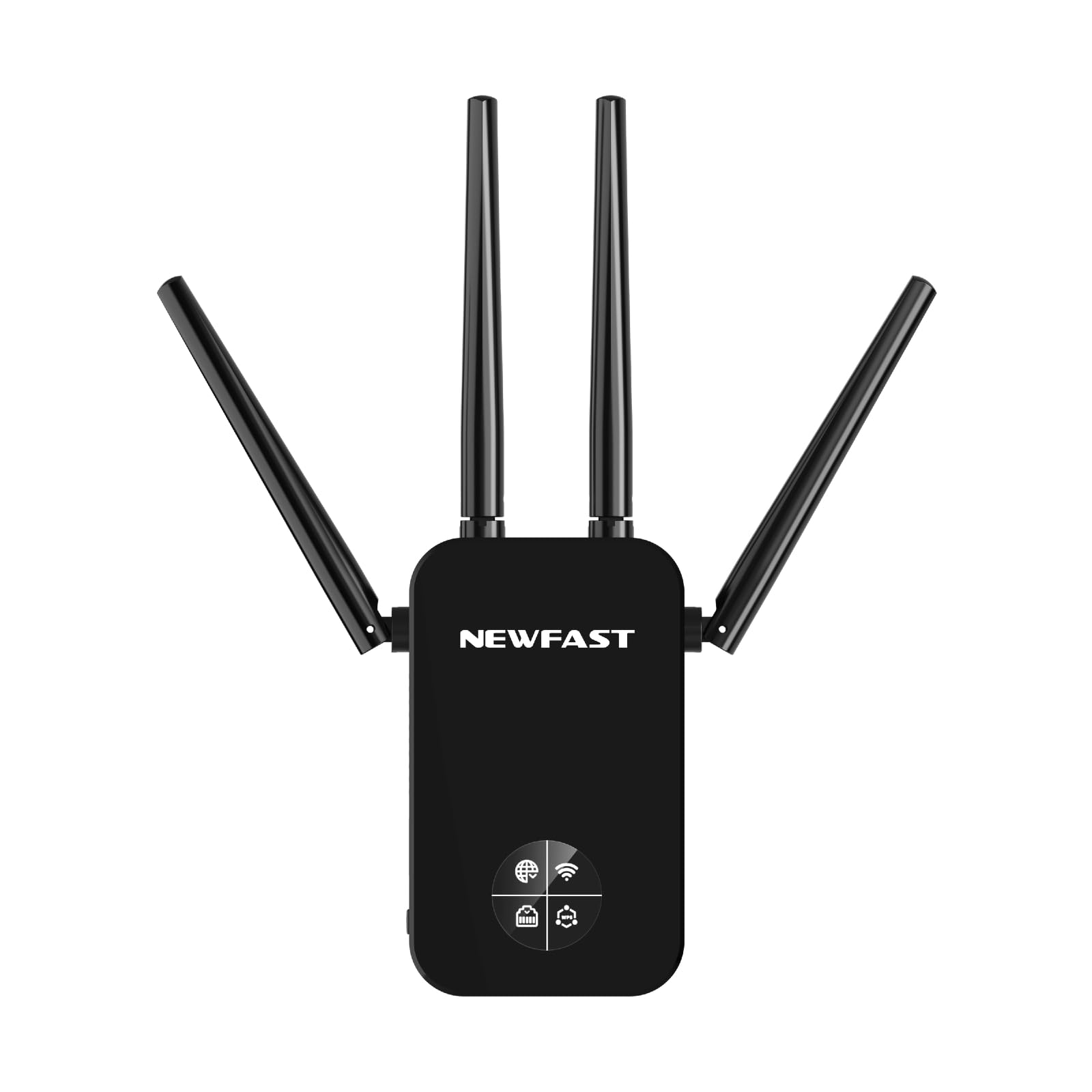
Figure 1: NEWFAST RE523 WiFi Extender. The device features four adjustable external antennas, an LCD screen on the front, and an Ethernet port on the side.
- Antén: Four external antennas for signal transmission and reception.
- LCD displej: Shows connection status, signal strength, and operating mode.
- Tlačítko WPS: For quick and secure connection to a router.
- Ethernetový port: For wired connections in various operating modes.
- LED napájení: Indikuje stav napájení.
3. Pokyny k nastavení
The NEWFAST RE523 offers two primary methods for setup: WPS (Wi-Fi Protected Setup) and Web UI (Web Uživatelské rozhraní).
3.1 Nastavení WPS (doporučeno pro rychlé nastavení)
- Zapnutí: Plug the RE523 extender into an electrical outlet near your main router. Wait for the Power LED to turn solid.
- Aktivace WPS na routeru: Stiskněte tlačítko WPS na hlavním Wi-Fi routeru. Přesné umístění a časování naleznete v manuálu k routeru.
- Aktivace WPS na extenderu: Within 2 minutes of pressing the WPS button on your router, press the WPS button on the NEWFAST RE523 extender. The WPS LED on the extender will blink.
- Čekání na připojení: The extender will automatically connect to your router. Once connected, the Signal LED on the extender will turn solid, indicating a successful connection.
- Přemístit extender: Unplug the extender and move it to a location halfway between your router and the Wi-Fi dead zone. Ensure the Signal LED indicates a good signal strength from your router.
3.2 Web Nastavení uživatelského rozhraní
- Zapnutí: Plug the RE523 extender into an electrical outlet near your main router. Wait for the Power LED to turn solid.
- Připojení k síti extenderu: On your computer or mobile device, connect to the Wi-Fi network broadcast by the extender (e.g., "NEWFAST_EXT_2.4G" or "NEWFAST_EXT_5G"). No password is required initially.
- Přístup Web Rozhraní: Otevřete a web browser and enter the default IP address or domain name (usually found on a sticker on the device or in a quick start guide, e.g.,
http://192.168.1.254orhttp://newfastwifi.net). - Přihlášení: Zadejte výchozí uživatelské jméno a heslo (např. admin/admin).
- Postupujte podle pokynů na obrazovce: The setup wizard will guide you through selecting your main Wi-Fi network, entering its password, and configuring the extender's network name (SSID) and password.
- Kompletní nastavení: After configuration, the extender will restart. Once the Signal LED turns solid, the setup is complete.
- Přemístit extender: Unplug the extender and move it to a location halfway between your router and the Wi-Fi dead zone. Ensure the Signal LED indicates a good signal strength from your router.
4. Provozní režimy
The NEWFAST RE523 supports five operating modes to suit various network requirements.
- Režim opakovače: Rozšiřuje stávající pokrytí Wi-Fi signálem vašeho hlavního routeru. Toto je nejběžnější režim pro eliminaci mrtvých zón.
- Režim AP (přístupový bod): Converts a wired network connection into a wireless one. Connect the extender to your router via an Ethernet cable, and it will broadcast a new Wi-Fi network.
- Režim routeru: Functions as a primary router, creating a new private network. This mode is typically used when you have a modem but no router.
- Režim mostu: Connects two separate networks, allowing devices on one network to communicate with devices on another.
- Klientský režim: Allows wired-only devices (e.g., smart TVs, gaming consoles) to connect to a wireless network. The extender receives Wi-Fi and provides an Ethernet connection to the device.
Mezi těmito režimy můžete přepínat pomocí web management interface after initial setup.
5. Údržba
- Čištění: K čištění zařízení používejte měkký, suchý hadřík. Nepoužívejte tekuté ani aerosolové čisticí prostředky.
- Umístění: Place the extender in a well-ventilated area, away from direct sunlight, heat sources, and moisture. Avoid placing it near large metal objects or electrical appliances that may cause interference.
- Aktualizace firmwaru: Periodically check the NEWFAST official webweb s aktualizacemi firmwaru pro zajištění optimálního výkonu a zabezpečení.
- Resetovat: If the device malfunctions or you forget the login credentials, you can perform a factory reset by pressing and holding the reset button (usually a small pinhole button) for about 5-10 seconds while the device is powered on.
6. Řešení problémů
- Po nastavení není k dispozici přístup k internetu:
- Ensure the extender is receiving a strong signal from your main router (check the Signal LED).
- Ověřte, zda má váš hlavní router přístup k internetu.
- Re-run the setup process, ensuring you enter the correct Wi-Fi password for your main router.
- Try relocating the extender closer to your main router.
- Slow Speed or Frequent Disconnections:
- Relocate the extender to an optimal position, ideally halfway between your router and the desired coverage area, where it receives a good signal.
- Minimize physical obstructions (walls, large appliances) between the extender, router, and client devices.
- Zkontrolujte, zda nedochází k rušení jinými elektronickými zařízeními.
- Ujistěte se, že firmware vašeho routeru je aktuální.
- Nelze přistupovat Web Stránka pro správu:
- Ujistěte se, že je vaše zařízení připojeno k síti Wi-Fi extenderu.
- Ověřte, zda je IP adresa nebo název domény zadaný v prohlížeči správný.
- Zkuste vymazat mezipaměť prohlížeče nebo použít jiný prohlížeč.
- If you've changed the extender's IP address, use the new one. If forgotten, perform a factory reset.
7. Specifikace
| Značka | NEWFAST |
| Model | RE523 |
| Standard bezdrátové komunikace | 802.11a/b/g/n/ac |
| Rychlost přenosu dat | 1200 Megabits per second (Mbps) |
| Třída frekvenčního pásma | Dual Band (2.4 GHz a 5.8 GHz) |
| Antény | 4 External 3dBi Antennas |
| Ethernetový port | 1x LAN/WAN Port |
| Barva | Černý |
8. Záruka a podpora
NEWFAST products come with a standard manufacturer's warranty. For specific warranty terms and conditions, please refer to the warranty card included with your product or visit the official NEWFAST website. For technical support, troubleshooting assistance, or to download the latest drivers and firmware, please visit the NEWFAST support page or contact their customer service directly.
Official NEWFAST Webmísto: NEWFAST Store on Amazon (Please check the product packaging or official documentation for the direct manufacturer webmísto.)