
1. Úvod
This manual provides detailed instructions for the Amazon Basics Pro Series Gamepad, Model AB-C83. This gamepad offers versatile connectivity options including Bluetooth 5.3, 2.4GHz wireless, and USB Type-C wired modes. It is compatible with Nintendo Switch, Android devices, PlayStation 3 (PS3), and Windows operating systems. Key features include dual vibration motors, a 6-axis gyroscope, RGB LED indicators, customizable macro buttons, and a Turbo function.
2. Obsah balení
Ověřte, zda jsou v balení přítomny všechny položky:
- Amazon Basics Pro Series Gamepad
- USB Type-C Charging Cable (1.5m)
- 2.4GHz bezdrátový dongle
- Uživatelská příručka (tento dokument)
3. Konec produktuview
Familiarize yourself with the buttons and components of your gamepad.
Přední View

Obrázek: Přední strana view of the gamepad with labels for Left Function Button (LB), Back Button, Joysticks, Direction Pad, Turbo Button, Start Button, Right Function Button (RB), and Function Control Buttons (A, B, X, Y).
- Left Function Button (LB) / Right Function Button (RB): Knoflíky na ramenou.
- Tlačítko Zpět: Used for system functions or menu navigation.
- Tlačítko Start: Used for system functions or menu navigation.
- Joysticks (1 & 2): 360-degree analog sticks for movement and camera control.
- Směrová podložka: Pro přesné směrové zadávání.
- Tlačítko Turbo: Aktivuje/deaktivuje funkci turbo pro přiřazená tlačítka.
- Function Control Buttons (A, B, X, Y): Standardní akční tlačítka.
- Tlačítko Domů: Návrat na domovskou obrazovku systému.
Zadní View

Obrázek: Zadní view of the gamepad with labels for RT (Right Trigger), K2, K1, LT (Left Trigger), M2, ML, MR, and P key.
- LT (Left Trigger) / RT (Right Trigger): Analog triggers for precise input.
- K1 / K2: Additional customizable buttons.
- ML / MR / M2: Macro buttons for advanced customization.
- P klíč: Power/Pairing button.
4. Nabíjení gamepadu
The gamepad features a built-in 800mAh rechargeable battery.
- Connect the supplied USB Type-C cable to the charging port on the gamepad.
- Druhý konec kabelu připojte k USB zdroji napájení (např. k USB portu počítače, USB adaptéru do zásuvky).
- The RGB LED indicators will show the charging status. Refer to the LED indicator section for details.
- Plné nabití obvykle trvá přibližně 2–3 hodiny.

Image: Gamepad illustrating its 800mAh battery for long-lasting power and up to 10m wireless range.
5. Režimy připojení
The gamepad supports three connectivity modes: Bluetooth, 2.4GHz Wireless, and Wired (USB Type-C).
5.1. Režim Bluetooth
Ideal for connecting to Android devices and Nintendo Switch.
- Ujistěte se, že je gamepad dostatečně nabitý.
- Stiskněte a podržte Klíč P (Power/Pairing button) for 3 seconds until the RGB indicators flash rapidly, indicating pairing mode.
- On your device (Android/Switch), go to Bluetooth settings and search for new devices.
- Select "Amazon Basics Gamepad" from the list of available devices.
- Once connected, the RGB indicators will stop flashing and remain solid.
5.2. Bezdrátový režim 2.4 GHz
Recommended for Windows PCs and PS3 for a stable wireless connection using the included dongle.
- Insert the 2.4GHz wireless dongle into an available USB port on your PC or PS3.
- Ujistěte se, že je gamepad zapnutý.
- The gamepad should automatically connect to the dongle. The RGB indicators will become solid once connected.
- If connection fails, press the Klíč P briefly to initiate reconnection.
5.3. Drátový režim
For a direct and lag-free connection to Windows PCs or PS3.
- Connect the USB Type-C cable to the gamepad's charging port.
- Connect the USB-A end of the cable to an available USB port on your PC or PS3.
- The gamepad will be recognized automatically by the system. The RGB indicators will show a solid light.

Image: Diagram illustrating the three connectivity modes: Bluetooth, 2.4GHz Wireless (USB Dongle), and Type-C Wired.
6. Kompatibilita s platformami
The Amazon Basics Pro Series Gamepad is designed for broad compatibility:
- Nintendo Switch: Connect via Bluetooth for wireless gameplay.
- Android: Connect via Bluetooth for mobile gaming.
- PlayStation 3 (PS3): Connect via 2.4GHz wireless dongle or USB wired mode.
- Windows (8/10/11): Connect via 2.4GHz wireless dongle or USB wired mode. Supports X-Input and D-Input.
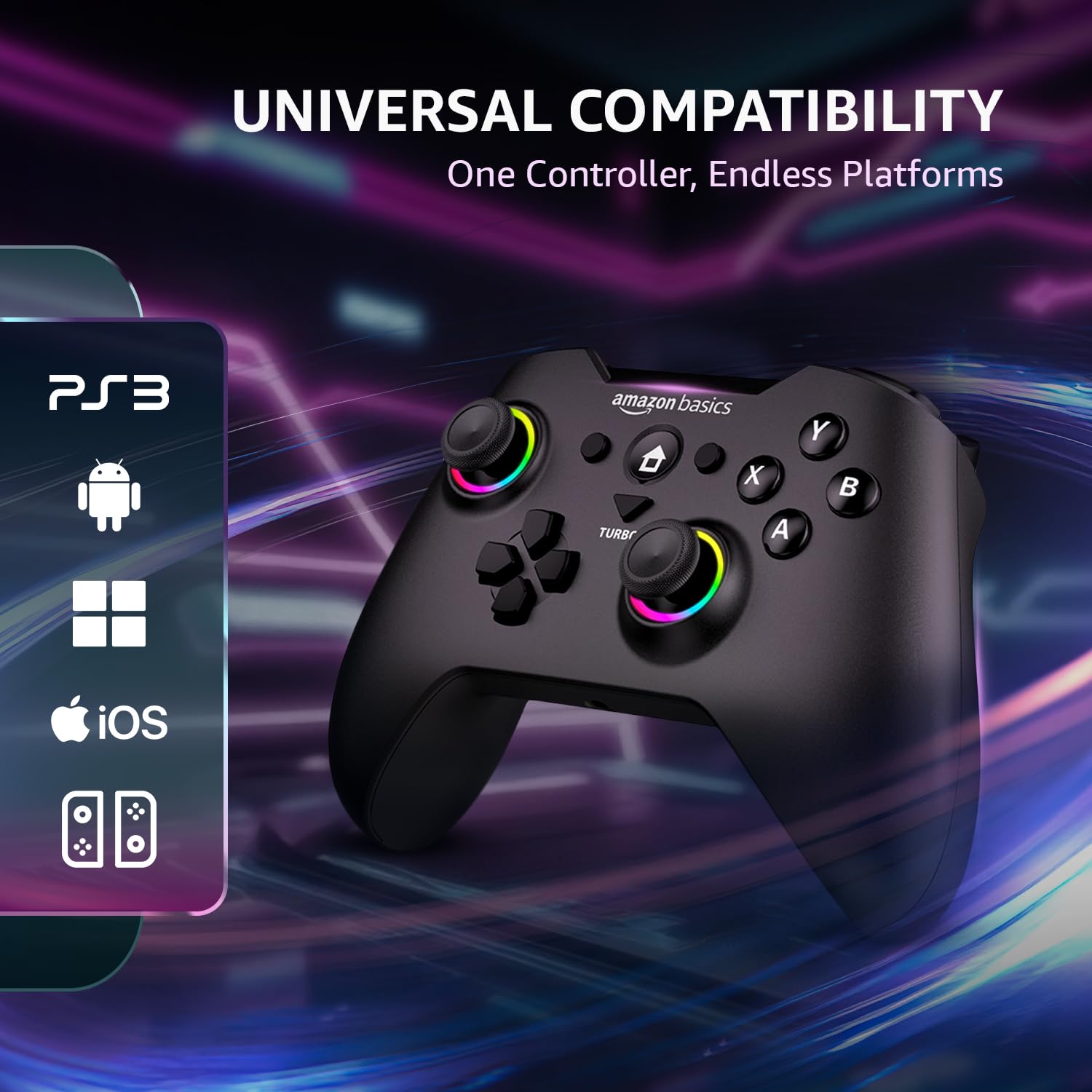
Image: Gamepad displaying icons for compatible platforms: PS3, Android, Windows, iOS, and Nintendo Switch.
7. Provozní funkce
7.1. Dvojité vibrační motory
Experience immersive feedback with dual vibration motors. The intensity can be adjusted to up to 4 levels through system settings or specific game options.

Image: Gamepad with visual cues indicating the presence and function of dual vibration motors.
7.2. 6osý gyroskop
The built-in 6-axis gyroscope provides precise motion control, enhancing gameplay in compatible titles, especially on Nintendo Switch.
7.3. Funkce Turbo
The Turbo function allows a button to be pressed repeatedly with a single hold, useful for rapid-fire actions in games.
- Stiskněte a podržte Turbo tlačítko.
- While holding Turbo, press the desired action button (e.g., A, B, X, Y, LB, RB, LT, RT).
- Release both buttons. The assigned button now has Turbo functionality.
- To disable Turbo for a button, repeat the process.

Image: Gamepad in use, highlighting the Turbo button and its benefits for FPS and action games, reducing thumb fatigue.
7.4. Customizable Macro Buttons
The ML, MR, and M2 buttons on the rear of the gamepad can be programmed with custom macros to execute complex sequences of commands with a single press. Refer to the detailed macro programming instructions in the full digital manual for specific steps.
7.5. RGB LED Indicators
The RGB LEDs around the joysticks and other areas provide visual feedback for connection status, charging status, and other operational modes.
- Rychlé blikání: Režim párování.
- Stálé světlo: Connected/Fully charged.
- Pomalé blikání: Slabá baterie.
7.6. Precision Analog Controls
The gamepad features 360-degree dual analog sticks and responsive triggers for accurate and smooth control in various game genres.

Image: Close-up of the gamepad's analog sticks, emphasizing 360-degree precision control.
8. Péče a údržba
- Čištění: K čištění gamepadu používejte měkký, suchý hadřík. Nepoužívejte abrazivní čisticí prostředky ani rozpouštědla.
- Skladování: Gamepad skladujte na chladném a suchém místě mimo dosah přímého slunečního záření a extrémních teplot.
- Vyhněte se kapkám: Nenechávejte gamepad upustit ani jej nevystavujte silným nárazům, mohlo by dojít k poškození vnitřních součástí.
- Expozice tekutin: Keep the gamepad away from liquids. If it comes into contact with liquid, power it off immediately and allow it to dry completely before use.
9. Řešení problémů
If you encounter issues with your gamepad, refer to the following common solutions:
| Problém | Možné řešení |
|---|---|
| Gamepad does not power on. | Ensure the gamepad is fully charged. Connect it to a power source using the USB Type-C cable. |
| Nelze se připojit přes Bluetooth. | Ensure the gamepad is in pairing mode (rapidly flashing RGB LEDs). Check your device's Bluetooth settings and try re-pairing. Ensure no other devices are interfering. |
| 2.4GHz wireless connection issues. | Ensure the 2.4GHz dongle is securely inserted into a USB port. Try a different USB port. Briefly press the P Key on the gamepad to re-initiate connection. |
| Tlačítka nebo joysticky nereagují. | Ensure the gamepad is properly connected. Try restarting the gamepad and your device. If using wireless, try wired mode to rule out connection issues. |
| Vibrační zpětná vazba nefunguje. | Check in-game settings to ensure vibration is enabled. Some games may not support vibration. Verify vibration intensity settings. |
| Gamepad disconnects frequently. | Ensure the gamepad is fully charged. Reduce distance between gamepad and receiver/device. Avoid sources of wireless interference. Try wired mode for stability. |
10. Specifikace
| Funkce | Detail |
|---|---|
| Značka | amazonské základy |
| Číslo modelu | AB-C83 |
| Technologie připojení | Bluetooth 5.3, bezdrátové připojení 2.4 GHz, kabelové připojení USB typu C |
| Kompatibilní zařízení | Nintendo Switch, Android, PS3, Windows (8/10/11) |
| Kapacita baterie | Lithium-iontová kapacita 800 mAh |
| Bezdrátové Dosah | Až 8 metrů |
| Senzory | 6osý gyroskop |
| Vibrace | Dual Vibration Motors (4 levels adjustable) |
| Nabíjecí port | USB Type-C |
| Rozměry položky (DxŠxV) | 15.6 x 10.6 x 0.1 cm |
| Hmotnost položky | 209 g |
| Zahrnuté komponenty | Gamepad, USB Type-C Cable, 2.4GHz Dongle, User Manual |
11. Informace o záruce a podpoře
This Amazon Basics Pro Series Gamepad is covered by a standard warranty. For specific warranty terms and conditions, please refer to the warranty card included in your package or visit the official Amazon Basics support webmísto.
For technical support, troubleshooting assistance, or to inquire about replacement parts, please contact Amazon Basics customer service through their official channels. You may also find additional resources and FAQs on the Amazon Basics product support page.
An optional 1-year extended warranty by OneAssist may be available for purchase. Please check product listing details for availability and terms.