
1. Úvod
The XREAL One Pro AR Glasses are designed to provide an immersive augmented reality experience. Featuring the X1 Spatial Computing Chip and X-Prism Optics, these glasses offer a large virtual display with advanced tracking capabilities. This manual provides essential information for setting up, operating, maintaining, and troubleshooting your XREAL One Pro AR Glasses.
2. Co je v krabici
- XREAL One Pro AR Glasses
- Prescription Frame (No Lenses Included)
- Nose Pad (S/M/L) and C-C Cable
- Protective Case and Cleaning Cloth
- Uživatelská příručka
3. Nastavení
3.1. Počáteční připojení
Connect the XREAL One Pro AR Glasses to a compatible USB-C device that supports DisplayPort output. Compatible devices include iPhone 16/15, Android phones (with DP output), Steam Deck, ROG Ally, MacBook, and Windows PCs.
3.2. Adjusting for Comfort and Clarity
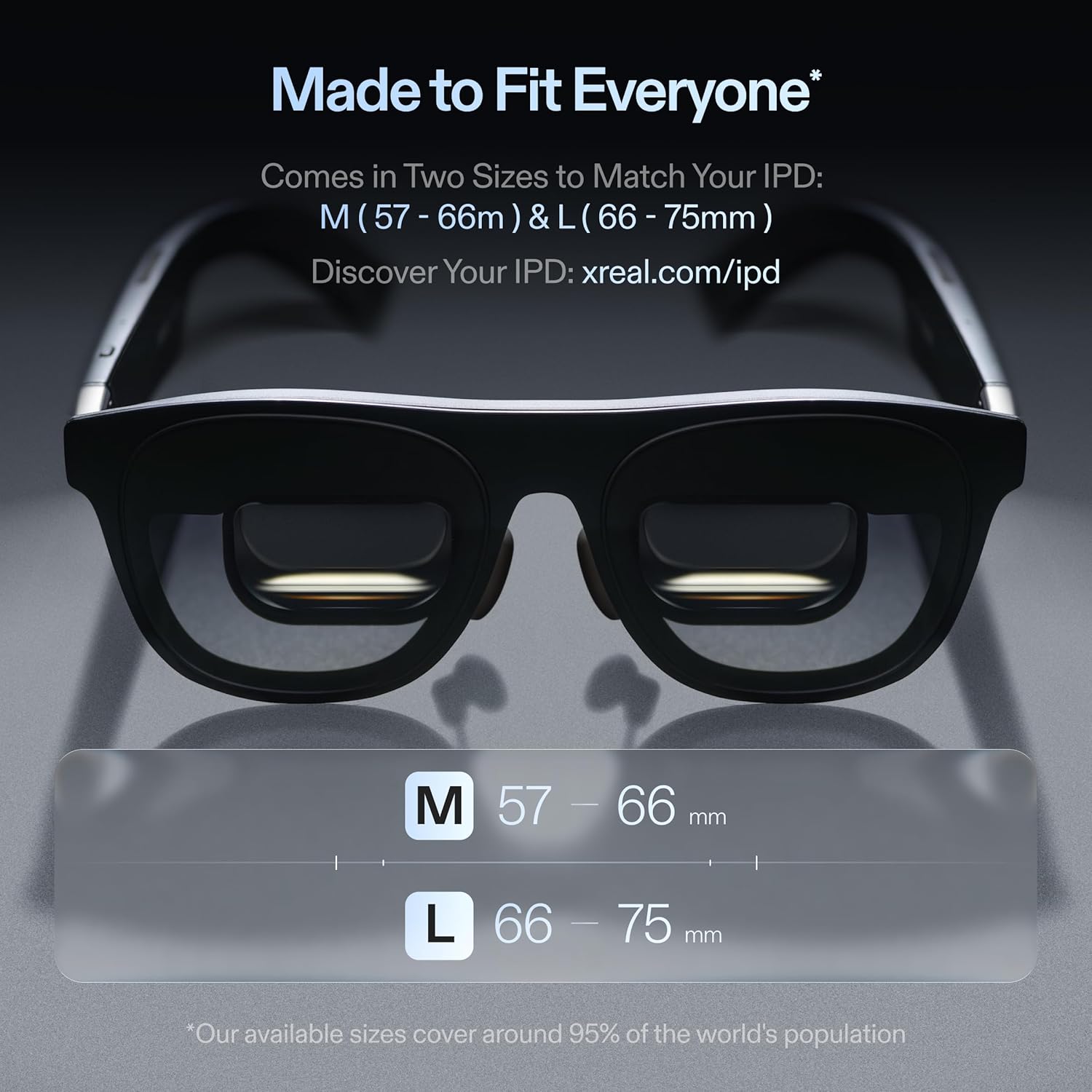
The XREAL One Pro is designed for comfort and clear visuals. It offers two size options for Interpupillary Distance (IPD): M (57–66mm IPD) and L (66–75mm IPD). Select the size that best fits your needs. The glasses also feature three-stage adjustable arms, zero-pressure nose pads available in three sizes (S/M/L), and a new spring hinge design for a secure fit. Utilize the built-in IPD adjustment software for consistently clear visuals.
3.3. Aktualizace softwaru
Ensure your XREAL One Pro has the latest system updates for optimal performance. Visit the official XREAL website for OTA updates. If using the optional XREAL Eye, ensure its companion app is updated to version 1.5.0 or later.
4. Návod k obsluze
4.1. X1 Spatial Computing Chip and Tracking
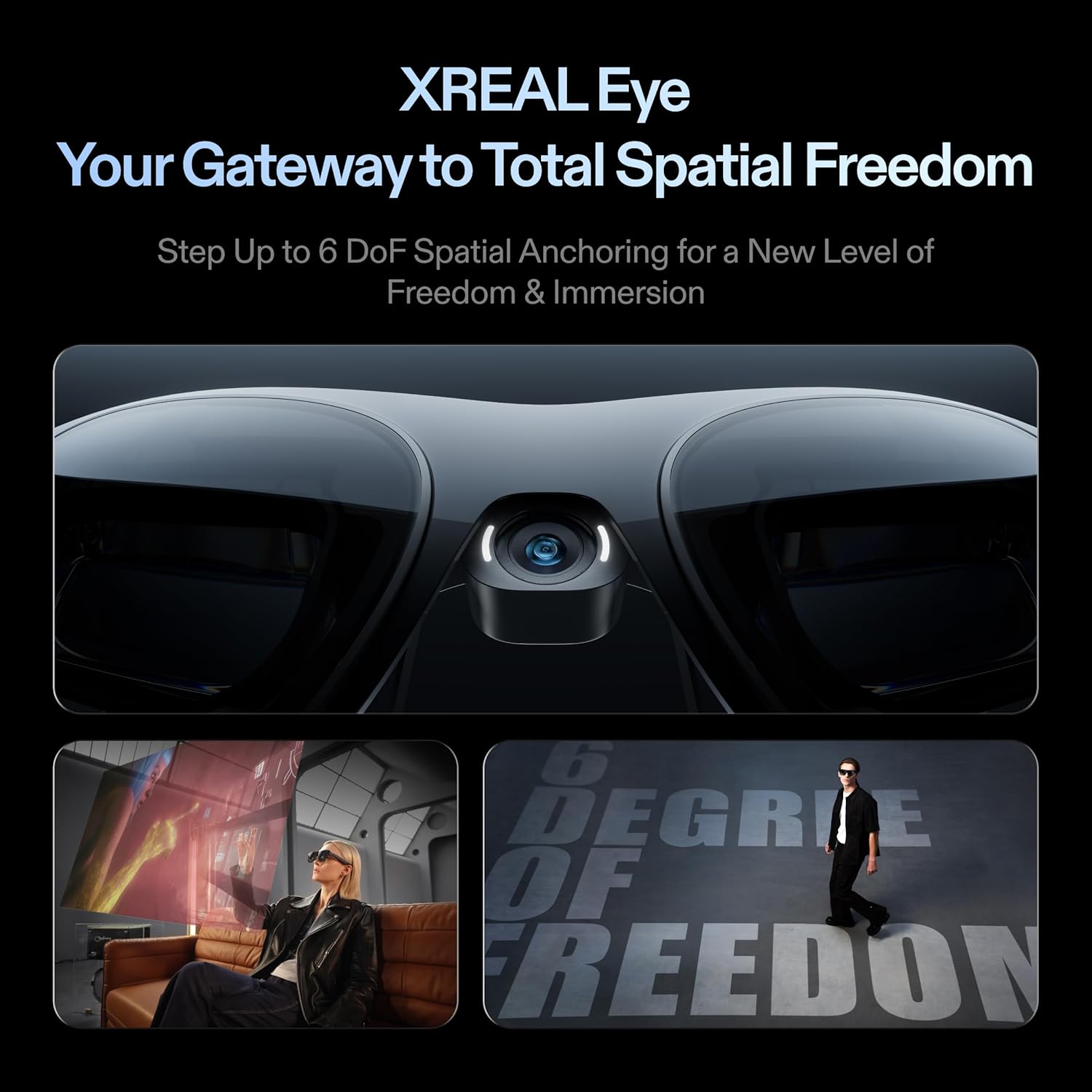
The XREAL One Pro features the X1 Spatial Computing Chip, which provides Native 3DoF tracking with ultra-low 3ms M2P latency. This ensures stable visuals even during rapid head movements. For full 6DoF spatial anchoring, the optional XREAL Eye accessory is required. With 6DoF, your virtual screen remains fixed in a real-world location, offering true spatial freedom.
4.2. X-Prism Optics and Display
The advanced X-Prism Optics system projects a large, sharp virtual screen directly in front of your eyes. Experience a virtual screen up to 171 inches wide with a 57° Field of View (FOV). The display utilizes Sony’s 0.55' Micro-OLED technology and a 120Hz refresh rate for smooth visuals. An anti-glare design minimizes reflections and light interference.
4.3. REAL 3D Mode
Activate REAL 3D mode to transform content into an immersive 3D experience. This feature is available across all One Series Glasses and applies to games, movies, apps, and photos.
4.4. Kompatibilita zařízení
The XREAL One Pro is compatible with any USB-C device capable of video output. This includes iPhone 16/15, Android phones (supporting DP output), Steam Deck, ROG Ally, MacBook, and Windows PCs.
4.5. Zvukový zážitek
Enjoy high-quality audio through the unique sound chamber design, professionally tuned by Bose engineers. External headphones are not required for an immersive audio experience during gaming, movies, or calls.
4.6. Adjustable Immersion and Brightness
The display offers up to 700 nits of brightness for clear visibility indoors or under bright sunlight. Advanced electrochromic dimming allows instant adjustment of lens tint, enabling users to remain aware of their surroundings or block distractions for full immersion.
4.7. Quick Settings Adjustments
One-tap controls on the glasses allow for instant adjustments to brightness, display mode, screen size, or distance. Customizable shortcuts provide quick access to frequently used settings.
5. Integrace médií
5.1. Obrázky produktů

Hlavní view of the XREAL One Pro AR Glasses.

Diagram illustrating the X1 Spatial Computing Chip integrated into the glasses.

Detailní záběr view of the X-Prism Optics and display area of the glasses.

Image demonstrating the immersive 3D mode capability of the AR glasses.
View of the adjustable nose pads for customized fit and comfort.
Visual representation of the smooth 120Hz refresh rate display.

Detail of the Bose-tuned audio system integrated into the glasses.

Demonstration of the electrochromic dimming feature for adjustable transparency.
5.2. Oficiální produktová videa
Oficiální videoprezentaceasing the XREAL One Pro AR Glasses. This video provides a general overview vlastností a designu produktu.
Video explaining the benefits and functionality of the XREAL Hub as an upgrade for the AR Glasses.
Video demonstrating the 171-inch OLED display of the XREAL One Pro.
Unboxing video detailing the contents included with the XREAL One Pro.
Comparison video between XREAL 1S and XREAL One Pro AR Glasses.
Video demonstrating the XREAL One Pro as wearable AR glasses for work or streaming.
Video tutorial on how to upgrade XREAL AR Glasses for use with HDMI games and monitors.
Video comparing XREAL glasses with Rayneo for GT7 gaming.
Unboxing video providing a true experience of the XREAL One Pro AR Glasses.
Video providing an overview of the XREAL One AR Glasses.
6. Specifikace
| Funkce | Detail |
|---|---|
| Rozměry produktu | 1.97 x 3.94 x 1.97 palce |
| Hmotnost položky | 3.07 unce (87 gramů) |
| Číslo modelu položky | X1112-L |
| Značka | XREAL |
| Barva | Černý |
| Speciální funkce | Camera, Notifications |
| Technologie připojení | USB |
| Kompatibilní zařízení | Smartphone, Game Console, Personal Computer |
| Pole View | 57 stupňů |
| Výrobce | XREAL |
| Datum první dostupnosti | 17. července 2025 |
7. Údržba
Abyste zajistili dlouhou životnost a optimální výkon brýlí XREAL One Pro AR, dodržujte tyto pokyny pro údržbu:
- Čištění: K jemnému otření čoček a obroučky použijte přiložený čisticí hadřík. Nepoužívejte abrazivní materiály ani agresivní chemikálie.
- Skladování: Store the glasses in the protective case when not in use to prevent scratches and damage.
- Zacházení: Handle the glasses with care. Avoid dropping them or exposing them to extreme temperatures or moisture.
8. Řešení problémů
If you encounter issues with your XREAL One Pro AR Glasses, consider the following:
- No Display/Fuzzy Image: Ensure the glasses are securely connected to a compatible device. Check IPD settings and adjust nose pads for proper alignment. Verify that all protective films have been removed from the lenses.
- Problémy s připojením: Confirm your device supports DisplayPort output via USB-C. Try using a different USB-C cable.
- Softwarové závady: Ensure the glasses firmware and any companion apps (e.g., XREAL Eye app) are up to date. Restart the connected device and the glasses.
- Nepohodlí: Experiment with different nose pad sizes (S/M/L) and adjust the three-stage arms for a comfortable fit.
For persistent issues, refer to the official XREAL support resources or contact customer service.
9. Záruka a podpora
9.1. Informace o záruce
The XREAL One Pro AR Glasses come with a Limited Warranty. Please refer to the warranty documentation included in your product packaging or visit the official XREAL webstránky pro podrobné podmínky.
9.2. Zákaznická podpora
For further assistance, technical support, or inquiries regarding prescription lenses, please visit the official XREAL website or contact their customer service department. Contact information can typically be found in the user manual or on the product's official support page.