
1. Úvod
This manual provides detailed instructions for the MCHOSE A5 Ultra V2 Wireless Gaming Mouse. Designed for high-performance gaming, this mouse combines a lightweight, symmetrical design with advanced connectivity and sensor technology. Please read this manual thoroughly to ensure proper setup and optimal use of your device.
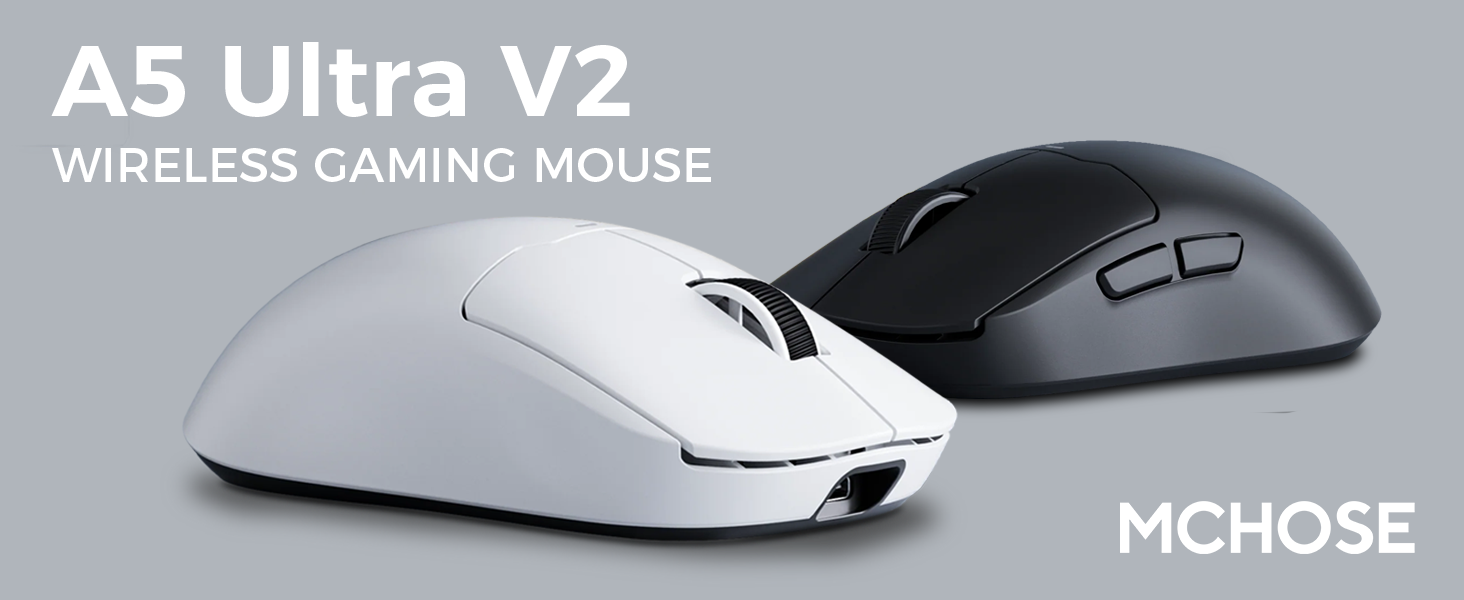
Figure 1: MCHOSE A5 Ultra V2 Wireless Gaming Mouse Overview
2. Klíčové vlastnosti
- Lehký design: Weighing only 54g, the mouse offers optimal control and comfort for extended gaming sessions.

Figure 2: Lightweight design for enhanced comfort.
- High Precision PAW3395 Optical Sensor: Achieve maximum accuracy with up to 26,000 DPI for precise tracking.

Figure 3: PAW3395 optical sensor for high precision.
- Wired 8K/Wireless 4K Polling Rate: Experience ultra-low-latency and lightning-fast response times with up to 8000Hz wired and 4000Hz wireless polling rates.

Figure 4: Illustrating the 4K wireless polling rate capability.
- Třírežimové připojení: Connect via ultra-low-latency 2.4GHz wireless, Bluetooth, or wired USB for versatile use across various devices.

Obrázek 5: Možnosti třírežimového připojení.
- Zakázkový software: Utilize the dedicated software to store custom settings for buttons, DPI adjustments, polling rates, and gaming modes directly on the mouse's onboard memory.

Figure 6: Custom software for personalized settings.
- Baterie s dlouhou výdrží: Enjoy up to 130 hours of battery life on a single charge, minimizing interruptions during gameplay.
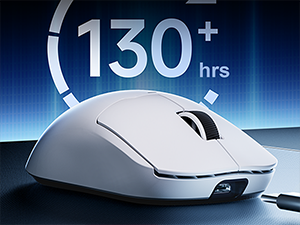
Obrázek 7: Prodloužená výdrž baterie pro delší používání.
3. Pokyny k nastavení
The MCHOSE A5 Ultra V2 offers three connection modes: 2.4GHz wireless, Bluetooth, and wired USB.
3.1. Bezdrátové připojení 2.4 GHz
- Locate the 2.4GHz USB receiver (dongle) inside the mouse's bottom compartment.
- Zapojte USB přijímač do volného USB portu na vašem počítači.
- Turn on the mouse using the switch located on the bottom. Ensure it is set to the 2.4GHz wireless mode (usually indicated by a specific position or LED color).
- Your computer should automatically detect the mouse. If not, try restarting your computer or replugging the receiver.

Figure 8: USB receiver stored in the mouse compartment.
3.2. Připojení Bluetooth
- Zapněte myš a přepněte přepínač na spodní straně do režimu Bluetooth.
- V počítači nebo zařízení přejděte do nastavení Bluetooth.
- Initiate the pairing process on your device. The mouse should appear as "MCHOSE A5 Ultra V2" or similar.
- Vyberte myš, kterou chcete spárovat. Postupujte podle pokynů na obrazovce.
3.3. Drátové USB připojení
- Connect the provided USB-C cable to the front port of the mouse.
- Připojte druhý konec kabelu k volnému portu USB na počítači.
- Myš se automaticky přepne do kabelového režimu a začne se nabíjet.
4. Návod k obsluze
4.1. Základní funkce
- Levé kliknutí: Primární akce.
- Klikněte pravým tlačítkem myši: Sekundární akce/kontextová nabídka.
- Rolovací kolečko: Posun nahoru/dolů, kliknutí prostředním tlačítkem myši.
- Boční tlačítka: Typicky konfigurováno pro navigaci vpřed/vzad v web browsers. Customizable via software.
4.2. Nastavení DPI
The mouse features a dedicated DPI button (often located on the bottom or top, near the scroll wheel) to cycle through preset DPI levels. For fine-tuning and custom DPI settings, use the MCHOSE custom software.
4.3. Custom Software Usage
Download the MCHOSE custom software from the official MCHOSE webwebu. Tento software vám umožňuje:
- Remap buttons.
- Adjust DPI levels and create custom profiles.
- Modify polling rates.
- Configure macros.
- Manage gaming modes.
Settings are stored on the mouse's onboard memory, allowing you to use your custom configurations on any computer without the software installed.
5. Údržba
- Čištění: K čištění povrchu myši použijte měkký, suchý hadřík. V případě odolných nečistot použijte lehceamp Lze použít hadřík a ujistit se, že do zařízení nevnikne vlhkost. Nepoužívejte agresivní chemikálie ani abrazivní materiály.
- Čištění senzoru: Periodically clean the optical sensor on the bottom of the mouse with a cotton swab to ensure optimal tracking performance.
- Péče o baterie: To prolong battery life, avoid fully discharging the mouse frequently. Charge the mouse when the battery indicator is low.
- Skladování: Pokud myš delší dobu nepoužíváte, skladujte ji na chladném a suchém místě.
6. Řešení problémů
| Problém | Možná příčina | Řešení |
|---|---|---|
| Myš nereaguje (bezdrátová) | Low battery; USB receiver disconnected; Incorrect mode selected. | Charge the mouse; Re-plug the USB receiver; Ensure the mouse is in 2.4GHz or Bluetooth mode. |
| Myš nereaguje (Bluetooth) | Not paired; Bluetooth off on device; Low battery. | Re-pair the mouse; Enable Bluetooth on your device; Charge the mouse. |
| Nepřesné sledování | Dirty sensor; Unsuitable surface; Incorrect DPI setting. | Clean the optical sensor; Use a mouse pad or suitable surface; Adjust DPI settings. |
| Tlačítka nefungují | Konflikt softwaru; fyzické poškození. | Restart computer; Check custom software settings; Contact support if physical damage is suspected. |
| Krátká výdrž baterie | Frequent high polling rate use; Battery degradation. | Reduce polling rate if not critical; Ensure full charges; Contact support if battery life significantly degrades. |
7. Specifikace produktu
| Funkce | Detail |
|---|---|
| Model | A5 Ultra V2 |
| Značka | MCHOSE |
| Technologie připojení | Bezdrátové připojení 2.4 GHz, Bluetooth, kabelové připojení přes USB |
| Technologie detekce pohybu | Optický (PAW3395) |
| Maximální DPI | 26,000 DPI |
| Míra hlasování | Wired 8000Hz, Wireless 4000Hz |
| Hmotnost položky | 54 gramů (2.12 unce) |
| Životnost baterie | Až 130 hodin |
| Baterie | 1 lithium-iontová baterie (součástí balení) |
| Barva | Černá (dle aktuální varianty) |
| Rozměry balení | 7.36 x 4.53 x 3.31 palce |
| Kompatibilita operačního systému | Linux, Windows |
8. Záruka a podpora
This MCHOSE product is covered by a standard manufacturer's warranty. For specific warranty details, please refer to the warranty card included in your product packaging or visit the official MCHOSE webmísto.
For technical support, troubleshooting assistance, or warranty claims, please contact MCHOSE customer service through their official webwebu nebo kontaktních informací uvedených v dokumentaci k produktu.
Note: Protection plans may be available for purchase separately through retailers. These plans are not directly provided by MCHOSE.