
Zavedení
This manual provides detailed instructions for the setup, operation, maintenance, and troubleshooting of your OnePlus Buds 4 wireless earbuds. Please read this manual thoroughly to ensure proper use and to maximize your listening experience.
Obsah balení
Ověřte, zda jsou v balení produktu přítomny všechny položky:
- OnePlus Buds 4 Earbuds (Left and Right)
- Nabíjecí pouzdro
- Nabíjecí kabel USB-C
- Různé velikosti náušníků (S, M, L)
- Uživatelská příručka (tento dokument)
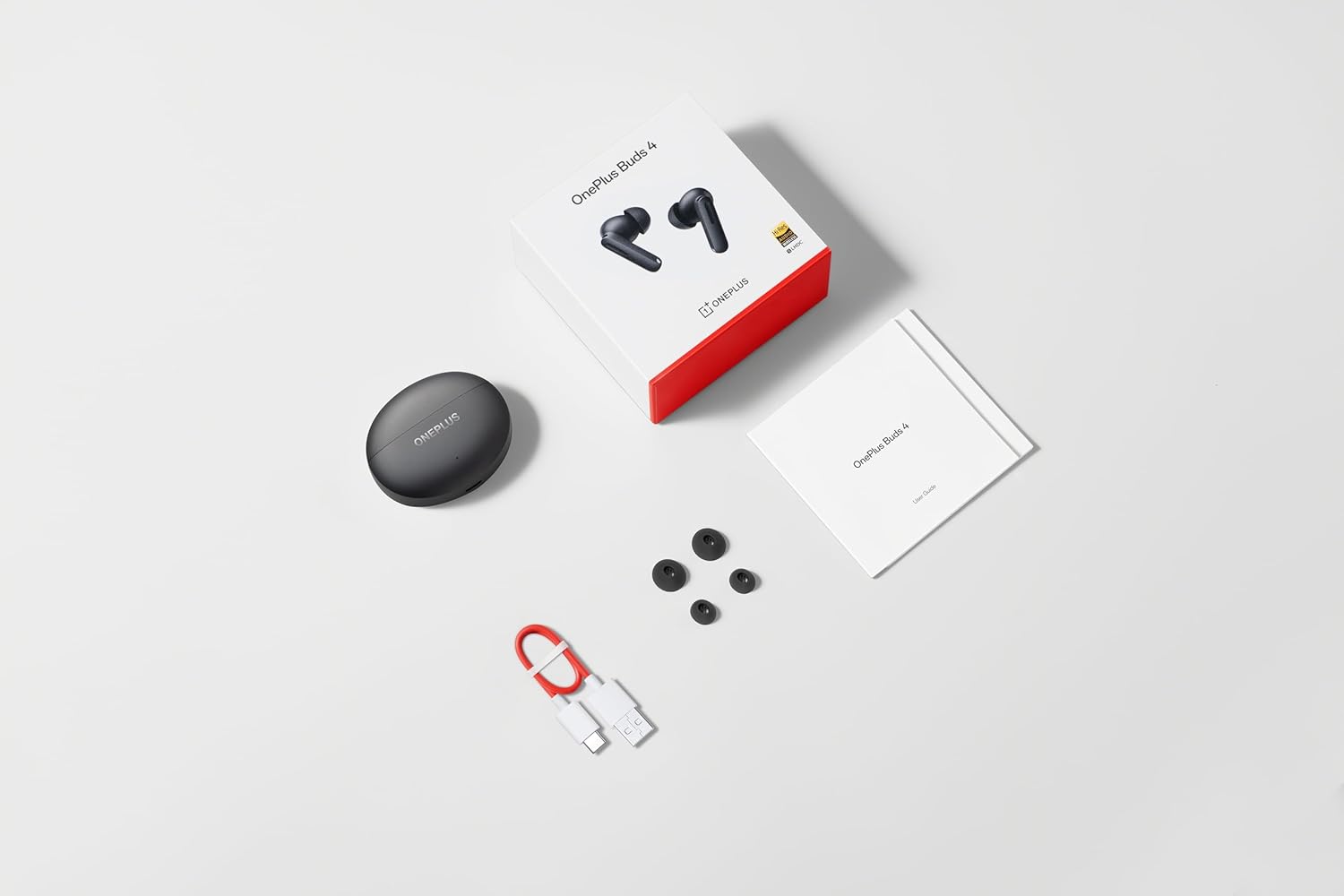
Image: The retail package contents for the OnePlus Buds 4, showing the earbuds, charging case, USB-C cable, and various ear tip sizes.
Konec produktuview
The OnePlus Buds 4 are advanced wireless in-ear headphones designed for high-quality audio and active noise cancellation. They feature an ergonomic design for comfort and secure fit, housed in a compact charging case.

Image: The OnePlus Buds 4 earbuds resting inside their open charging case. The earbuds and case are in Storm Gray, with the OnePlus logo visible on the case.

Image: This image shows the front perspective of the OnePlus Buds 4 earbuds and their charging case, highlighting the sleek Storm Gray finish.
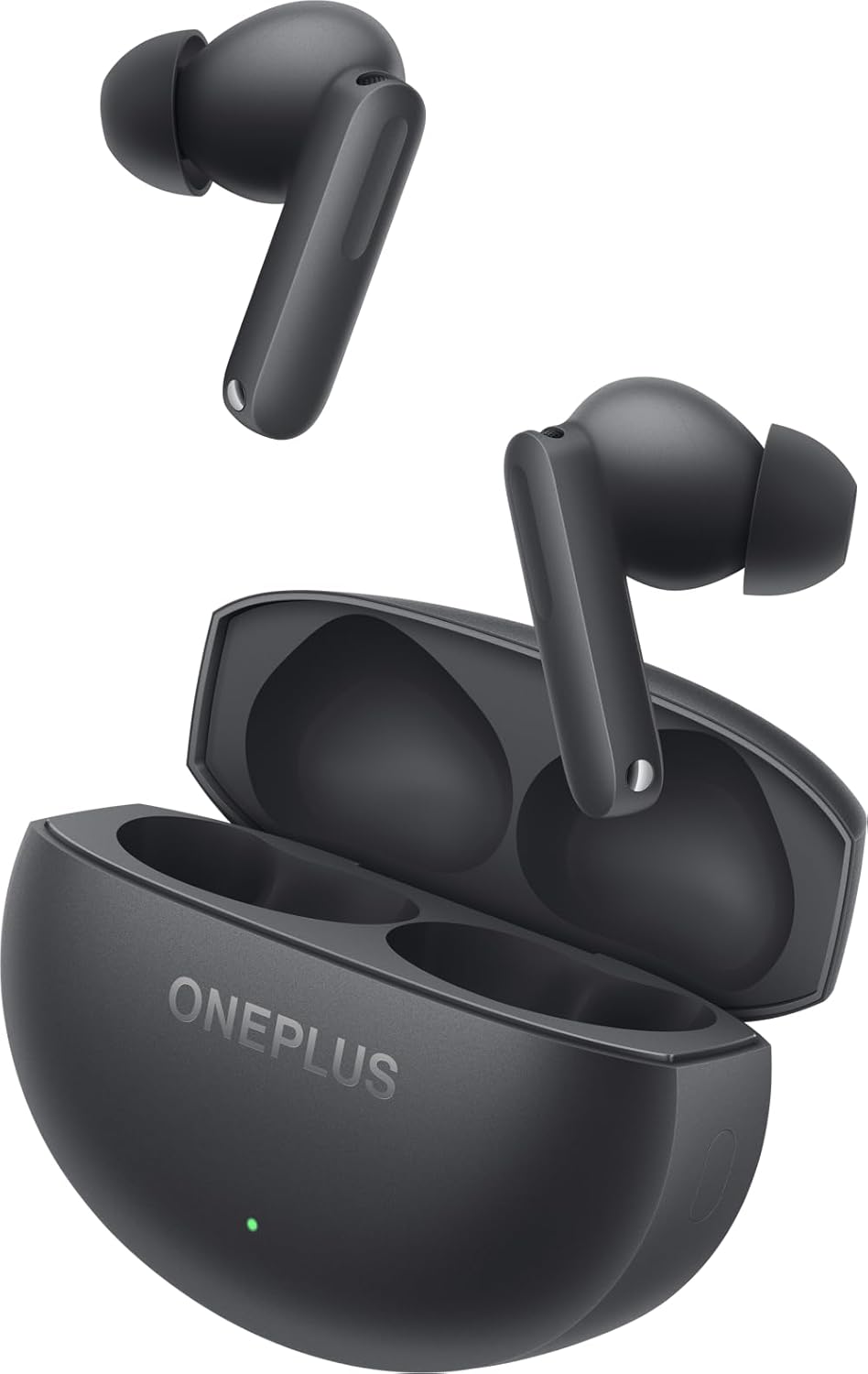
Image: The image features the two OnePlus Buds 4 earbuds separated from their charging case, showcasinjejich design.
Nastavení
Počáteční nabíjení
Before first use, place both earbuds into the charging case and connect the case to a power source using the provided USB-C cable. Ensure the indicator light on the case illuminates, signifying charging. A full charge is recommended for optimal battery performance.
Spárování se zařízením
- Ujistěte se, že nabíjecí pouzdro má dostatečnou kapacitu.
- Open the charging case with the earbuds inside. The indicator light will flash white, indicating pairing mode.
- Na smartphonu nebo zařízení s podporou Bluetooth přejděte do nastavení Bluetooth.
- Select "OnePlus Buds 4" from the list of available devices.
- Po připojení kontrolka na pouzdře zhasne.
For subsequent connections, the earbuds will automatically connect to the last paired device when the case is opened.
Installing the HeyMelody App
For advanced features, customization, and firmware updates, download and install the HeyMelody app from your device's app store. This app allows you to personalize touch controls, adjust sound profiles, and manage noise cancellation settings.
Selecting the Right Ear Tips
Choosing the correct ear tip size is crucial for sound quality, noise cancellation, and comfort. Experiment with the included small, medium, and large ear tips to find the best fit for your ears. A good seal will enhance bass response and active noise cancellation effectiveness.

Image: This image illustrates the different sizes of silicone ear tips included with the OnePlus Buds 4, essential for a comfortable and secure fit.
Návod k obsluze
Dotykové ovládání
The OnePlus Buds 4 feature intuitive touch controls on the stem of each earbud. These controls can be customized via the HeyMelody app.

Image: A close-up image of a single OnePlus Buds 4 earbud, indicating the specific area for touch controls on the stem.
- Jedno klepnutí: Přehrát/Pozastavit hudbu, Přijmout/Ukončit hovor.
- Dvojí poklepání: Další skladba, Odmítnout hovor.
- Trojité klepnutí: Předchozí skladba.
- Stiskněte a podržte: Switch between Active Noise Cancellation, Transparency Mode, and Noise Cancellation Off.
- Swipe Up/Down (on stem): Upravte hlasitost.
Aktivní potlačení hluku (ANC) a režim průhlednosti
The earbuds offer advanced noise control features:
- Aktivní potlačení hluku (ANC): Snižuje okolní hluk pro pohlcující poslechový zážitek.
- Režim průhlednosti: Umožňuje vám slyšet své okolí a zároveň si užívat zvuk, což zlepšuje situační povědomí.
Switch between these modes by pressing and holding the touch area on either earbud, or through the HeyMelody app.

Image: This graphic depicts the concept of Active Noise Cancellation, showing how the OnePlus Buds 4 reduce ambient sound for an immersive listening experience.
Zvukové funkce
The OnePlus Buds 4 are equipped with features to deliver high-fidelity audio:
- Hi-Res Audio and LHDC 5.0: Supports high-resolution audio codecs for detailed and clear sound reproduction.
- Immersive 3D Spatial Audio: Provides a multi-directional sound experience, enhancing immersion in music and videos.

Image: An image highlighting the Hi-Res Audio and LHDC 5.0 capabilities of the OnePlus Buds 4, indicating high-fidelity sound reproduction.
Image: This graphic illustrates the immersive 3D Spatial Audio feature, suggesting a multi-directional sound experience provided by the earbuds.
Calls and Gaming
The earbuds feature enhanced voice cancellation for clear calls and low-latency connectivity for an optimized gaming and video watching experience.
Nabíjení sluchátek a pouzdra
To charge the earbuds, place them into the charging case. The earbuds will begin charging automatically. To charge the case, connect the provided USB-C cable to the charging port on the back of the case and to a power adapter (not included).

Image: The rear of the OnePlus Buds 4 charging case, clearly showing the USB-C port for charging.
The charging case provides extended battery life, allowing for over 24 hours of total listening time with multiple recharges of the earbuds.
Údržba a péče
- Čištění: Pravidelně čistěte sluchátka a nabíjecí pouzdro měkkým, suchým hadříkem, který nepouští vlákna. Nepoužívejte agresivní chemikálie ani abrazivní materiály.
- Tipy do uší: Remove and clean ear tips with water and mild soap if necessary. Ensure they are completely dry before reattaching.
- Skladování: Pokud sluchátka nepoužíváte, uložte je do nabíjecího pouzdra, aby byla chráněna a zůstávala nabitá.
- Voděodolnost: The earbuds are water-resistant (IP55 rated), meaning they can withstand splashes and sweat. They are not designed for swimming or submersion in water. Ensure the earbuds are dry before placing them back in the charging case.
Odstraňování problémů
If you encounter issues with your OnePlus Buds 4, refer to the table below for common problems and solutions.
| Problém | Možná příčina | Řešení |
|---|---|---|
| Žádný zvuk ze sluchátek | Low battery; Not paired; Volume too low. | Charge earbuds; Re-pair with device; Increase device volume. |
| Sluchátka se nespárují | Out of range; Pairing mode not active; Interference. | Ensure earbuds are in pairing mode (open case); Move closer to device; Turn off other Bluetooth devices. |
| Aktivní potlačení hluku není účinné | Improper ear tip fit; ANC mode not active. | Try different ear tip sizes for a better seal; Ensure ANC is enabled via touch control or app. |
| Nabíjecí pouzdro se nenabíjí | Cable issue; Power source issue. | Check USB-C cable connection; Try a different power adapter or USB port. |
| Jedno sluchátko nemá zvuk | Earbud not connected; Low battery. | Place both earbuds in the case, close, then reopen; Ensure both earbuds are charged. |
Specifikace
| Funkce | Detail |
|---|---|
| Název modelu | OnePlus Buds 4 |
| Číslo modelu | E513A |
| Technologie připojení | Bluetooth 5.4 |
| Kontrola hluku | Aktivní potlačení hluku |
| Velikost zvukového ovladače | 11 milimetrů |
| Frekvenční rozsah | 40 Hz - 20,000 XNUMX Hz |
| Citlivost | 100 dB |
| Impedance | 18 Ohmy |
| Kontrolní metoda | Dotykové ovládání |
| Úroveň odolnosti proti vodě | IP55 (sluchátka) |
| Výdrž baterie (sluchátka + pouzdro) | Více než 24 hodin (s nabíjecím pouzdrem) |
| Kompatibilní zařízení | Smartphones, Laptops, Desktops, Gaming Consoles, Tablets, Televisions |
Bezpečnostní informace
Please observe the following safety guidelines to prevent damage to your device or personal injury:
- Ochrana sluchu: Vyhněte se dlouhodobému poslechu při vysoké hlasitosti, abyste předešli poškození sluchu.
- Bezpečnost jízdy: Do not use earbuds while driving or cycling in situations where it may distract you or pose a hazard.
- Péče o baterie: Nepokoušejte se vyměnit baterii sami. Nevystavujte zařízení extrémním teplotám ani přímému slunečnímu záření.
- Likvidace: Dispose of the device and its batteries according to local regulations. Do not dispose of with household waste.
Záruka a podpora
Your OnePlus Buds 4 are covered by a limited warranty. For detailed warranty terms and conditions, please refer to the warranty card included in your package or visit the official OnePlus support website. For technical assistance or customer service, please contact OnePlus customer support.