
1. Úvod
Thank you for choosing the Rollerhouse DC2702 15-Channel RF Remote Control. This remote is designed to provide convenient and efficient control over your motorized window shades. This manual will guide you through the setup, operation, and maintenance of your new remote control, ensuring optimal performance and longevity.
Před použitím produktu si prosím pečlivě přečtěte tento návod k obsluze a uschovejte si jej pro budoucí použití.
2. Konec produktuview a funkce
The Rollerhouse DC2702 is a versatile 15-channel radio frequency (RF) remote control, ideal for managing multiple motorized window shades individually or in groups. Its robust 433MHz RF signal ensures reliable operation, even through walls and floors, with an effective range of up to 100 meters.
- 15 nezávislé kanály: Control up to 15 individual shades or groups of shades.
- Dlouhý dosah: Strong 433MHz RF signal penetrates walls and floors, offering a range of up to 100 meters.
- Vhodné pro kutily: Easy pairing with compatible motors, requiring no complex wiring.
- Ovládání skupiny: Ability to control multiple shades simultaneously on a single channel.
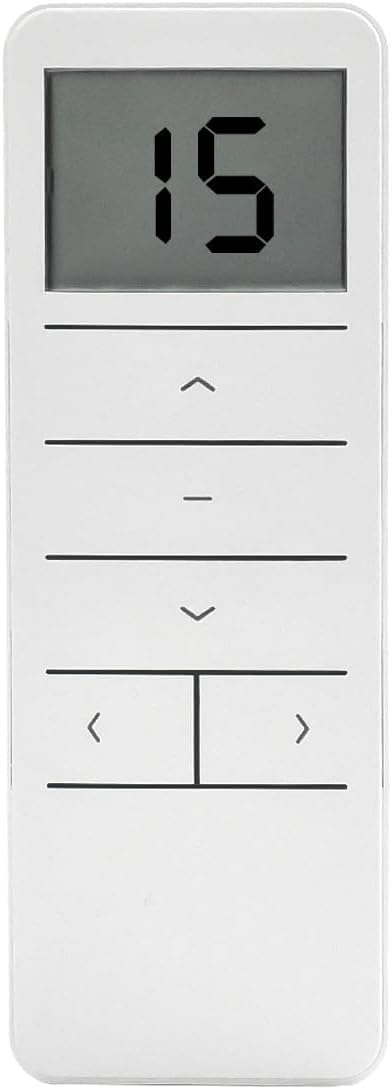
Obrázek 2.1: Přední strana view of the Rollerhouse DC2702 remote control, displaying '15' on the LCD screen and showing the control buttons.
3. Obsah balení
Po otevření balení se prosím ujistěte, že jsou přítomny všechny následující položky:
- DC2702 15-Channel RF Remote Control
- Remote Control Wall Mount/Stand
- Uživatelská příručka (tento dokument)

Figure 3.1: The DC2702 remote control, its stand, and a small instruction manual laid out, representing the product packaging contents.
4. Nastavení a instalace
4.1 Instalace baterie
- Najděte kryt prostoru pro baterie na zadní straně dálkového ovladače.
- Posuňte kryt dolů a otevřete přihrádku.
- Insert one CR2450 Lithium Metal battery, ensuring the correct polarity (+/-) as indicated inside the compartment.
- Zasuňte kryt zpět na místo, dokud bezpečně nezapadne.

Figure 4.1: Close-up of the back of the DC2702 remote control with the battery cover removed, revealing the CR2450 battery slot and the P2 setting button.
4.2 Montáž dálkového ovladače
The included remote stand allows for convenient placement or wall mounting:
- For desktop use, simply place the remote in the stand.
- For wall mounting, use appropriate screws (not included) to secure the stand to a desired wall location. Then, slide the remote into the mounted stand.
5. Návod k obsluze
Familiarize yourself with the buttons on your DC2702 remote control:
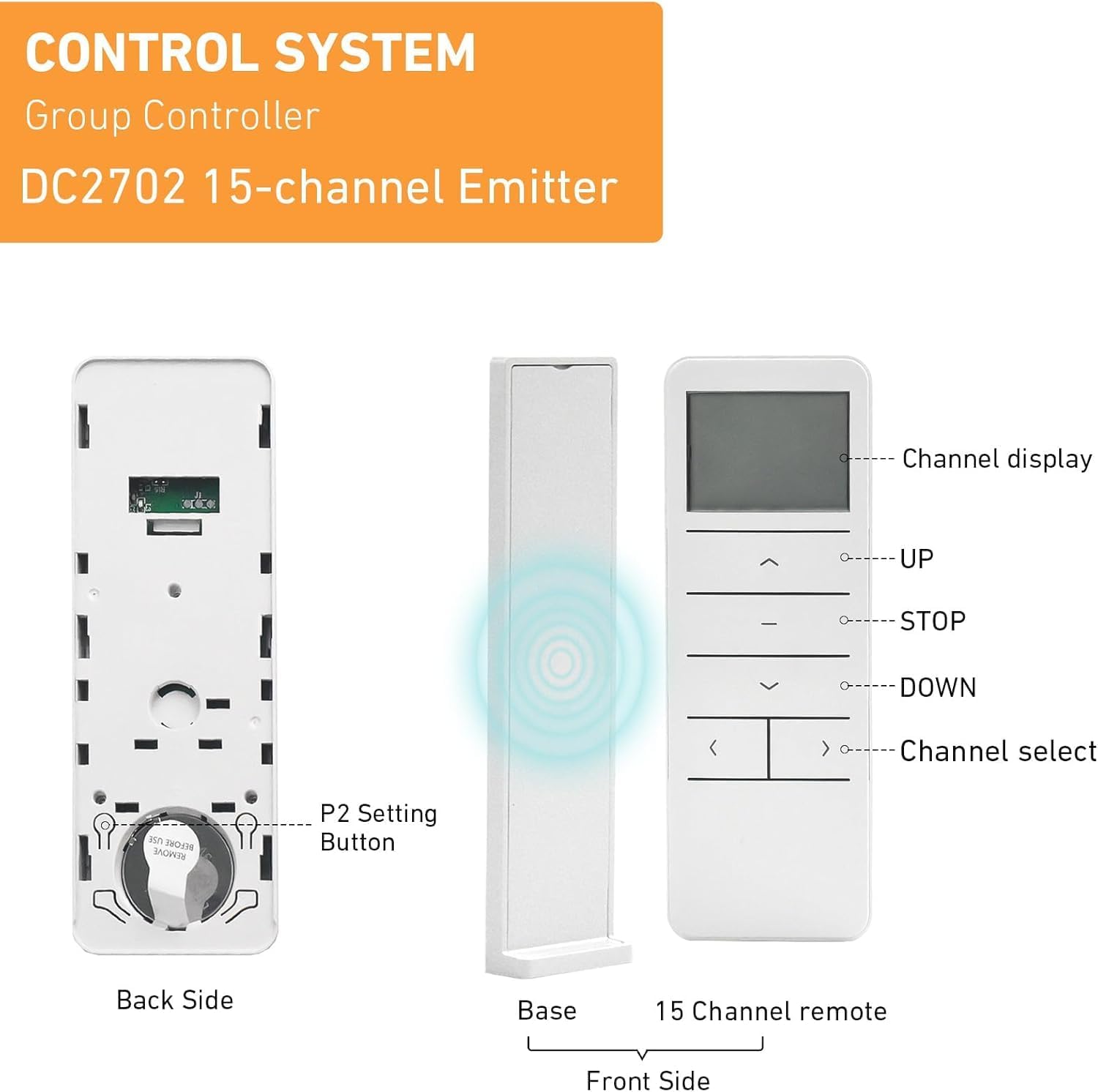
Figure 5.1: Detailed diagram of the DC2702 remote control, showing the front, back (with battery compartment and P2 button), and a base stand. Labels indicate Channel Display, UP, STOP, DOWN, and Channel Select buttons.
- Zobrazení kanálu: Shows the currently selected channel (1-15).
- NAHORU (▲): Moves the shade upwards.
- STOP (-): Zastaví stínění v jeho aktuální poloze.
- DOLŮ (▼): Moves the shade downwards.
- Channel Select (< / >): Cycles through channels 1 to 15.
- Tlačítko P2: Located on the back of the remote (under the battery cover), used for programming and pairing.
5.1 Výběr kanálu
Stiskněte tlačítko < or > buttons to cycle through the channels. The selected channel number will be displayed on the LCD screen. Each channel can control one individual shade or a group of shades.
5.2 Basic Shade Operation
- To raise the shade: Select the desired channel and press the NAHORU (▲) tlačítko.
- To lower the shade: Select the desired channel and press the DOLŮ (▼) tlačítko.
- To stop the shade: Press the STOP (-) button at any point during movement.

Figure 5.2: A person holding the DC2702 remote control, operating motorized window shades in a living room setting.
6. Programování a párování
The DC2702 remote control must be paired with your motorized shades to function. The exact pairing procedure may vary slightly depending on your specific motor model. Refer to your motor's instruction manual for detailed pairing steps. Generally, the process involves a combination of pressing the motor's program button and the P2 button on the remote.
6.1 General Pairing Procedure (Example)
- Ujistěte se, že je motor zapnutý.
- On the motor, press and hold its program button until the motor jogs (moves slightly) once.
- Within 5 seconds, select the desired channel on your DC2702 remote (e.g., Channel 1).
- Stiskněte tlačítko Tlačítko P2 on the back of the DC2702 remote (you may need a small tool like a paperclip).
- The motor should jog again, indicating successful pairing.
Repeat this process for each shade or group of shades you wish to control on different channels.
6.2 Setting Upper and Lower Limits (Motor Dependent)
If your motor supports limit setting via remote, this is typically done after pairing. Consult your motor's manual for specific instructions, which often involve using the P2 button in conjunction with the UP/DOWN buttons to set the desired stop points.
7. Údržba
7.1 Výměna baterie
When the remote's display becomes dim or unresponsive, it's time to replace the battery. Follow the battery installation steps in Section 4.1. Always use a fresh CR2450 Lithium Metal battery.
7.2 Čištění
K čištění dálkového ovladače použijte měkký, suchý hadřík. V případě odolných skvrn použijte lehceamp Lze použít hadřík, ale dbejte na to, aby se do dálkového ovladače nedostala vlhkost. Pouze čisté místo. Vyhněte se používání agresivních chemikálií nebo abrazivních čisticích prostředků.
8. Řešení problémů
- Dálkové ovládání nereaguje:
- Zkontrolujte baterii: Ujistěte se, že je baterie CR2450 správně vložena a dostatečně nabitá. V případě potřeby ji vyměňte.
- Range: Ensure you are within the operating range (up to 100m) and there are no major obstructions.
- Shade not pairing:
- Compatibility: Verify that your motorized shade is compatible with the DC2702 remote. This remote is designed to be a replacement for exact same shape and model remotes. It may not clone with existing remotes of different brands or models.
- Motor in pairing mode: Ensure your motor is correctly put into pairing mode as per its own instruction manual.
- Timing: Ensure the P2 button is pressed within the motor's pairing window (usually 5 seconds after the motor jogs).
- Shade moves in the wrong direction:
- This is typically a motor setting. Refer to your motor's instruction manual for reversing direction.

Figure 8.1: An informational image advising users on how to choose the best remote, emphasizing compatibility with the same shape or model and checking the brand.
9. Specifikace
| Funkce | Specifikace |
|---|---|
| Číslo modelu | DC2702-1 |
| Kanály | 15 |
| Rádiová frekvence | 433.92 MHz |
| Typ baterie | 1 x CR2450 Lithium Metal (3V) |
| Pracovní teplota | -10 ℃ až +50 ℃ |
| Rozměry (D x Š x V) | 130 x 45 x 10.5 mm (přibližně 5.1" D x 1.8" Š x 0.4" V) |
| Materiál | Plast |
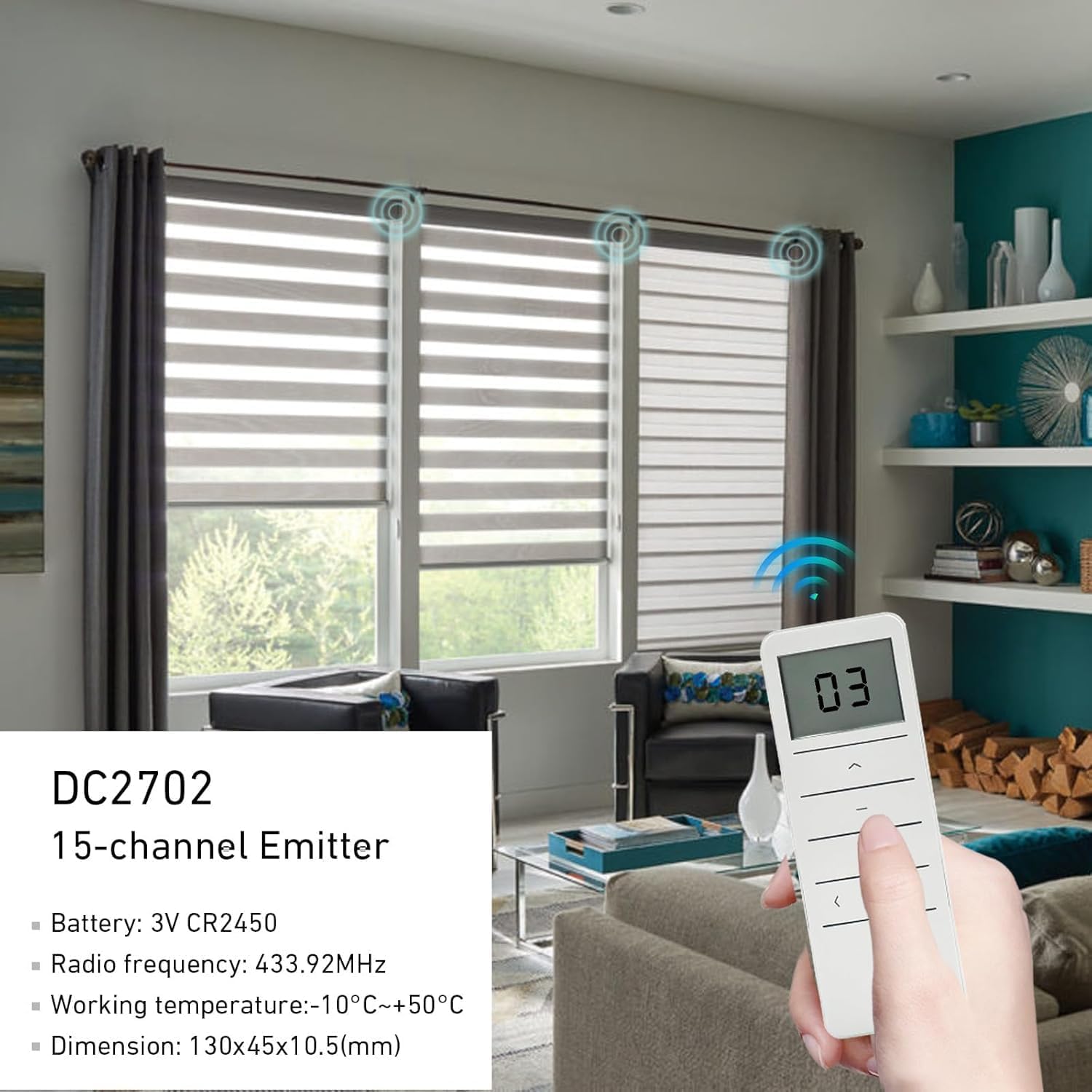
Figure 9.1: The DC2702 remote control being used in a room with multiple motorized window shades, illustrating its 433.92MHz radio frequency signal and displaying key specifications.
10. Záruka a podpora
Rollerhouse is committed to providing quality products and customer satisfaction. If you encounter any issues or have questions regarding your DC2702 remote control, please contact our customer service team. We can assist you in choosing the correct remote control and provide support for any operational concerns.
For assistance, please refer to the contact information provided with your purchase or visit the official Rollerhouse webmísto.