
1. Úvod
The Machenike KG98 is a versatile mechanical gaming keyboard designed for various uses including work, gaming, and study. It features multi-device connectivity, hot-swappable switches, an ergonomic structure, and customizable RGB lighting. This manual provides detailed instructions for setup, operation, and maintenance to ensure optimal performance and user experience.
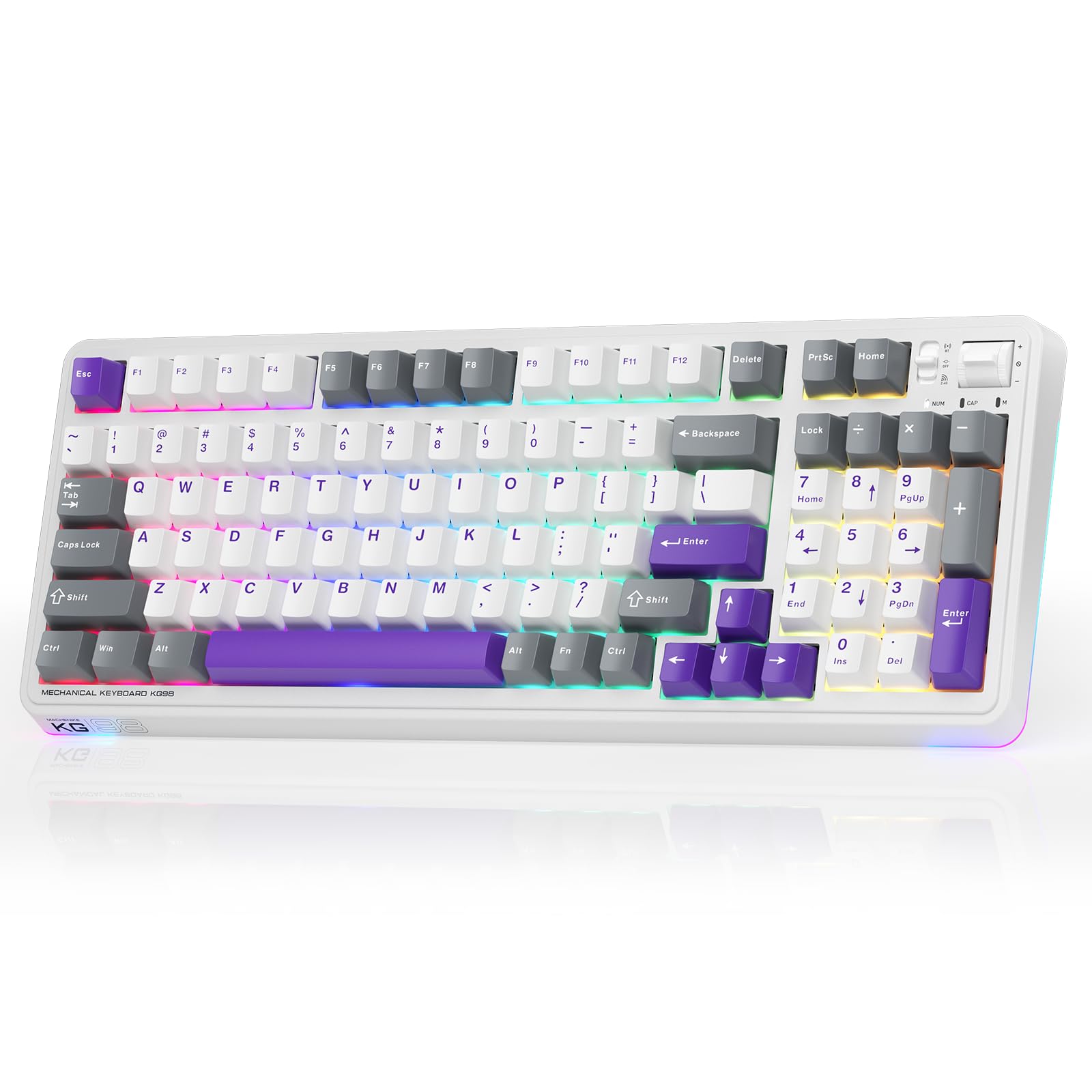
Figure 1: Machenike KG98 Mechanical Gaming Keyboard
2. Co je v krabici
Po vybalení zkontrolujte, zda jsou všechny položky přítomny:
- Machenike KG98 Mechanical Keyboard
- Extra 2 Grey Pre-lubed Linear Switches
- Stahovač klíčů
- USB kabel (Typ-A až Typ-C)
- Uživatelská příručka (tento dokument)

Figure 2: Box Contents of the KG98 Keyboard
3. Nastavení
3.1 Režimy připojení
The KG98 keyboard supports three connection modes: Wired (USB-C), 2.4G Wireless, and Bluetooth (BT5.0). A mode switch is located on the top-right side of the keyboard.
- Kabelový režim: Connect the provided USB-C cable to the keyboard and your computer. The mode switch should be in the middle (USB) position.
- 2.4G bezdrátový režim: Locate the 2.4G USB dongle (usually stored magnetically on the keyboard's underside). Insert the dongle into your computer's USB port. Slide the mode switch to the bottom (2.4G) position. The keyboard will automatically connect.
- Režim Bluetooth: Slide the mode switch to the top (BT) position. On your device (computer, tablet, smartphone), search for Bluetooth devices and select 'Machenike KG98'. The keyboard's indicator light will flash blue during pairing.
3.2 Nabíjení klávesnice
The keyboard is equipped with an 8000mAh battery. To charge, connect the USB-C cable to the keyboard and a power source (e.g., computer USB port, USB wall adapter). The indicator light will show charging status.

Figure 3: Connectivity and Multimedia Control Switches
Video 1: Machenike KG98 Mechanical Keyboard Overview (Obsah prodejce)
This video demonstrates the unboxing, various features, and connectivity options of the Machenike KG98 Mechanical Keyboard, including switch removal and typing sound tests.
4. Návod k obsluze
4.1 Kombinace funkčních kláves
The KG98 keyboard utilizes the 'Fn' key for various secondary functions. Refer to the included user manual for a comprehensive list of Fn key combinations for both Windows and macOS, including multimedia controls, brightness adjustments, and system functions.
4.2 Ovládání RGB osvětlení
The keyboard features 16.8 million customizable RGB backlighting and dual-sided RGB light strips. Use the following key combinations to adjust the lighting:
- Fn + Shift: Procházejte různými efekty RGB osvětlení.
- Fn + Enter: Change the solid color of the current lighting effect.
- Fn + šipka nahoru/dolů: Nastavení jasu podsvícení (4 úrovní).
- Fn + šipka vlevo/vpravo: Adjust animation speed (4 levels).
- Fn + Page Up/Page Down: Change side light strip color.
- Fn + Home/End: Change side light strip mode/speed.
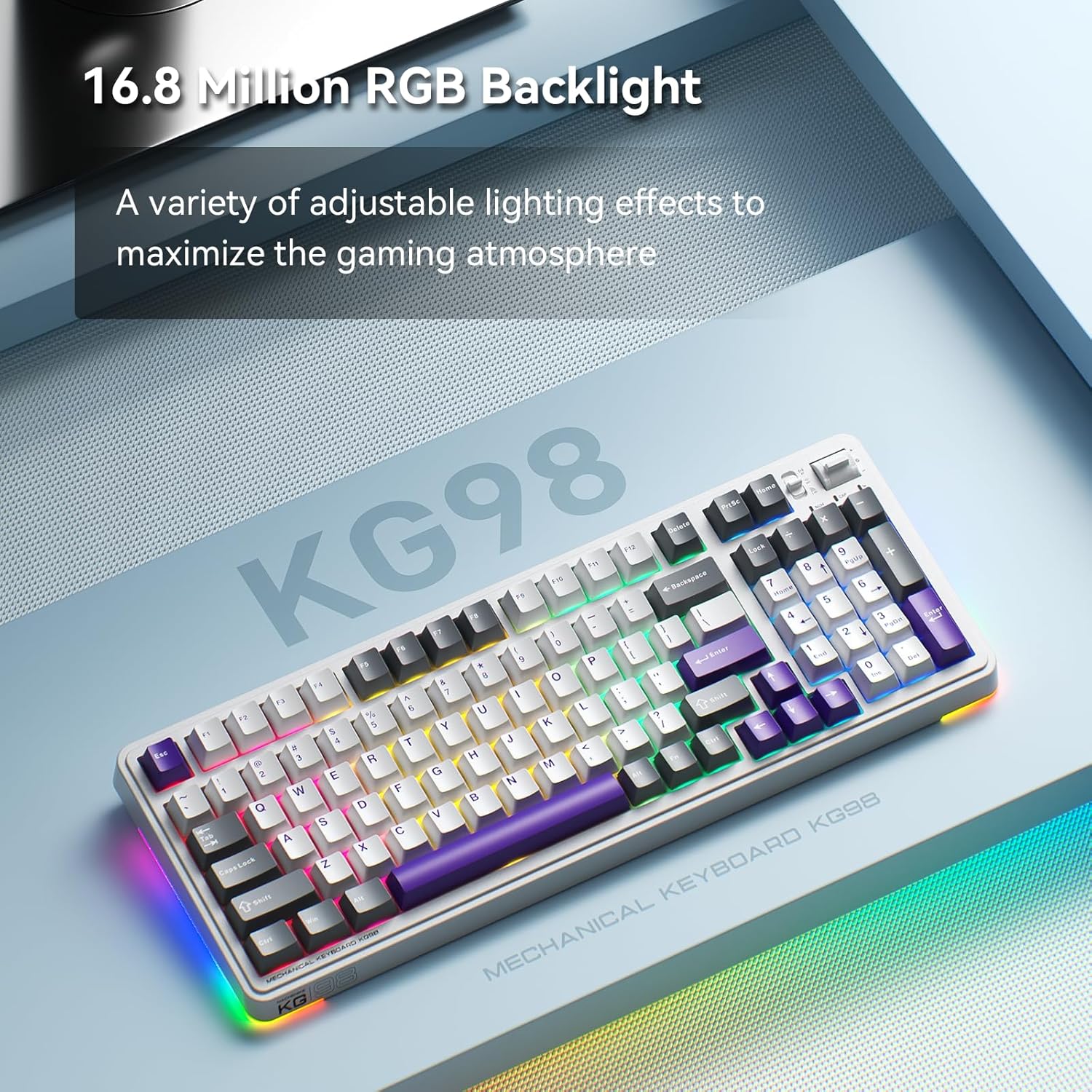
Figure 4: Customizable RGB Backlighting
4.3 Multimedia and Volume Controls
A multi-functional toggle switch is located on the top-right of the keyboard, allowing for quick adjustments:
- Střídat: Upravte hlasitost nahoru nebo dolů.
- Stiskněte: Ztlumit/zapnout zvuk.
- Stiskněte a podržte: Přepínání režimů RGB osvětlení.
5. Přizpůsobení
5.1 Přepínače vyměnitelné za provozu
The KG98 keyboard features hot-swappable sockets, allowing you to easily replace switches without soldering. This enables personalization of typing feel and sound. Use the included keycap puller and switch puller to remove and install switches. The keyboard supports both 3-pin and 5-pin switches.

Obrázek 5: Přepínače vyměnitelné za provozu
5.2 Výměna krytky kláves
The keyboard comes with durable PBT keycaps. You can replace these with aftermarket keycaps of your choice to further customize the keyboard's aesthetics. Use the keycap puller to safely remove keycaps.
5.3 Přizpůsobení softwaru
Download the official Machenike software to unlock advanced customization options, including:
- Key remapping for individual keys.
- Macro recording and assignment.
- Detailed RGB lighting effects and color customization.
- Adjusting debounce time and sleep settings.
6. Specifikace
| Číslo modelu | KG98 |
| Rozměry produktu | 16.61 cm D x 7.48 cm Š x 2.16 cm V |
| Hmotnost položky | 3.39 libry |
| Technologie připojení | BT5.0 (Bluetooth), 2.4G Wireless, USB-C Wired |
| Popis klávesnice | Bezdrátová mechanická klávesnice s těsněním |
| Podsvícení klávesnice | RGB |
| Baterie | 1 lithium-iontová baterie (součástí balení) |
| Speciální funkce | Noise-canceling, Hot-swappable switches, Multi-functional switch |
| Kompatibilní zařízení | Herní konzole, notebook, počítač, chytrý telefon, tablet |
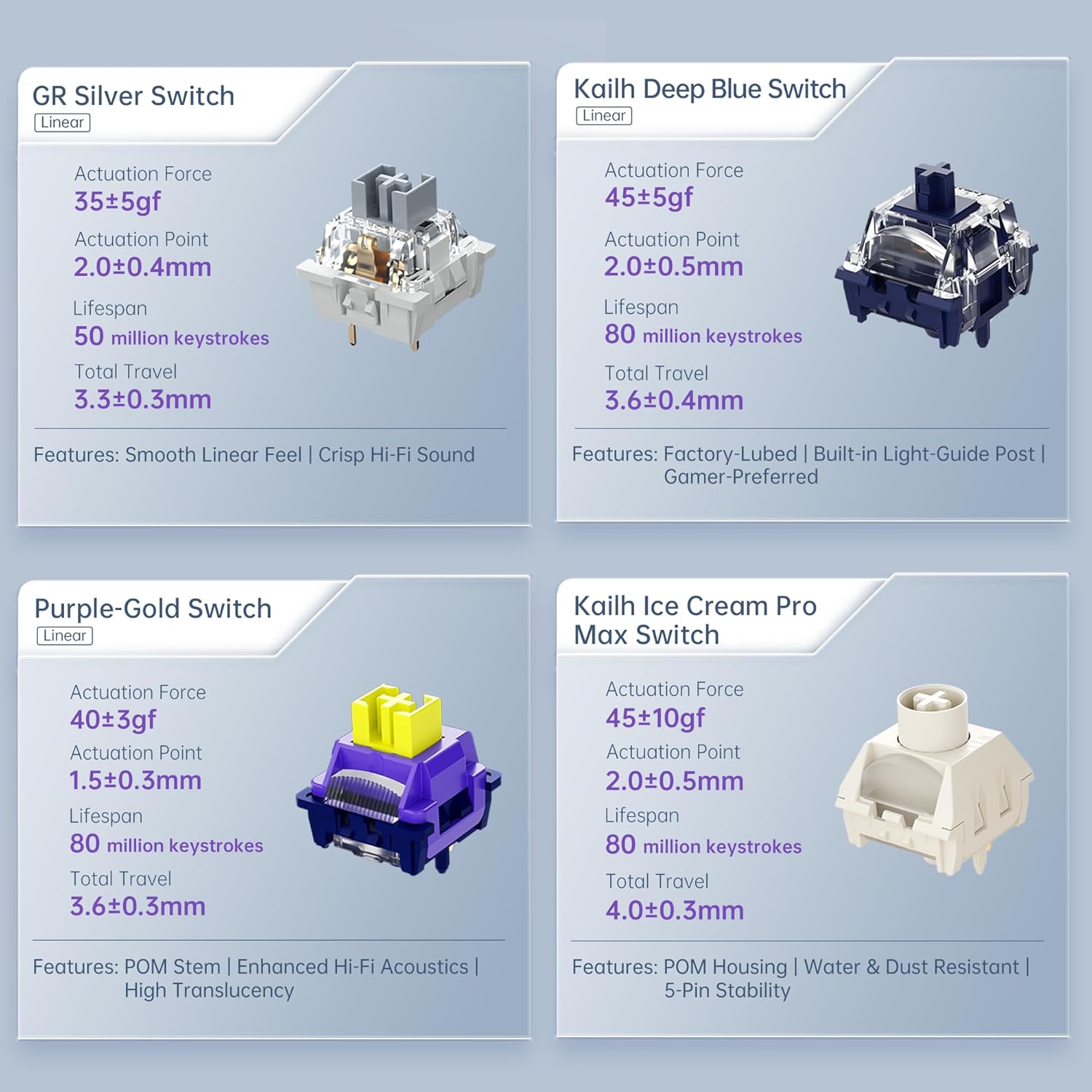
Figure 6: Premium 5-Layer Acoustic Filling Design
7. Údržba
To ensure the longevity and optimal performance of your Machenike KG98 keyboard, follow these maintenance guidelines:
- Čištění: Regularly clean the keyboard with a soft, dry cloth. For deeper cleaning, remove keycaps using the provided puller and use compressed air to clear debris from between switches.
- Vyhněte se tekutinám: Do not expose the keyboard to liquids. If spills occur, immediately disconnect the keyboard and allow it to dry completely before re-using.
- Skladování: Klávesnici skladujte na chladném a suchém místě mimo dosah přímého slunečního záření a extrémních teplot.
8. Řešení problémů
If you encounter issues with your Machenike KG98 keyboard, try the following troubleshooting steps:
- Žádná odpověď: Ensure the keyboard is properly connected in wired mode, or that the 2.4G dongle/Bluetooth is correctly paired and the mode switch is in the correct position. Check battery level.
- Problémy s připojením: For wireless modes, ensure the keyboard is within range of your device. Try re-pairing Bluetooth or re-inserting the 2.4G dongle.
- RGB světla nefungují: Check brightness settings (Fn + Up Arrow). Ensure the lighting mode is active (Fn + Shift).
- Klíče se neregistrují: If individual keys are not working, try replacing the switch using the provided tools and extra switches.
- Problémy se softwarem: Ensure you have the latest version of the Machenike software installed. Restart your computer and the software.
- Obnovení továrního nastavení: If problems persist, you can perform a factory reset via the customization software.
9. Záruka a podpora
For warranty information, technical support, or service inquiries, please contact Machenike customer support through their official website or the contact details provided with your purchase. Keep your proof of purchase for warranty claims.